
Rewriting history with drag and drop
GitHub Desktop has been gradually expanding its support for Git operations beyond the basics. After adding cherry-picking in version 2.7 and diff improvements in 2.8, the new release focuses on giving developers more control over their commit history through the existing drag and drop interface.
Previously, drag and drop was limited to cherry-picking commits between branches. Now the same interaction pattern works within a single branch's history, letting you squash multiple commits together or rearrange their order. This is useful when a series of commits represents one logical unit of work, or when a project requires pull requests to contain a single commit. Dragging one commit on top of another combines them and prompts you for a new commit message that describes the squashed changes.

Merge options expand
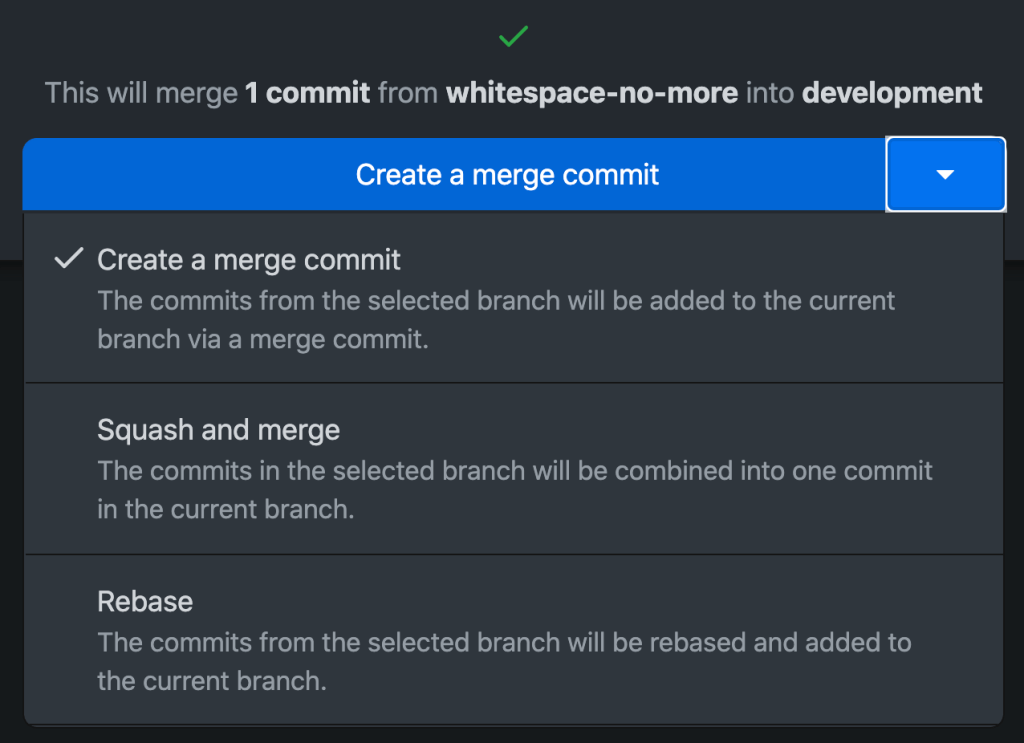
The merge dialog also gains new capabilities. In addition to the traditional merge and rebase options, you can now squash commits as part of the merge operation itself.
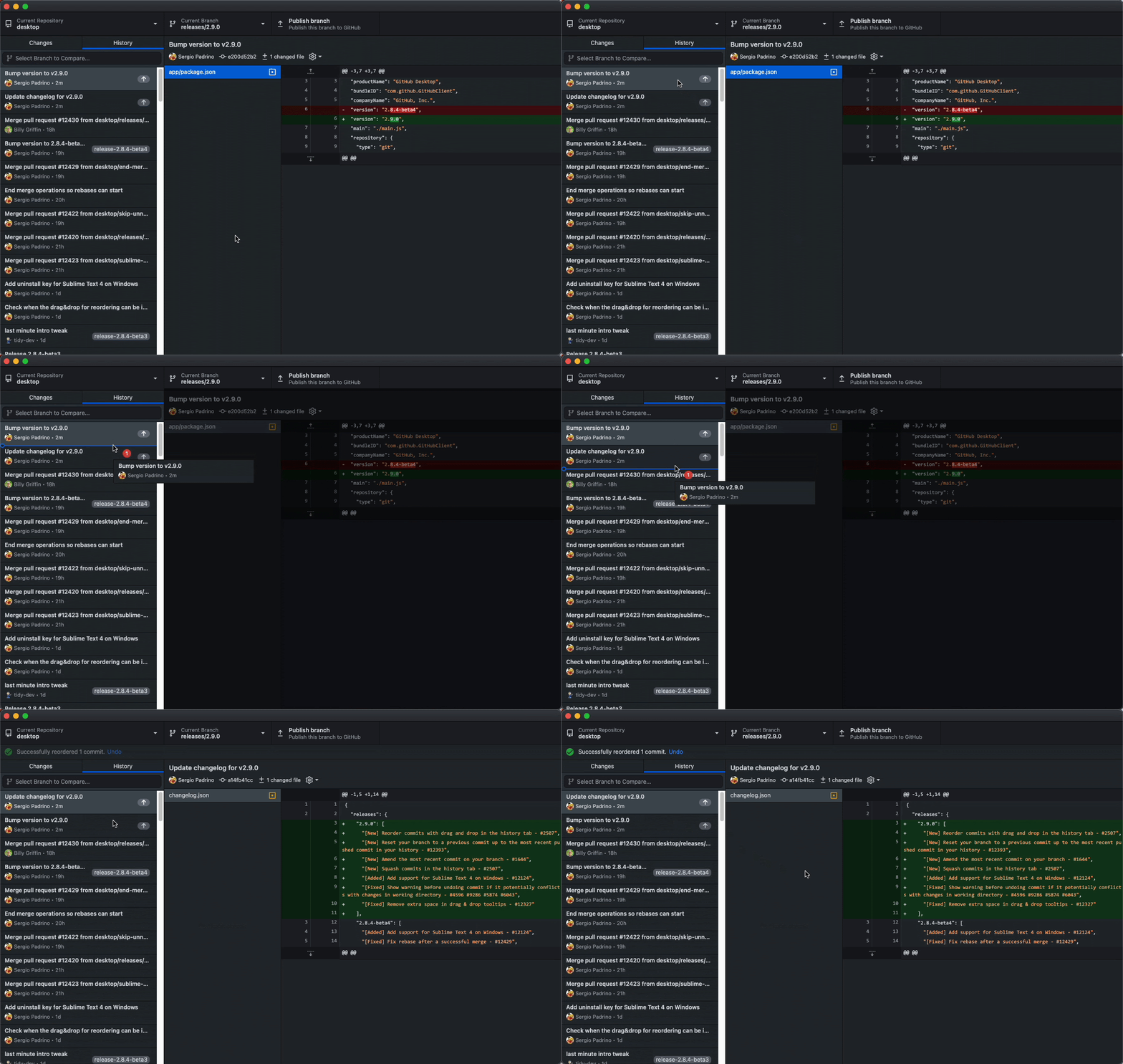
When commit ordering becomes confusing, commits can be repositioned within the history via the same drag and drop mechanism.
Branch from any point in history
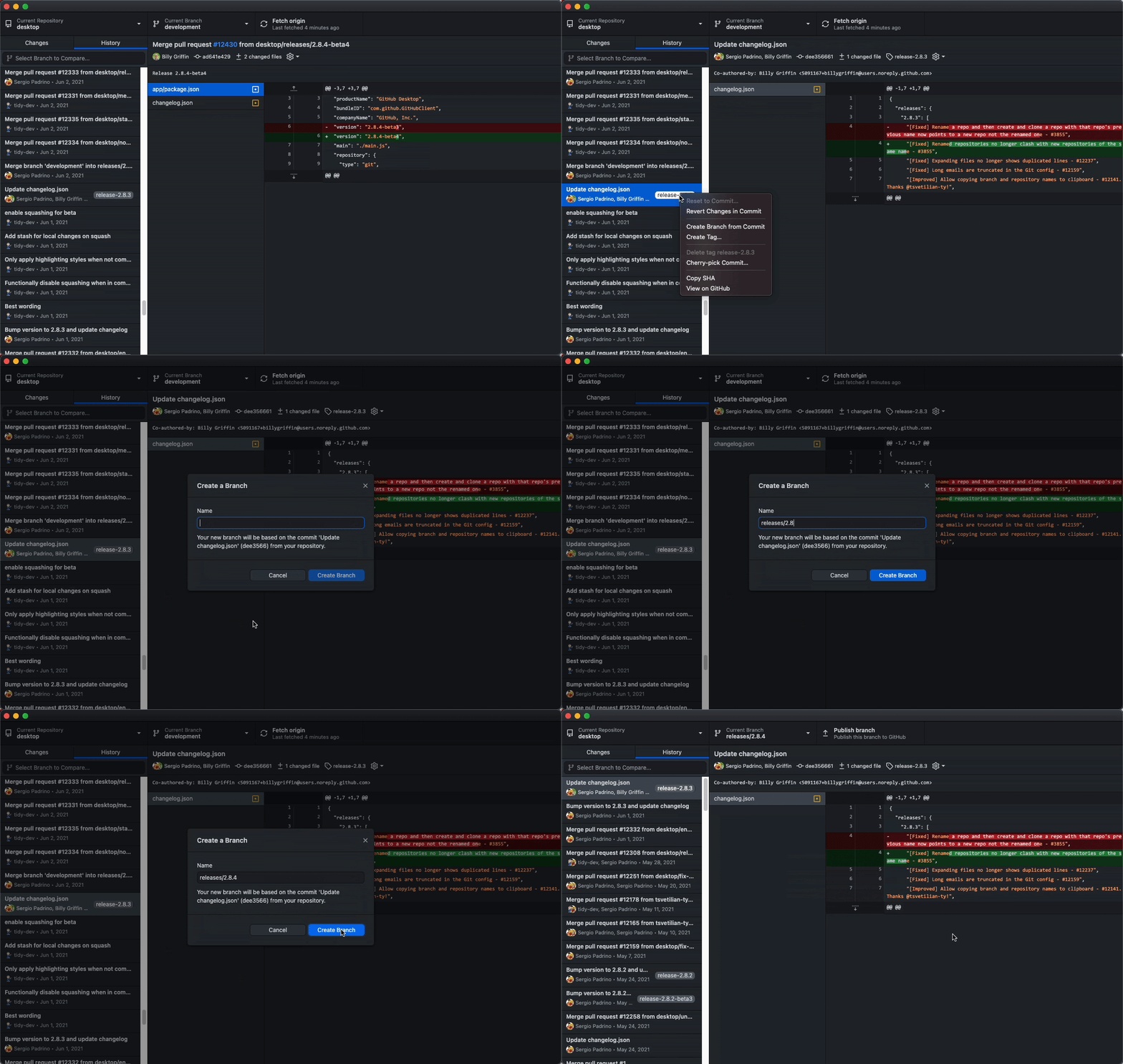
Investigating an older version of your project, whether to debug a bug or build a hotfix on top of a release, previously required more roundabout methods in Desktop. The new version lets you create a branch from any commit in your history directly. This branch can represent the repository state at that specific commit, and it does not disrupt your current working branch.
Amend without the undo dance
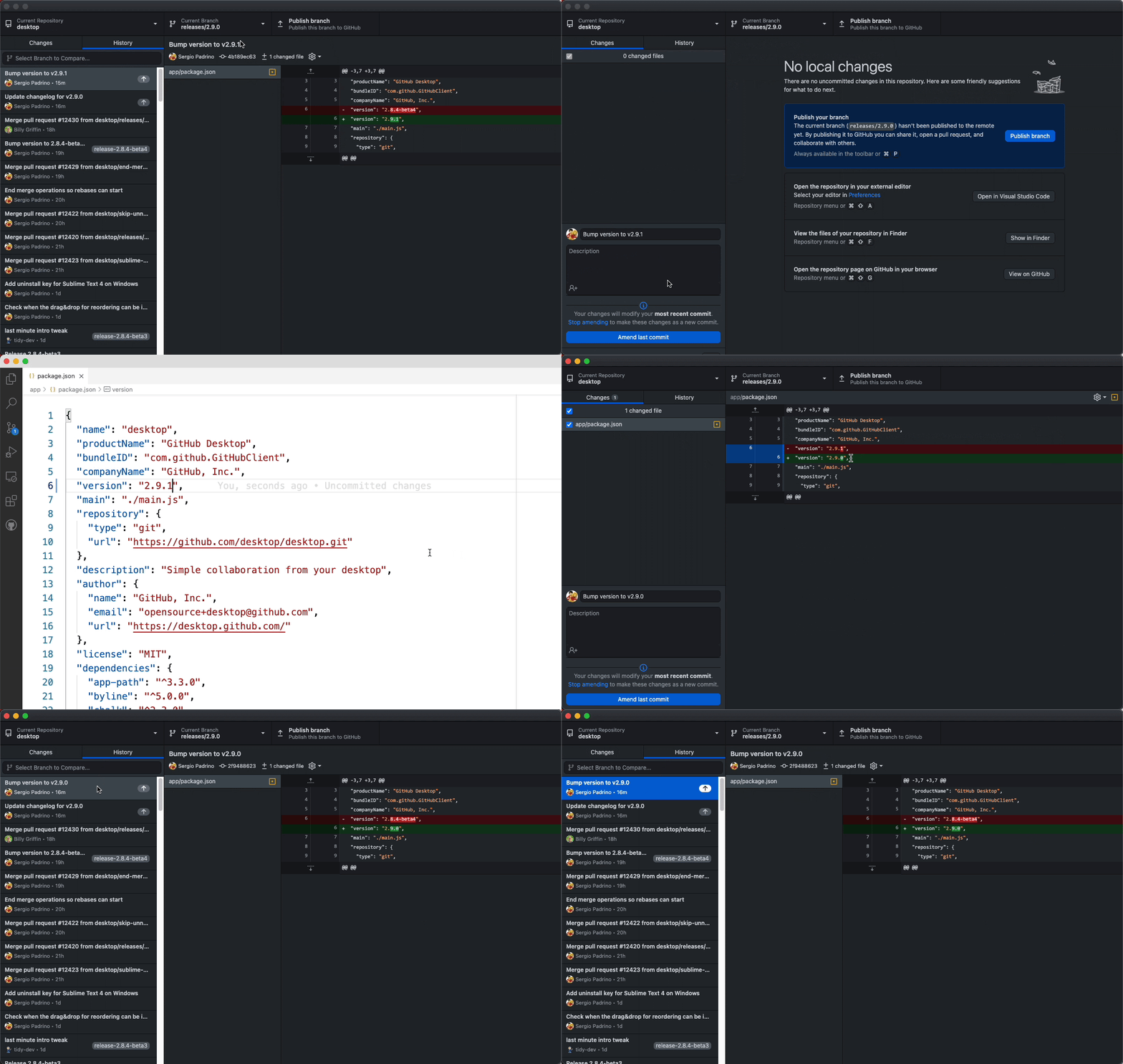
GitHub Desktop has always offered a way to undo the last commit, which moves all of its changes back into the working directory. That approach is cumbersome when your working directory already contains many unrelated changes and you just want to add a single file or tweak the commit message. In this release, you can amend the last commit directly from the history view, updating its message or incorporating new changes without disturbing anything else.
Native Apple Silicon support
The release also ships a native build for Apple Silicon machines running the M1 chip. This replaces the previous version that ran through translation, resulting in improved performance and fewer crashes. The community contributor @dennisameling was instrumental in this effort.


