

GitHub’s new code search is live for everyone
Developers spend most of their time reading code, not writing it. Today, GitHub has made its redesigned code search and code view generally available on GitHub.com, aiming to cut down the time spent hunting for the right file or function. The new tools are built around three major changes: a brand-new search interface, a search engine written from scratch, and an overhauled code view that merges browsing with navigation.
The new search engine is roughly twice as fast as the old one, according to GitHub, and it now supports substring queries, regular expressions, and symbol search. It also understands code structure well enough to rank results by relevance.
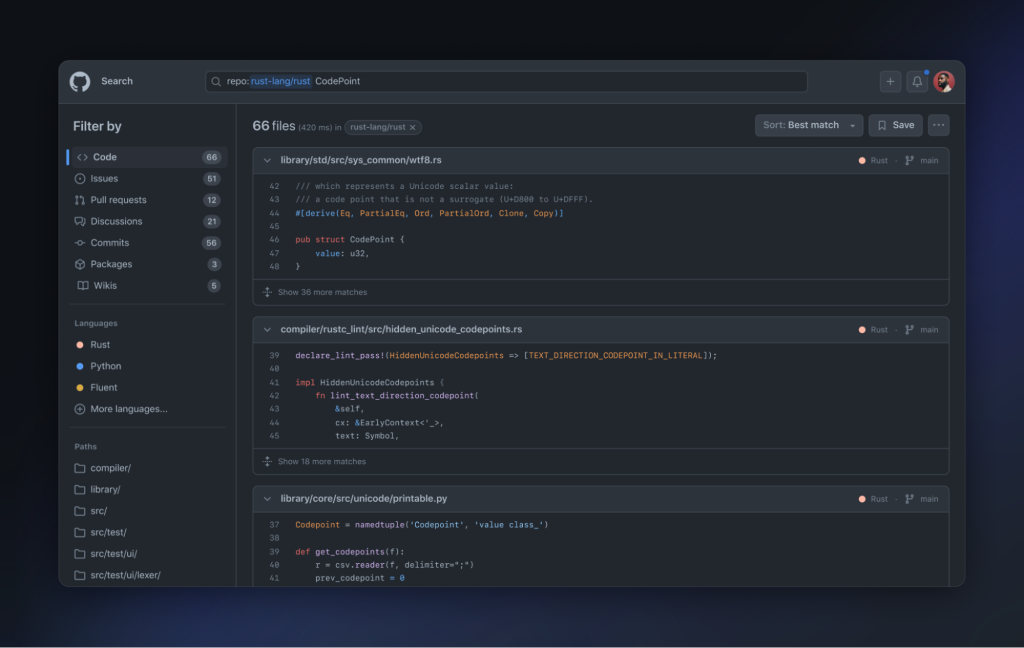
The new code view pairs tightly with search. Instead of switching between modes, developers can search, browse, and jump through symbols without losing context.
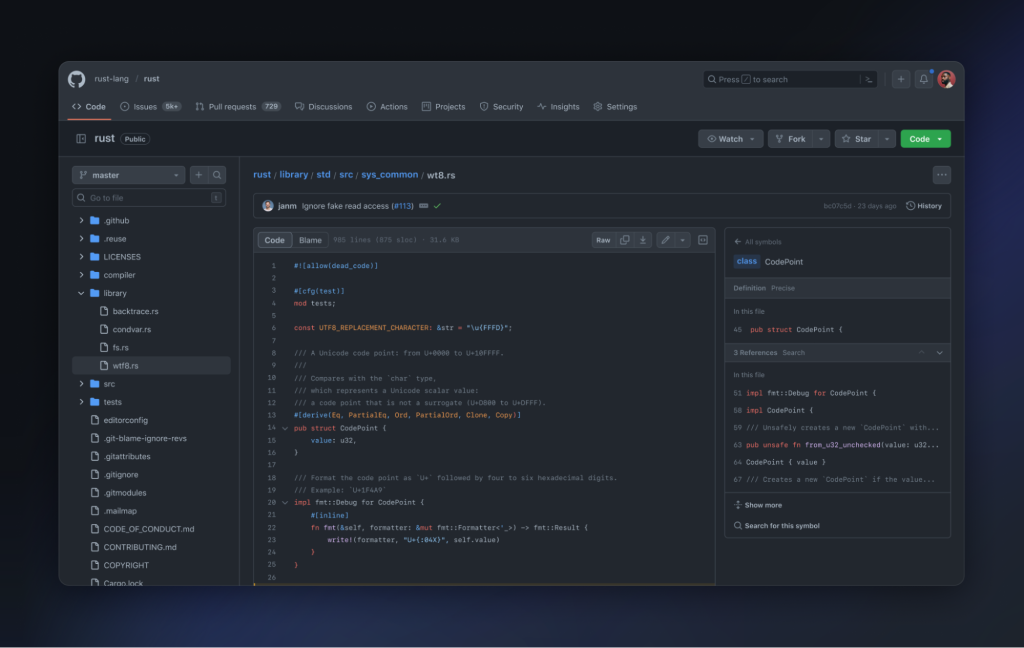
Three practical workflows that show the difference
GitHub walked through three common scenarios to demonstrate what the new search can do. The takeaway: you can often find the answer to a codebase question without cloning repos or tapping a colleague on the shoulder.
Tracking down an error message
Suppose a user reports seeing “query is not satisfiable” in an error from your service, but you don’t know which system emits it. A search across an entire organization’s code for that phrase can narrow it down fast.


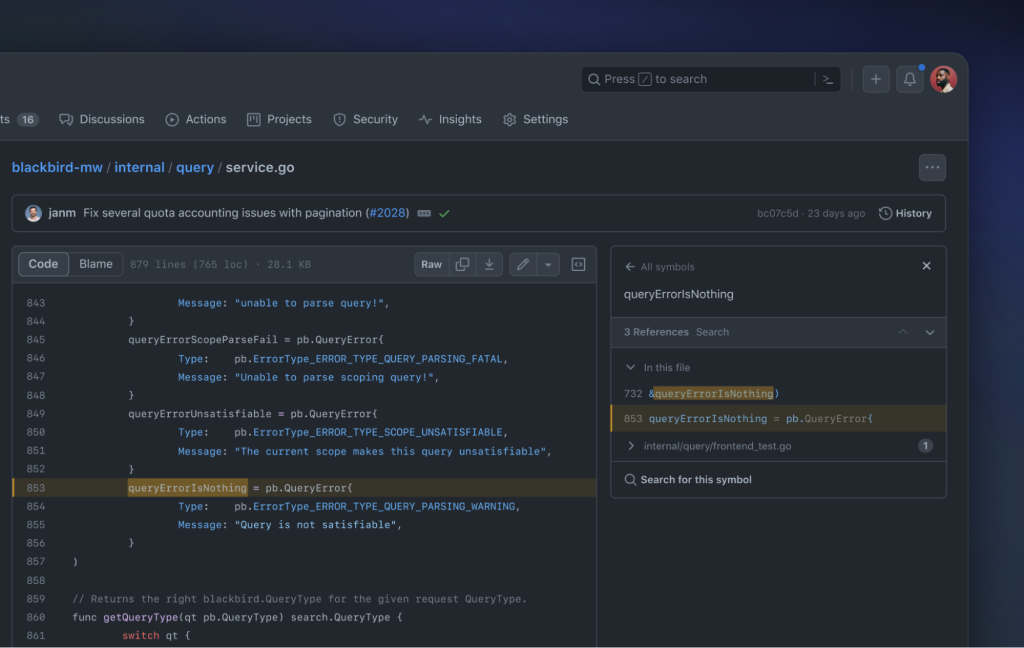
With just one result, you find a constant named queryErrorIsNothing containing the string. The symbols pane shows its definition and both usages: one in the same file, another in a test. Following the test shows an example query that triggers the error, giving you a full picture of the cause and a starting point for a fix—maybe even a new test written with GitHub Copilot in a codespace.
Checking Kubernetes memory requests
If an infrastructure team reports memory pressure in a cluster, you need to know what your services are asking for. Searching your team’s YAML configuration files for “memory” brings up the Kubernetes manifests and their memory allocations immediately.
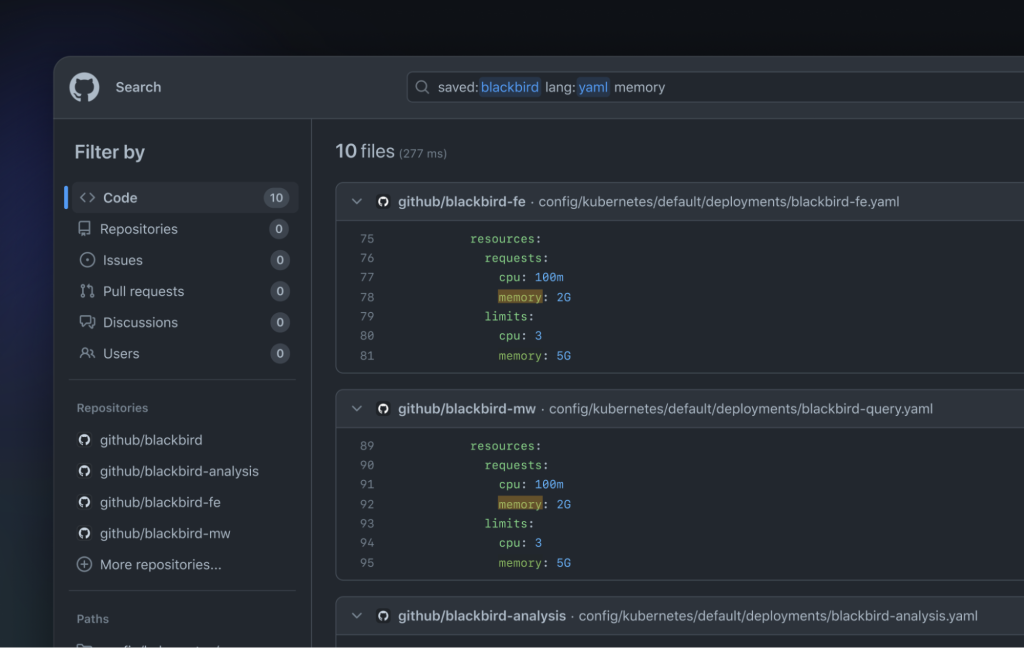
You can then share that search URL directly with the infrastructure team to start a conversation about trimming allocations.
Finding unsafe React DOM injections
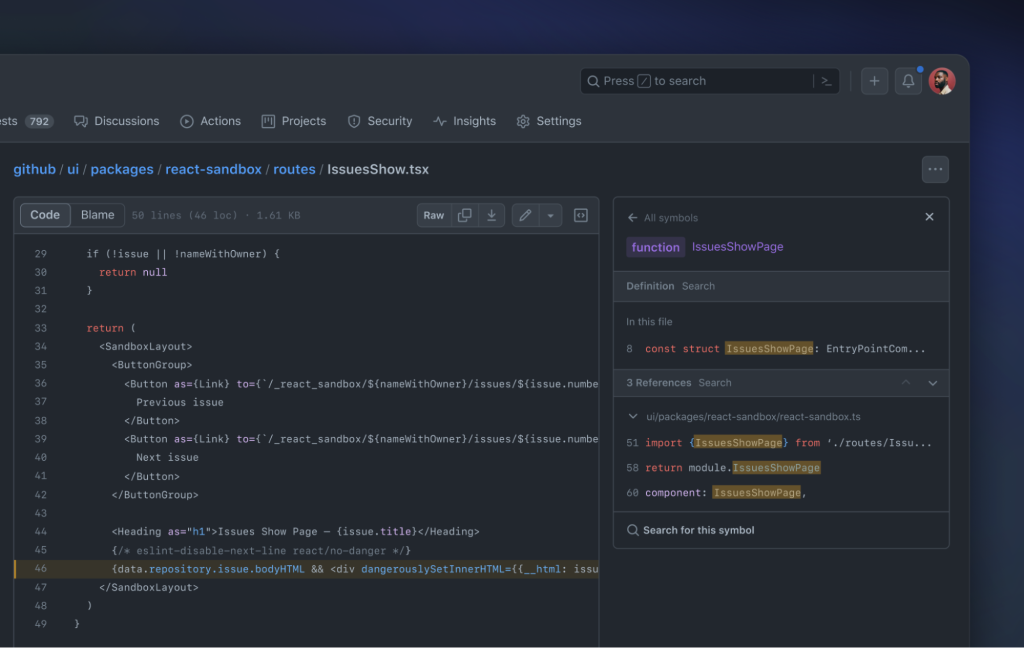
The React prop dangerouslySetInnerHTML is a known risk: it injects HTML from a string, which can lead to vulnerabilities if the string isn’t trusted. Searching for its usage across the github/github codebase—the code behind GitHub.com—yields a handful of results.

Among them you might spot linter rules discouraging the prop, but also a component called IssuesShow that looks potentially vulnerable. In the code view, clicking the symbol name shows its usages; it turns out the component is only referenced in one other file, on a route used by GitHub’s sandbox testing environment—so it’s safe.
A first step toward code intelligence
For GitHub, today’s launch is groundwork. The company says it sees code search and code view as part of a broader push to build intelligence into every stage of software development. The new features are available now for all users on GitHub.com, and GitHub is inviting feedback on the search and view experience, along with bug reports, through its community discussion board.


