

Exporting GitHub data without the API work
Organizations that need granular GitHub activity for audits or reporting often turn to the API. But not everyone on a reporting team wants to write code against it. A frequent request GitHub has heard is simply: give me the issues and other repository data as a CSV so I can open it in a spreadsheet. The newly open-sourced GitHub Artifact Exporter fills that gap with a CLI and a lightweight GUI that handle the API interactions for you.
What you can pull
The core export covers GitHub Issues and their comments, filterable by date range using GitHub's full search syntax. The CLI additionally supports exports for:
- Commits
- Milestones, including associated issues
- Projects, including associated issues
- Pull requests, including comments
- Releases
Output formats
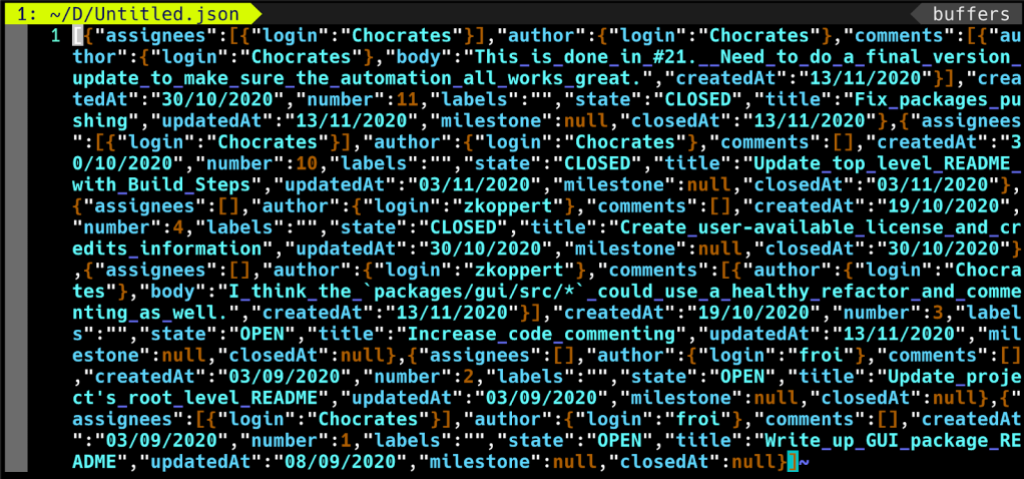
Both interfaces write to JSON or CSV. The JSON option is newline-delimited, so each line can be processed independently.
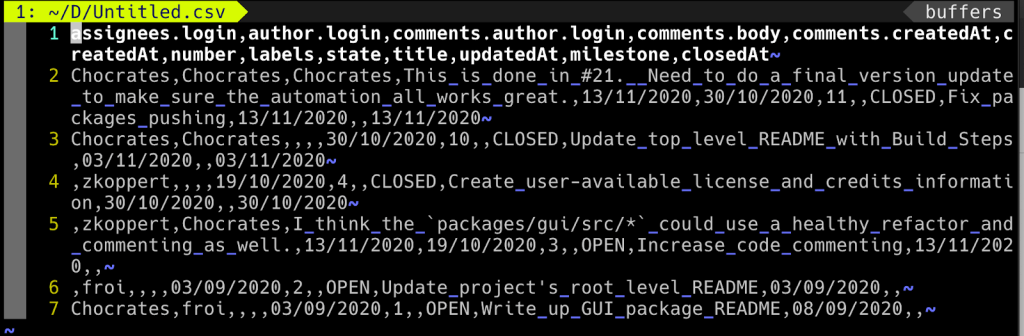
The CSV layout treats each row as an issue paired with a single comment, resulting in a comma-delimited file where one issue may span multiple lines if it has several comments.
Starting with the GUI
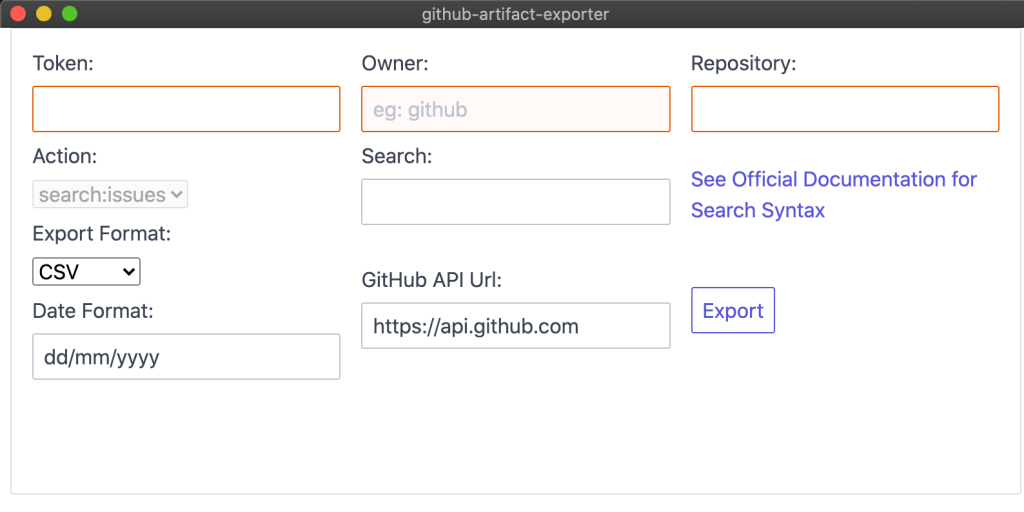
The GUI asks for three things up front: a personal access token, the repository owner, and the repository name. The owner field takes your personal account name or organization name; the repository field takes the slug from the URL. For the GitHub Artifact Exporter itself, that would mean Owner = "github" and Repository = "github-artifact-exporter".
From there, enter a search string to filter issues, pick CSV or JSON, and hit export. The tool then prompts you for a save location.
Going deeper with the CLI
The CLI produces the same JSON and CSV outputs as the GUI but also adds the extra export types listed above. Full usage details live in the README. For example, exporting every pull request in a repository looks like:
github-artifact-exporter.exe repo:pulls --owner github --repo github-artifact-exporter --token $GITHUB_TOKEN --format JSON
The tool is available under the project's prerequisites and download pages. Feedback and feature suggestions can be filed in the repository's issue tracker.


