File type permission: a more focused way to access Dropbox data
When you create a Dropbox Core or Sync app, you choose the permissions it will request from users. Dropbox has introduced a new permission option that limits access to only files of a specific type, such as text, videos, or images. Instead of requesting broad access to an entire Dropbox, an app can request permission for just the file types it actually needs to work with.
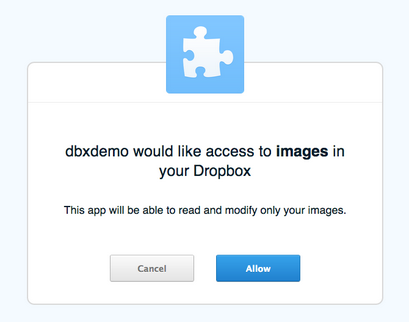
Why request less?
Restricting access to a specific file type brings several benefits to developers:
- Higher adoption rates: Users tend to authorize applications that request minimal permissions. By asking for access only to the file types your app needs, you can reduce the perceived risk for potential users and increase the likelihood that they will grant access.
- Simpler code: With the File type permission, your app gets a filtered view: it only sees files of the granular types you specified. This removes the need to write your own filtering logic to ignore irrelevant files in the app's codebase.
- Better performance: Since the API returns only the files your app is interested in, less data transfers across the network. The reduced payload can notably improve the app's performance when the user is on a slow or unreliable internet connection.
Getting started with File type permission
To get access to this permission, create a new Sync or Core app and select the File type option during setup. Details about which file types are supported are available in the developer guide, so you can verify that the permission matches the kind of content your app handles before you begin integrating.


