

Mobile file editing gets pull request support
GitHub has been steadily closing the gap between its mobile apps and the desktop experience. The latest round of updates to GitHub Mobile focuses on editing files and creating pull requests from a phone or tablet, covering the full workflow from a quick README fix to proposing a multi-commit change to your team.
Edit any text file, including your README
The file editor in GitHub Mobile now works on any text, code, or Markdown file in a repository. To reach a file, tap “Browse code” in the repository view, then pick the file you want to modify. For a quick change—say, updating your README—use the dropdown in the top right corner to enter editor mode. When you're done, tap “Commit” and keep the branch you're browsing selected; the change lands directly on that branch.
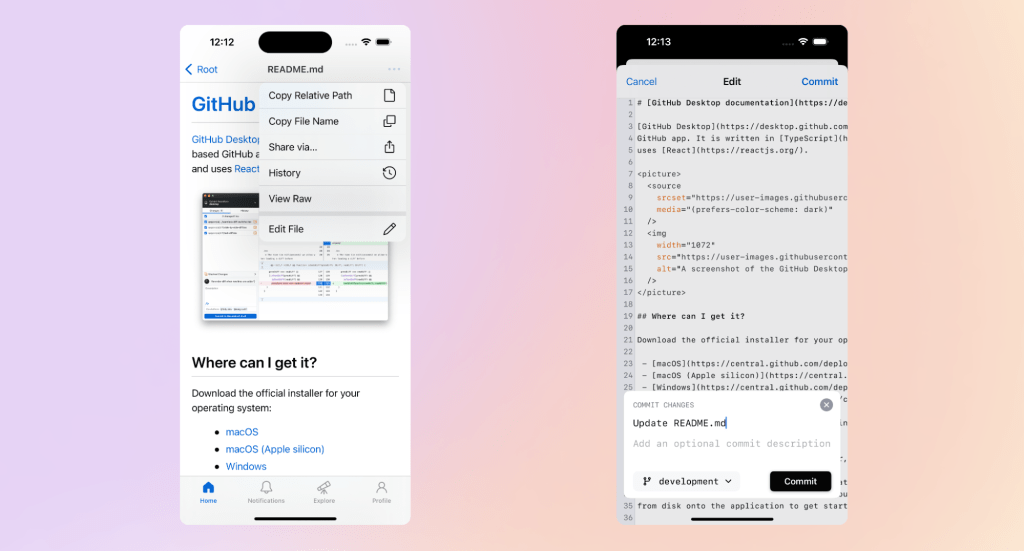
Structure larger changes with multiple commits
Not every edit is a one-liner. When you need to make several related changes, you can create a new branch from the commit screen. Once you're on that branch, you can keep making commits and review the full list of changes on it at any point. Each commit keeps its own message, so you can group work into logical units instead of folding everything into one giant commit.
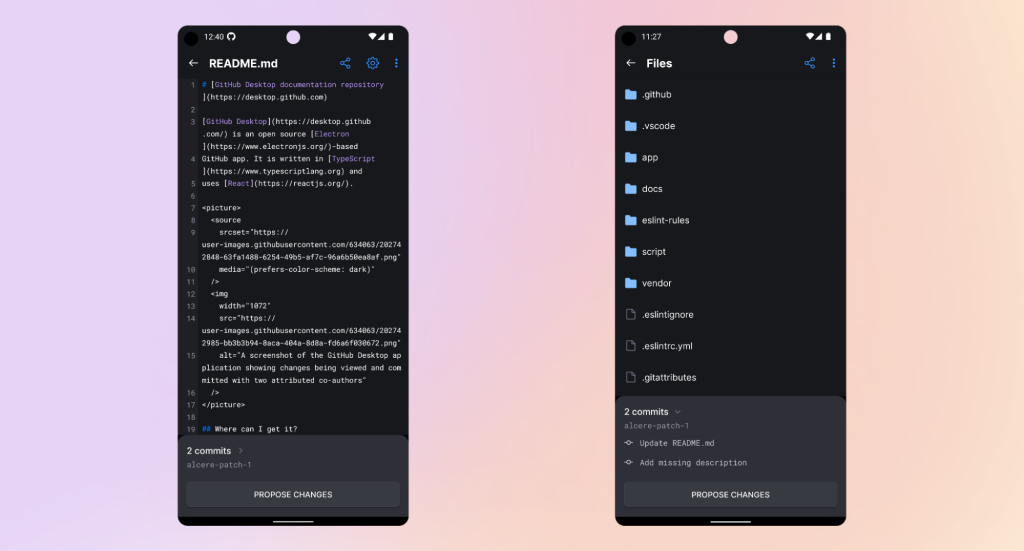
From commits to pull request in one tap
After your commits are in place, the app offers a “Propose changes” button that immediately creates a pull request in the repository for the branch you've been working on. No need to switch contexts or copy branch names.
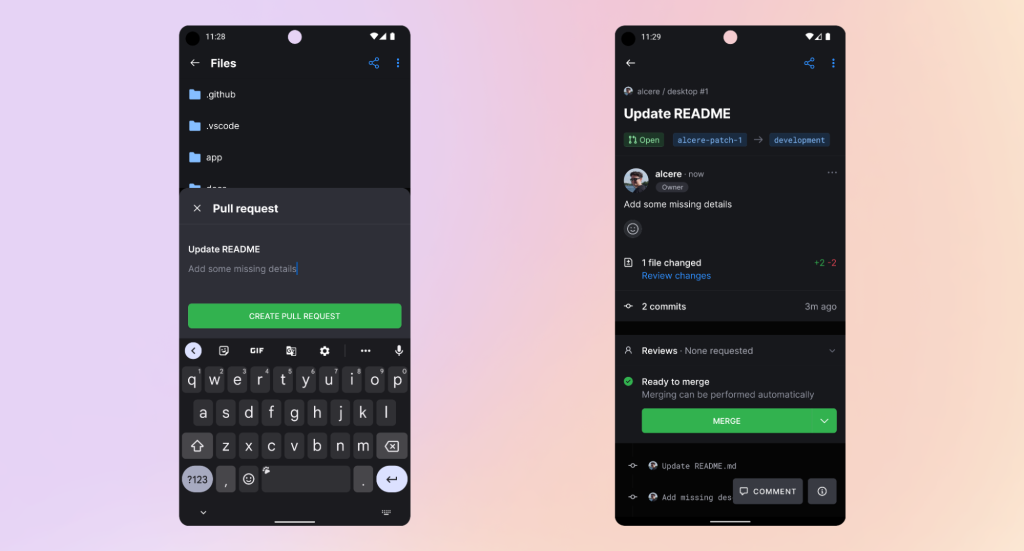
Catch review nits while you're away
The editor isn't limited to the commit phase. You can also make changes to files inside an open pull request, which is handy for removing stray blank lines or tweaking code after a review comment comes in. The subsequent commit triggers the usual checks, so you can see whether your fix satisfied CI without going back to your desk.
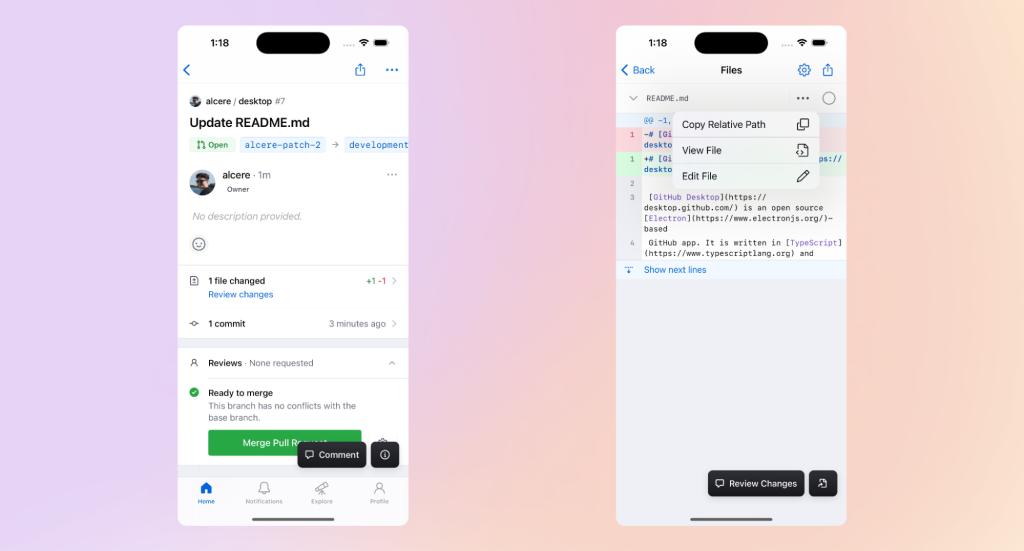
Further enhancements are on the roadmap for GitHub Mobile. The apps are available from github.com/mobile or directly from the iOS App Store and Google Play Store. To share feedback, use the public feedback community, reachable from Settings -> Share Feedback within the apps.


