

A Closer Look at What Node.js Really Is
Node.js has become a standard choice for backend development, with companies like Netflix, Uber, and LinkedIn relying on it for high-traffic services. Yet common descriptions of Node.js often miss the finer details of how it actually works under the hood. It’s frequently called “just a runtime,” and claims about it being single-threaded are usually oversimplified. Understanding the true composition of Node.js—and how its core components interact—clarifies what happens when you run a script.
If you have basic JavaScript knowledge and some familiarity with Node.js semantics like require and fs, you have enough context to follow the internal mechanics explored below.
Defining the Runtime
The most common definition of Node.js is that it is a runtime for JavaScript. To evaluate that claim, it helps to first define what a runtime actually is. A widely cited StackOverflow answer describes a runtime environment as “everything you need to execute a program, but no tools to change it.” In other words, a runtime encompasses all the machinery required to run code successfully.
Other languages have analogous environments. Java has the Java Runtime Environment (JRE), .NET has the Common Language Runtime (CLR), and Erlang has BEAM. In several cases, additional languages are designed to run on top of these runtimes, such as Kotlin on the JRE or Elixir on BEAM.
Node.js fits this pattern squarely. Its public-facing layer understands JavaScript, while its underlying C++ components bind to the operating system. V8 executes the JavaScript, and a host of C++ libraries provide low-level system access. The glue that combines these independent pieces into a working entity is Node.js itself, which makes it the actual runtime for JavaScript applications.
The Internal Architecture: V8 and libuv
When you run node index.js from the command line, the Node.js runtime takes over and coordinates between its two primary dependencies: V8 and libuv.
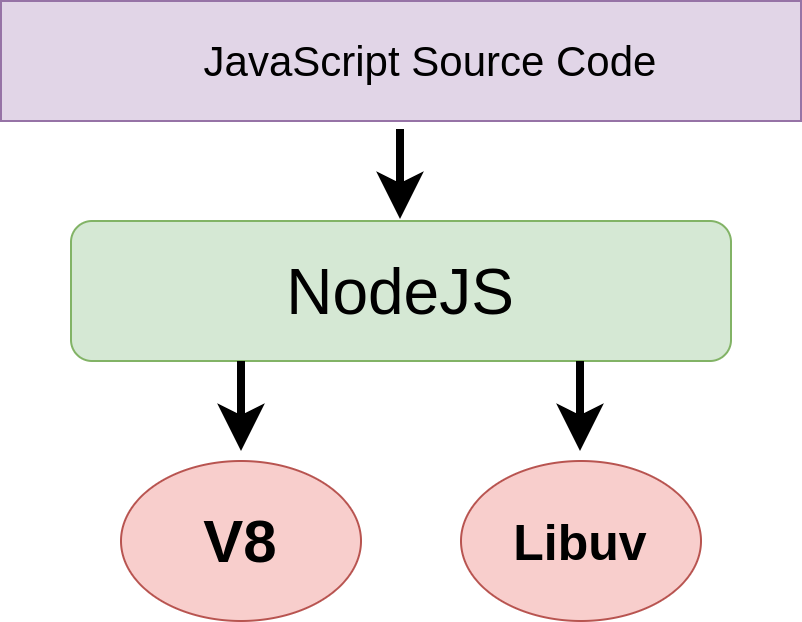
V8 is a Google-maintained project that executes JavaScript source code outside of the browser. The source code from your script is handed over to V8 for execution. However, V8 does not ship with functionality for networking, file system access, or concurrency. These capabilities are supplied by libuv, a C++ library that provides low-level access to the operating system.
Node.js acts as the binding agent between these two, deciding which dependency should receive control at any given moment throughout the execution of a script.
APIs Beyond the Browser
JavaScript’s roots are in the browser, where interaction with the page is facilitated through the Document Object Model (DOM). In that environment, the window object serves as the root of all page-related objects. This entire setup is the browser environment, which is itself a runtime for JavaScript.
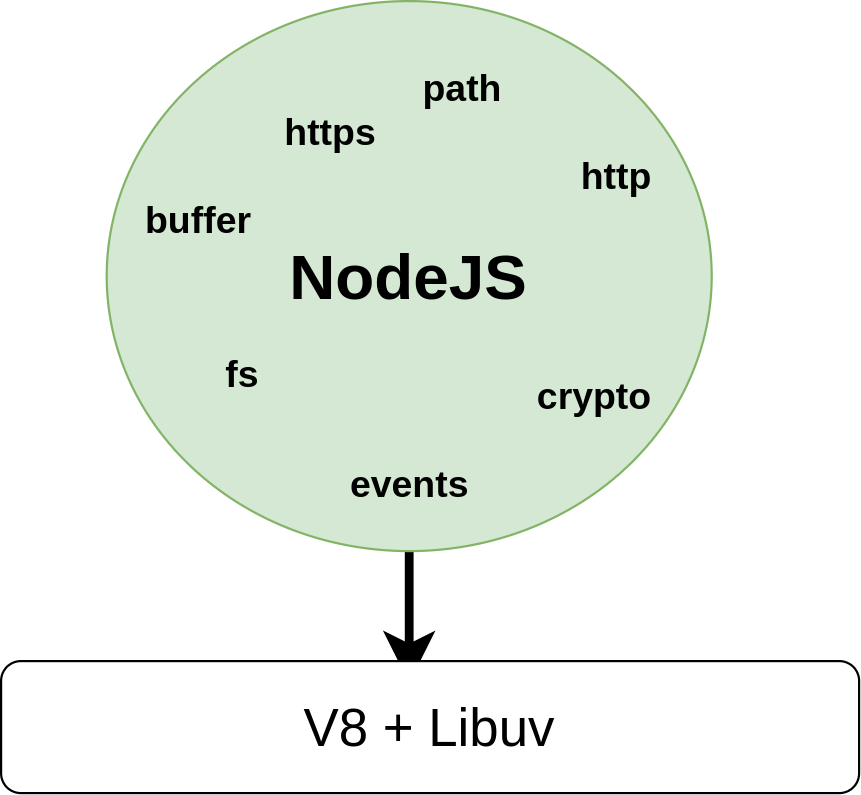
Node.js environments share none of that browser context. There is no page and no window object. Instead, Node.js provides its own set of APIs—such as fs, path, buffer, events, and HTTP—allowing JavaScript programs to interact with the operating system. These modules are exclusive to the Node.js runtime and empower JavaScript to perform tasks that the language alone cannot accomplish.
Tracing a File Write Through the Codebase
To see how these pieces interlock, consider a simple Node.js application that writes a file to the current directory:
const fs = require("fs")

fs.writeFile("./test.txt", "text");
File system access isn’t native to JavaScript; it is made available through the Node.js environment. Following the path of this writeFile call through the Node.js source reveals how the JavaScript calls eventually reach C++ libuv functions.
The GitHub repository for Node.js is organized into two main folders: src and lib. The lib folder contains the JavaScript code for the default set of modules, while src contains the C++ libraries. Looking into the fs.js file in lib, the export statement near line 1880 reveals that a function named writeFile is made available to users. Its definition can be found at line 1303:
function writeFile(path, data, options, callback) {
  callback = maybeCallback(callback || options);
  options = getOptions(options, { encoding: 'utf8', mode: 0o666, flag: 'w' });
  const flag = options.flag || 'w';

  if (!isArrayBufferView(data)) {
    validateStringAfterArrayBufferView(data, 'data');
    data = Buffer.from(data, options.encoding || 'utf8');
  }

  if (isFd(path)) {
    const isUserFd = true;
    writeAll(path, isUserFd, data, 0, data.byteLength, callback);
    return;
  }

  fs.open(path, flag, options.mode, (openErr, fd) => {
    if (openErr) {
      callback(openErr);
    } else {
      const isUserFd = false;
      writeAll(fd, isUserFd, data, 0, data.byteLength, callback);
    }
  });
}
After validation checks, the function calls a helper named writeAll, defined at line 1278 in the same file. Interestingly, this helper invokes fs.write—a call back into the same module—at line 1280.
function writeAll(fd, isUserFd, buffer, offset, length, callback) {
  // write(fd, buffer, offset, length, position, callback)
  fs.write(fd, buffer, offset, length, null, (writeErr, written) => {
    if (writeErr) {
      if (isUserFd) {
        callback(writeErr);
      } else {
        fs.close(fd, function close() {
          callback(writeErr);
        });
      }
    } else if (written === length) {
      if (isUserFd) {
        callback(null);
      } else {
        fs.close(fd, callback);
      }
    } else {
      offset += written;
      length -= written;
      writeAll(fd, isUserFd, buffer, offset, length, callback);
    }
  });
}
The write function spans approximately 42 lines starting at line 571. Within it, a recurring pattern emerges: calls to functions on a binding module. This pattern appears not only here but virtually everywhere in fs.js. The binding variable is declared at line 58, and investigating that declaration reveals the special nature of this object:

This internalBinding function originates in a module named loaders. Its primary job is to load all the libuv libraries and connect them with V8 through Node.js. Documentation at the top of the loaders module explains the mapping:
// This file is compiled and run by node.cc before bootstrap/node.js
// was called, therefore the loaders are bootstraped before we start to
// actually bootstrap Node.js. It creates the following objects:
//
// C++ binding loaders:
// - process.binding(): the legacy C++ binding loader, accessible from user land
//   because it is an object attached to the global process object.
//   These C++ bindings are created using NODE_BUILTIN_MODULE_CONTEXT_AWARE()
//   and have their nm_flags set to NM_F_BUILTIN. We do not make any guarantees
//   about the stability of these bindings, but still have to take care of
//   compatibility issues caused by them from time to time.
// - process._linkedBinding(): intended to be used by embedders to add
//   additional C++ bindings in their applications. These C++ bindings
//   can be created using NODE_MODULE_CONTEXT_AWARE_CPP() with the flag
//   NM_F_LINKED.
// - internalBinding(): the private internal C++ binding loader, inaccessible
//   from user land unless through `require('internal/test/binding')`.
//   These C++ bindings are created using NODE_MODULE_CONTEXT_AWARE_INTERNAL()
//   and have their nm_flags set to NM_F_INTERNAL.
//
// Internal JavaScript module loader:
// - NativeModule: a minimal module system used to load the JavaScript core
//   modules found in lib/**/*.js and deps/**/*.js. All core modules are
//   compiled into the node binary via node_javascript.cc generated by js2c.py,
//   so they can be loaded faster without the cost of I/O. This class makes the
//   lib/internal/*, deps/internal/* modules and internalBinding() available by
//   default to core modules, and lets the core modules require itself via
//   require('internal/bootstrap/loaders') even when this file is not written in
//   CommonJS style.
In other words, every module accessed through the binding object in JavaScript has an equivalent implementation in the C++ section within the src folder. For the fs module, this counterpart lives in node_file.cc. The writeBuffer function that gets called from the JavaScript layer is defined in this C++ file at line 2258, with its actual implementation around line 1785. The low-level libuv calls that perform the actual file write occur at lines 1809 and 1815, where the libuv function uv_fs_write is invoked asynchronously.
Grasping this flow from JavaScript API down to C++ system calls provides more than just trivia about a single file operation. It offers a foundation for deeper exploration and shows that, like other interpreted language runtimes, Node.js internals can be studied, understood, and potentially modified or extended at levels that are not obvious from everyday usage.
Debunking The Single-Thread Myth
At first glance, Node.js appears to operate just like browser-based JavaScript: a single thread of execution. In a browser, all JavaScript code indeed runs on one thread. But Node.js sits on top of libuv and V8, which grants it access to capabilities that typical browser JavaScript lacks. As a result, certain Node.js operations can execute across multiple threads, limited only by the host machine's resources.
Consider a simple script that creates a file in the current directory. By logging a timestamp before the operation, we can measure how long it takes:
const fs = require("fs");
// A little benchmarking
const startTime = Date.now()
fs.writeFile("./test.txt", "test", (err) => {
    If (error) {
        console.log(err)
    }
    console.log("1 Done: ", Date.now() — startTime)
});
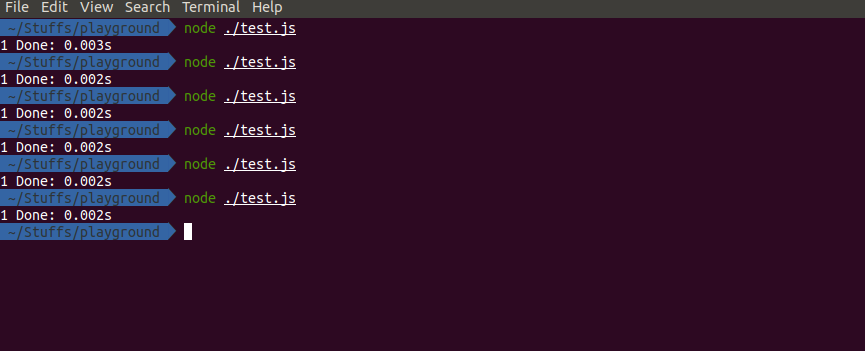
Running this yields a surprisingly fast result, often around 0.003 seconds.
$ node ./test.js
    -> 1 Done: 0.003s
Now, if we duplicate this file-creation logic multiple times, updating each log statement to reflect its position in the sequence:
const fs = require("fs");
// A little benchmarking
const startTime = Date.now()
fs.writeFile("./test1.txt", "test", function (err) {
     if (err) {
        console.log(err)
    }
    console.log("1 Done: %ss", (Date.now() — startTime) / 1000)
});

fs.writeFile("./test2.txt", "test", function (err) {
     if (err) {
        console.log(err)
    }
    console.log("2 Done: %ss", (Date.now() — startTime) / 1000)
});

fs.writeFile("./test3.txt", "test", function (err) {
     if (err) {
        console.log(err)
    }
    console.log("3 Done: %ss", (Date.now() — startTime) / 1000)
});

fs.writeFile("./test4.txt", "test", function (err) {
     if (err) {
        console.log(err)
    }
    console.log("4 Done: %ss", (Date.now() — startTime) / 1000)
});
The results become inconsistent and the overall execution time increases. This behavior is a direct clue into how Node.js handles low-level operations under the hood.
Task Delegation To libuv
The JavaScript portions of Node.js remain single-threaded, using the same event loop and call stack concepts found in browsers. However, the parts of Node.js responsible for communicating with the operating system are not. When Node.js identifies a call meant for libuv—like file system operations—it hands that task off to libuv's internal mechanisms.
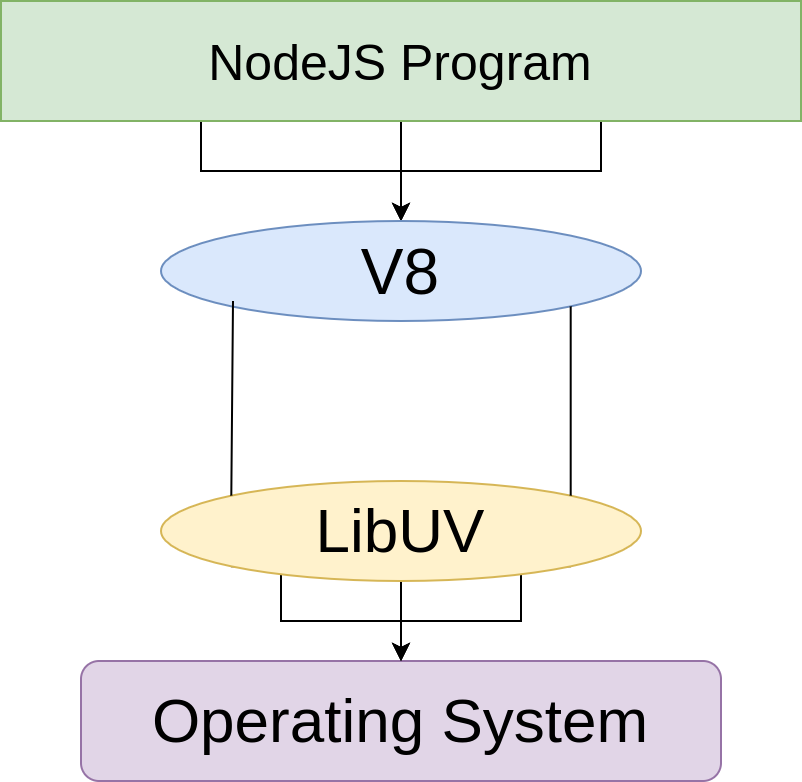
libuv relies on a thread pool to execute many of its operations. By default, this pool contains four threads. Developers can adjust this value by setting process.env.UV_THREADPOOL_SIZE at the top of their script.
// script.js
process.env.UV_THREADPOOL_SIZE = 6;

// …
// …
Why The File-Creation Results Fluctuate
When a file-creation request reaches libuv, libuv assigns a thread to the task. That thread first gathers statistical information about the disk before proceeding with the file write. This initial statistical check can take a noticeable amount of time.
During this waiting period, the thread is released to handle other work. When the statistical check finishes, libuv finds an available thread—or waits for one to become free—to complete the file operation. With only four requests and four pool threads, there are enough threads to service each request. The ordering is not guaranteed, however; the first thread to reach its processing stage will return its result first, and while it executes, it blocks other threads from proceeding until its task is completed.
Exploring Further
Now that we understand Node.js as a runtime—and what that means in terms of its constituent parts—we can explore its source code directly. The Node.js repository on GitHub is open for inspection, and any API can be traced back to its implementation using the same method we've applied here.
Still, this exploration only scratches the surface. To build deeper knowledge, the following resources are a good starting point:
- Introduction to Node.js
The official Node.js website covers what Node.js is, lists its package managers, and introduces web frameworks built on it. - JavaScript & Node.js, The Node Beginner Book
Manuel Kiessling’s book clarifies the distinction between browser JavaScript and Node.js, which share a language but operate differently. - Beginning Node.js
This book goes beyond the runtime, explaining packages, streams, and building a web server with Express. - LibUV Documentation
Official docs for the C++ layer underlying Node.js. - V8 Documentation
Official docs for the JavaScript engine that powers Node.js and Chrome.



