

How browsers space list markers — and where it breaks
The ::marker pseudo-element allows list markers to be styled or replaced with a custom character or image. A common example from Google's web.dev blog appends a single space character (" ") next to a url() value in the content property, evidently to force a gap after the custom marker.
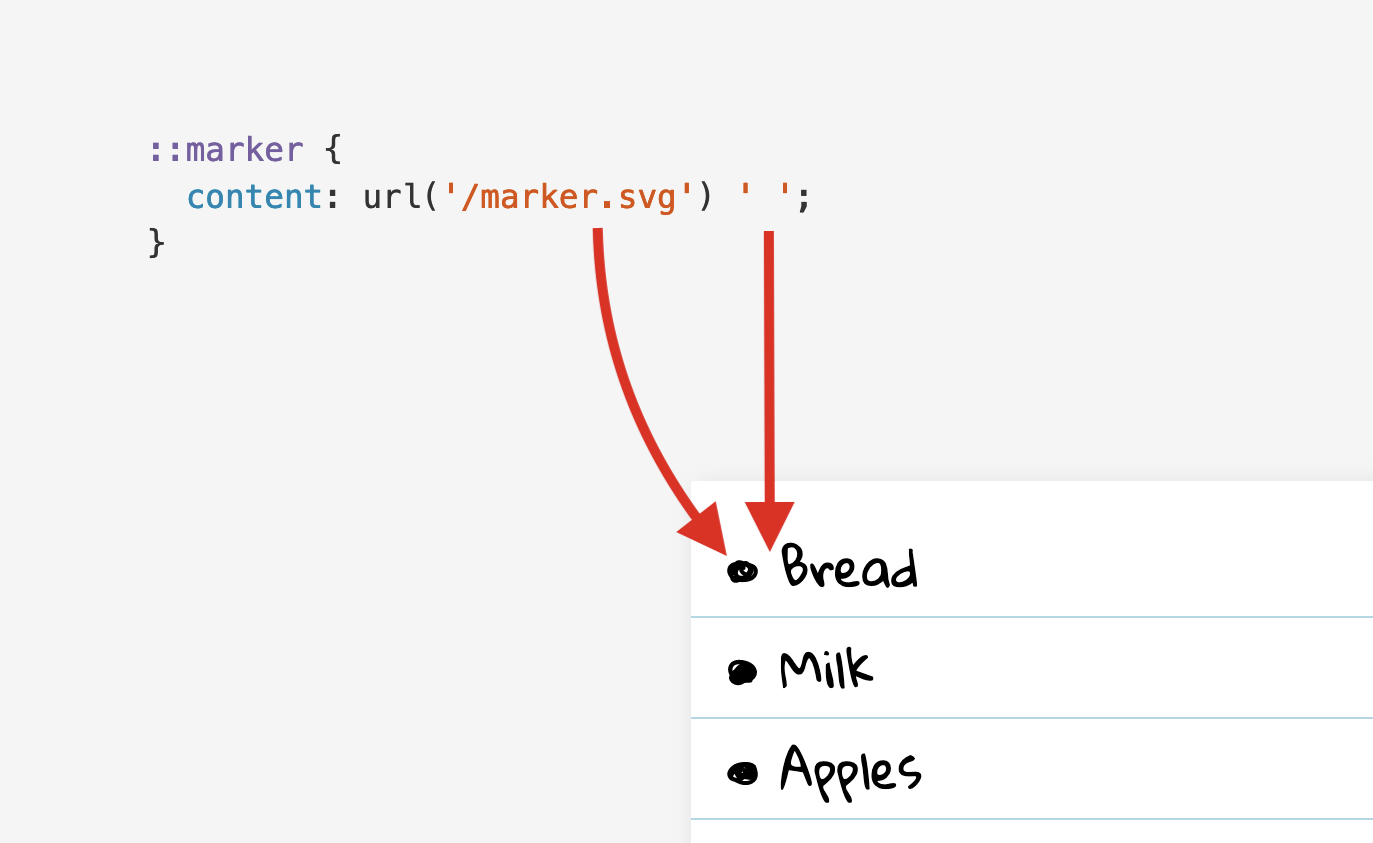
A space in content looks like a workaround rather than the intended solution, given that CSS offers margin and padding for spacing elements. Substituting the space with a margin does not work: ::marker supports only a small set of mostly text-related properties. The marker's font-size and color can be changed, and content can be set to a string or URL, but margin and padding are unsupported there and have no effect.
::marker {
  content: url('/marker.svg');
  margin-right: 1ch;
}
Default spacing on native markers
On <ul> and <li> elements, the four margin and padding properties behave differently. Browsers apply a default padding-inline-left of 40px to <ol> and <ul>; in left-to-right writing systems the logical padding-inline-start equals the physical padding-left.
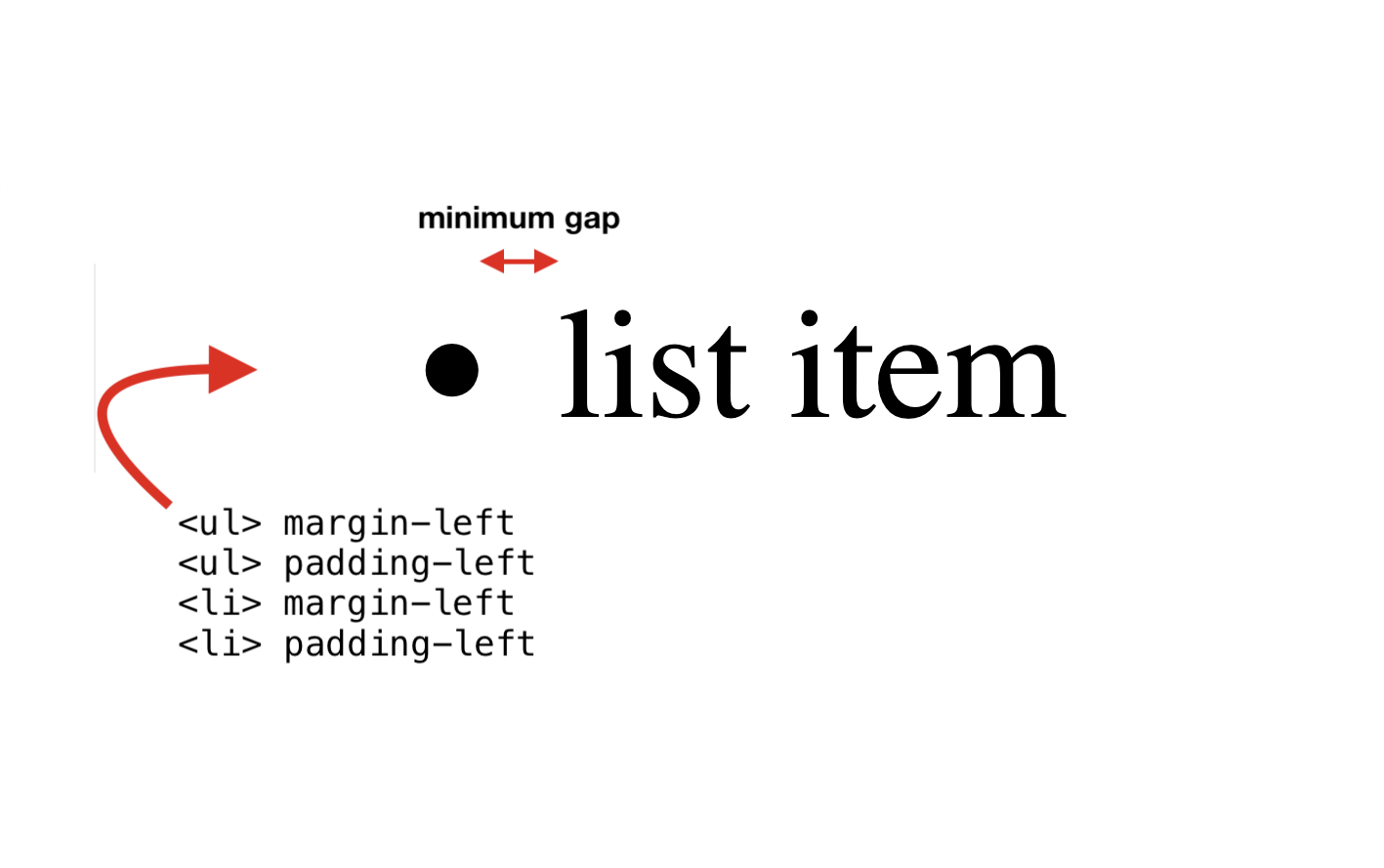
Only padding-left on <li> increases the gap after the marker. The other three properties control spacing to the left of the marker — that is, the item's indentation.
Even with padding-left at 0px, a minimum gap remains after the marker. This gap cannot be shrunk with margin or padding, and its exact length is browser-dependent: list content sits at a browser-specific minimum distance from the marker, which padding-left on <li> can only enlarge.

Positioning the marker inside the item
list-style-position accepts outside (the default) and inside, the latter suited to full-width list designs.
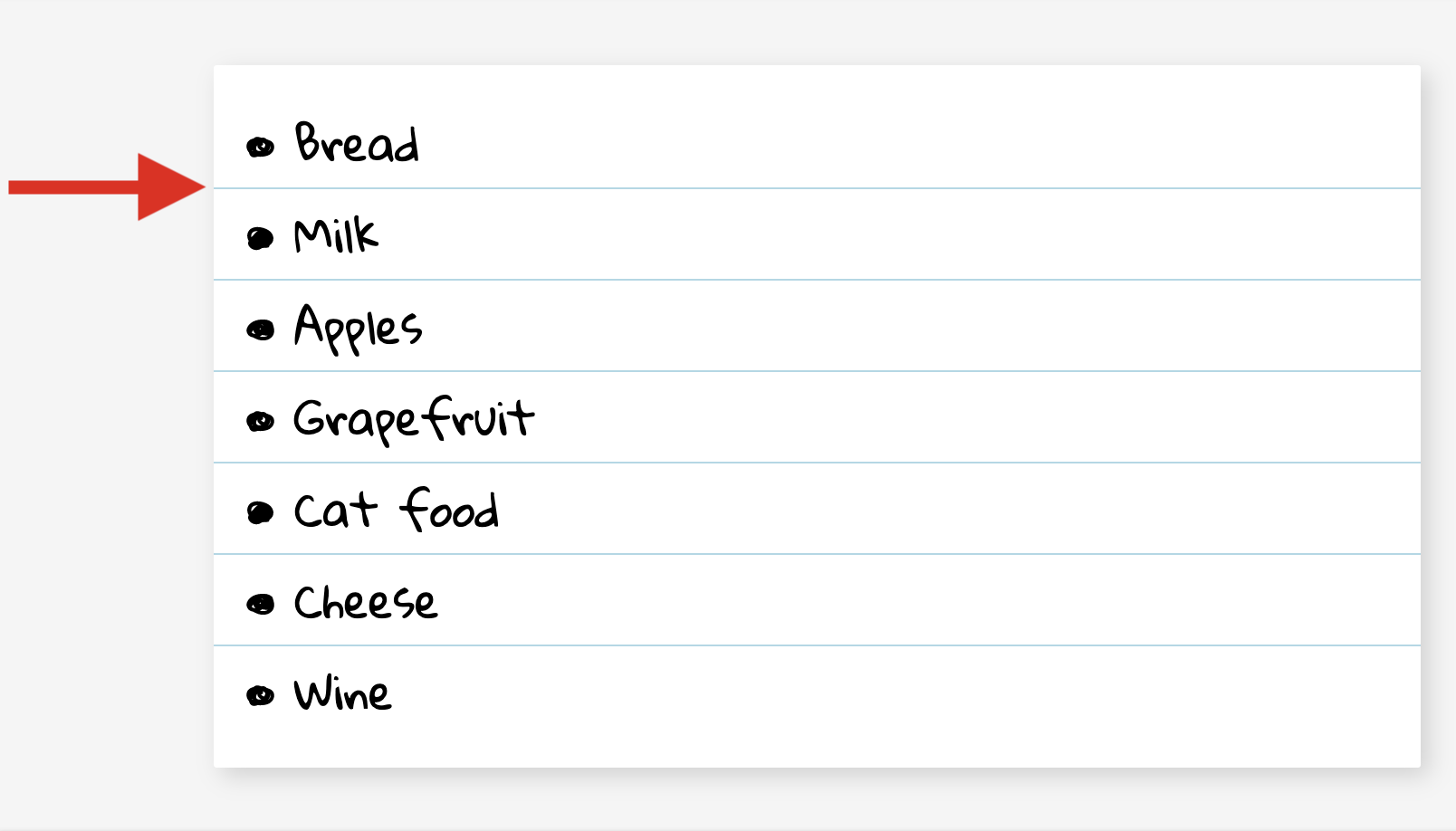
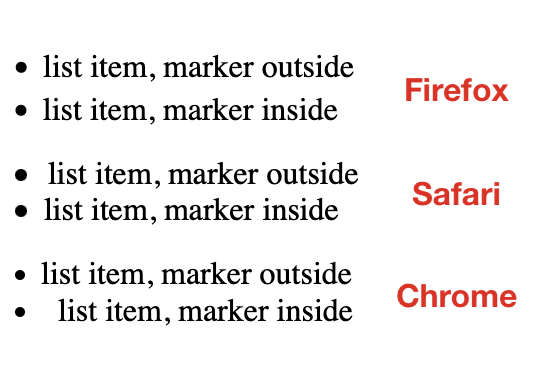
With inside, padding-left on <li> instead widens the space to the left of the marker, so the gap after it can no longer be increased. Adding margin-right directly on ::marker would solve this, but that property is unsupported as established. A Chromium bug compounds the problem: switching to inside triples the gap after the marker. The default gap is roughly one-third of the text size — about 5.5px at a font-size of 16px — and in Chrome it grows to a full 16px after the switch. The bug affects the disc, circle, and square markers but not ordinal number markers.
Rendering comparisons across three major browsers on macOS, with items aligned horizontally on their markers, show that inside costs two things at once: the gap can no longer be grown via padding-left, and its size differs between browsers.
Custom markers change the rules
Custom markers can be declared in two ways: through list-style-type and list-style-image, or through the content property on ::marker. The content route is more capable — it can call counter() to reach the item's ordinal number via the implicit list-item counter and decorate it with custom strings — but Safari does not yet support it (WebKit bug 204163). Declaring the marker via list-style-type sidesteps that, though the ::marker selector can still style it, and that part is supported in Safari.
Any Unicode character can serve as a marker, but only a small set of characters carry "Bullet" in their official name.
| Character | Name | Code point | CSS keyword |
|---|---|---|---|
| • | Bullet | U+2022 | disc |
| ‣ | Triangular Bullet | U+2023 | |
| ⁃ | Hyphen Bullet | U+2043 | |
| ⁌ | Black Leftwards Bullet | U+204C | |
| ⁍ | Black Rightwards Bullet | U+204D | |
| ◘ | Inverse Bullet | U+25D8 | |
| ◦ | White Bullet | U+25E6 | circle |
| ☙ | Reversed Rotated Floral Heart Bullet | U+2619 | |
| ❥ | Rotated Heavy Black Heart Bullet | U+2765 | |
| ❧ | Rotated Floral Heart Bullet | U+2767 | |
| ⦾ | Circled White Bullet | U+29BE | |
| ⦿ | Circled Bullet | U+29BF |
The CSS square keyword has no corresponding "Bullet" character in Unicode; the closest match is the Black Small Square emoji (U+25AA).
Switching to list-style-type: "•" (U+2022 Bullet) — the same character as the default bullet — still produces two notable changes:
- The minimum gap after the marker disappears.
- The bullet renders smaller, as if drawn at a lower
font-size.
Per CSS Counter Styles Level 3, the default disc marker is "similar to • U+2022 BULLET", and browsers appear to enlarge the default bullet for legibility; Firefox goes further and uses a dedicated -moz-bullet-font for it.
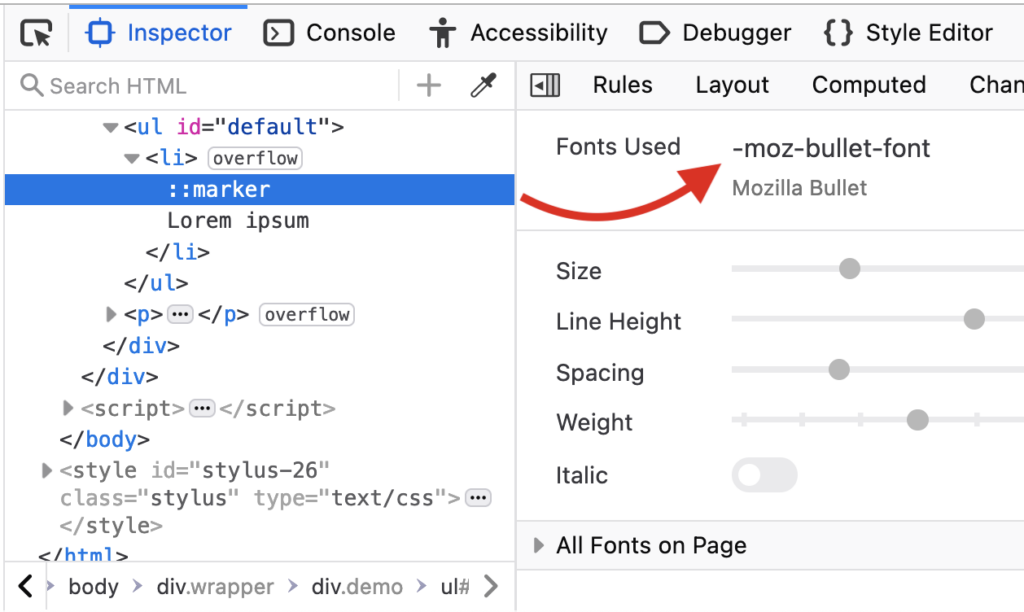
Attempts to fix the size with CSS run into other gaps in ::marker support. Raising font-size pushes the custom marker out of vertical alignment, and lowering line-height does not correct it; vertical-align, which would, is unsupported on ::marker. Changing font-family can make the marker bigger — Tahoma, for instance — which may be a workable stopgap, though font performance across major browsers and operating systems has not been tested. Styling also makes the Chromium inside bug disappear, so a custom marker doubles as a workaround for it.
That leads to the core problem. With a custom marker positioned inside the list item, three factors combine:
- Custom markers have no minimum gap after them.
::markersupports neitherpaddingnormargin.padding-lefton<li>does not widen the gap, because the marker isinside.
If you define a custom marker and position it inside the list item, there is no gap after the marker and no standard way to insert one.
Key facts
- Browsers apply a default
padding-inline-startof40pxto<ul>and<ol>. - Built-in markers (
disc,decimal, etc.) have a minimum gap after them; custom markers (string or URL) do not. - The gap can be enlarged with
padding-lefton<ul>only while the marker is positionedoutsidethe item, the default mode. - Custom string markers default to a smaller size than built-in ones; changing
font-familyon::markercan increase it.
The web.dev space character is now explainable: it is the only available way to insert a gap after an SVG marker, because neither margin nor padding can create one for a custom marker placed inside the list item. A margin-right on ::marker would suffice, but it is unsupported. Until ::marker accepts more properties, developers will often hide the marker outright and emulate it with a ::before pseudo-element — a necessity that already arises when, for example, a marker's background-color needs changing.



