Dropbox Chooser adds multi-select and built-in uploads
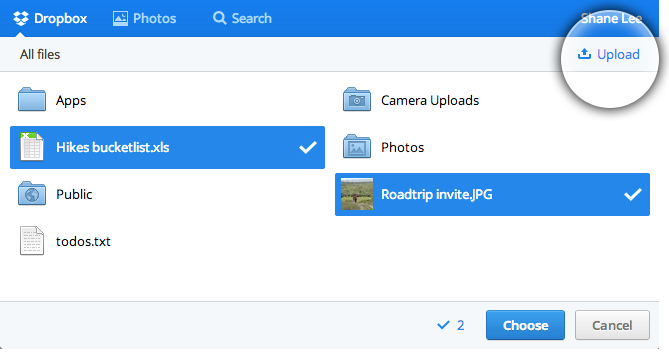
Two of the most requested features for the Dropbox Chooser are now available: multi-select and built-in uploads. Developers can let users pick several files from Dropbox in one flow, or upload local files directly through the Chooser interface.
Selecting multiple files
To accept more than one file at a time, pass multiselect: true in your Chooser options. The component then returns the full set of selected files in a single callback, so your app can process them together instead of making the user repeat the picker flow.
Uploading files without leaving the Chooser
Users whose files aren't stored in Dropbox yet can now upload them from their local machine while the Chooser is open. Files submitted this way are written to the user's Dropbox and immediately returned to the calling web app, keeping the access path uniform for both existing and newly added files. The Chooser also supports drag-and-drop, so users can drop files onto the picker window rather than navigating through a file dialog.
Visual updates arrive automatically
The Chooser's design was refreshed as part of this release. Dropbox regularly tweaks the appearance of the Chooser so it stays consistent across products, and those changes reach your integration without any code updates on your side. The latest styling is applied as soon as the updated script loads.