

Per-context favicons and where they make sense
A single favicon across an entire domain is the default, but there are cases where the icon should change with context: matching the content being viewed, reflecting a user's personalized theme colors, or signaling an event. Two or three variants can be maintained by hand — CSS-Tricks has shown an approach using separate favicons for development and production — but at dozens or hundreds of variations, generation has to be dynamic.
That was the situation on a WordPress project building a directory of colleges and universities. When a school's profile was viewed, the favicon was meant to carry that school's colors instead of the site's default blue. With more than 200 schools and growing, custom meta fields were already storing each school's visual identity — including the colors used in the stylesheet — so the remaining task was piping those stored colors into a generated favicon.
Why SVG instead of PNG or ICO
SVG favicons are far easier to work with than in the past, now that browser support has improved. Unlike PNG or the older ICO format, SVG defines shapes as markup, which makes the files lightweight and scaleable — and lets their contents be altered programmatically. The starting point is a favicon drawn in SVG, ideally run through an SVG optimizer afterward to strip out unnecessary data.
Wiring the link tag into WordPress
The favicon link markup goes in the document head. In WordPress this can live in a child theme's header template or be echo'd from a wp_head() action. In the directory project, the hook checks that the post type is school and retrieves the stored color meta with get_post_meta(). If a color exists, it is passed to favicon.php in the query string.
function ca_favicon() {
  if ( is_singular( 'school' ) ) {
    $post_id = get_the_ID();
    $color = get_post_meta( $post_id, 'color', true );

    if ( isset( $color ) ) {
      $color = ltrim( $color, '#' ); // remove the hash
      echo '<link rel="icon" href="' . plugins_url( 'images/favicon.php?color=' . $color, __FILE__ ) . '" type="image/svg+xml">';
    }
  }
}
add_filter( 'wp_head' , 'ca_favicon' );
Generating the SVG in PHP
Inside favicon.php, the content type is set to SVG and the incoming color is stored, falling back to a default when none is supplied. The SVG markup — one large multiline chunk — is then echo'd using PHP's heredoc syntax, which expands variables such as $color and is handy for templating.
Two modifications finish the markup. Classes are assigned to the elements whose color changes, and a style element placed just inside the SVG element declares the relevant CSS rules and echoes $color. If the default color appears in only a few places, replacing it directly with $color is an alternative to the style element.
<?php
header( 'Content-Type: image/svg+xml' );

$color = $_GET[ 'color' ] ?? '065281';
$color = sanitize_hex_color_no_hash( $color );

echo <<<EOL
<svg xmlns="http://www.w3.org/2000/svg" xmlns:xlink="http://www.w3.org/1999/xlink" width="1000" height="1000">
  <style type="text/css">
  <![CDATA[
  .primary {
    fill: #$color;
  }
  .shield {
    stroke: #$color;
  }
  ]]>
  </style>
  <defs>
    <path id="a" d="M0 34L318 0l316 34v417.196a97 97 0 01-14.433 50.909C483.553 722.702 382.697 833 317 833S150.447 722.702 14.433 502.105A97 97 0 010 451.196V34z"/>
  </defs>
  <g fill="none" fill-rule="evenodd">
    <g transform="translate(183 65)">
      <mask id="b" fill="#fff">
        <use xlink:href="#a"/>
      </mask>
      <use fill="#FFF" xlink:href="#a"/>
      <path class="primary" mask="url(#b)" d="M317-37h317v871H317z"/>
      <path class="primary" mask="url(#b)" d="M0 480l317 30 317-30v157l-317-90L0 517z"/>
      <path fill="#FFF" mask="url(#b)" d="M317 510l317-30v37l-317 30z"/>
    </g>
    <g fill-rule="nonzero">
      <path class="primary" d="M358.2 455.2c11.9 0 22.633-.992 32.2-2.975 9.567-1.983 18.375-4.9 26.425-8.75 8.05-3.85 15.458-8.458 22.225-13.825 6.767-5.367 13.3-11.433 19.6-18.2l-34.3-34.65c-9.567 8.867-19.192 15.867-28.875 21-9.683 5.133-21.525 7.7-35.525 7.7-10.5 0-20.125-2.042-28.875-6.125s-16.217-9.625-22.4-16.625-11.025-15.167-14.525-24.5-5.25-19.25-5.25-29.75v-.7c0-10.5 1.75-20.358 5.25-29.575 3.5-9.217 8.4-17.325 14.7-24.325 6.3-7 13.825-12.483 22.575-16.45 8.75-3.967 18.258-5.95 28.525-5.95 12.367 0 23.508 2.45 33.425 7.35 9.917 4.9 19.658 11.667 29.225 20.3l34.3-39.55a144.285 144.285 0 00-18.2-15.4c-6.533-4.667-13.65-8.633-21.35-11.9-7.7-3.267-16.275-5.833-25.725-7.7-9.45-1.867-19.892-2.8-31.325-2.8-18.9 0-36.167 3.325-51.8 9.975-15.633 6.65-29.05 15.75-40.25 27.3s-19.95 24.967-26.25 40.25c-6.3 15.283-9.45 31.675-9.45 49.175v.7c0 17.5 3.15 33.95 9.45 49.35 6.3 15.4 15.05 28.758 26.25 40.075 11.2 11.317 24.5 20.242 39.9 26.775 15.4 6.533 32.083 9.8 50.05 9.8z"/>
      <path fill="#FFF" d="M582.35 451l22.4-54.95h103.6l22.4 54.95h56.35l-105-246.75h-49.7L527.4 451h54.95zM689.1 348.45H624L656.55 269l32.55 79.45z"/>
    </g>
    <path class="shield" stroke-width="30" d="M183 99l318-34 316 34v417.196a97 97 0 01-14.433 50.909C666.553 787.702 565.697 898 500 898S333.447 787.702 197.433 567.105A97 97 0 01183 516.196V99h0z"/>
  </g>
</svg>
EOL;
?>
Sanitizing the input
Echoing URL parameters without checks invites abuse, so every input needs sanitizing. Here only 3-digit and 6-digit hex color values are acceptable, which WordPress's sanitize_hex_color_no_hash() can enforce. Any other values passed to the script should get their own matching validation.
function sanitize_hex_color( $color ) {
  if ( '' === $color ) {
    return '';
  }

  // 3 or 6 hex digits, or the empty string.
  if ( preg_match( '|^#([A-Fa-f0-9]{3}){1,2}$|', $color ) ) {
    return $color;
  }
}

function sanitize_hex_color_no_hash( $color ) {
  $color = ltrim( $color, '#' );

  if ( '' === $color ) {
    return '';
  }

  return sanitize_hex_color( '#' . $color ) ? $color : null;
}
Making caching work for a PHP endpoint
Browsers cache SVGs, but a PHP file gets none of that by default — every favicon load hits the server. Explicit caching is therefore essential: configure it at the server level, through a CDN page rule, or with a cache control header placed at the top of favicon.php.
header( 'Cache-Control: public, max-age=604800' ); // 604,800 seconds or 1 weekThe difference is large. Without caching, the project's 1.5 KB SVG took roughly 300 ms to process on first load and about 100 ms on later loads. With caching, that fell to 25 ms from the CDN on first load and 1 ms from browser cache afterward — on par with a static SVG file.
Browser support and fallbacks
Support for SVG favicons is solid in current versions of Chrome, Firefox, and Edge. Firefox is the strict one: it requires type="image/svg+xml" on the favicon declaration. Other browsers are more forgiving, but including the attribute is good practice, along with sizes="any".
<link rel="icon" href="path/to/favicon.svg" type="image/svg+xml">Safari's limits
Safari does not currently support SVG favicons beyond the mask icon feature intended for pinned tabs. Experimentation found that path buggy and inconsistent: complex shapes and colors were handled poorly, and the same icon was cached across the whole domain. The project chose not to pursue it, serving a default blue fill in Safari until support improves.
Fallback icons
Since SVG support is still not universal, a second favicon should be declared for browsers without it, using rel="alternative icon". Dropping the perennial favicon.ico in the site root adds another layer of coverage.
<link rel="icon" href="path/to/favicon.svg" type="image/svg+xml">
<link rel="alternate icon" href="path/to/favicon.png" type="image/png">
Beyond one swapped color
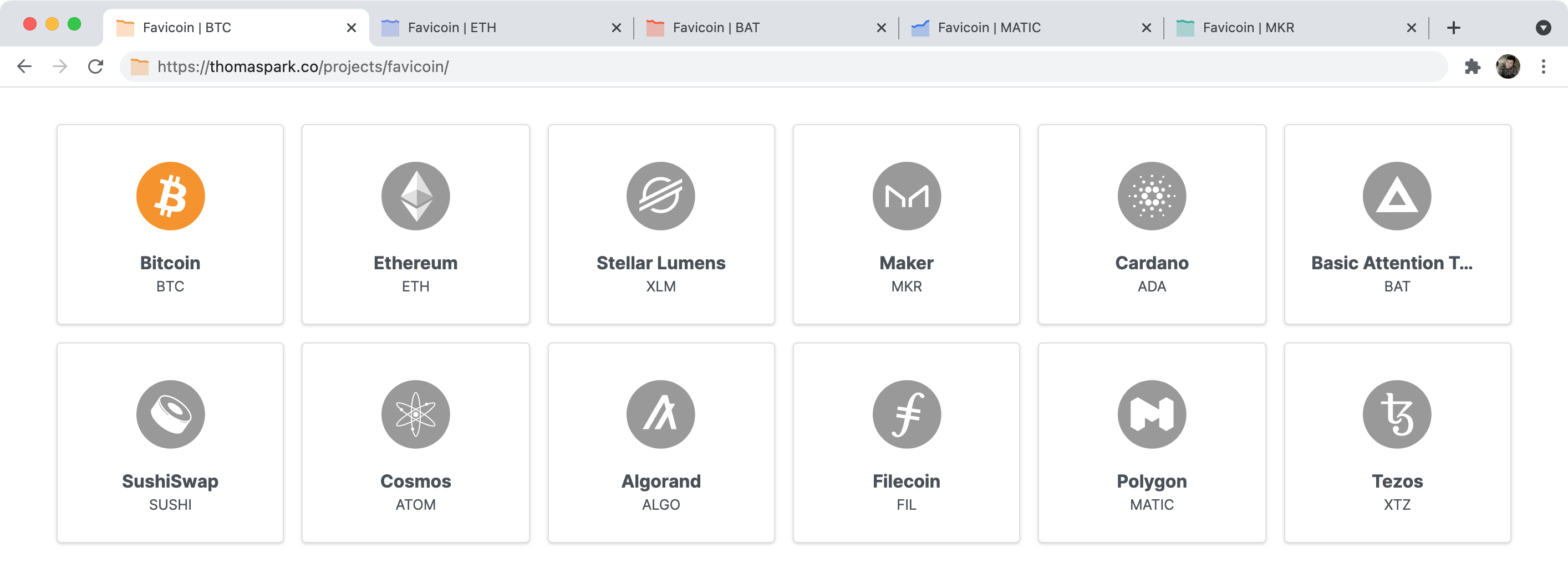
The directory project exchanged a single color, but the same dynamic approach allows changing multiple colors, other properties such as position, entirely different shapes, and animations. An example is Favicoin, a demo that renders cryptocurrency prices in the favicon as a sparkline.
Nothing about the technique is WordPress- or PHP-specific — the principles carry over to any stack. It can even be done client-side with data URLs and JavaScript, though that is not recommended for production.



