What !default does
In Sass, !default marks a variable for conditional assignment: the value is written only when the variable is still undefined or null.
$variable: 'test' !default;Read plainly, the compiler assigns $variable the value 'test' only if no value is already in place. Once an assignment exists, the flagged line is skipped.
$variable: 'hello world';
$variable: 'test' !default;
// $variable still contains `hello world`
Here $variable keeps 'hello world' from the first line; the !default line is silently ignored because a value already exists and no fallback is needed.
Configuring a style library with @use...with
The flag exists mainly to make style libraries reusable. A library can publish some of its variables as !default, letting the importing application adjust those values instead of forking the library. In effect, the flagged variables behave like parameters that change how the library code runs.
Sass provides a dedicated syntax that combines an import with its variable overrides:
// style.scss
@use 'library' with (
  $foo: 'hello',
  $bar: 'world'
);
That statement is almost equivalent to a plain variable assignment followed by an @import:
// style.scss - a less idiomatic way of importing `library.scss` with configuration
$foo: 'hello';
$bar: 'world';
@import 'library';
The difference is scope, and it is why @use...with is the better choice. The with block states explicitly — to the compiler and to human readers — that the overrides target variables defined and used inside library.scss. The global scope stays clean, and naming collisions between libraries are less likely.
Three places it pays off
Theming
// library.scss
$color-primary: royalblue !default;
$color-secondary: salmon !default:

// style.scss
@use 'library' with (
  $color-primary: seagreen !default;
  $color-secondary: lemonchiffon !default:
);
Theming is the most familiar application. A color palette expressed as Sass variables can be customized through !default while every other style stays intact, including colors that are mixed or overlaid from those variables.
Bootstrap is a large-scale example: it exports its entire Sass variable API with !default set on each item — theme colors, spacing, borders, font settings, and even animation easing functions and timings.
For plain theming in a modern app, CSS custom properties with a fallback parameter can do the same job, and if your toolchain doesn't already use Sass, modern CSS may be enough. The next two cases cannot be handled that way.
Skipping webfont requests
// library.scss
$disable-font-cdn: false !default;
@if not $disable-font-cdn {
  @import url(''https://fonts.googleapis.com/css2?family=Public+Sans&display=swap'');
}

// style.scss
@use 'library' with (
  $disable-font-cdn: true
);
// no external HTTP request is made
Suppose a design system library loads a custom webfont from a Google CDN, and a mobile team is worried about page load time. Add an optional boolean flag to the library, defaulting to false, and check it inside a Sass @if before any expensive work such as an external HTTP request. Most consumers never need to know the option exists: the default loads the font from the CDN, while other teams can toggle it to tune page loading.
A CSS variable cannot substitute here — overriding font-family does not stop the HTTP request that fetches the unused font.
Visual spacing debugger
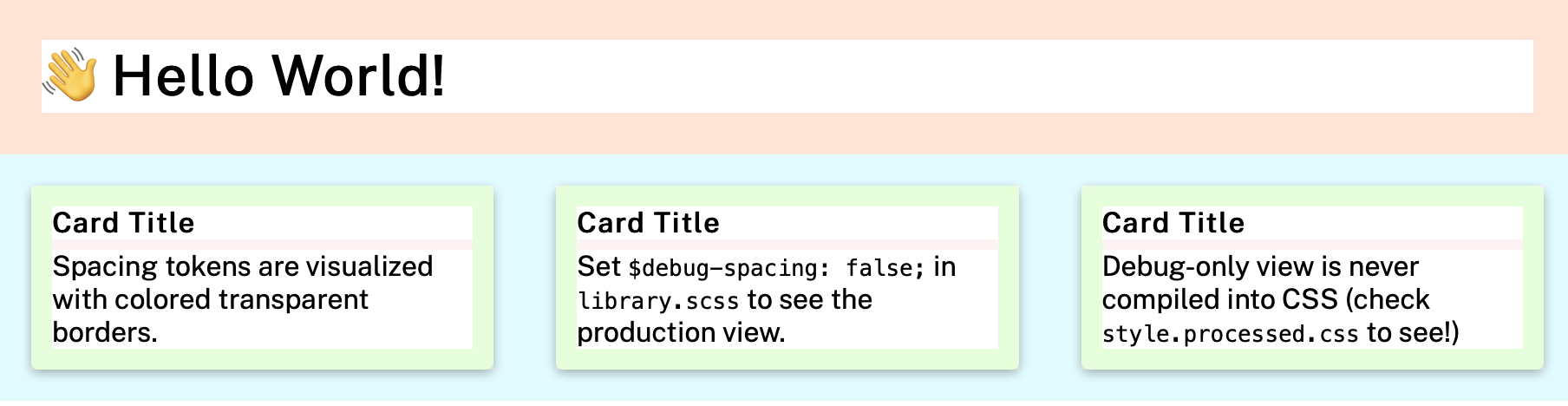
The flag also works as a development-only debugging switch. Start with spacing tokens named for ascending sizes (xs through xl), then use a Sass @each loop over that single set to generate every utility class combination — each token applied as padding or margin, on each side (top, right, bottom, left) or all four together.
Because the selectors are built dynamically in a nested loop, one !default flag can flip the output from normal margin-plus-padding styles to a color-coded debug view built from transparent borders of equal size. The result resembles the wireframes or deliverables a designer hands off, particularly when design and development share the same spacing values; viewing it beside the mockup makes discrepancies and subtler issues such as margin collapse easier to spot. In production builds the debugging visualization disappears entirely, replaced by the corresponding margin or padding declarations.



