Pedro Duarte's take on styled code blocks
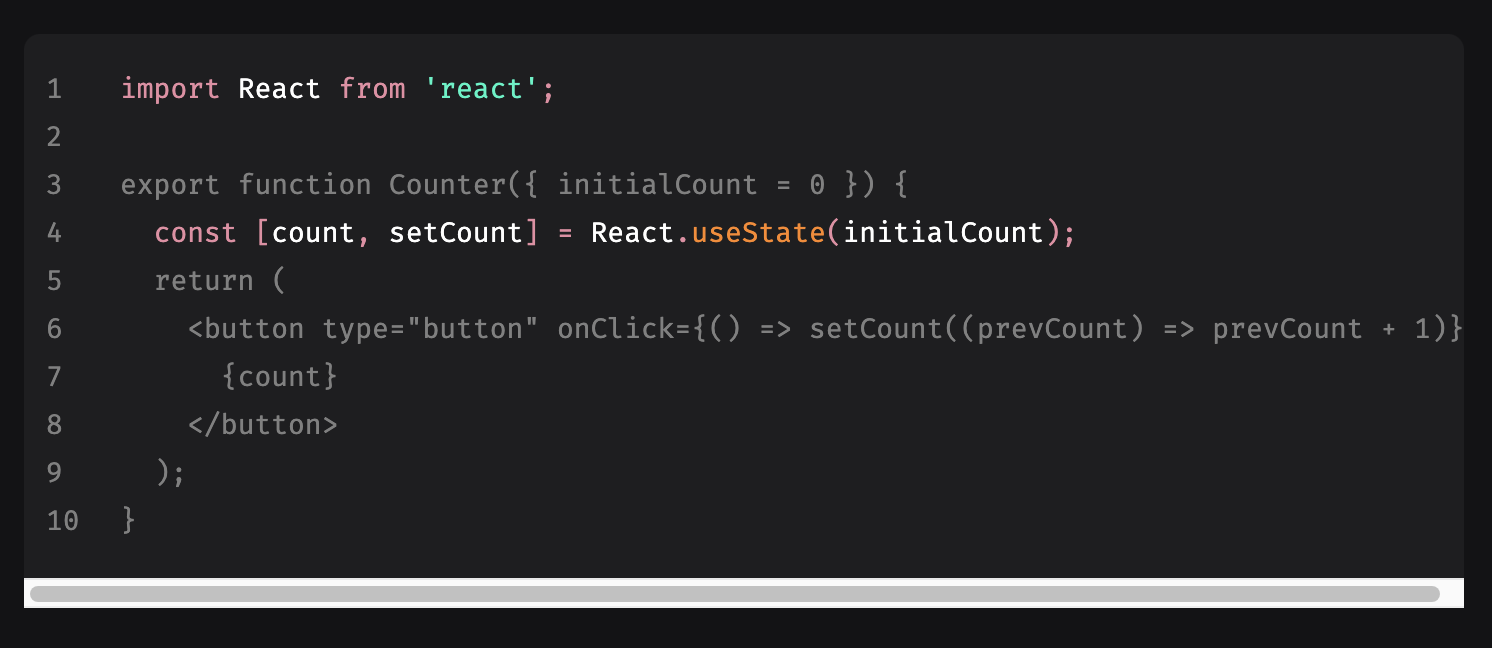
Duarte put together a wishlist for how code blocks should behave in blog posts and documentation, then built a solution for it by hand. The most distinctive item is line and word highlighting inside the block: highlighted lines are the only ones that receive syntax highlighting, with the remainder rendered in gray so attention lands where the author wants it. Word highlighting runs through a regular expression.
Duarte frames the work as a showcase built from custom code plus existing libraries rather than a tutorial. It is tightly coupled to React, Next.js and MDX, but its core rests on rehype.
What was left out
Capability is only half the story — the omissions are equally telling. More heavily featured code block setups offer a copy-to-clipboard button, a view-raw-code button and export to various services. Duarte's blocks carry none of these, and they do not even show the language in use.
Server-side rendering was not on his wishlist either, yet it works on the blog post itself, presumably handled by Next.js.
An alternate approach to SSR
Both implementations use Prism.js as the syntax highlighter, but the author's own setup runs it only on the client. One option the author considers: handling highlighting in a Cloudflare Worker via the HTMLRewriter, which would make it appear server-side and allow the client-side Prism copy to be dropped. A WordPress plugin, essentially a PHP port of Prism, might be preferable but looks like a tall order.
A WordPress-oriented wishlist
- Syntax highlighting in both the authored and rendered views
- Server-rendered
<span class="token-foo">markup for highlighting - Clean integration with the native WordPress block editor code blocks (
) — pasting a code block should auto-detect and use the right block, and conversion to and from that block form should be easy - Optional line highlighting
- Optional line numbers
- Optional word highlighting
- Optional language display, with the ability to override the label
- Clean copy-and-paste behavior
- No need to escape code while authoring
- Front-end styling freedom for modes, themes and custom scrollbars; styling code blocks has many considerations, so sensible defaults should ship with the plugin but remain easy to override
- Stretch goal: some form of help for
inlinecode as well



