
Integromat’s integration platform
Integromat is an integration platform that connects more than 600 apps through a drag-and-drop visual builder, with endpoints for each app’s API. For Dropbox, Integromat currently offers 14 modules that handle file operations such as uploading, downloading, moving between folders, and creating share links. Users can build custom workflows from scratch or start from templates—for example, saving Telegram files to Dropbox, uploading new Dropbox files to Slack, or backing up Google Photos to Dropbox.
The platform is used by independent professionals, small businesses, and larger organizations. One area where this kind of automation is particularly useful is contract management, where the combination of a CRM, a document generator, and cloud storage can replace a manual multi-day process.
An automated contract pipeline triggered by a CRM event
Consider a real estate sale. After a deal closes, a contract must be generated, stored, and sent to a client or attorney for signature. Done manually, this can take hours or days and introduces cost and risk at a sensitive stage of the transaction.
Integromat’s contract management template ties together HubSpot CRM, Google Docs, Google Drive, Gmail, and Dropbox to handle the sequence automatically. The flow consists of five actions:
- Watch records or deals in HubSpot CRM
- Create a contract from a Google Docs template
- Download the contract to Google Drive
- Send the contract via Gmail to the recipient
- Upload a copy of the contract to Dropbox
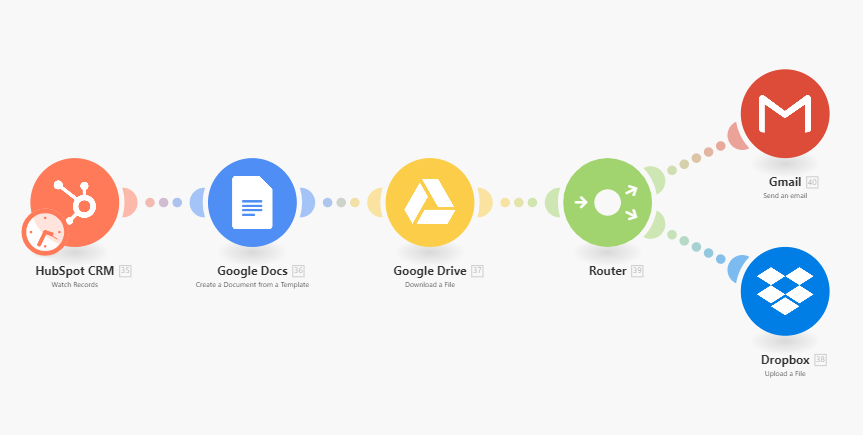
Contract management workflow template
HubSpot is the trigger module because, for many real estate professionals, the contract need originates inside the CRM they use to manage sales. If HubSpot isn’t your system, Integromat supports 28 other CRM options that can substitute for the first module. The trigger fires whenever a deal is marked or labeled “closed” in HubSpot, starting the rest of the sequence.
Document creation and delivery
The core step generates the contract from a Google Docs template, pulling deal data from the HubSpot record to populate the document. The template page provides a starting contract template, but you can modify it or supply your own Google Doc; that document is what gets generated, emailed, and archived on each run.
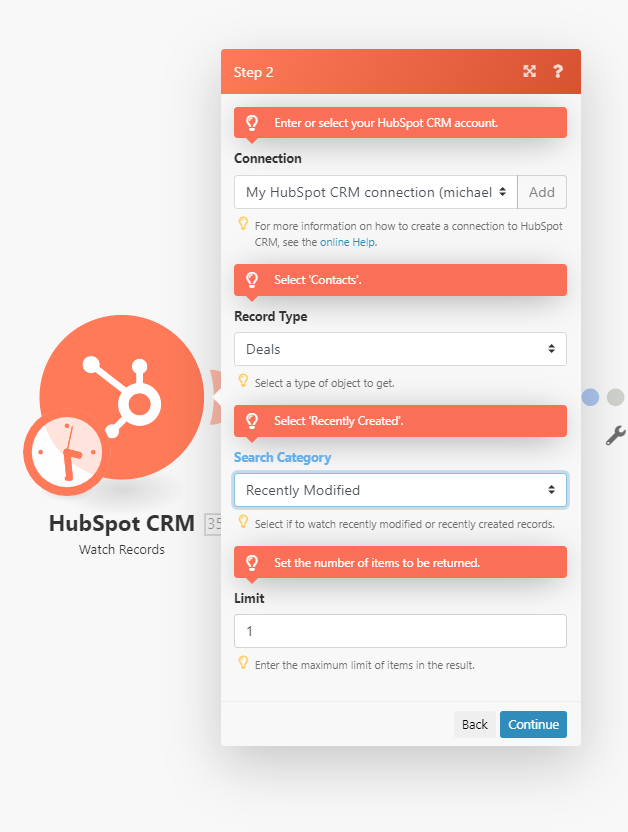
Hubspot module configuration
Once the contract is created, Integromat downloads it into a dedicated Google Drive folder, then runs the final two steps in parallel: it stores a copy in a designated Dropbox folder and emails a copy via Gmail to the recipient recorded in the HubSpot deal—the recipient address is read directly from the CRM record.
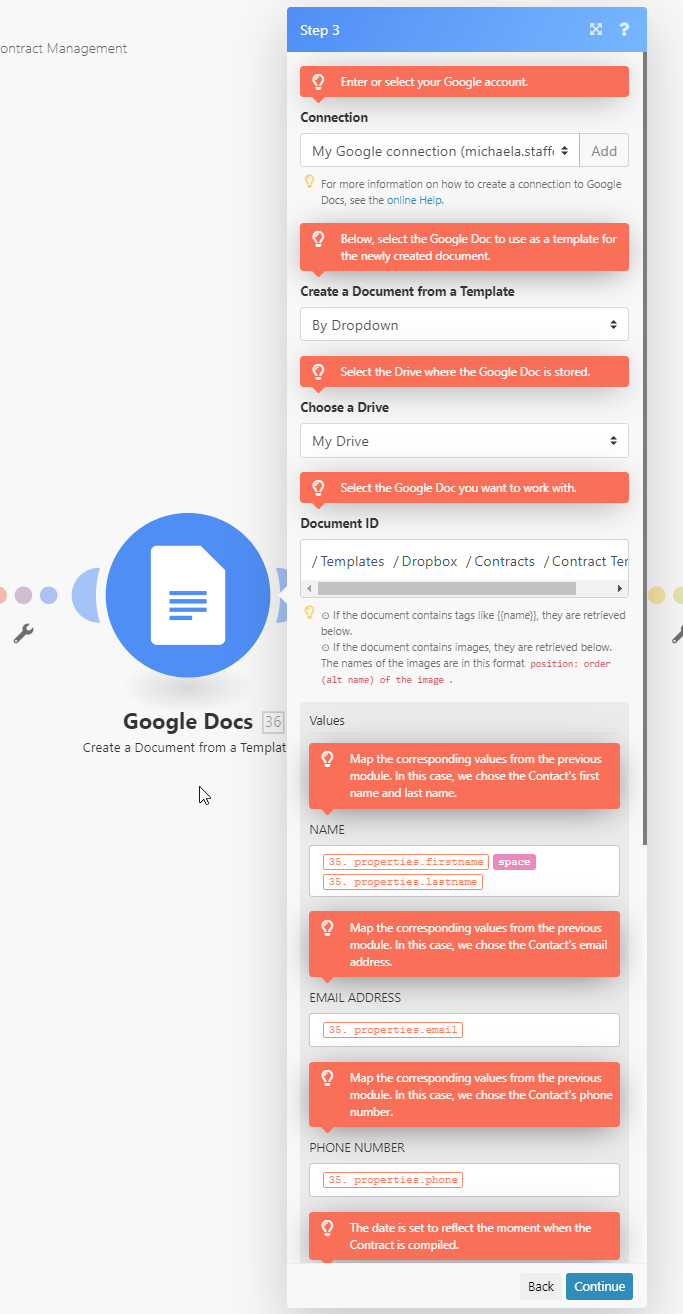
Google Docs module configuration
After saving and running the scenario, a trial produces a completed contract in the designated Dropbox folder within minutes, without any manual steps between the CRM update and the final archive.
Beyond contracts
The same pattern generalizes to other file-driven workflows. Integromat offers templates that create and store invoices from Shopify orders, forward Gmail attachments into Dropbox folders, upload podcast audio to Dropbox, and more. Any process that involves sending or storing files involving Dropbox is a candidate for this kind of integration, built on public APIs from Dropbox, HubSpot, Google, and others—without writing code or maintaining custom integrations.


