GitHub is a git hosting and version control platform, not a backup service. Under the Shared Responsibility Model that governs most SaaS products, account-level data security belongs to the user: GitHub's terms of service state the company is "not liable to you or any third party for any loss of profits, use, goodwill, or data." Everything in your account — repositories, code, issues, pull requests and related metadata — is yours to back up.
The Risks That Make Backups Necessary
Human error is the most common cause of data loss, but malicious attacks are on the rise. GitHub has reported a phishing campaign called SawFish that, according to Sophos, defeated some forms of two-factor authentication. Some Rewind customers said they turned to the product after phishing attacks resulted in stolen GitHub data. A backup protects your intellectual property and keeps critical data recoverable regardless of the failure mode. Regular backups also serve compliance: common data hygiene requirements include consistent backup intervals, offsite copies, regularly tested restores, audit reports and a history of data pull requests.
In-House Backup: What It Actually Costs
The build-versus-buy question applies here as it does to any tool, and teams with spare developer capacity can find a custom backup solution economical. But a backup script is only the beginning. In-house scripts must be written, tested and maintained, which carries an indirect cost, and they are exposed to changes in the GitHub API — since the API changes periodically, the scripts need updates and retesting to keep data flowing.
Restoration is the harder problem, and the more important one: a backup you cannot put back is of little use, yet fast recovery is the most difficult capability to build.
Metadata is another obstacle. A repository is more than code — pull requests, issues, commits and branches are all part of the workflow — and backing up and restoring metadata is a different process from handling code. Mercado Libre, which backs up more than 13,000 repositories with BackHub by Rewind, has reported difficulty in this area, and a major EdTech customer said it chose Rewind because it could not back up metadata essential to its business.
The upside of in-house work is control over backup frequency, timing and similar details. The trade-off is developer and IT time spent developing, maintaining and testing. Before committing, teams should define their needs and assess their capabilities: whether metadata must be backed up and what the time-to-recovery target is, plus whether the team has the resources and time to build and maintain the solution.
How BackHub by Rewind Works
BackHub by Rewind automates daily backups of GitHub repositories, pull requests and associated metadata, covering:
- Commits (including comments)
- Issues
- Projects
- Releases
- Milestones
- Wikis
Setup takes minutes. Because the tool works natively within GitHub, repositories and metadata are restored directly and securely to the GitHub account. Restores follow a simple procedure: install the dedicated restore app, select the date on which everything worked correctly, and click "restore." The selected repositories and their metadata are then pushed back into the account.
Access Model and Compliance
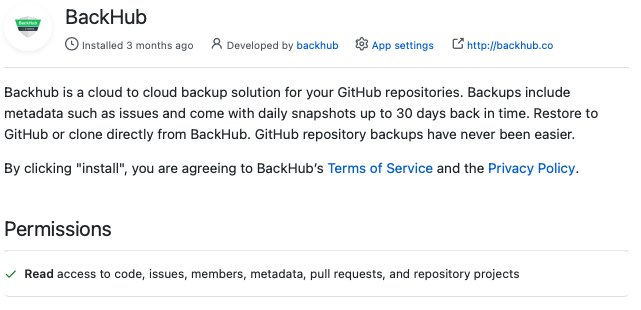
The service follows the principle of least access: once installed, the app holds only "read" access and cannot alter, modify or change repository code in any way. Restoration requires "write" access, so it is handled by a separate app used solely for that purpose, which can be deleted once a restore is complete — an additional security layer.
Enterprise plans are built for compliance and add 365 days of data retention, full account activity logs, a choice of storage location (US or Europe) and an SLA with 99.9% availability. Rewind reports over 2 PB of data backed up worldwide and holds SOC2 Type 1 certification.