Why Text Rendering Changes on the Web
Antialiasing is the process that decides what color a pixel gets when a vector shape—whether that's a character of text or a triangle—only partially covers it. Without it, edges look jagged. With it, shapes appear smooth. But the algorithm a browser uses to make that decision is not always the same, and when it changes, text can suddenly look different. For web developers, understanding why that happens starts with knowing the two main approaches.
Two Ways to Smooth Edges
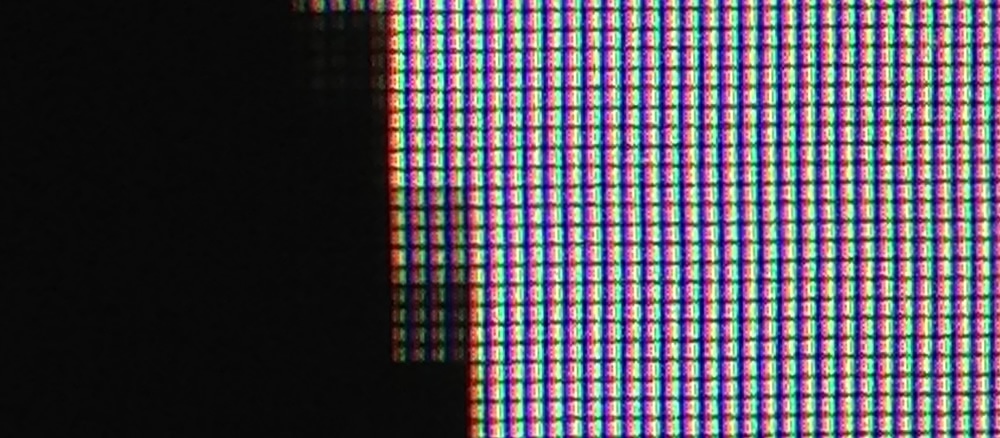
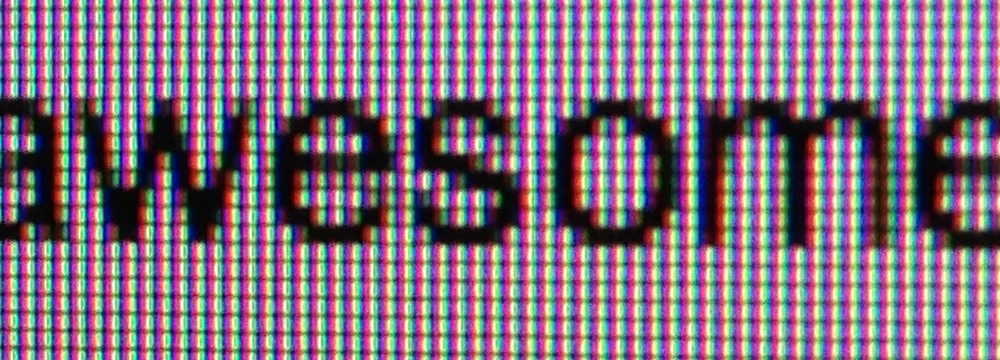
Every pixel on a screen is really a grid of three red, green, and blue components. When a shape cuts through only part of a pixel, the browser has to decide how much of each component to turn on.
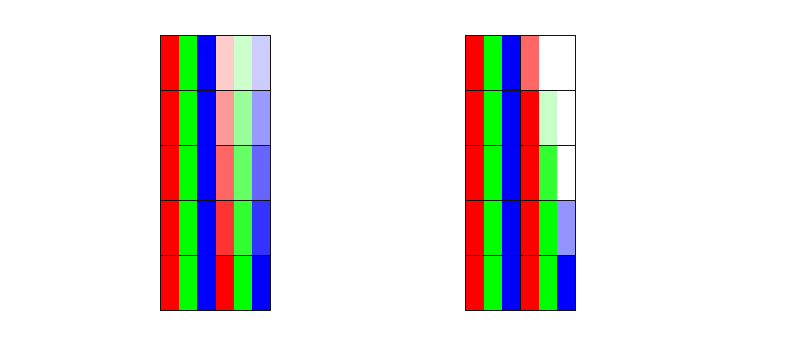
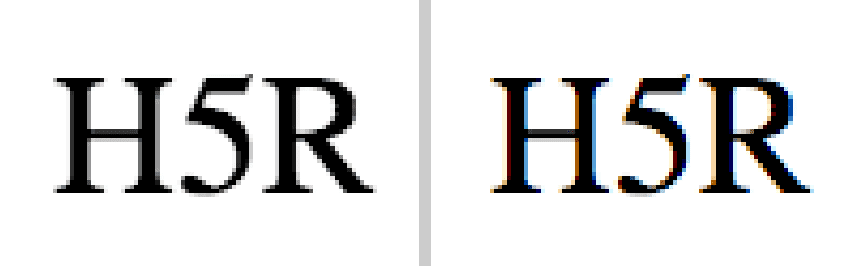
The simplest method, grayscale antialiasing, treats the pixel as a single unit. If a shape covers half of a pixel, each RGB component might be set to roughly half its brightness. In practice, gamma correction means the exact values aren't that straightforward, but the key concept is that grayscale antialiasing operates at the whole-pixel level.
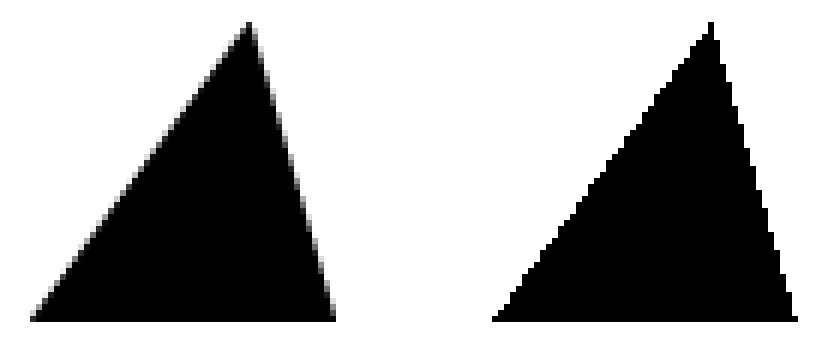
The difference is visible in Figure 2: with antialiasing enabled, the triangle's edges are shades of gray; with it disabled, pixels are either fully black or fully white, producing a stair-stepped, jagged outline.
Subpixel antialiasing goes a step further. Because each pixel is composed of distinct red, green, and blue subpixels arranged side by side, the browser can make a more informed decision about each color channel. If a pixel is half covered from the left, the red component might be fully on, the green half on, and the blue off. This effectively triples horizontal resolution, although as Darel Rex Finley has pointed out, human vision doesn't perceive all colors equally—we are much more sensitive to green—so the real-world benefit is less than a full 3x improvement. Still, subpixel antialiasing generally makes text noticeably clearer.
When Chrome Switches Modes
For developers, the important question is which mode you get and when. In Chrome, the answer depends heavily on whether text is sitting on the root layer or on a separate, composited layer. If hardware compositing is on and text lives on a layer other than the root, Chrome has historically defaulted to grayscale antialiasing. That's why developers who apply a translateZ or similar hack to promote an element to its own layer often see text suddenly render differently—the browser switched algorithms.
Text on the root layer, however, gets subpixel antialiasing and looks sharper. But Chrome is changing: subpixel antialiasing is now being enabled for text on non-root layers, provided three criteria are all met:
- The layer's background is fully opaque. Using
border-radiusor a non-defaultbackground-clipcauses the layer to be treated as non-opaque, reverting text to grayscale. - The layer's transform is either identity or an integral translation. A value like
translate(20.2px, 30px)fails because20.2pxis non-integral. Rotations, scaling, or other transforms also disqualify the layer. - The layer's opacity is exactly 1.0. Any change in opacity switches rendering back to grayscale.
Notably, CSS animations can trigger layer creation while requestAnimationFrame does not—a distinction some developers have hit when text rendering shifts mid-animation. If you avoided CSS animations for that reason, the new behavior may resolve the problem.
The Browser Landscape
Chrome's behavior is a useful baseline for comparison. Opera, now based on Chromium, should behave very similarly. Internet Explorer applies subpixel antialiasing to nearly all text when ClearType is enabled, though apparently not in Windows 8's Metro mode. Safari behaves much like Chrome given WebKit's close relationship with Blink, but lacks these newer improvements for non-root layers. Firefox, like Internet Explorer, uses subpixel antialiasing for virtually all text. None of these are hard guarantees—there will be edge cases in every browser where grayscale is used instead—but subpixel antialiasing is broadly the standard across major engines.
If you want to track Chrome's ongoing work in text rendering, these issues are worth watching:


