Import Control for More Project Types
Vercel's Zero Config Deployments removed most of the setup friction for JavaScript projects, automatically detecting build and output settings from a Git import. That automation is now being extended to non-JS codebases, alongside new options for overriding defaults when auto-detection isn't enough.
When connecting a repository, you can now specify a Root Directory if your code lives in a subfolder. The import flow also lets you choose a different Framework or override its detected defaults before the first deployment.

Post-Deployment Configuration
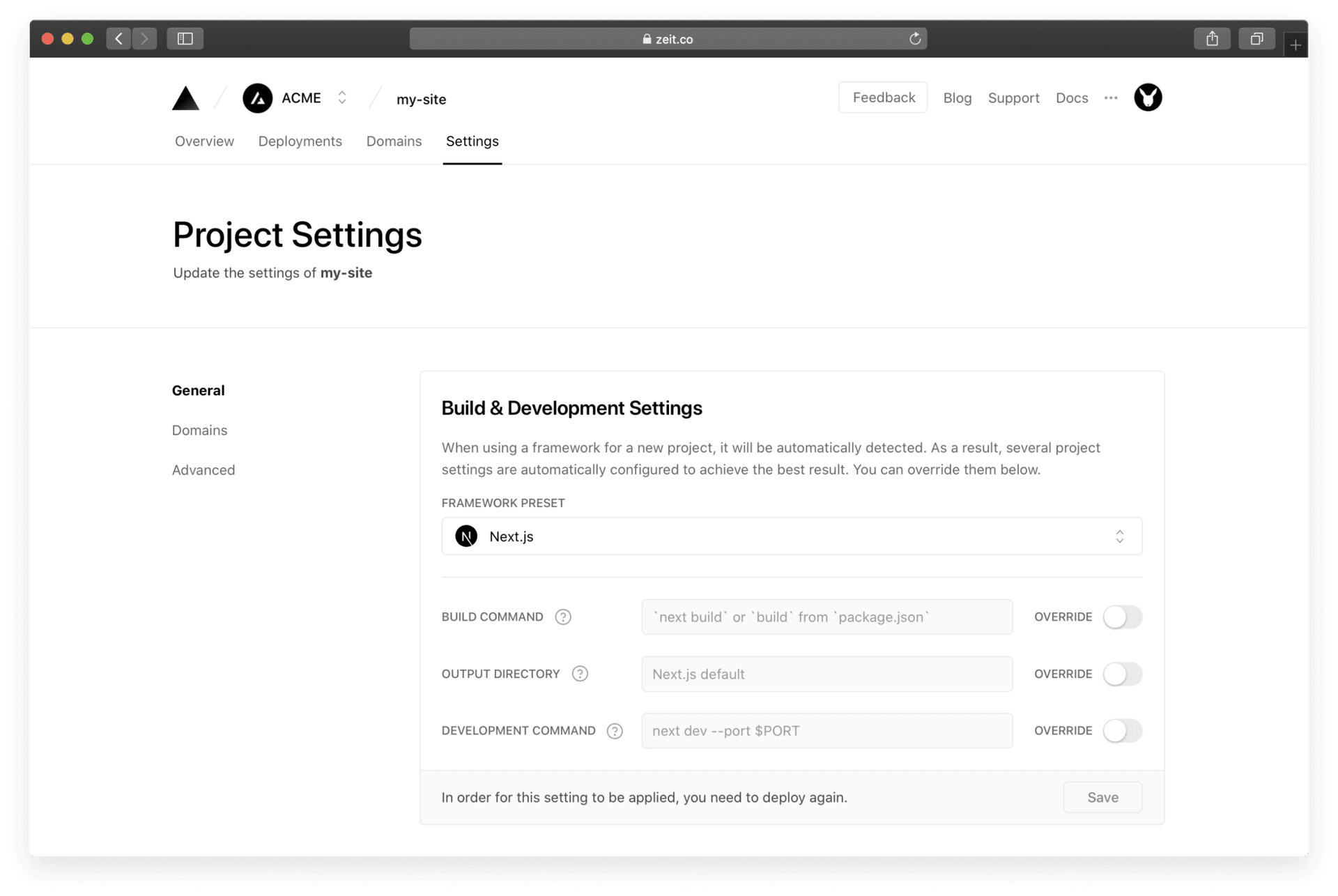
Auto-detected settings are applied at import time, but they don't have to be permanent. The Project Settings panel now exposes the same fields for projects that are already live, so adjustments can be made whenever requirements change.
Each field is pre-populated with the framework-optimized value. To customize one, flip the OVERRIDE toggle and enter your own. This includes the Build Command, Development Command, and Output Directory.
CLI Deployments Get the Same Detection
For teams that prefer manual deploys over automatic Git integration, the CLI now mirrors this workflow. Running vercel on a new project will surface the auto-detected framework configuration, which you can edit during the setup prompts.

On subsequent deployments to the same project, those saved settings are used without needing to be reconfigured. You can also link a local codebase to any existing Vercel project, regardless of its name or scope, during the interactive setup.

Two notes for CLI usage: run vercel once to deploy before using vercel dev, and use vercel --confirm to auto-accept all prompt defaults. The --name flag is deprecated.
What This Enables
- Static site generators without
package.json, such as Hugo or Jekyll, can be deployed. - Repositories with the project in a subdirectory are supported.
- Build, development, and output directory commands are fully customizable per project.
The release also lays groundwork for additional configuration fields in future updates.


