
Why Your Keyboard Deserves More Attention
Most developers spend hours every day at their keyboard, yet rarely give the device a second thought. We type on whatever keyboard ships with our computer, never questioning whether a better option exists. But for those who do look closer, there's an entire ecosystem of mechanical keyboards designed to address nearly every conceivable preference in feel, sound, and layout.
The mechanical keyboard community has grown steadily over the past decade, gaining momentum as gamers and programmers discovered the benefits of switches that offer real tactile feedback. What was once a niche obsession has become a legitimate option for anyone who wants more control over their primary input device.
What Makes a Keyboard "Mechanical"?
The defining characteristic of a mechanical keyboard is simple: each key uses its own mechanical switch. This is in contrast to the rubber dome switches found in typical budget keyboards, where a sheet of rubber domes sits above electrical contacts. Pressing a key collapses the dome to register the press; release it and the dome pops back into shape.
Rubber dome switches dominate because they're inexpensive to manufacture, not because they offer good tactility. Mechanical switches, by contrast, come in a wide range of types that provide different levels of resistance, feedback, and sound.
Before going further, one honest caveat: mechanical keyboards aren't a wise financial investment. You can buy a lifetime of budget keyboards for the cost of a single quality mechanical board. The real justification is finding a tool that feels right for work you do every day — the right layout, the right feel, the right sound.
Choosing Your Switch
The switch is the most distinctive feature of a mechanical keyboard. Switches are categorized in two main ways: by physical shape and by behavior type. The physical shape determines which keycaps fit, while the type — linear, tactile, or clicky — describes how the switch feels when pressed.
Physical Switch Types
Cherry MX switches are the most common physical standard, along with the many compatible clones now available. Cherry held the patent on their mount system for years, but since its expiration, manufacturers like Kailh have entered the market with comparable switches, often at lower prices and with innovations of their own.
Kailh offers box switches that are IP56 dust- and water-resistant, plus "speed" switches with shorter travel for faster actuation. Other switch families exist too — Topre switches, made in Japan, deliver a tactile feel that has a devoted following, though they're expensive and less common.
Linear, Tactile, and Clicky
Switch behavior is typically labeled by color, following Cherry's original naming convention. The three main types feel quite different in practice:
- Linear switches have constant resistance from the top of the press to bottoming out. Red switches are the common example.
- Tactile switches present a small bump near the top of the press, then continue down smoothly. Browns are the standard tactile option.
- Clicky switches combine a tactile bump with an audible click on actuation — sometimes on both the press and release, as with Kailh Box Whites.
Switch weight, measured in centinewtons (cN), also varies within each type. Color designations don't follow any logical system — they're just conventions that manufacturers have adopted.
First-Hand Switch Impressions
To offer practical guidance, we tested keyboards with a range of switch types: Kailh switches in a TKL board, a WASD CODE v2 with MX Blues, a WASD CODE v3 with Zealio switches, and a Happy Hacking Professional Hybrid with Topre switches.
The Kailh Box Whites click on both the downstroke and the upstroke, while Cherry MX Blues click only on the way down. Both provide satisfying, addictive feedback — though a loud clicky board may not be ideal for shared office spaces.
Among tactile options, Kailh Speed Coppers felt slightly more resistant than standard Browns and very close to the Zealio switches. For an all-rounder recommendation, Kailh Brown or Speed Copper switches, or Zealios, all provide a good balance of feel and volume for typing and coding.
Kailh Speed Silvers match the weight of Browns but, being linear, offer constant resistance throughout the press. Their sound is slightly higher-pitched than Browns, while Copper Kailhs produce a deeper tone.
Topre switches stand apart entirely. Their tactile quality can't be replicated in a Cherry-compatible design. The consistency and solidity of the keys make trying one a worthwhile experience for any keyboard enthusiast.
At the end of the day, the differences between quality switches are subtle. Any mechanical switch provides feedback far beyond what a standard keyboard offers. The right choice comes down to personal preference — and if you're new to mechanical keyboards, starting with Cherry MX or compatible switches will give you the broadest keycap options later.
Finding The Right Board Size
Keyboard layouts are typically defined by physical size. From smallest to largest, common options range from 40% to full-size boards. The 60% layout removes the dedicated arrow cluster and navigation keys, while 65% adds arrows back into a compact frame. Moving up, 75% boards bring back a dedicated function row, TKL (“Ten Key-Less”) strips away only the number pad, and full-size boards include everything.
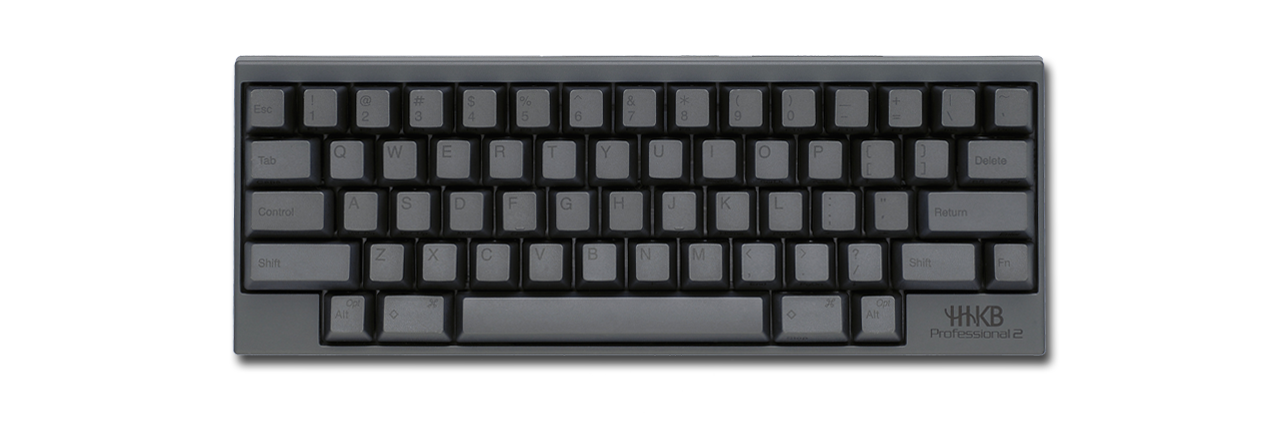
A notable sub-distinction is the HHKB layout, a design over 20 years old, originally optimized for UNIX users. Its enduring appeal comes from minimizing hand travel away from the home row.
Ergonomic And Split Designs
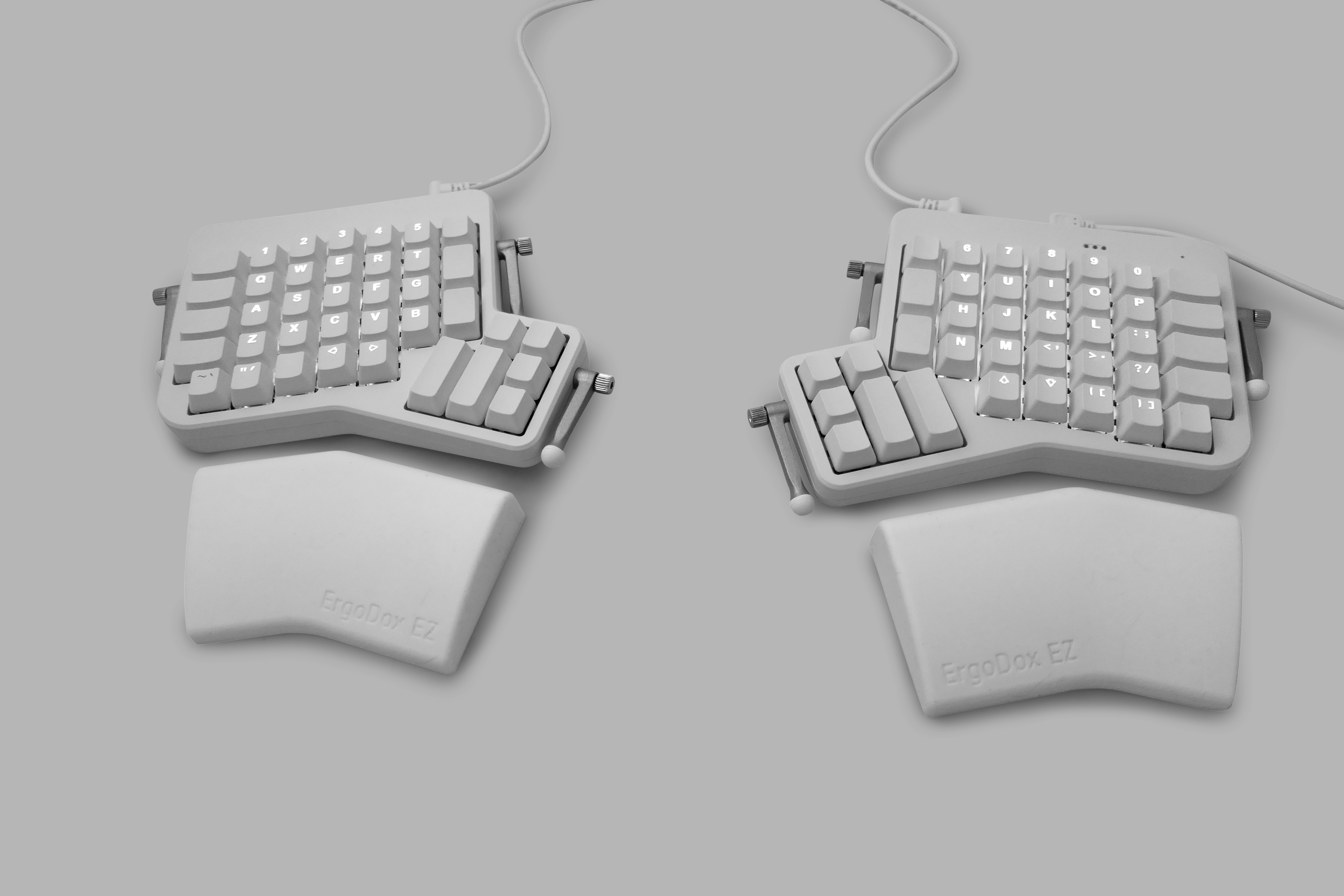
Mechanical keyboards offer significant variety in ergonomic options. The Ergodox EZ, for instance, is a fully split keyboard with a hotswap printed circuit board, so you can swap switches without soldering. That matters if your preferences change over time — you can adjust the feel without buying a whole new board. The ErgoDox EZ is also fully programmable, allowing any key to be remapped.
Its layout is unconventional in more than just the split. The key layout is “ortholinear,” removing the staggered key arrangement inherited from mechanical typewriters. Combined with software that helps users train and test typing accuracy, this can be a worthwhile consideration for those dealing with conditions like RSI. It may take time to re-learn typing, but for some, the investment pays off in comfort.
Hotswap and programmability are increasingly common features, though they remain mostly in DIY and custom boards out of scope here.
ANSI, ISO, And Keycap Options
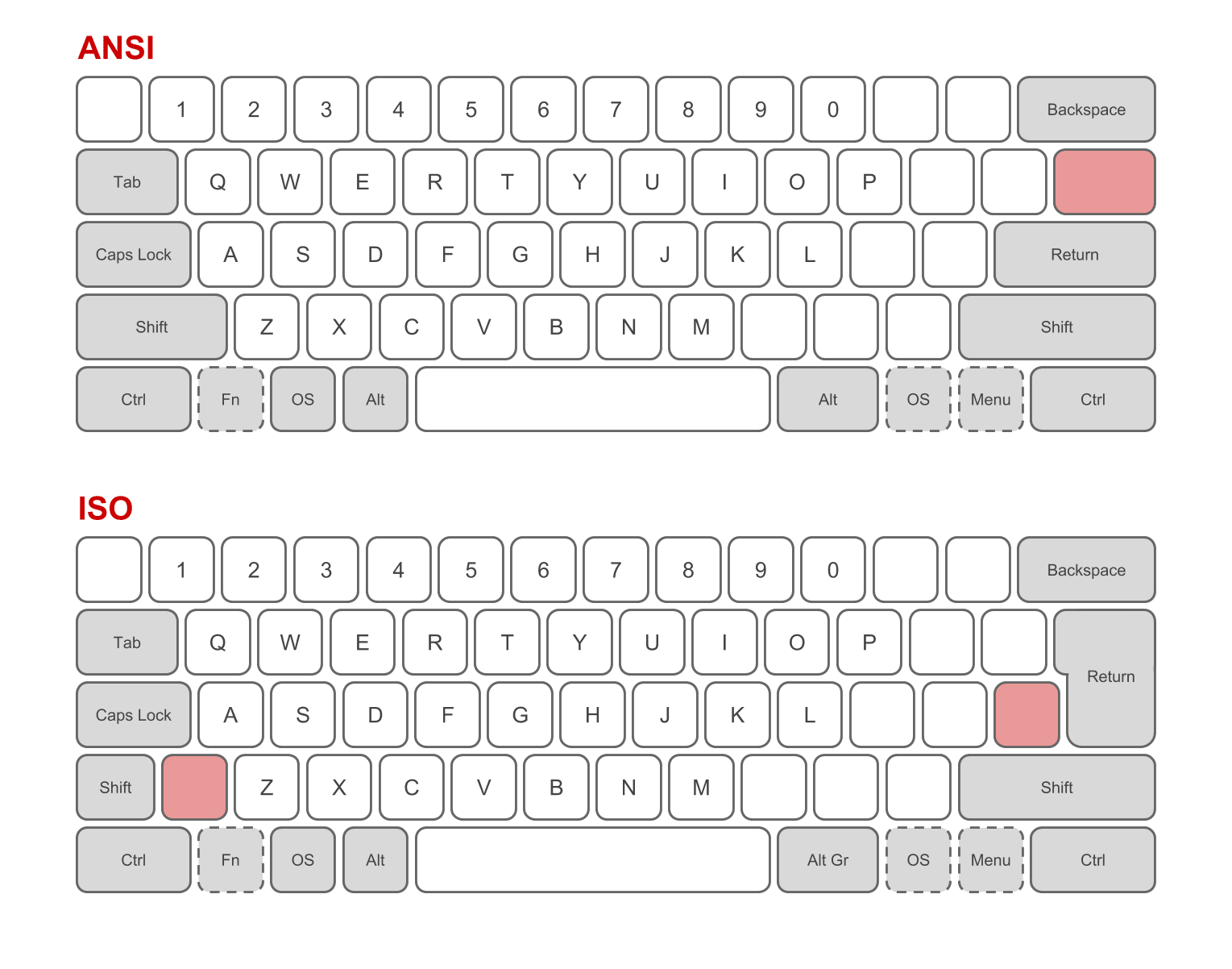
Regional standards matter too. ANSI layouts feature a straight, single-row Enter key, while ISO layouts use an angular, two-row Enter key. Unless you have a specific reason to switch, it’s simplest to stick with the layout you already use. ANSI offers a wider selection of keycaps and after-market options, though.
Analyzing How You Actually Type
Smaller layouts like 60% and 65% can seem impractical until you look at your actual usage. Logging keystrokes over a few weeks with a program like Loggerman produces a heatmap of where your fingers land. That data can reveal heavy use of Escape, Delete, and the arrow cluster, depending on your workflow — for example, Vim users tend to rely on Escape frequently.
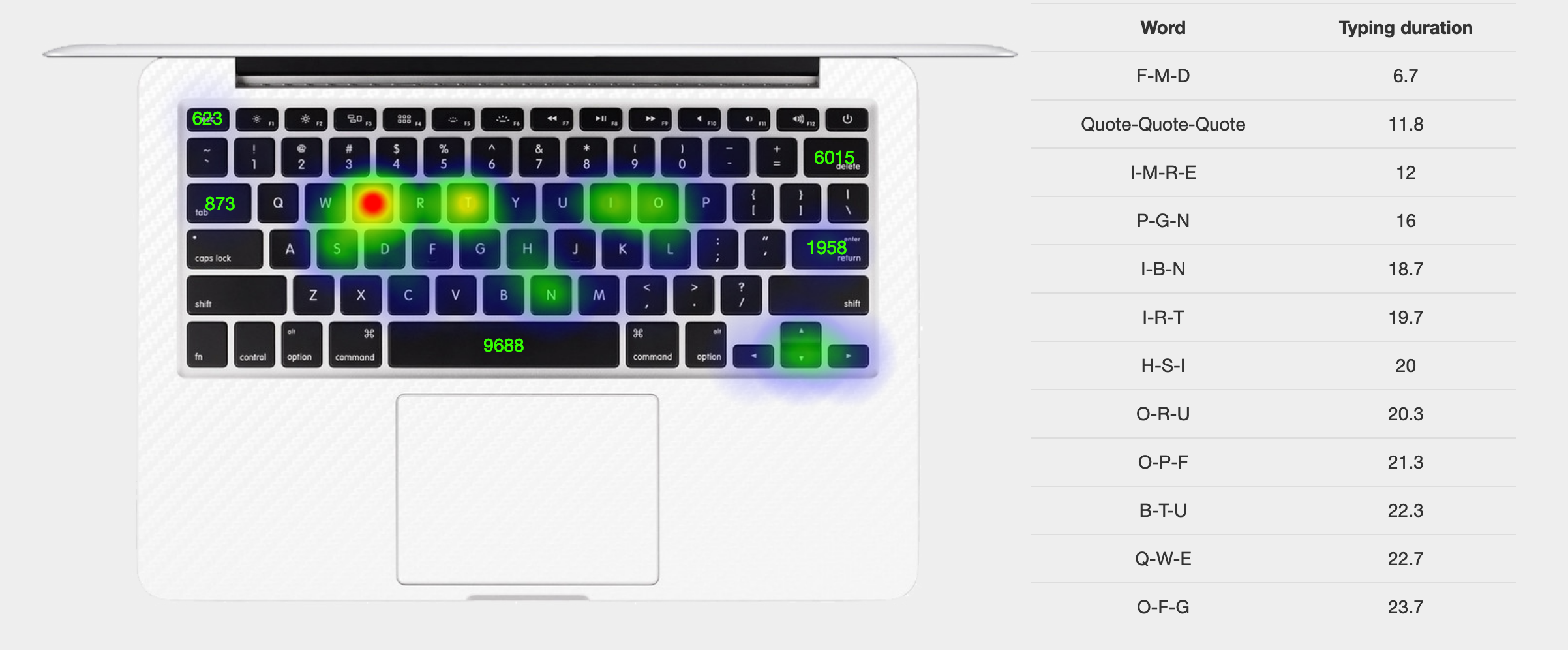
That kind of data can inform layout decisions. If a few keys see most of the action, a more compact board that brings them closer to home row may serve you better. Conversely, someone working with numbers a lot will likely want a full-size or dedicated number pad. The point is that there’s likely a layout more suited to your needs than the one you currently use.
Connectivity And Case Construction
Most mechanical keyboards are wired, using USB-C or mini-USB, but wireless options exist from brands like Filco, Matias, Corsair, Ducky, Atom and HHKB. Wireless boards tend to be plastic with Bluetooth controllers, largely to keep weight down and signal strong. Case materials come down to preference — typically aluminium or plastic — though aluminium offers more aesthetic options like cerakoting, at greater expense.
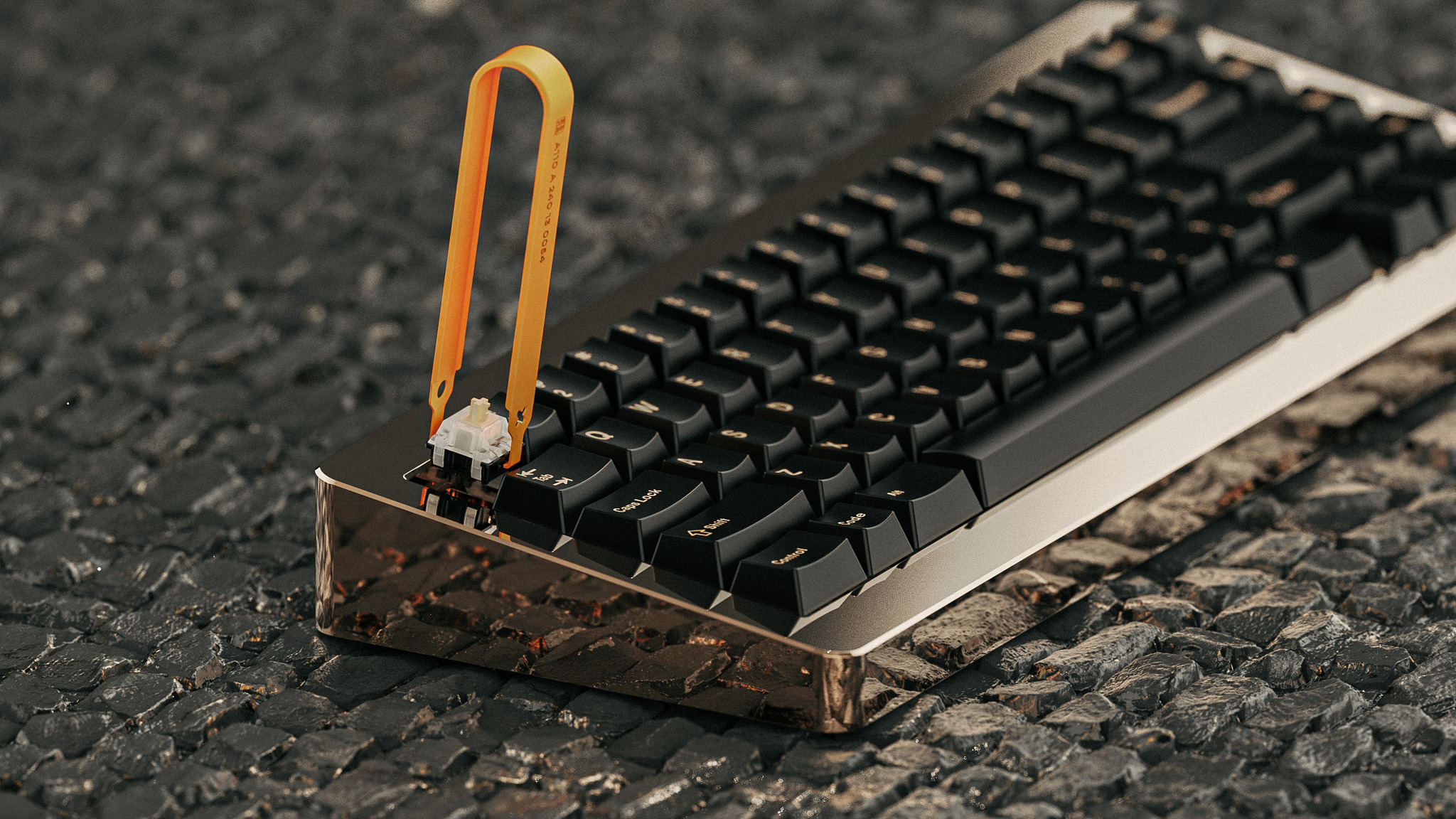
Practical details matter as well. Some boards feature multiple cable ports or built-in routing channels, which is a feature worth looking for if your USB port isn’t conveniently located. A niche example of premium construction is the RAMA Koyu, a solid brass board with a mirror-polished finish, retailing at $1000 for the bare case.
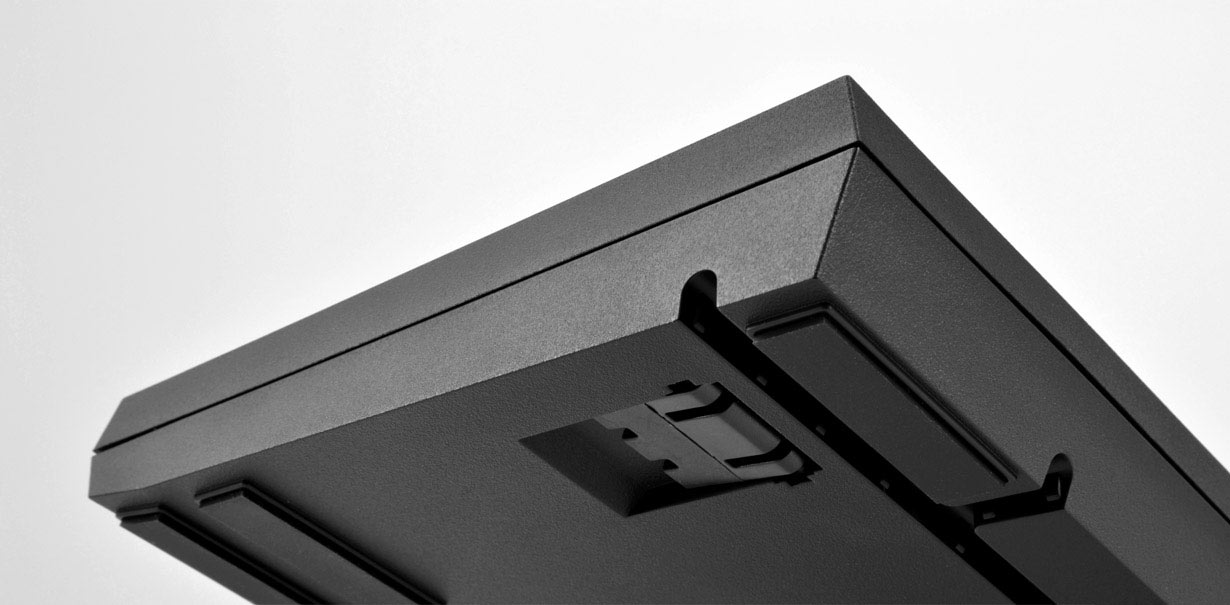
Feast your eyes on the RAMA Koyu. It’s made from a single piece of solid brass, hand polished to a mirror finish! No eating crisps at your desk with this keyboard!
If they hadn’t already sold out, it could have been yours for $1000, although keycaps and switches are extra!
Keycaps: Profiles, Materials And Legends
Keycaps are a major appeal of mechanical keyboards, given they’re easy to swap. The most common mount is Cherry MX style. Within that, there are choices: material, profile, and legend marking method.
Two common profiles are SA and DSA. SA keys are tall, with a sculpted shape down the rows. DSA keys are lower and uniform in height, though each key has a slight top curve.
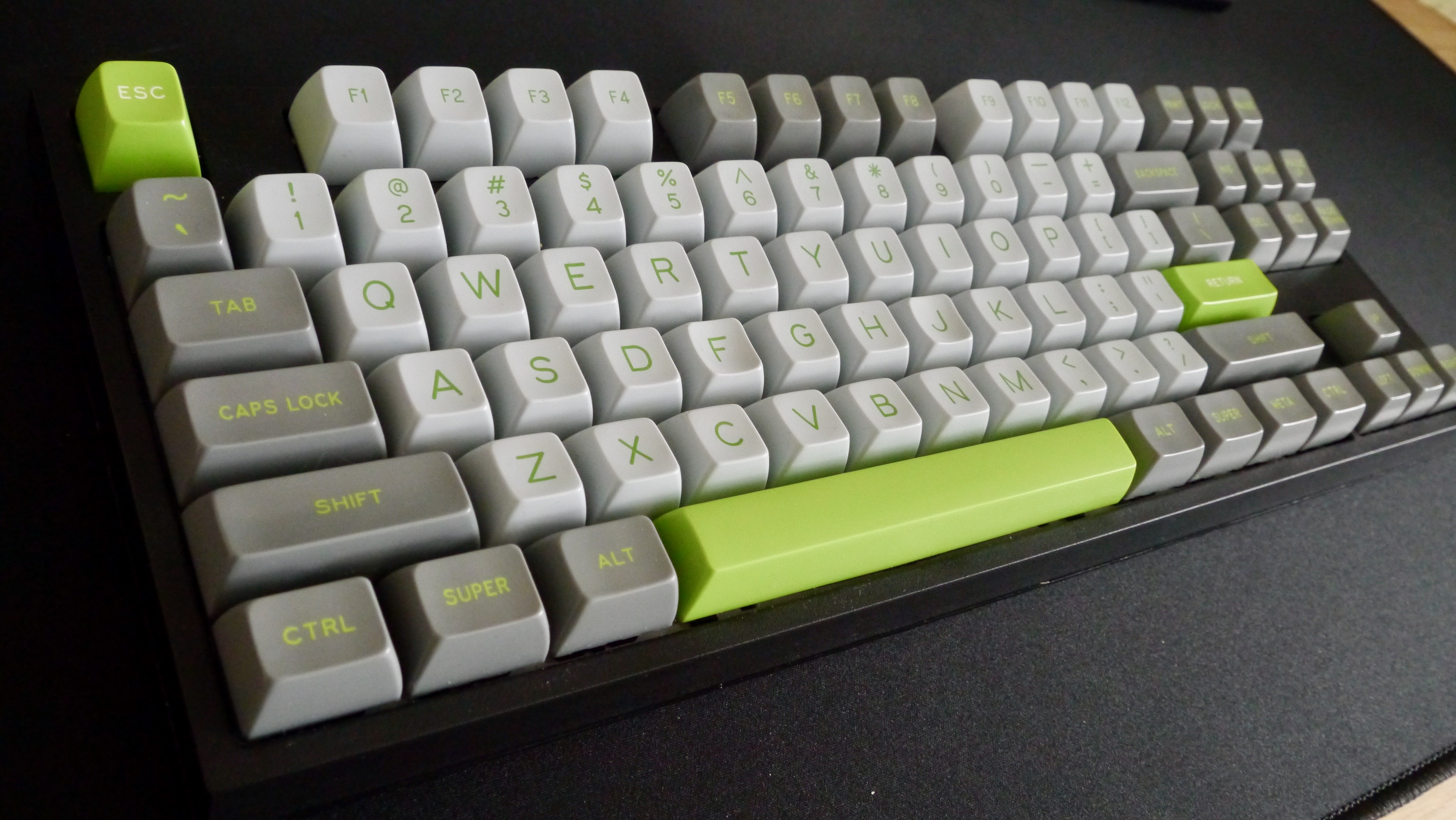
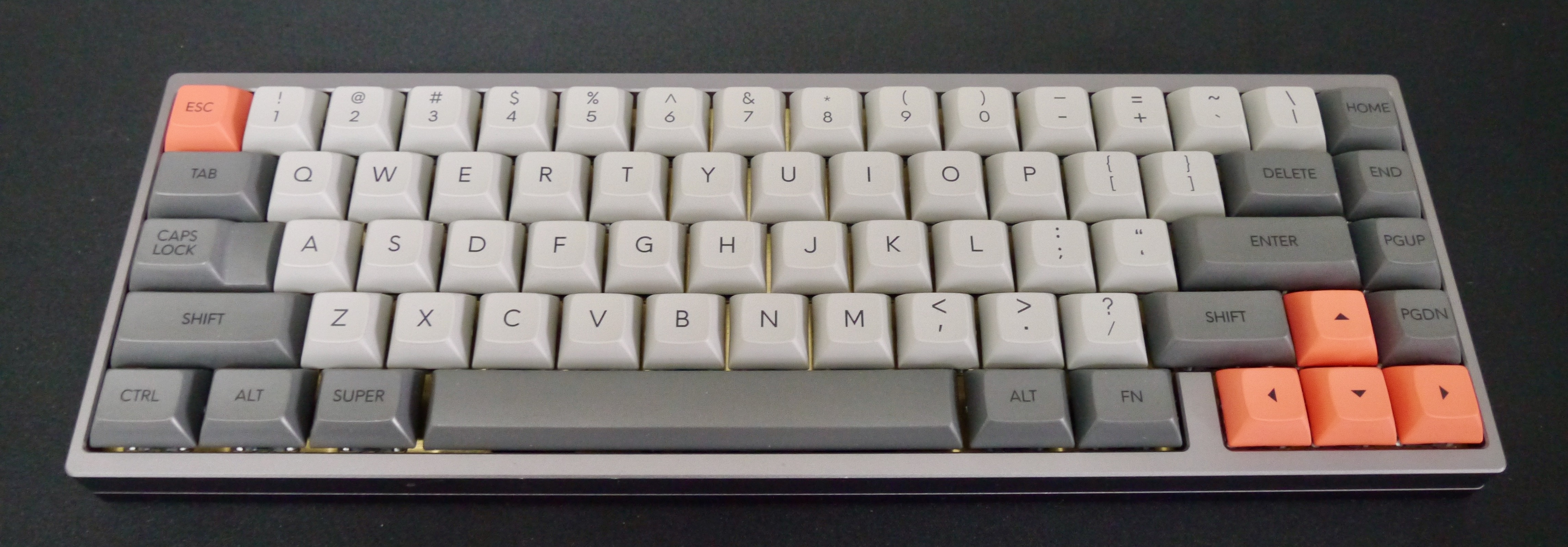
Profile considerations matter more if you’re buying sculpted sets — note the “row” numbers for sculpted profiles, where row 1 is the top number row and row 4 includes the Z and space bar rows.
“Row refers to the location of the keys on the keyboard and is most important when ordering a sculptured keycap family. On a standard QWERTY board, the ‘number’ row is row 1; the ‘Q’ row is row 2; the ‘A’ row is row 3; the ‘Z’ row and the space bar row are row 4; the upper ‘function key’ row can be either row 5 style or row 1 style.”
When buying after-market sets, pay attention to key sizing — most are single unit (1u), but modifiers like Cmd or Alt may be 1.25u, and Tab could be 1.5u. Wider keys like Shift and Space typically use stabilizers (“stabs”) underneath.
Legend Marking Techniques
Three main processes mark key legends: double-shot, dye-sublimation, and laser etching. Double-shot molds two colors of plastic together for crisp legends, dye-sub (short for dye-sublimation) dyes the legend into the keycap like a tattoo, and laser etching wears away quicker than the alternatives.
Common Keycap Plastics
ABS and PBT cover most keycap options. ABS is softer and common on double-shot sets, allowing for wider color variety, but it tends to become shiny over time on the most-used keys. PBT holds its texture and resist shine, but offers fewer color options. Your preference will come down to how each feels in practice.
What To Look For When Buying
Mechanical keyboards deliver a level of tactile feedback that membrane keyboards simply cannot match. Many boards also offer full programmability, so you are not stuck with the standard layout — every key can be remapped to perform any function you like. Layouts range from the ultra-compact 60% form factor to the all-rounder TKL (tenkeyless) and full-size boards with a number pad, with plenty of options in between.
For users dealing with RSI or looking for better ergonomics, boards such as the ErgoDox EZ should be high on the list. If you are unsure which switch type suits you, look for a board with a hot-swappable PCB. That allows you to test different switches without replacing the entire keyboard. You are not limited to genuine Cherry switches; Kailh and other manufacturers make excellent MX-compatible alternatives. There is a full spectrum of switch feels, from audible clicky switches to smooth tactile and fast linear options.
Portability And Customization
Going portable does not mean sacrificing quality. The Happy Hacking Professional Hybrid, for example, pairs a premium Topre switch feel with Bluetooth connectivity. When it comes to keycaps, the range of colorways and profiles is vast — take a look at Signature Plastics for a sense of the variety. If you prefer a one-stop shop, WASD Keyboards offers both ANSI and ISO layouts, and lets you pick the case color, the color of every single key, and the style of legend on the keycaps.
Manufacturers And Suppliers
Here is a quick reference of the vendors and brands covered throughout this guide:
- Happy Hacking Keyboards — makers of the HHKB 60% layout, using Topre switches.
- WASD — makers of the CODE keyboard; offers extensive customization options for bespoke boards.
- ErgoDox EZ — ergonomic boards with a wide switch and color selection, plus hot-swappable PCBs and programmable layouts.
- Pimp My Keyboard / Signature Plastics — US manufacturer of after-market keycap sets.
- RAMA WORKS — limited-edition, exclusive keyboards.
- Kailh — produces high-quality MX-compatible keyboard switches.
Communities And Going Further
For more information, the enthusiast communities at Geekhack, KeebTalk, and Reddit’s r/MechanicalKeyboards are active hubs of discussion.
Pre-built mechanical keyboards may not be the end of your journey — they can be the start of a deeper hobby. For the truly dedicated, building your own keyboard is very feasible. It works like a Lego kit: you choose the exact case material, switch type, color, and flash the firmware with whatever keymap you like.
At the very least, it is worth reflecting on the device you use constantly. A small change in switch or layout might make every keystroke more comfortable and satisfying.


