

Why GitHub Discussions Is More Than a Forum
Developers already juggle messaging apps, social media, and dedicated forums to coordinate work. GitHub Discussions consolidates that conversation space directly beside the codebase, giving maintainers and contributors a single place for questions, announcements, and community chatter. The feature set extends beyond simple threaded comments, offering workflows that integrate with issues, automations, and repository analytics.
Keep Conversation and Action Distinct
The platform deliberately separates discussion from execution: Discussions are for talking, while Issues are for tracking work. This division reduces noise in the development pipeline and keeps the project board focused on actionable tasks. When context shifts, both directions are supported—an issue can become a discussion, and a discussion can produce an issue with minimal friction.
Creating an Issue from a Discussion
- From your discussion post, select Create issue from discussion.
- Select Submit new issue.
Converting an Issue to a Discussion

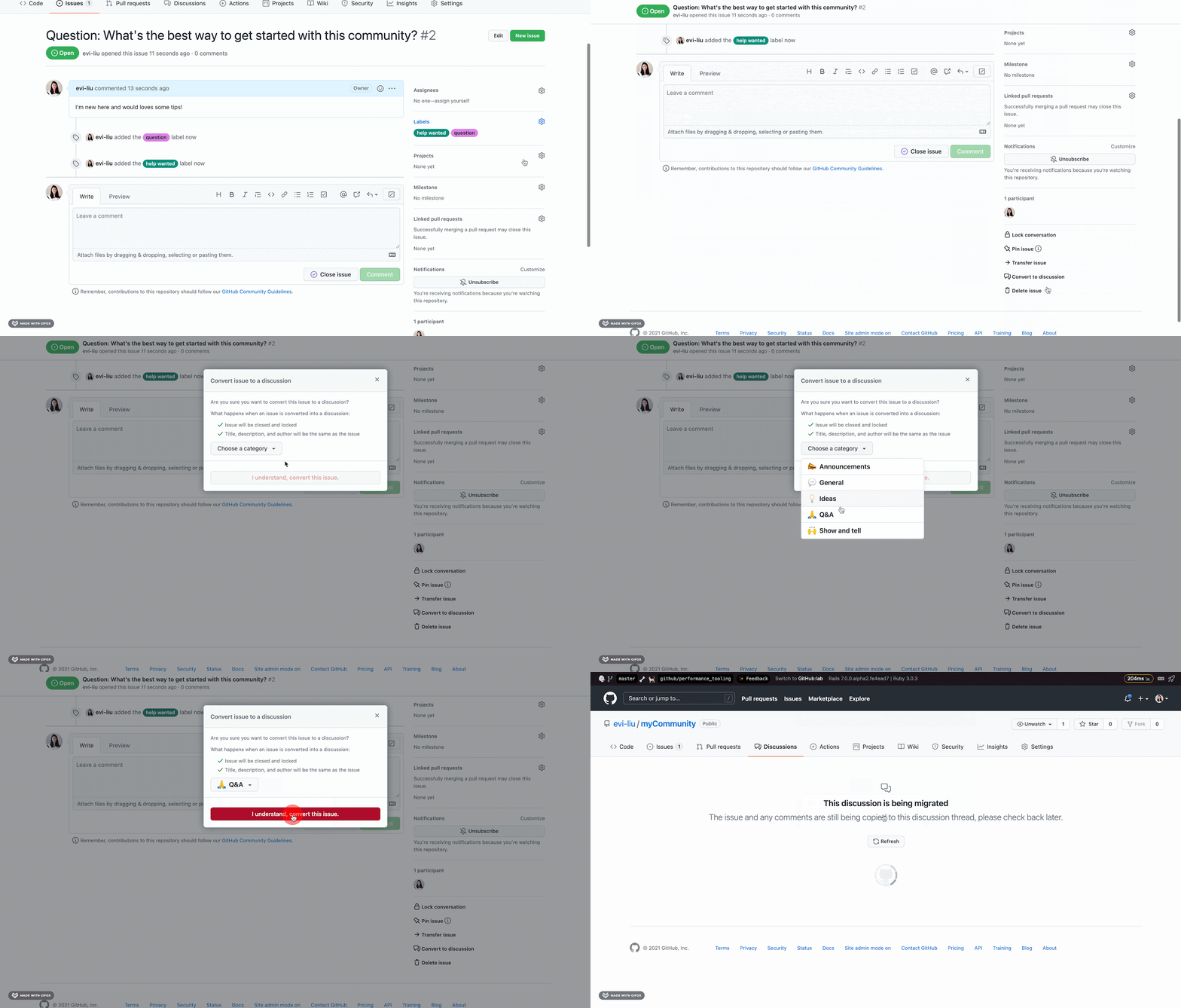
- From your issue, go to the bottom right corner, and select Convert to discussion.
- Pick a category to place your discussion in.
Discussion threads are also highly linkable and retain message history indefinitely, making them searchable archives for past decisions without the need for external log tools.
Automation Triggers and Private Repository Support
Discussions are not isolated from the rest of your tooling. The GraphQL API, webhooks, and GitHub Actions can all react to new or answered discussions. Teams commonly use this to post chat notifications or automatically update community-facing pages with fresh conversation content.
Private repositories now support Discussions as well, which GitHub itself uses for internal knowledge bases, team announcements, and planning conversations. Keeping those exchanges separate from active pull requests and issues simplifies the workflow for internal projects just as it does for public open source communities.
Release Q&A and Community Signals
For major releases, Discussions provides an accessible channel for users to ask questions directly to maintainers. This pattern was notably used by the React team during the React 18 launch, giving the community a direct line to the core developers.
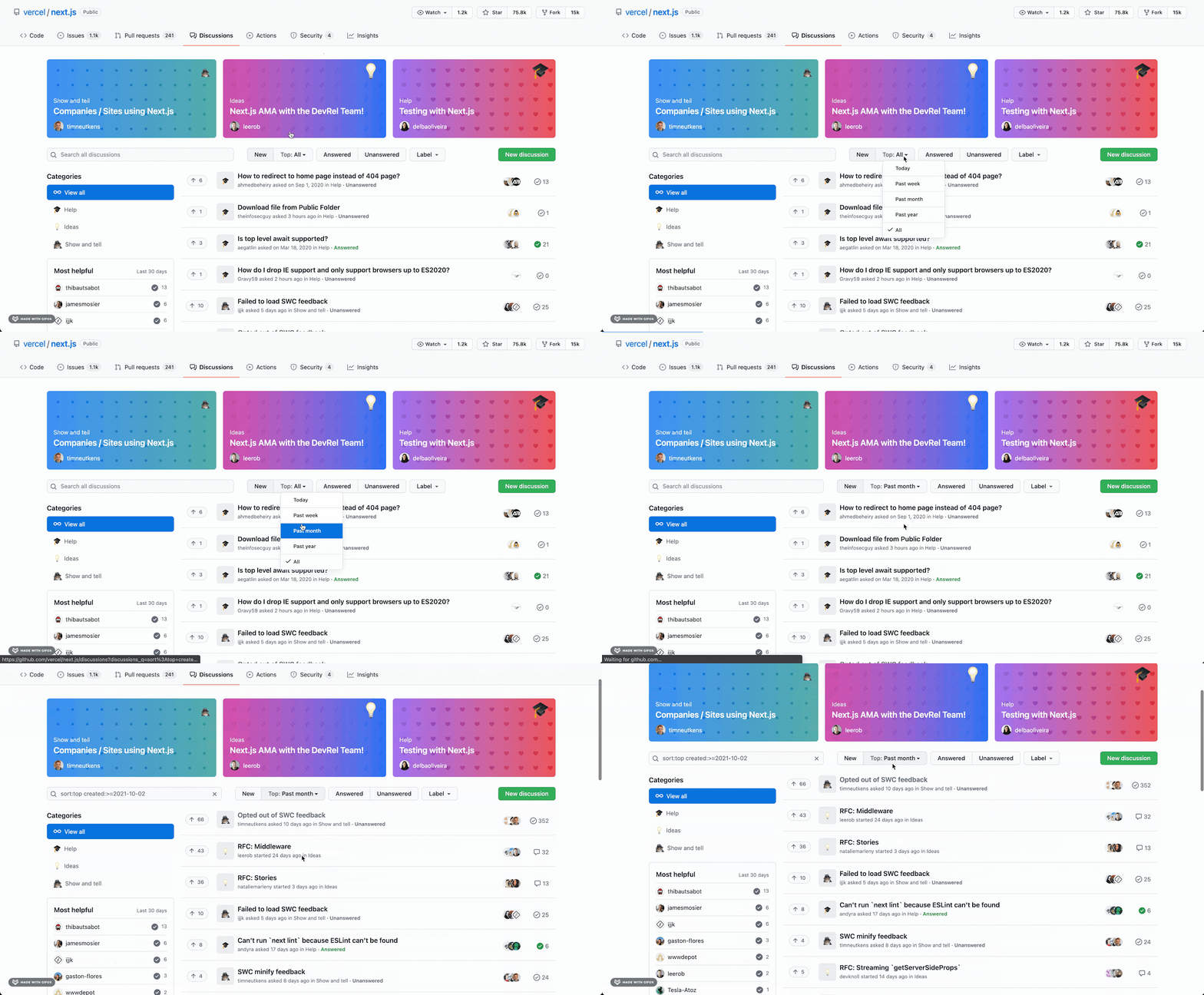
As conversation volume grows, the Top Sort feature helps moderators find the most active threads within a day, week, month, year, or across all time. An Unanswered filter option also highlights open questions that still need responses from maintainers or community members.
Community Health Metrics
An upcoming "Community" section in the repository Insights tab will surface actionable data about forum and project activity. The dashboard shows:
- The number of discussions, issues, and pull requests over time
- Daily counts of Discussions contributors
- New Daily Discussions contributor counts
- Page views generated by Discussions
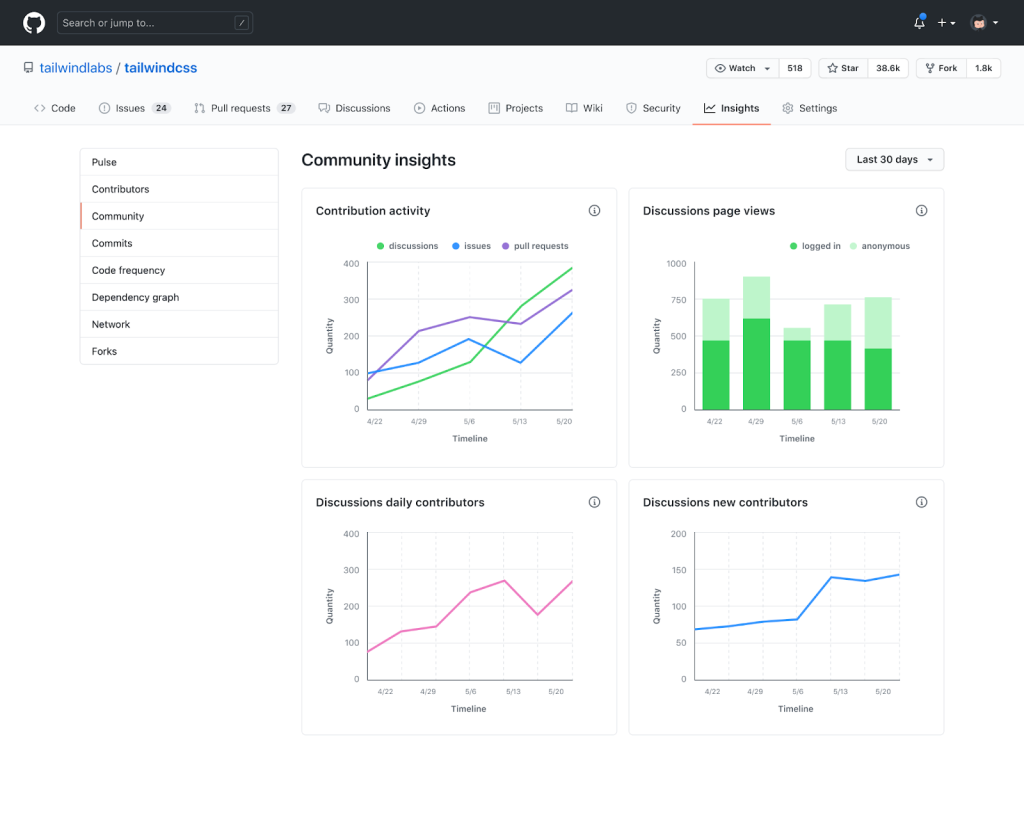
The metrics target maintainers and administrators, offering a view into overall community health rather than just individual thread activity.
Availability
Discussions is enabled on public and private repositories for GitHub Free and Teams plans, with GitHub Enterprise support on the way. Repository owners with write access can activate the feature in seconds from repository settings.



