Figma’s August updates: Teams integration, usability pass, and education push
August brought a mix of milestone features and smaller quality-of-life fixes to Figma and FigJam. The company also marked ten years since its alpha launch, with CEO Dylan Field reflecting on the journey. Here’s what shipped this month.
Microsoft Teams integration
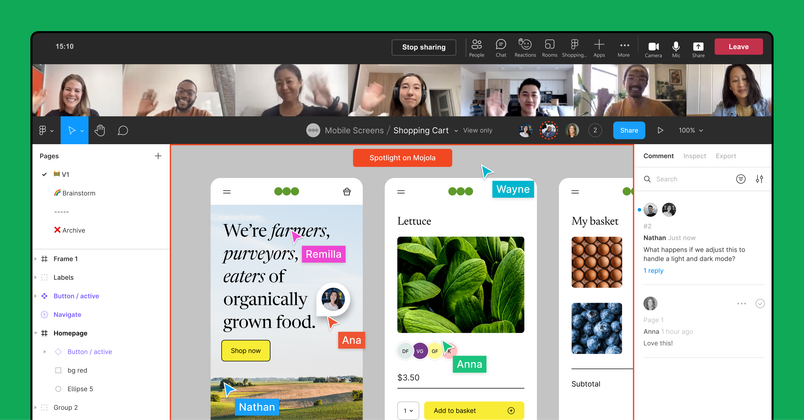
Figma and FigJam are now available as a Microsoft Teams app. For teams that rely on Teams for daily work, the integration lets you collaborate on files directly within the platform. You can present work during meetings, pin relevant files to channels for quick access, and receive real-time notifications about feedback — all without switching windows. The app is available to install from Microsoft AppSource.
20+ “Little Big Updates”
Twice a year, Figma dedicates time to a batch of smaller usability improvements. This round includes several notable changes:
- Faster gradient customization: Double-clicking a gradient now spaces color stops evenly and adds dimension to fills.
- Better markups in frames: Annotations no longer get clipped or accidentally pulled into auto layout.
- Easier diagram creation in FigJam: New prompts auto-create shapes, and connector mode stays active for quicker flow-charting.
The full list of updates, including shortcuts and additional design features, is documented in Figma’s dedicated blog post.
Education: Commons conference and new resources
Figma hosted Commons, its first conference for the education community, earlier this month. The event featured hands-on workshops, panel discussions, and talks focused on creative and collaborative classrooms. Alongside the conference, Figma announced:
- Two new FigJam sticker packs designed for classroom use
- An Education Community collection with top templates
- A monthly education YouTube series called “Study Hall”
- Updates to the Chromebook beta, allowing U.S. high school districts to deploy Figma Organization to all students and teachers at no cost
Recordings of the Commons sessions are available on YouTube.
Community highlights
New widgets and plugins from the community include the Stark Accessibility Checklist for role-specific checklists (PMs, designers, engineers), Approve for indicating design status to stakeholders, and Changelog for tracking updates directly in Figma. For detailed release information, Figma’s release notes remain the go-to resource.