Design and development handoff: how Figma and Jira fit together
Product velocity — shipping the right features fast — is hard to sustain as a company grows. Behind every successful feature is a foundation of tools and rituals that let teams iterate and ship efficiently. Finding that "flow state" is especially difficult in hybrid work environments where calendars are fragmented and requirements shift constantly. At Figma, teams are exploring ways to bring design and development workflows closer together so that everyone can stay focused despite constant interruptions.
A high-fidelity prototype bridges the communication gap
Designers and developers often interpret the same words differently, but seeing a prototype in action helps them speak the same language. At One.com, the Denmark-based design team regularly meets with developers in India to review requirements, blockers, and issues. In one session, the design team shared a high-fidelity interactive prototype of a new text feature in Figma.
The development team could follow along and review interactive states — user flows, window behavior, dropdown interactions — rather than piecing together a static mockup. According to Nick van der Meulen, Group Head of UX and Design: "That's a big shift from what we had in the past with other software, which involved basically clicking a million pages by linking them to each other. Now, we have interactive prototypes in one piece of software."
High-fidelity prototypes also preserve context for teams working asynchronously and remotely. At Condé Nast, the product development team uses daily standups to stay aligned, anticipate roadblocks, and surface questions. During one standup, they discussed a large-scale project represented as an interactive Figma prototype. Senior Director of Design Tom Smith says: "This prototype served as a bridge between design and development. It allowed our developers to interact with the design in a tangible way, solidifying our shared vision and motivating the team to work collaboratively to bring it to life."
What happens in meetings enables flow outside of them — a prototype gives the broader team a reference point they can return to.
Sharing unfinished work keeps momentum going
The Design System team at Ingka Group, the largest IKEA retailer, deliberately shares in-progress work through low-fidelity prototypes. While the team gives polished demos each month, they also hold weekly sessions where teammates present learnings in a casual, low-pressure format. Henrik Wangström, an Experience Design Operations Program Manager, says: "You can show a piece of paper, basically, if you wanted to."
The intent is to normalize presenting incomplete work. Nouman Tariq, Engineering Manager for the Design System team, explains: "Presenting incomplete work tends to be a blocker in a lot of people's minds... They might think, 'It's not complete yet,' or 'I'm not happy enough with it yet.' The idea is to create a culture in the team to gather often and early feedback so we can be sure that we are building the right things and shipping them often."
Sharing rough sketches and early exploration — not just polished prototypes — is what lets teams iterate quickly and catch misalignment before too much effort is spent.
The cost of fragmented sources of truth
In hybrid work environments, decisions made in meetings or over chat can easily get lost. When teams rely on scattered files, notifications, and screenshots, work gets duplicated or built on outdated information. The fix is not necessarily a single source of truth for everyone, but clearly defined sources of truth that are deliberately connected.
Different teams naturally need different homes for different kinds of information. Figma serves designers, while developers often need richer technical documentation. Turo’s Design Systems Director Carlos Báez notes that developers document component APIs in product requirement docs with detailed tables covering properties, token dependencies, and interaction specs. Experian splits the difference by strategy: Figma handles direct design communication around a component, while Jira hosts higher-level discussions about features and workflows.
The real win comes from integrating those sources rather than maintaining parallel universes. Keith Barney, Design Systems Designer at Experian, says the Figma for Jira app has helped bring project information into one place, reducing the need to switch between apps. Experian’s teams also rely on Dev Mode to consolidate component documentation and give front-end teams a single reference point with an interactive component playground.
“Figma is perfect for scenarios where you want to directly communicate with design around a given component, and Jira allows the team to communicate on higher level discussions surrounding specific features or workflows.”Figma is perfect for scenarios where you want to directly communicate with design around a given component, and Jira allows the team to communicate on higher level discussions surrounding specific features or workflows.
Paying the toggle tax
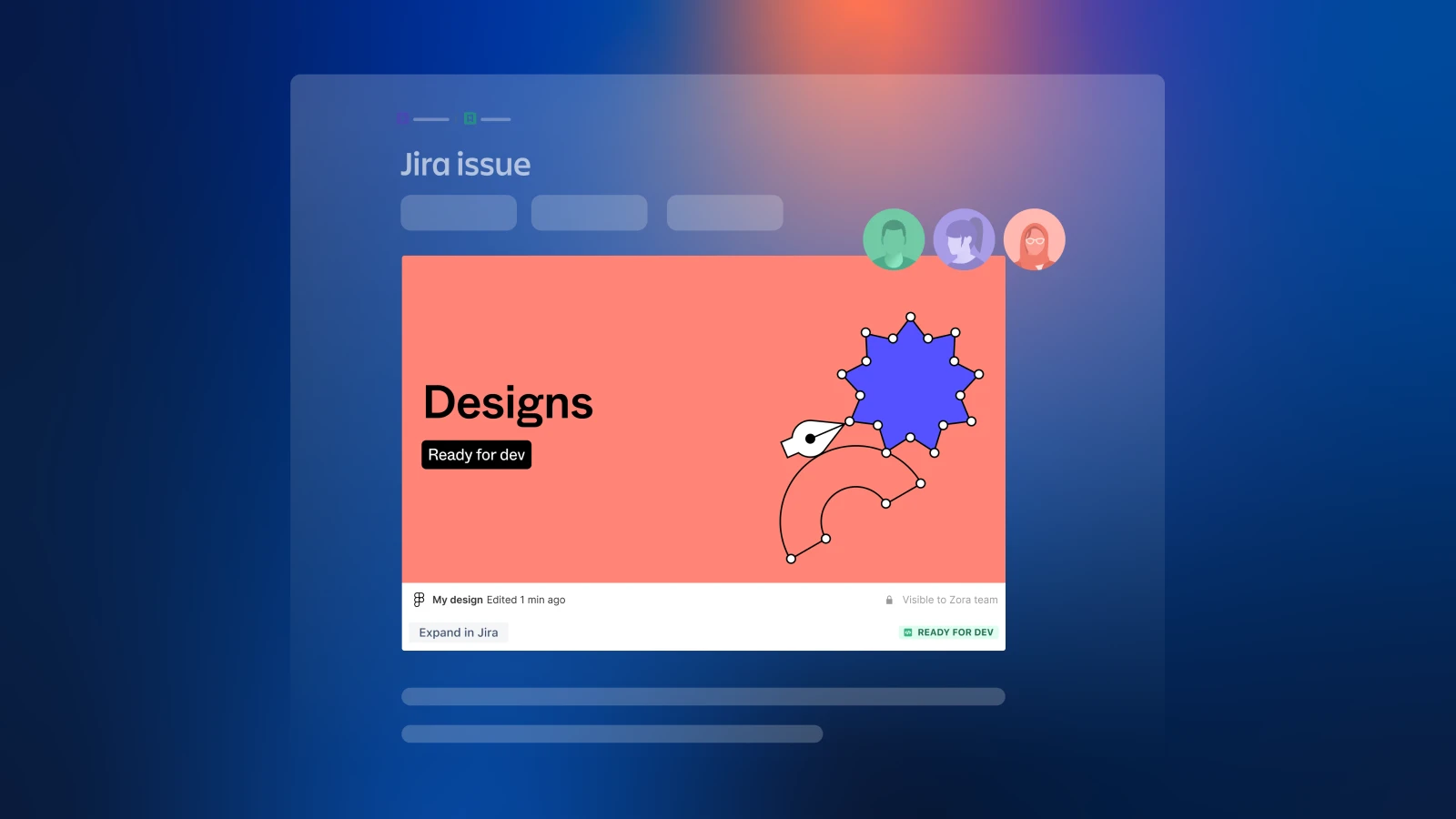
When sources of truth don’t map cleanly to one another, teams pay a "toggle tax" — the time, energy, and context lost jumping between artifacts. That tax was visible at Woolworths, where developers debated whether a Jira ticket held the latest designs, which were shared as annotated screenshots. The team now embeds live Figma designs directly into Jira tickets, making sprint planning faster and eliminating stale screenshots. Condé Nast similarly links Figma files to Jira issues to keep design assets and project tracking aligned.
Flow comes from repeatable structure
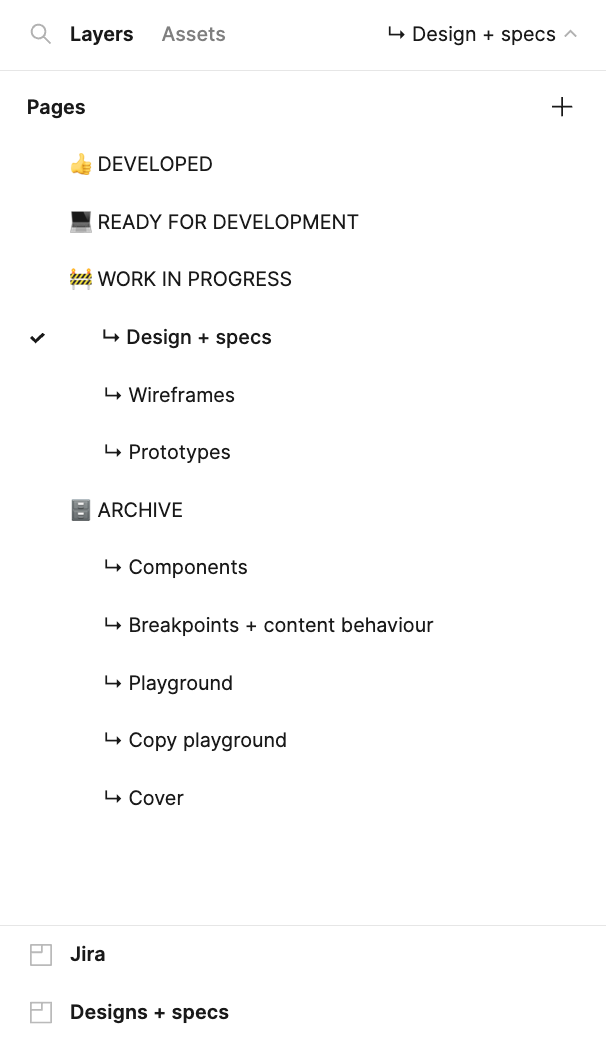
Consistency is what makes handoff feel effortless. One.com models its approach on McDonald’s: no matter which store you walk into, the experience is the same. Lead UI Designer Carl Webb applies that logic to design files — the content varies, but structure and naming conventions stay uniform, so any developer or designer can pick up a file and know where things live. The team builds a handoff file template in Figma with pre-populated pages for wireframes, playgrounds, and specs, plus a Jira widget waiting to be linked to the relevant task.
Those handoff files often include a flowchart alongside the prototype, with annotations explaining interactions and next steps. Senior Software Engineer Yannick de Lange prefers these overview pages to prototypes because they provide context and clarity, noting he "never clicks the play button."
There’s no shortcut through the messy middle of product development. Flow feels effortless in the moment, but the groundwork is deliberate work. Tools like Figma for Jira act as the connective tissue, holding the small details together so teams can focus on planning and execution. Stay up to date on the latest release via the Figma for Jira announcement.


