
A design system for 100-plus product lines
HP's hardware spans printers, laptops, gaming systems, and more—each with its own identity. Coordinating a consistent digital experience across that range is a serious challenge, especially when individual business units tend to work in isolation. According to Gilson Hoffmeister, Design Systems Strategist at HP, and Andrei Garcia, Senior Design Manager, the company's answer is Veneer, a design system that started as a frontend component library and grew into a full ecosystem.
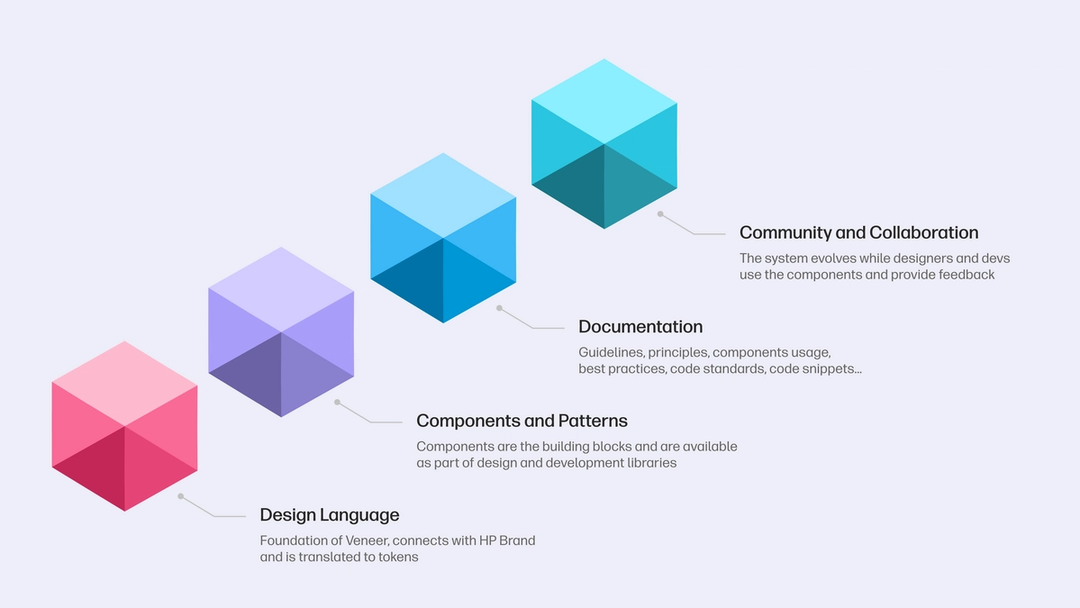
Veneer now provides a design language, components and patterns, documentation, and a governance model. The goal is to prevent redundant work and create cohesion without forcing a single rigid look on sub-brands with distinct DNA. The team knew a one-size-fits-all approach wouldn't work across HP's many sub-brands, so they built flexibility into the system's structure.
Chasing adoption with hard numbers
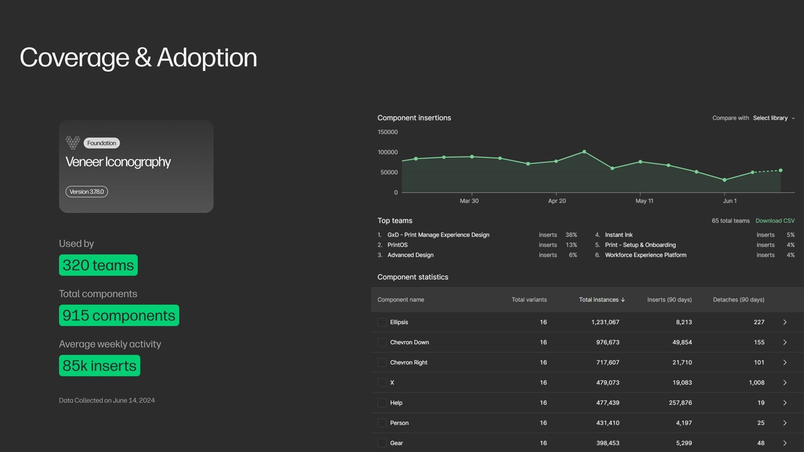
Adoption of a design system at HP's scale is measured both qualitatively and quantitatively. One standout figure: HP's Iconography library sees 915 icon components used by 320 teams, with an average of 85,000 inserts per week. That usage translates into real time savings. HP reports that from January to December 2023, using Veneer saved projects 500% more time than was spent creating it. Gaurav Roy, HP's VP of Engineering, credits the system with cutting development time by 50% for certain projects—a benchmark that echoes an IBM study where design systems resulted in 47% faster development for simple forms.
Getting designers on board was a hurdle. Product teams are protective of their work, and externally imposed standards can feel like a threat. HP had to show that a unified system would free designers to spend more effort on creative, product-specific work rather than reinventing common foundations.
Bridging design and code with Dev Mode
Figma's Dev Mode gives HP's developers a direct path to the specs they need, cutting down the back-and-forth that used to slow handoffs. The team specifically points to a few features that changed their workflow:
- Compare changes: Useful when updating existing products, this shows what shifted between design versions.
- Ready for development: Designers can mark the parts of a design that are cleared for implementation, so developers know exactly where to focus.
- Variables: HP links variables to primitive and semantic tokens that scale across themes. The Foundation team manages these core elements, using automation and the Figma API to read variables directly from designs and bridge the gap to code.
Code Connect cuts context switching
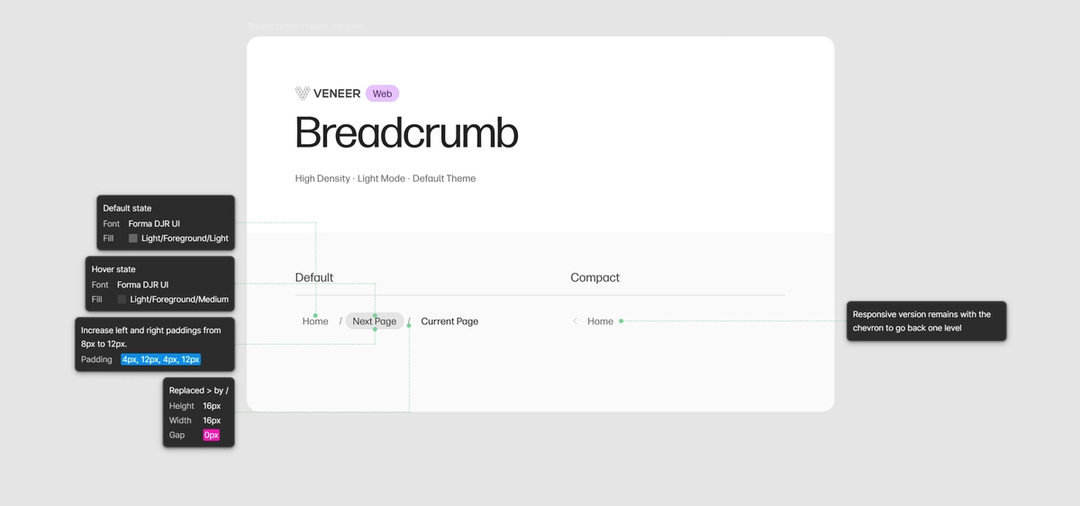
HP was an early adopter of Code Connect, which pulls component code from a codebase directly into Dev Mode. The setup was light: one engineer got it running in two weeks. The payoff, per Hoffmeister, is that developers no longer need to jump between Figma and their repos to check how a component should be implemented—they can click the component in Figma and see code snippets with the correct settings.
The team pushed the integration further with automation. HP keeps source files where icons live in editable form. Changes to the source trigger automation that flattens them, generates SVG code, and populates the Iconography Figma library and the development libraries. This removes the manual handoff for a core part of the design system.

Efficiency gains show up in the survey data
HP surveyed 400 employees using Dev Mode and saw clear results:
- 80% reported an efficiency gain
- 90% said it increased their quality of work
- Users saved a reported 98 minutes per week on average from reduced context switching
Developer feedback echoes those numbers. One noted that Dev Mode cuts time on routine tasks, allowing more focus on functionality. Another pointed to code snippet generation as a factor that significantly sped up development cycles.
What we love about Code Connect is that it reduces so much of the context switching that developers had to do before.“What we love about Code Connect is that it reduces so much of the context switching that developers had to do before.”
Beyond time savings: a shared language
The shift isn't only operational. Dev Mode, paired with Veneer's structured approach, has changed how designers and developers talk to each other at HP. As Andrei Garcia puts it, the tooling is helping both sides speak the same language and rethink how they build products together. For a company with HP's breadth, that alignment is as valuable as the minutes saved.


