
Accessibility Is A CMS Decision
Building an accessible website starts long before you write a line of front-end code. The content management system you choose determines how much control you have over the markup your site ships, how easily editors can produce accessible content, and how much extra work you will face fixing problems after the fact. That makes the CMS choice a core accessibility decision, not an afterthought.
Web accessibility means designing and building so that people with disabilities—physical, auditory, cognitive, speech, neurological, or visual—can use your site and participate equally. The WHO's 2011 World Report on Disabilities found that over 15% of the global population experiences some form of disability, a figure that will only grow as populations age. But accessibility is not only about permanent conditions. It also serves people with situational or temporary impairments, from a broken arm to a new parent holding a baby, or simply someone watching video with the sound off. In practice, this means alternative text, video captions, sufficient color contrast, keyboard navigation, and semantic HTML that gives assistive technology useful context. The WCAG guidelines, with their A, AA, and AAA conformance levels, offer a unified international standard for all of it.
Two Architectures, One Goal
Your CMS should support—not hinder—the work of creating accessible content. Broadly, CMS platforms fall into two categories.
Monolithic CMS: Sometimes called traditional or coupled systems, these platforms emerged in the early 2000s with WordPress, Drupal, and Joomla. They bundle the database, admin interface, and frontend into a single package. That convenience comes with tradeoffs: you depend on the platform's default tech stack, and you extend functionality through themes and plugins of varying quality.
Headless CMS: These systems decouple the frontend from the content repository. The CMS stores and delivers structured content through an API, allowing the same content to power a website, mobile app, or e-commerce store. This best-of-breed approach lets developers pick their own tech stack and swap frameworks without touching the CMS backend.
There is no universal answer to which architecture is more accessible. Neither is inherently accessible. Monolithic platforms like WordPress have fronts that are only as accessible as their least accessible plugin. Many themes claim to be "accessibility ready" but fall short, and installing even one inaccessible plugin can undo the work of an otherwise solid theme. Custom themes give you more control—you can guarantee color contrast, keyboard navigation, non-visual cues, screen reader testing, and motion control—but building your own output is significant work.
Plugins are a double-edged sword. The WordPress plugin directory alone hosts tens of thousands of extensions, many of them interactive and therefore full of potential accessibility pitfalls. The worst offenders are plugins that claim to fix your accessibility problems automatically. These tools typically create an overlay rather than fixing the underlying issues, and generated alt text still needs manual review. They also risk clashing with assistive technologies users already have installed. As Joe Dolson puts it:
"I will recommend staying away from any plug-in that claims or implies that it will fix your site to help you meet accessibility guidelines—no plug-in is going to be able to seriously achieve that goal."
The Headless Advantage
Headless systems offer more freedom—to choose the best tools for the job, to work with a stack you know, and to structure projects in ways that help every team member publish accessible content. The API-driven approach means accessible markup can remain accessible across every channel, from mobile apps to e-commerce. Even if you change frontend frameworks later, the content layer stays consistent.
But headless is not a silver bullet. The same alt text, caption, and contrast rules still apply, and not every headless platform grants the same degree of control. The constraints of your CMS—whether traditional or headless—will shape what your editors and developers can achieve. Choose a platform that gives your team room to do accessibility properly, and make sure the content model itself supports accessible defaults.
Closing The Accessibility Gap With A Headless CMS
There is no universal answer when it comes to building an accessible CMS project. Whether you work with a headless setup or a monolithic theme, the practical steps you take matter far more than the architecture you choose. Still, a headless CMS gives you enough room to design accessibility into both the content layer and the frontend.
Start With A Shared Understanding
Accessibility cannot be bolted on at the end of a project. Make it part of every discussion and keep the education going. When the whole team understands why semantics, contrast, and structure matter, those considerations stop being an afterthought.
Build With Semantics In Mind
Begin with the HTML elements in your components. Ask whether each element is the best possible choice for the context it provides. That thinking should extend into your CMS as well: when defining content types or page templates, keep the resulting structure in mind. Aim for a single <main> element, respect heading order, and use landmarks deliberately.
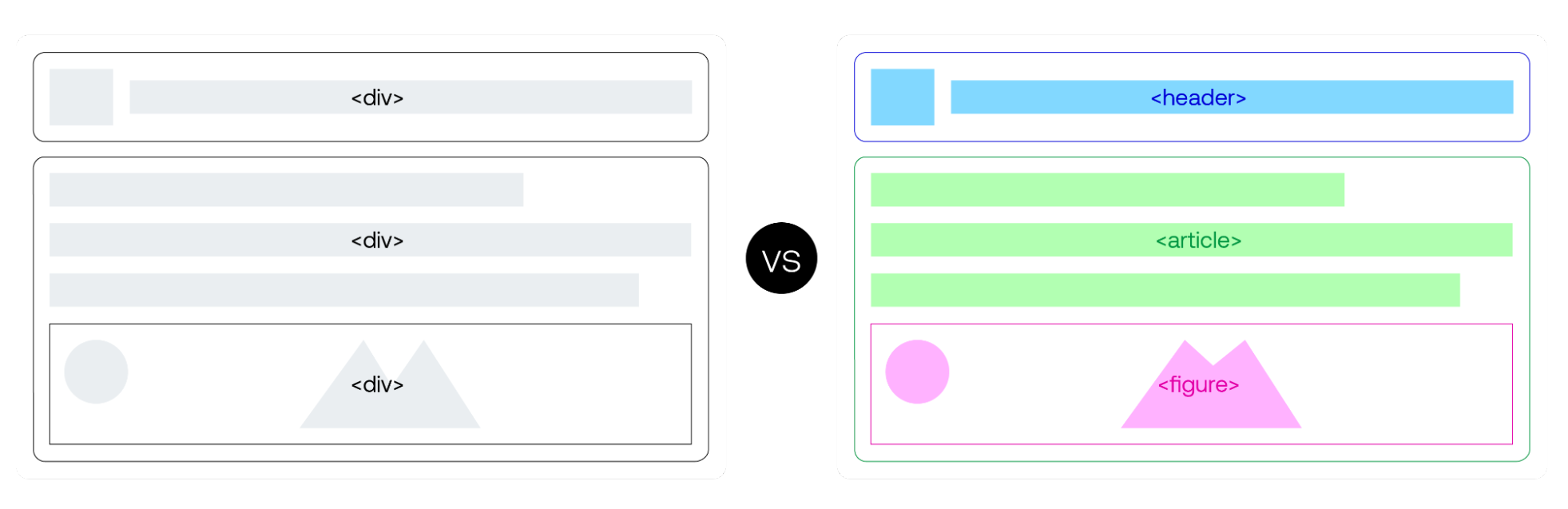
A headless CMS separates the content from the frontend entirely. For that reason, it is best to keep raw markup out of content fields. Allowing editors to write HTML is error-prone, hard to maintain, and eventually undermines accessibility. Code belongs in the codebase, where you can test and audit it properly.
Give Users Visual Context
Visually impaired users need more than text. Make sure your content model supports them:
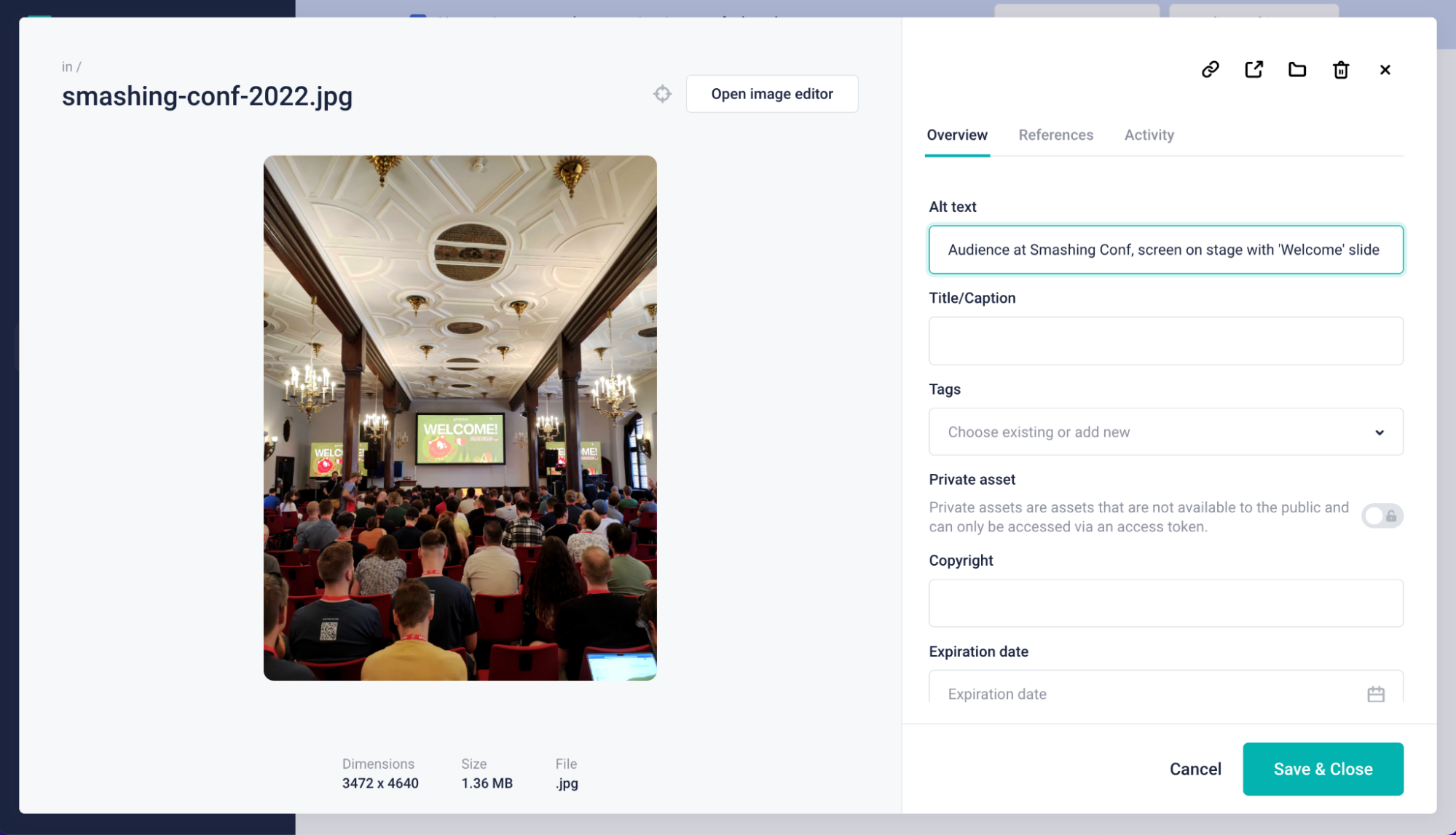
- Require alternative text on every image field.
- Allow zoom levels up to 200% without breaking layouts.
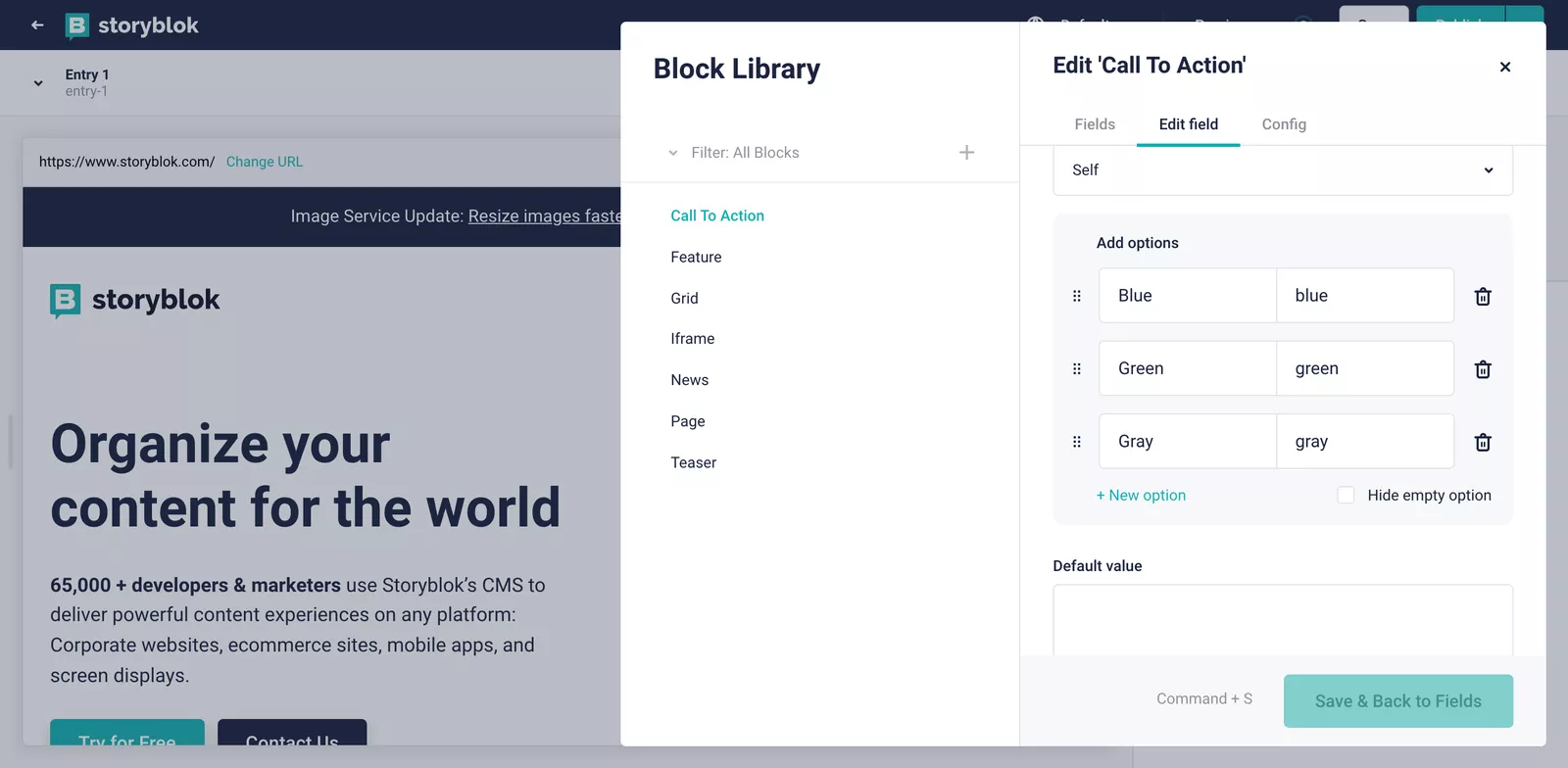
- Stick to a brand palette with sufficient contrast ratios.
Also, never rely on color alone to signal a state change. When a button is hovered, focused, or clicked, reinforce the change with size, shape, or another clear effect.
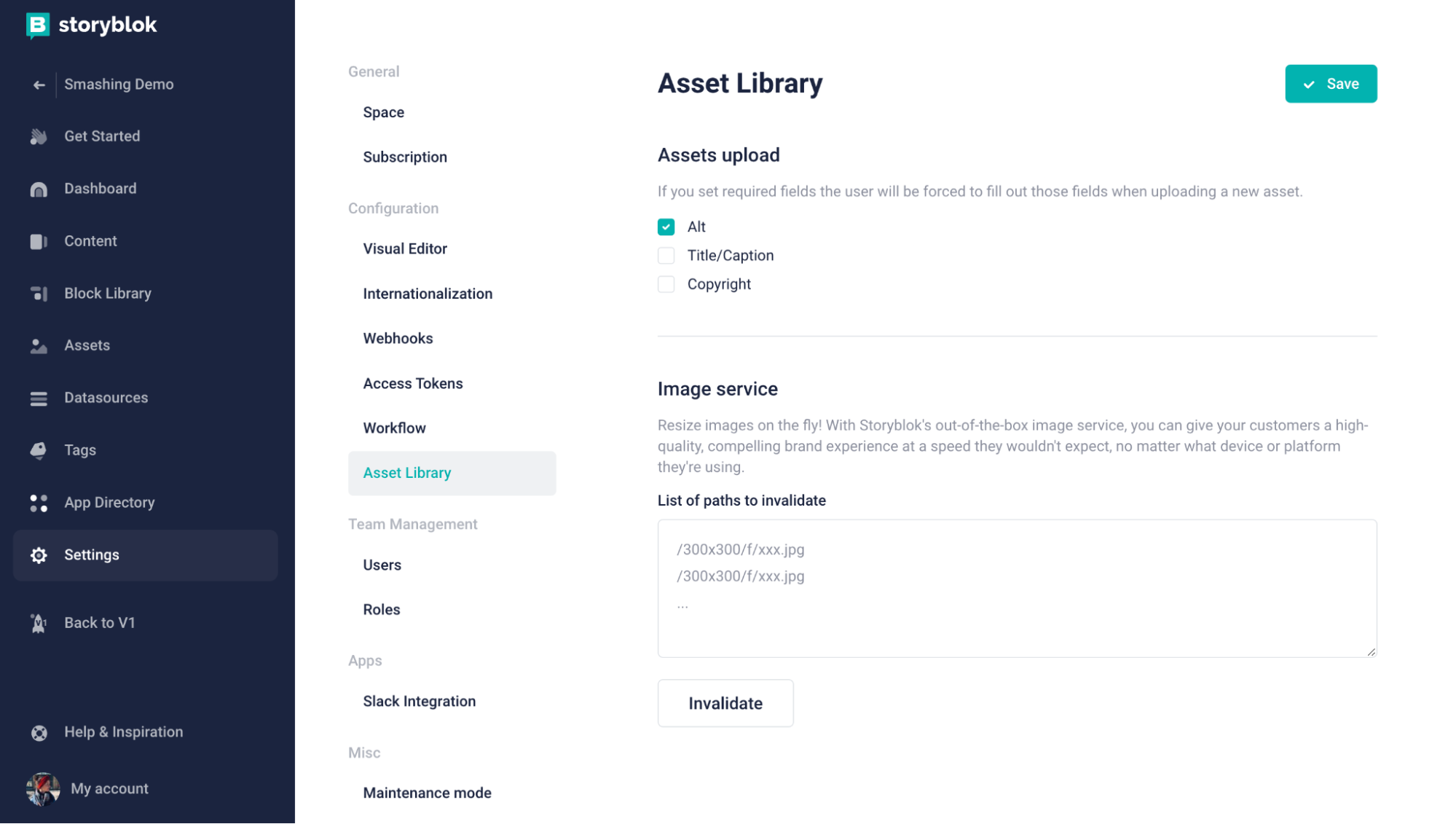
Keep Structure Predictable
Consistency reinforces your visual identity and makes navigation easier for everyone, especially neurodivergent users. Use a consistent style for specific actions like CTAs, and design the UI so information can be found through more than one pathway. Reflect the importance of content through hierarchy and size, and avoid distracting or excessive animation.
Make these guidelines part of the CMS itself. Add notes and descriptions for editors that explain why certain fields or styles are required. Friendly reminders in the interface help people comply without needing to consult external documentation.
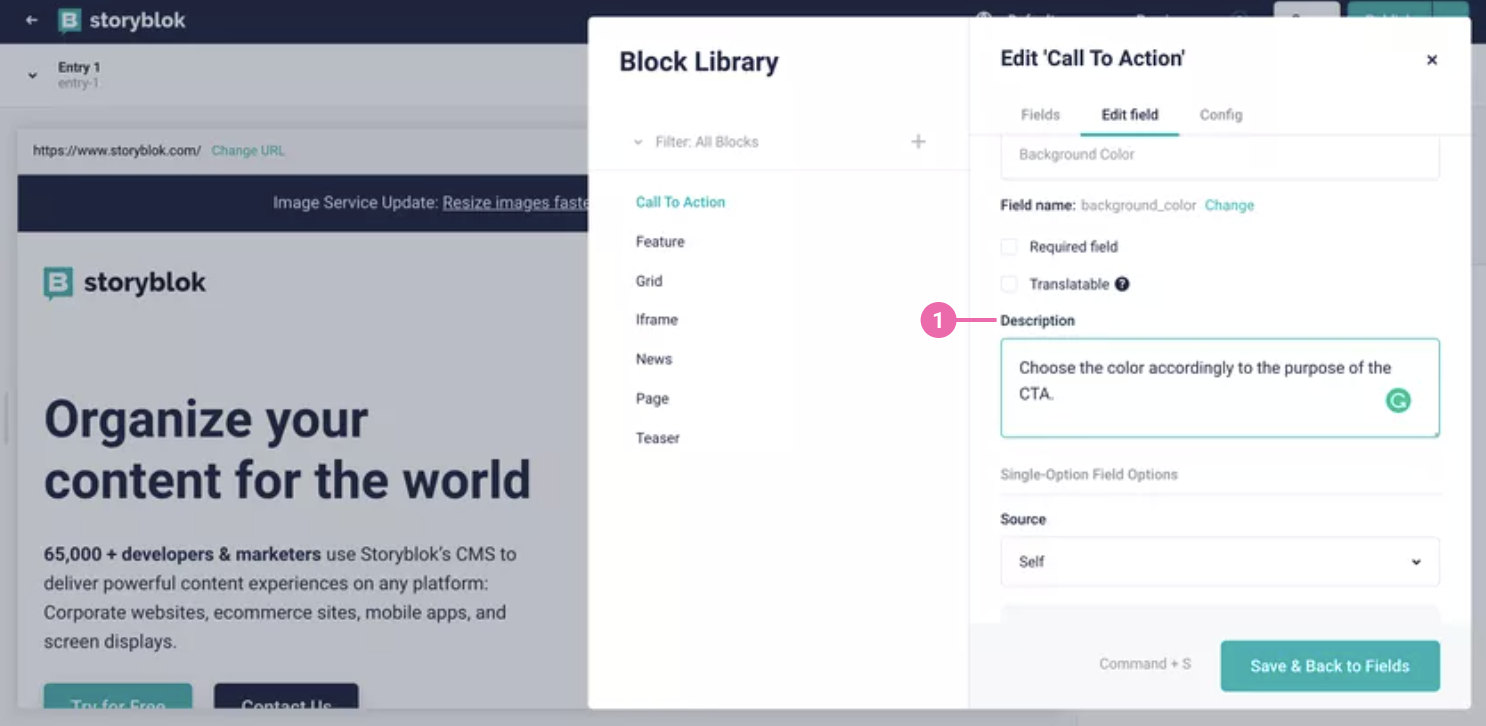
Extend The CMS Where Needed
Headless systems usually let you add custom fields, and you can mark those fields as required. For example, an accessible iframe setup can enforce a title field as mandatory. When a field is required, it is far less likely to be forgotten during busy publishing cycles.
You can go beyond custom fields as well. Connect external tools or build your own plugins to address specific accessibility requirements. One useful example is an extension that runs an automated accessibility check before content is published. It cannot catch every issue, but it is a solid complement to manual testing and routine audits.
Accessibility Is A Process, Not A Purchase
Neither monolithic nor headless CMS platforms are accessible by default. Monolithic options often ship with built-in helpers, but they also depend on third-party claims that may not hold up. Headless gives you more freedom to construct exactly the setup you need, and that flexibility is precisely what enables you to meet your own accessibility targets.
The guiding principle stays the same regardless of the platform: ten percent improvement is better than no improvement at all. Every incremental step toward a more inclusive web counts.
Further Reading
- "Creating An Accessible Website With Storyblok," Christian Zoppi
- "The Complete Guide To Accessibility For WordPress Websites," Ross Johnson
- "Accessibility In The Age Of The Headless CMS," Rian Rietveld
- "Beware: WordPress Accessibility Plugins Can Make Your Site LESS Accessible," Lindsay L.
- CMS And Accessibility
- Automated Accessibility Audits by axe Dev Tools or Lighthouse Accessibility Scoring



