
Accessibility Leads Respond to a Year of Crisis
COVID-19 forced nearly every organization to rethink how it delivers services. For digital accessibility teams, the pandemic was both a stress test and an opportunity. Robin Christopherson MBE, Head of Digital Inclusion at UK tech experts AbilityNet, has spent months hosting webinars with senior accessibility leaders from global brands including Microsoft, ATOS, Barclays, and Sainsbury’s. The conversations centered on how these teams adapted to the crisis, what shifted in their workflows, and what lessons are likely to outlast the pandemic.
The Immediate Challenges of Remote Work
One of the first hurdles was moving entirely to remote operations. Accessibility teams that were used to in-person testing labs and face-to-face user research had to quickly find new ways to work. For many, the shift meant rethinking how they conduct usability sessions with disabled users, who are often themselves more vulnerable to the virus and therefore harder to recruit for in-person studies.
Several leaders noted that their organizations had to accelerate existing plans for digital services. With physical branches and offices closed, web and mobile channels became the primary—sometimes the only—way for customers to interact. This placed a new urgency on ensuring those channels were genuinely usable by everyone, including people with disabilities.
Agile Adjustments and New Priorities
The crisis also forced a change in how accessibility work was prioritized. In some cases, accessibility was written into procurement contracts and design systems more explicitly than before. In others, teams found they could be more agile, running shorter feedback loops and integrating accessibility checks earlier in the development cycle.
- Accessibility testing moved from dedicated lab environments to remote, moderated sessions.
- Design systems became a central place to enforce accessibility standards at scale.
- Cross-team collaboration increased, with accessibility specialists embedded more deeply into product squads.
Several participants highlighted the importance of leadership buy-in. When executives saw that accessible digital services were essential to keeping the business running, accessibility moved from a compliance exercise to a core business requirement.
Digital Inclusion Beyond Compliance
The webinars also explored the broader social dimension. The pandemic expanded the definition of digital inclusion, as more essential services—healthcare, banking, grocery shopping, education—moved online. Teams that had previously focused on legal compliance began to see accessibility as a matter of social responsibility.
For people with disabilities, the stakes were higher. Isolation was more acute, and the digital divide was more visible. Several guests noted that their companies began to think harder about users with limited digital skills, older users, and those relying on older devices or slower connections, not just users of assistive technology.
Looking Ahead
As the pandemic continues, the accessibility leaders who participated in these sessions are taking stock of what worked. Remote testing, greater agility, and stronger executive support are all likely to stay. But the challenge now is to maintain that momentum once the urgency fades. Embedding accessibility into procurement, design systems, and development workflows—rather than treating it as a separate project—seems to be the direction most teams are heading.
Lessons From Lockdown: Accessibility Leads On Remote Work
The pandemic forced companies worldwide to rethink how they deliver services and support employees. For accessibility leaders at major organizations, it also created an unexpected opportunity to demonstrate why inclusive design matters — and what happens when it's missing.
Microsoft: Prior Preparation Pays Off
Jenny Lay-Flurrie, Chief Accessibility Officer at Microsoft, says the crisis validated the company's long-term investment in accessibility. When lockdown hit, Microsoft's Disability Answer Desk — a free customer support service for people with disabilities — saw demand explode.
"They doubled pretty much overnight. We've been steadily running at two to three hundred percent of volume expectations, and we've been running this for seven years."
The surge in questions centered on Microsoft Teams, and because the platform was already accessible, the company could address additional requests — most commonly for AI-powered captions — without scrambling to retrofit features. Lay-Flurrie, who is deaf and previously always worked alongside an American Sign Language interpreter, notes that remote work created new challenges for disabled employees who lost access to in-person support networks.
"If you do put out something that's inaccessible, the impact is far more profound because you, for example, don't have the ability to just grab a pair of eyes. I don't have the ability to grab a sign language interpreter and understand a video if it doesn't have captions."
She points to features like hand raise in Teams, which emerged from feedback about anxiety over interrupting conversations but delivered benefits across a wide range of users. For Lay-Flurrie, the lesson is clear: accessibility drives innovation, and the shift to remote work has permanently changed expectations.
"I think there's a pull, a natural human pull to go back to the way it was. I actually don't think that is possible anymore."
Barclays: Flexible Support For Vulnerable Customers
Paul Smyth, founder and leader of Digital Accessibility at Barclays, approached the crisis by focusing on three pillars — flexibility, choice, and personalization — adding two more for the pandemic: being responsive and being responsible. At the onset of lockdown, Barclays proactively contacted all disabled and vulnerable customers, fast-tracked them through phone banking alongside NHS workers, and offered specialist support through the main customer service number rather than a separate, hard-to-find line.
The bank also introduced practical measures to compensate for the loss of hands-on help: contactless wearables that customers could top up for family or friends to run errands without sharing cards, and a "Cash to the Doorstep" service for those shielding. Barclays reviewed its talking ATMs to verify user journeys worked for blind and visually impaired customers.
With millions of new users forced into digital banking, the accessibility of Barclays' main website and app — both accredited by AbilityNet — became critical. The bank saw heavy use of features like cheque imaging and created simple guides to help newcomers navigate online and mobile services. Internally, Barclays duplicated assistive equipment for disabled employees working from home and saw a ten-fold increase in similar requests from employees without impairments, enabling scalable solutions for the broader workforce. When planning return-to-office strategies, the bank deliberately canvassed diverse employee voices rather than relying on senior leaders.
"We ensured that diverse voices of all employees were canvassed in terms of how and when they might return to the office, rather than relying on the decisions of senior leaders in their spacious smart home offices."
ATOS: Trust, Training, And Talent Pipelines
Neil Milliken, Global Head of Accessibility at ATOS, says the company's early adoption of flexible working made the transition smoother — not just technologically, but culturally.
"A lot of the stuff about working from home isn't about the technology. It's about trust. It's about understanding and allowing your employees to work on their own without micromanaging and seeing them."
Still, he warns of "Zoom fatigue" and the strain that video call latency places on people with dyslexia and neurodiverse conditions. Milliken emphasizes the importance of upskilling accessibility professionals through certification programs with organizations like the International Association of Accessibility Professionals. ATOS has also invested in apprenticeships to address the skills shortage, collaborating with AbilityNet, Shell, Barclays, and others to create a standardized Level 4 apprenticeship for accessibility specialists — equivalent to the first year of a degree and expected to accept its first cohort in early 2021.
Sainsbury's: Harnessing The Workforce
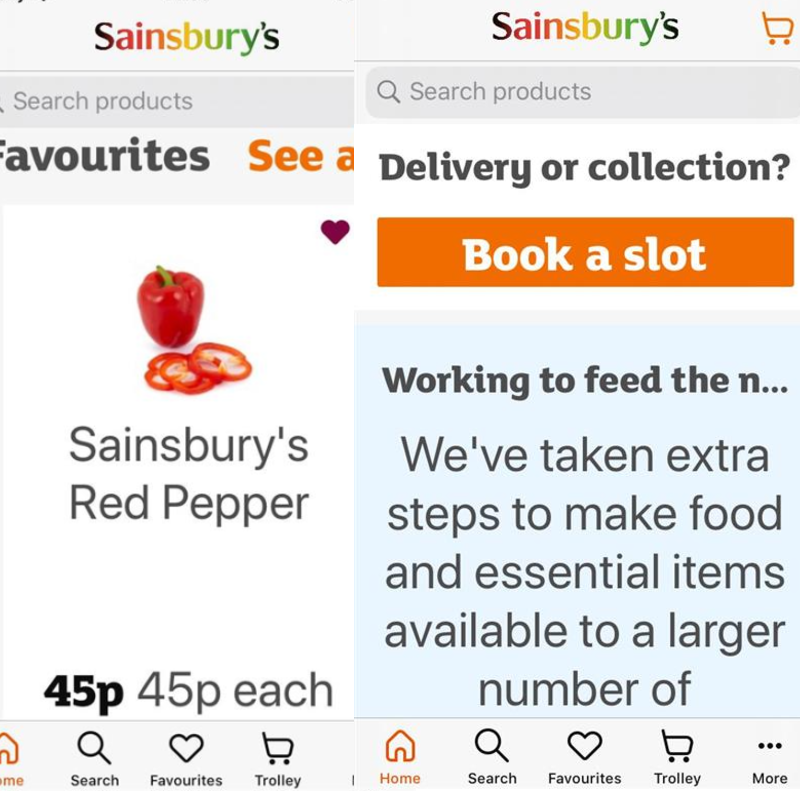
Bryn Anderson, accessibility specialist at Sainsbury's, says the pandemic pushed accessibility to the top of the corporate agenda — 600 people attended digital huddles where accessibility and disability led discussions. But he cautions that visibility doesn't equal understanding.
"Just because it is being talked about, does not mean that everyone understands it."
Anderson notes that Sainsbury's pre-existing accessibility culture helped it respond. Data on iOS font scaling showed that 27% of sessions used larger text settings, rising to 30% through March, April, and May — evidence that user preferences matter and that companies should monitor them. He highlights the Enable Network, which connects colleagues with disabilities across the organization, from logistics staff to designers, creating direct channels for feedback.
"You can talk theoretically about someone with a cognitive impairment or dyslexia, but when someone with dyslexia says 'I tried to do this on your application, it does not work,' that is where the education happens."
Anderson is skeptical of automated testing tools and vendors promising complete accessibility remediation. Sainsbury's uses a dashboard to monitor key customer-facing pages through its Luna design system, but automation has limits.
"It can't test if every task can be completed with a keyboard, for example, so I think we are a long way from that."
He also warns against "band-aid solutions" claiming 100% compliance for a monthly fee. True accessibility, he argues, requires education across every role that touches digital products. The challenge is that accessibility currently depends on specialists working within large organizations.
"There are too many cooks in the whole process. That is one of the biggest problems. Not everyone has the same level of knowledge … it is a huge challenge and a huge education piece for all of the parts of the system that accessibility touches so, ironically, it is hard to be inclusive without a specialist at the moment."
The pandemic demonstrated that accessibility isn't a niche concern — it's fundamental to how organizations serve customers and support employees. Companies that invested early were better positioned to respond; those that didn't faced the consequences of exclusion at a moment when digital channels became the only option for millions.
Five Low-Cost Fixes That Improve Accessibility
If accessibility feels overwhelming, start small. These straightforward checks — aimed at websites — address common barriers quickly and will help you meet obligations under the Equality Act 2010 while improving the experience for a wider audience.
Test With The Mouse Hidden
Keyboard-only access is a legal requirement, and it benefits more people than you might think. Visitors with low vision often rely on it because the cursor is hard to track, while those with motor impairments such as Parkinson’s or after a stroke may find it simpler than a mouse.
Hide the mouse and work through your site using only the keyboard. Watch for a visible focus indicator — ideally a highly visible one — so users always know where they are. Also confirm the focus order follows a logical path around the page; screenreaders and other assistive tech will otherwise jump unpredictably, confusing users.
Check Colour Contrast
Low-contrast text is difficult for everyone to read, and especially so for people with low vision. You can test colour pairs with a tool like Tanaguru’s Contrast Finder, which suggests alternatives when contrast fails. The Contrast Analyser from the Paciello Group is a practical alternative.
Your eyes are a useful first check — badly chosen text colours stand out quickly — but verify with a tool before launch. This is most effective when done early in design, not after a site has gone live.
Run A Free Automated Audit
WebAIM (Web Accessibility In Mind) offers a free online checker that can flag technical issues, such as form fields missing labels. It is a useful part of development, but remember: automated tools cover only a small subset of accessibility problems. Pair them with manual testing for a realistic picture.
Publish An Accessibility Page
An accessibility page is a chance to state what you have done — and, just as usefully, to gather feedback. AbilityNet’s own accessibility statement is a good example. Invite visitors to report problems; direct feedback lets you fix individual issues and demonstrates your commitment. Users will often find problems that automated checks and internal review miss.
Write For Your Actual Users
People come to your site to find information or complete a task; make that as easy as possible. Know who your audience is and write for them. Financial jargon may be fine for specialists, but other users will be lost. Avoid jargon where you can, or provide a glossary when it is unavoidable.
Structure content with headings, paragraphs and bulleted lists, and make one key point per paragraph. Present information in more than one format: some users prefer plain text, others a video or an illustrated guide.
Accessibility During The Pandemic: A Moment To Act
If there is a positive to come from Covid, it may be this: more organisations understand that accessibility is not optional. Digital services are now essential to daily life — food shopping, banking, video conferencing — and exclusion from them carries far greater consequence than before. Products that work for all customers and employees, not just those without disabilities, are the ones that will hold up under pressure.
Ask where your organisation stands. Is accessibility proactive and systematic, or is it ad hoc? Is responsibility spread across departments, or concentrated in an isolated team without authority? Are you building accessibility in from the start, with the right tools and training, or are you retrofitting hastily?
Only a tiny fraction of websites are sufficiently accessible today. For disabled users, the stakes are survival and employment during the pandemic, and quality of life beyond it. The largest brands have shown that inclusive design is possible. The task now is to make it ordinary, and to ensure that when online services reopen to the world, they stay open to everyone.