
Building code search and code view with accessibility first
GitHub’s redesign of code search and the code view was driven by a simple goal: every developer, including those using assistive technologies, should be able to search, navigate, and understand code without barriers. Previously, some developers with disabilities found the old code view difficult to use and preferred raw code instead. To close that gap, the team made accessibility a core requirement from the start, not an afterthought.
Support from GitHub’s dedicated accessibility team shaped the project in three concrete ways:
- External auditing. Every feature went through professional accessibility audits. Reviewers tested the interface with screen readers, color contrast tools, and other assistive technologies to flag where users with disabilities would struggle. The accessibility team then matched each finding with a recommended fix, which the development team implemented in collaboration with them.
- Design reviews. Both the code search and code view interfaces were redesigned from scratch. Before a single line of code was written, accessibility designers went through the Figma mockups to define proper HTML markup and tab order, adding detailed notes on expected interactions so the implementation matched accessibility requirements.
- Office hours. The accessibility team runs weekly sign-up sessions where engineers can consult with experts, including a screen reader user whose lived experience guided the discussions. These meetings were where the hardest questions got answered, including how to handle filtering in code search, how to make the file tree accessible, and how keyboard navigation should behave across the entire feature set.
Implementing accessible code search
Beyond the QueryBuilder and navigation work covered in earlier posts, the code search team spent considerable effort on two interaction details: what happens to keyboard focus when a user changes the sort order, and how screen reader users learn about search results.
Keeping focus where it belongs after a sort
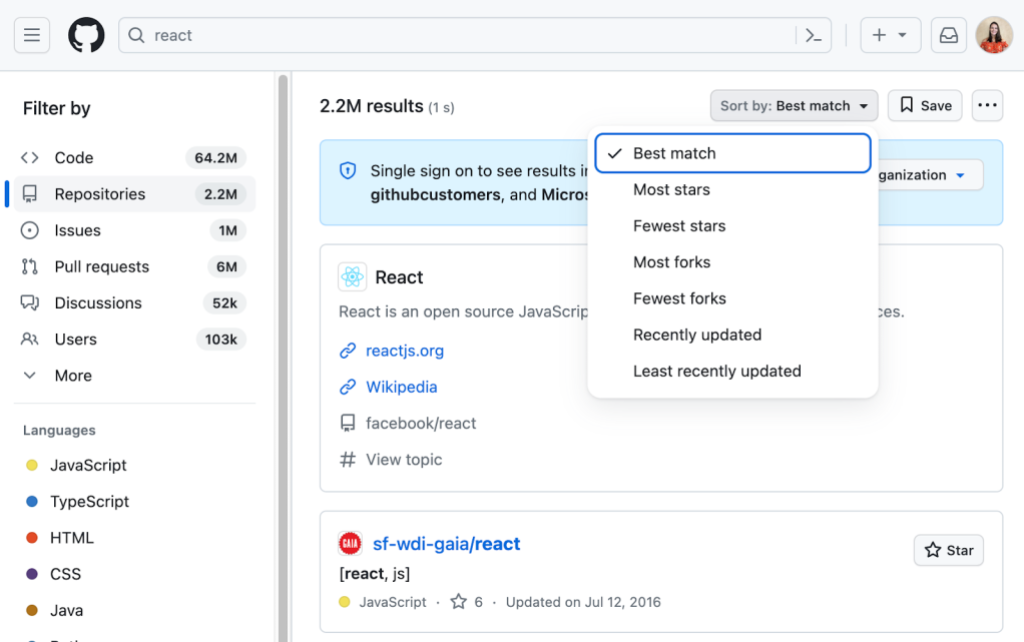
The sort dropdown on search results pages initially had an accessibility problem: selecting a new sort option triggered a full page reload, and after that reload, keyboard and screen reader focus defaulted back to the page header rather than returning to the sort control. For a dropdown that only manipulates the client side, the expected behavior is that focus returns to the button that opened it. But because sorting here requires a server-side navigation, the focus restoration was lost in the page transition.
The fix involved explicitly managing focus after the page reload so that it lands back on the sort dropdown instead of the header. Keyboard users get the same predictable experience they would with any standard menu; screen reader users are not left disoriented after changing their search ordering.
Announcing search outcomes
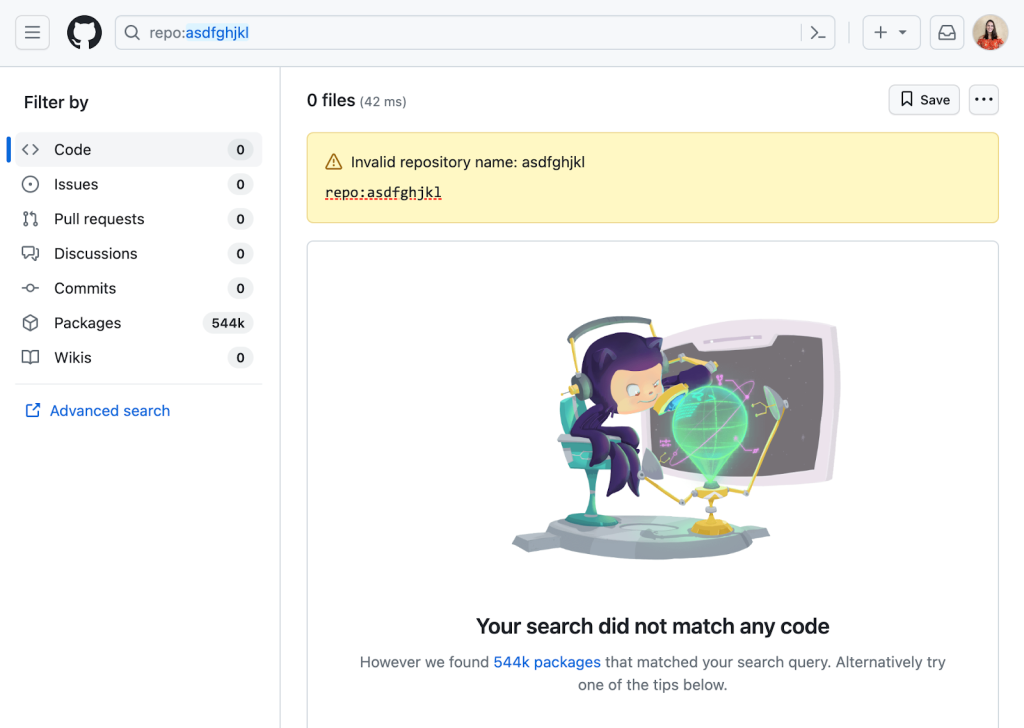
When a sighted user submits a search, they can immediately see whether results returned, how many there are, or if something failed. Screen reader users need a deliberate equivalent. Simply moving focus to the first result is not sufficient:
- The user would not hear how many results exist and might assume only one.
- Context such as a sign-on banner could be skipped entirely.
- Returning to other parts of the page would require tabbing back through everything.
Using aria-live announcements on page load also proved problematic. A competing announcement announces the new page title after navigation, these two could race, there is no way to guarantee the order of forced announcements on page load, and some screen reader users disable live regions because they can be intrusive.
The team settled on moving focus to the result-count heading and having it read aloud after a search completes. This tells the user how many results were found while still letting them navigate independently to examine banners, errors, or individual hits.
Tree navigation in code view
The redesigned code view includes a tree panel for switching between files and folders, since understanding code often requires jumping across locations. An initial custom tree built to the ARIA specification proved too verbose. The accessibility and design teams therefore developed the open-source TreeView component.
The implementation supports generic list elements with proper HTML structure, typeahead to move focus to a matching item by typing, announcements for asynchronously loaded deep items, and unique IDs for all elements that are guaranteed not to conflict even when item contents are identical, which especially matters in file trees where names repeat across directories. The markup requirements for a valid tree view are strict; invalid children under a role="group" or nested lists without screen reader support are common pitfalls that had to be carefully avoided. Notes on the design decisions are in the component's design documentation.
Keyboard navigation and reading code
The old code view was built as an HTML table, which was detrimental to screen reader users. Code is not tabular data, and table semantics prevented natural navigating, character by character or word by word. Whitespace in code often carries meaning and was lost when flattened into cells, lines were treated as table rows forcing a restrictive navigation mode, and the entire structure made little sense to assistive technology. Many users resorted to opening raw files or copying code into an editor just to read it.
The new code view had to rethink how code sits in the DOM entirely, and the arrival of the symbols panel added another layer of complexity. Sighted mouse users can click a symbol in code to inspect its definitions and references in a side panel and then jump between lines to explore. Keyboard users can only open the symbols panel via a header button and filter definitions; references from an arbitrary point in the code are not available the same way, which is a gap for keyboard-only developers.
Virtualization, introduced for the performance reasons described in “Crafting a better, faster code view,” created additional friction. Not having every element in the DOM disturbs screen readers, overriding cmd / ctrl + f is bad practice, and text selection outside the visible virtualized window is impossible through the rendered layer.
The solution was modeled after Monaco, the editor powering VS Code: place a real cursor in a <textarea> underneath the code. A non-readOnly <textarea> carries a built-in cursor that screen readers can drive in their native way. A contentEditable <div> also provides a cursor and supports syntax highlighting, but screen reader support for editable content divs is weak so the team chose the <textarea> instead.
Since a <textarea> cannot do syntax highlighting or symbol selection, the architecture uses two layers: the hidden <textarea> as the functional element and formatted text aligned visually above it. Because the <textarea> is invisible, a fake, visual cursor is shown and kept synchronized with the real one.
Beyond reading and symbol navigation, this dual-layer arrangement resolved some virtualization issues. The full file content exists in the single <textarea> DOM node, so operations like select-all and drag selection work across the entire file even when only a portion is rendered above. Overriding find behavior became unnecessary too because the native browser find works in the <textarea>.
However, the two-layer approach introduced its own complications. Observers must keep both layers’ scroll positions in sync. Default <textarea> behaviors occasionally require overrides — for instance, a middle click took users to the bottom of the file instead of the spot they intended. Differences in how browsers handle <textarea>s made cross-browser behavior a substantial effort. Some browsers let users set a text-only zoom that applied to the rendered code but not to the <textarea>, producing ghost selection highlights. That was fixed by measuring the rendered text height and feeding that to the <textarea>, though third-party plugins that alter text still cause trouble. The Wrap lines view option does not work with this approach yet, and both that and the residual plugin issues remain on the roadmap.
Constant iteration
Substantial accessibility gains in code search and code view are in place, yet the work is far from done. Accommodating every developer is genuinely difficult, and the team continues to iterate on known gaps. The goal remains for all users to access and explore code regardless of how they interact with GitHub. Further progress and engagement opportunities are documented at accessibility.github.com.


