

Copilot Workspace: GitHub’s Task-Centric Take on the Developer Environment
GitHub’s Copilot line has evolved from an in-editor autocomplete tool into a conversational coding companion. Now the company is taking the next step with the technical preview of GitHub Copilot Workspace, a task-centric environment where natural language drives the entire development flow—from initial idea to pull request.
Copilot Workspace is designed to sit at the origin of the development process: a GitHub repository or issue. Rather than dropping AI assistance into an existing IDE, Workspace makes Copilot agents the backbone of the workflow, with the developer retaining control over each stage.
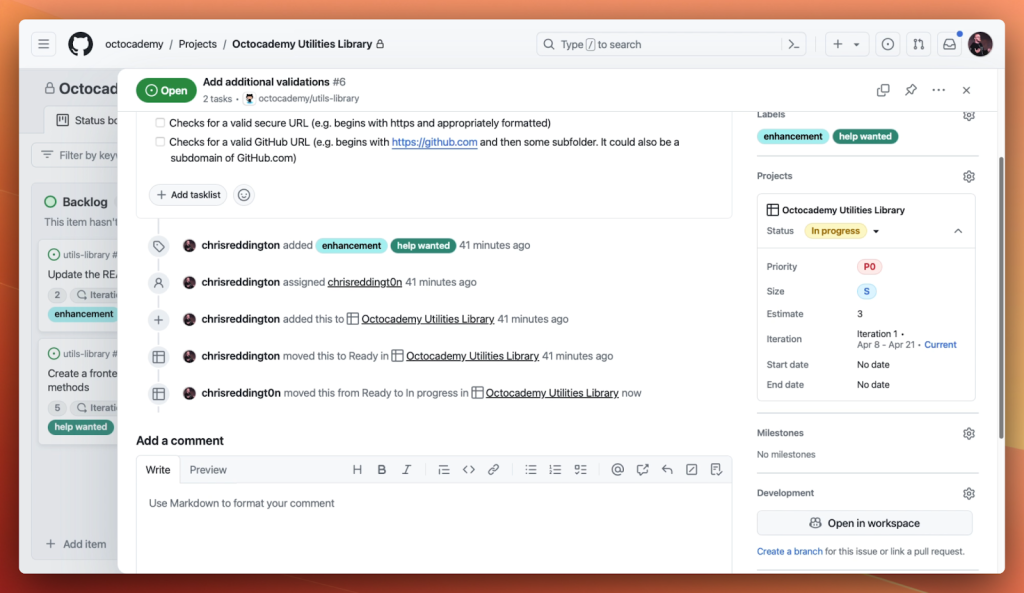
From Issue to Actionable Plan
Once a developer selects an issue, Copilot Workspace analyzes the repository, the issue thread, and related context to produce a step-by-step plan. The proposed approach is presented as a structured list in natural language, giving developers a clear path from problem statement to implementation.
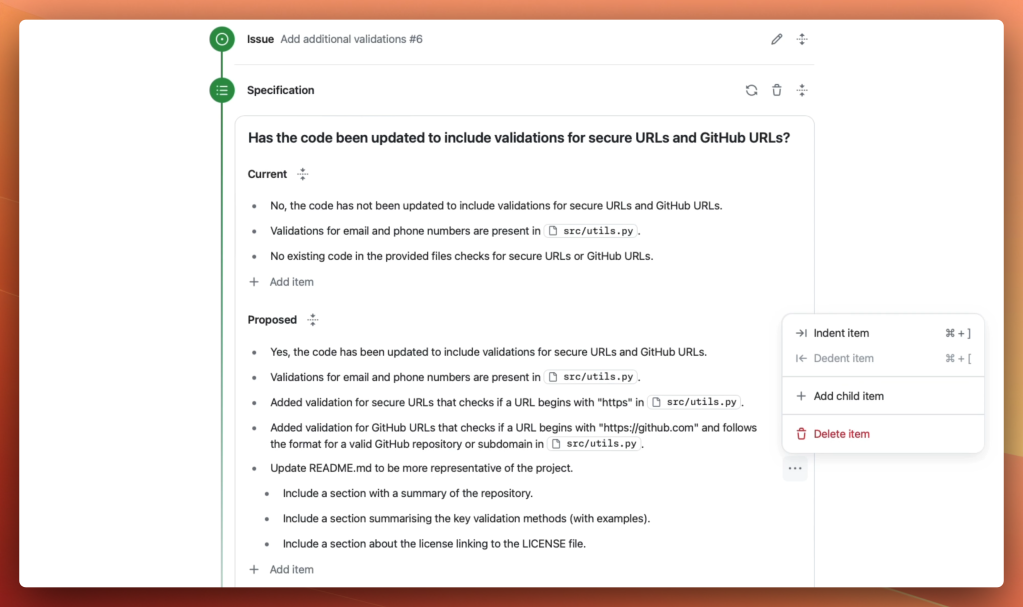
Everything Is Editable
A central design principle of Workspace is that nothing is final until the developer says so. The generated plan and the code that follows are both fully editable. Developers can refine the proposed solution iteratively until they are satisfied, then run the code directly within the Workspace environment or open the underlying GitHub Codespace for further hands-on tweaking.
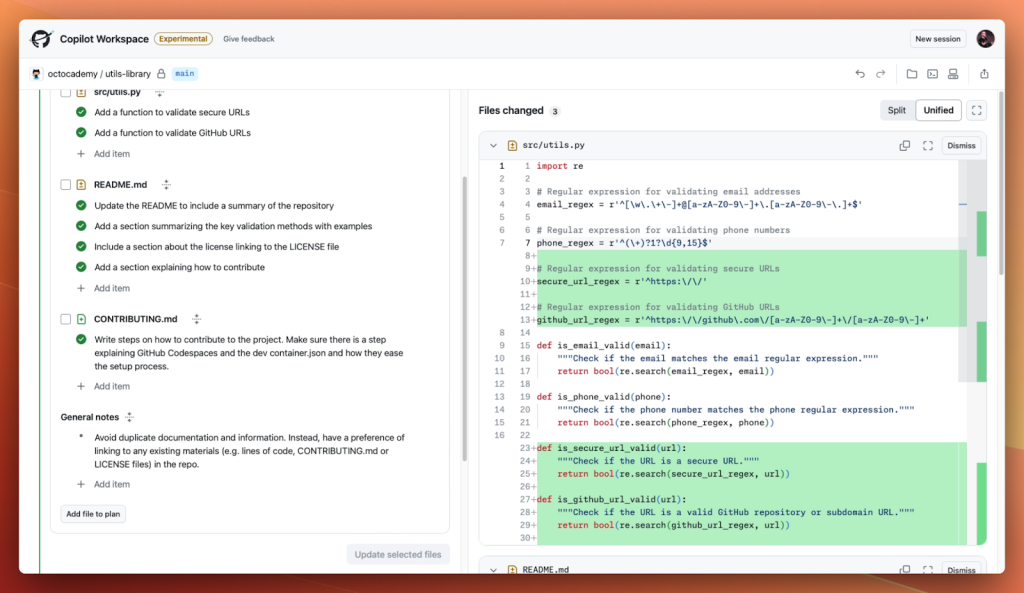
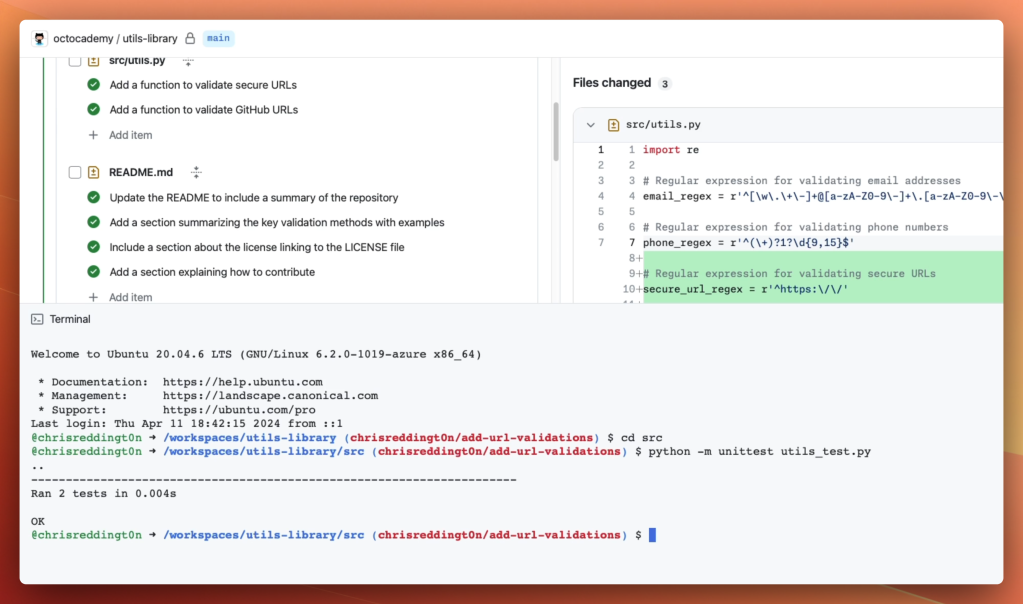
Collaboration is built in as well. A workspace can be shared with teammates via a link, allowing them to review the approach, view the code changes, and even try their own iterations. Once the work is complete, the remaining steps are familiar: file a pull request, run GitHub Actions, and request human code review.
Because the full thought process—from idea to implementation—is captured in the workspace, reviewers can see not just the final diff but the reasoning and iterations that led to it.
Mobile-Ready Development
GitHub has also designed Copilot Workspace to function on any device. The environment is not tied to a desktop IDE, so developers can engage with issues and plans from a laptop, tablet, or phone. This flexibility extends the reach of the tool to moments when a developer is away from their primary workstation.
Expanding the Developer Pool
GitHub’s longer-term ambition is to lower the barrier to entry for software development to the point where a billion people can build on the platform. By allowing natural language to replace boilerplate coding work, Copilot Workspace aligns with that goal, making it possible for hobbyists and newcomers to engage with real projects earlier in their learning curve.
That broadening of access does not come at the expense of professional developers. GitHub argues that by offloading routine work, Copilot and Copilot Workspace enable experienced engineers to focus on higher-level system thinking and architecture. The company points to prior productivity research on Copilot—which showed gains of up to 55%—and suggests that removing grunt work will only grow the demand for skilled developers who can maintain and evolve the world’s increasingly complex codebases.
The technical preview for Copilot Workspace is now open for sign-up through GitHub Next. The company frames this as the beginning of a new kind of developer environment—one where the machine handles the mechanics and the human stays firmly in charge of the direction.


