

AI As An Intern: A Practical Mental Model
After two years of trial and error with AI tools, one way of thinking has proven consistently useful: treat AI as an enthusiastic intern with no real-world experience. This model sounds simple, but it changes how you prompt, how you review output, and when you decide to walk away.
Relying on this approach across client work in user research, design, development, and content creation has produced results far faster than traditional methods. That speed only holds, though, if you structure your interaction correctly.
Prompting Basics That Work
Getting useful output from AI is less about crafting the perfect one-line command and more about building a structured conversation. Several techniques made the biggest difference:
- Define the role. Opening with “Act as a user researcher” or “Act as a copywriter” immediately gives the model context for how to frame its responses.
- Break tasks into steps. Instead of demanding it “analyze these interview transcripts,” provide a numbered sequence: identify recurring themes, look for questions users are trying to answer, note any objections, and output a summary of each finding.
- Define success criteria. Explain what good output looks like. Mention the audience and format — for example, a stakeholder-friendly report free of research jargon.
- Encourage deliberation. Ask the AI to think through its approach before responding, and to create a rubric for testing its own output. This single instruction is now reused across nearly every prompt, delivering better output by attaching quality criteria to the task.
For tasks involving research, the complete prompt typically takes this shape, swapping in the relevant subject and goal:
Act as a user researcher. I would like you to carry out deep research online into [brand name]. In particular, I would like you to focus on what people are saying about the brand, what the overall sentiment is, what questions people have, and what objections people mention. The goal is to create a detailed report that helps me better understand the brand perception.
Think deeply about your approach before carrying out the research. Create a rubric for the report to ensure it is as useful as possible. Keep iterating until the report scores extremely high on the rubric. Only then, output the report.
Knowing When To Verify
No one should fully trust AI output, just as they would not delegate critical work to a new intern without supervision. Early on, verify everything. The more experience you accumulate, the easier it becomes to spot when output is drifting. When that happens, starting a fresh conversation is often more productive than continuing to correct a prompt that has gone off track.
Even after months of daily use, the standard practice remains checking work, challenging conclusions, and demanding source citations and reasoning. These checks take time, but they still cost far less than completing the original work by hand.
AI In User Research
User research remains the area where AI has produced the most significant transformation. Several techniques are standard parts of a client workflow now.
Online Research And Brand Perception
Asking AI to research how people talk about a brand, including what questions they ask and what they find frustrating, condenses what previously took days of browsing social media and review sites into minutes. This was tested recently for an e-commerce client looking to understand what annoyed their customers and what earned their loyalty. One request produced critical insights that directed the entire conversion optimization strategy.
Analyzing Qualitative Data
Open-ended survey questions were once avoided because they created an overwhelming reviewing workload. Now they are common practice, since AI can synthesize hundreds of text responses instantly. The same applies to interviews: uploading transcripts and asking for recurring themes, questions, and requests works well — but always require quotes so you can confirm the analysis is based on actual statements.
Interpreting Spreadsheets And Analytics
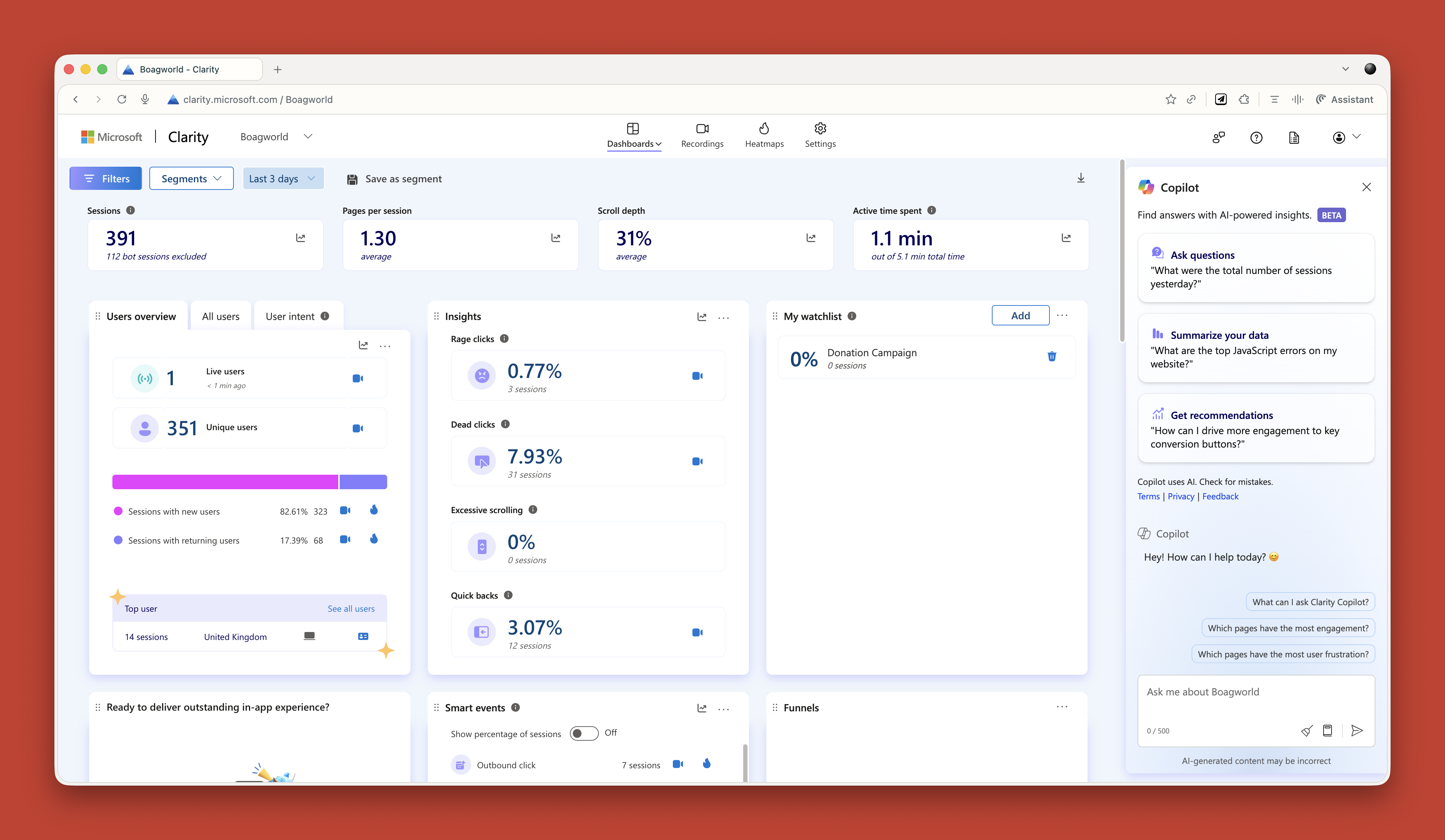
AI bridges a gap for those who struggle with raw data. Uploading spreadsheets to a chatbot and asking questions like “What patterns do you see?” or “Show me another angle on this data” yields immediate insights. Analytics tools such as Microsoft Clarity now embed this behavior directly — Clarity ships with Copilot naturally, and Triple Whale does the same for commerce data. These built-in assistants change the prospect for anyone who finds spreadsheet analysis a hurdle.
Creating Research Projects
Projects in ChatGPT and Claude — or spaces, as some tools call them — function as self-contained containers where shared context applies across every conversation. This approach is central to how client engagements run now.
When a new client engagement starts, all available background material goes into the project: old research, personas, survey data, site copy, interview transcripts, documentation. This is combined with custom instructions. For instance, one frequently used instruction takes the form:
Act as a business consultant and marketing strategy expert with good copywriting skills. Your role is to help me define the future of my UX consultant business and better articulate it, especially via my website. When I ask for your help, ask questions to improve your answers and challenge my assumptions where appropriate.
Some practitioners even take this further by uploading a roster of advisors they would like to consult, asking AI to research how those people think and respond within that style. The result is a persistent, informed thinking partner — a colleague with total memory of the business and extraordinary patience.
Building Functional Personas
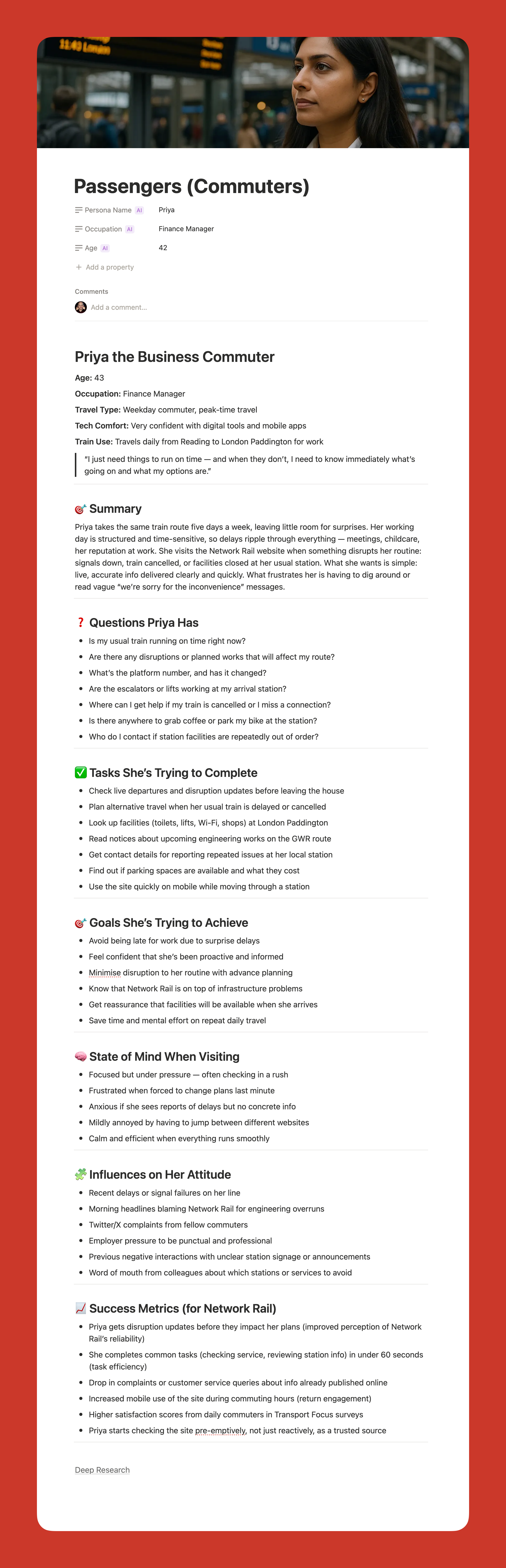
AI has renewed the interest in persona development. Traditional personas routinely took too long to create and were dismissed when clients already had marketing-facing versions. The newer approach builds personas that are valuable to UX work itself, covering the factual details required in the design context rather than marketing fluff.
Given the project filled with research, one prompt produces the foundation:
Act as a user researcher. Create a persona for [audience type]. For this persona, research the following information: questions they have, tasks they want to complete, goals, states of mind, influences, and success metrics. It is vital that all six criteria are addressed in depth and with equal vigor.
The output data is well-structured and useful, resolving the issue of personas that come from guesswork.
For those who question AI born personas, it is worth considering that all such frameworks are stories built on hypothetical users. Judgment calls are inevitable in any persona effort, but AI synthesizes more source material than any individual could manually process — and the underlying data gives you more of the pattern recognition you would want from an unbiased hand.
My only concern is that relying too heavily on AI could disconnect us from real users. We still need to talk to people. We still need that empathy. But as a tool to synthesize research and create reference points? It is excellent.
Making AI Work For Design & Development
Let me be upfront: AI is not production-ready. At least, not for serious client work. It tends to be slow when you need something specific, frustrating when it gets close but misses the mark, and the quality of its output — whether code or design — often falls short of polished, production standards.
None of that means it isn’t useful. It just means you should use it for different purposes than final output.
Prototyping and Small Coding Tasks
When you don’t need pixel-perfect design, AI can prototype functionality much faster than Figma ever could. Figma is notoriously bad at functional prototyping — you can’t even create a working form field in a prototype, which is a pretty fundamental interaction on the web.
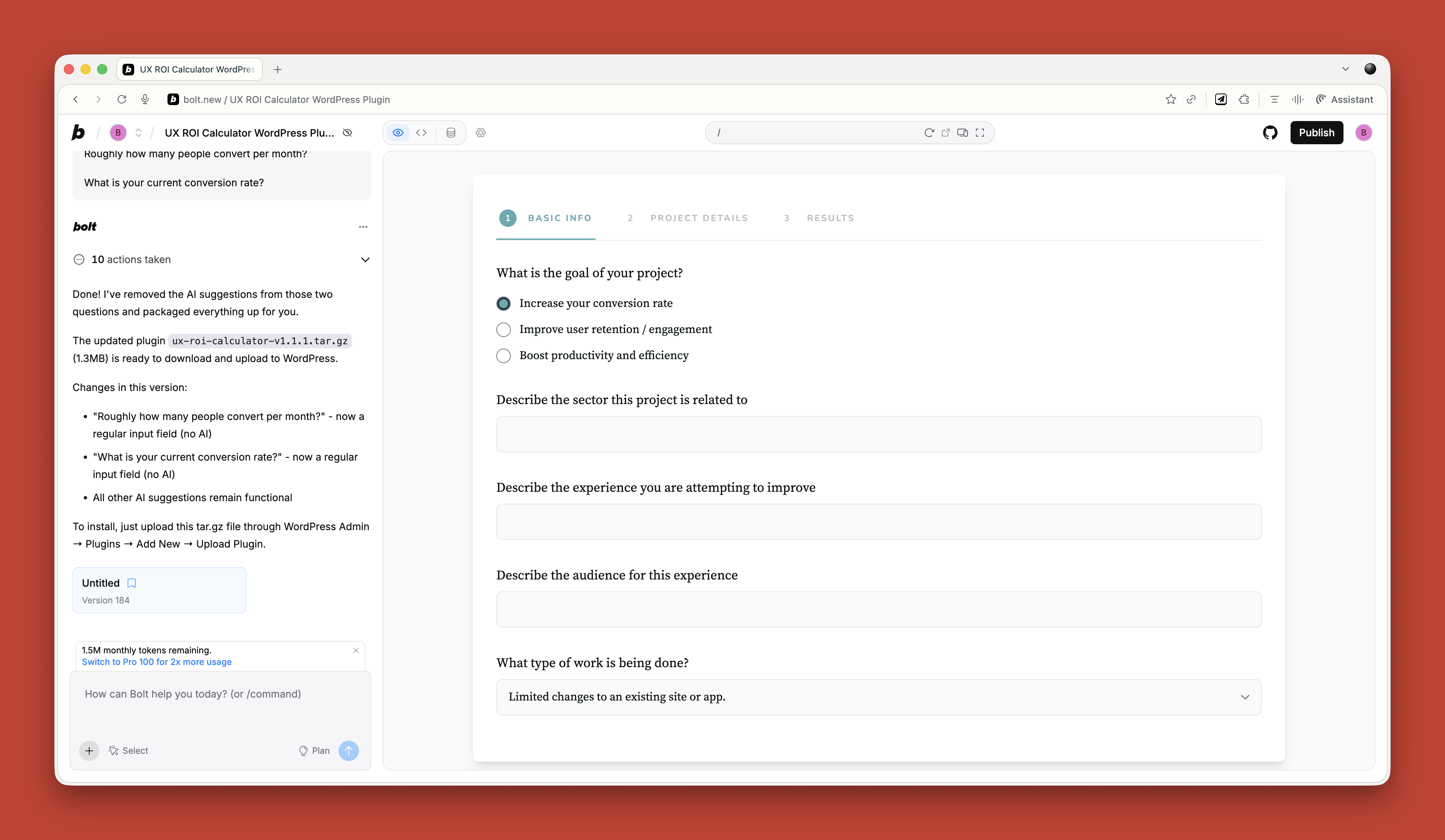
Tools like Relume and Bolt can generate functional mockups that demonstrate how things behave. They’re ideal for non-designers who need a quick prototype or for designers who want to show developers how something should work. Just don’t expect precision — you could spend a long time trying to move a hamburger menu to the right side of the screen. Use them for iteration, not final layout.
For non-developers, AI works brilliantly for small, low-risk coding tasks. I recently needed a tool to generate calendar invites for multiple events. Rather than pay £16 a month for an online service, I asked ChatGPT to build one. One prompt, it worked, and I didn’t care that it looked terrible. If you are a developer, you should be using tools like Cursor for pair programming; if not, Claude or Bolt work fine for quick throwaway tools.
AI-Powered UX Audits
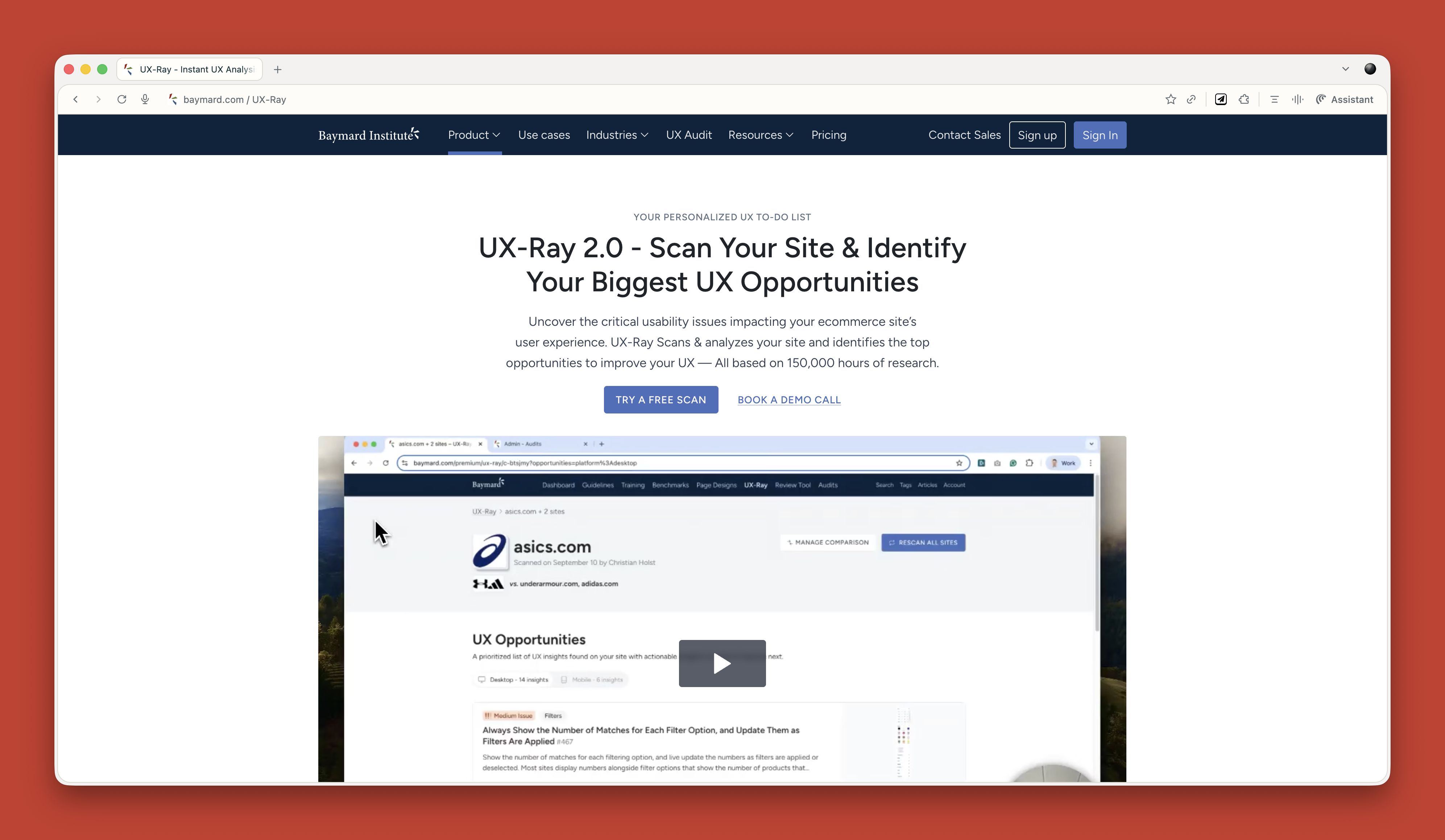
AI can also provide fast feedback on existing sites when time or budget is limited. Wevo Pulse automatically audits a website against personas and produces visual attention heatmaps, friction scores, and recommendations in minutes. It isn’t a replacement for a human UX audit — you still need expertise to understand context and make judgment calls — but it’s a solid starting point to surface obvious issues quickly.
Baymard’s UX Ray similarly analyzes e-commerce sites for common flaws, drawing on their extensive user research database.
Predicting Attention and Crafting Imagery
Attention Insight is trained on thousands of hours of eye-tracking studies and predicts where users will look on a page with roughly 90‑96% accuracy. You upload a screenshot and it shows you an attention heatmap. This is incredibly useful for stakeholders who claim “people won’t see that” or insist on cramming too much into an interface.
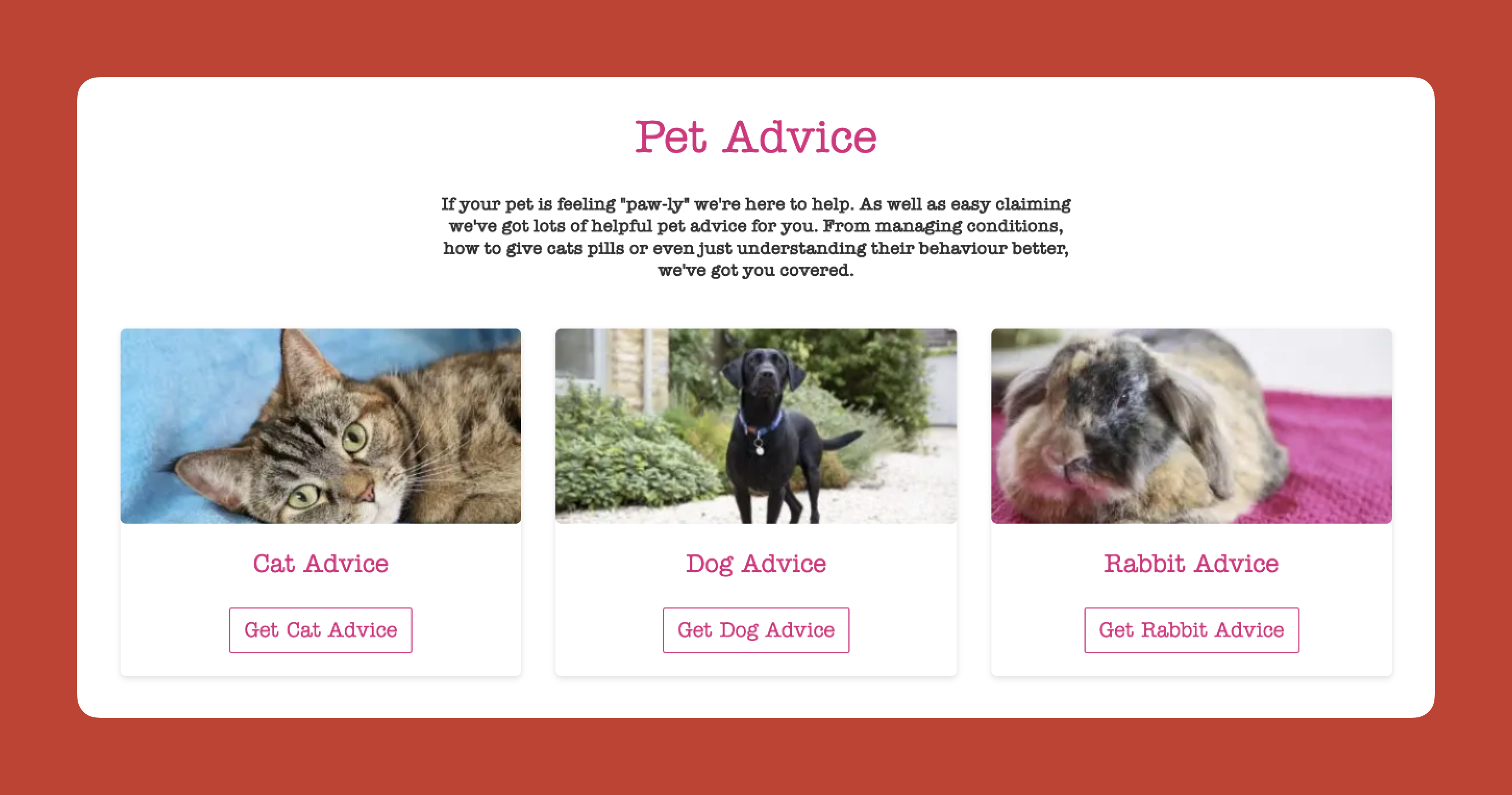
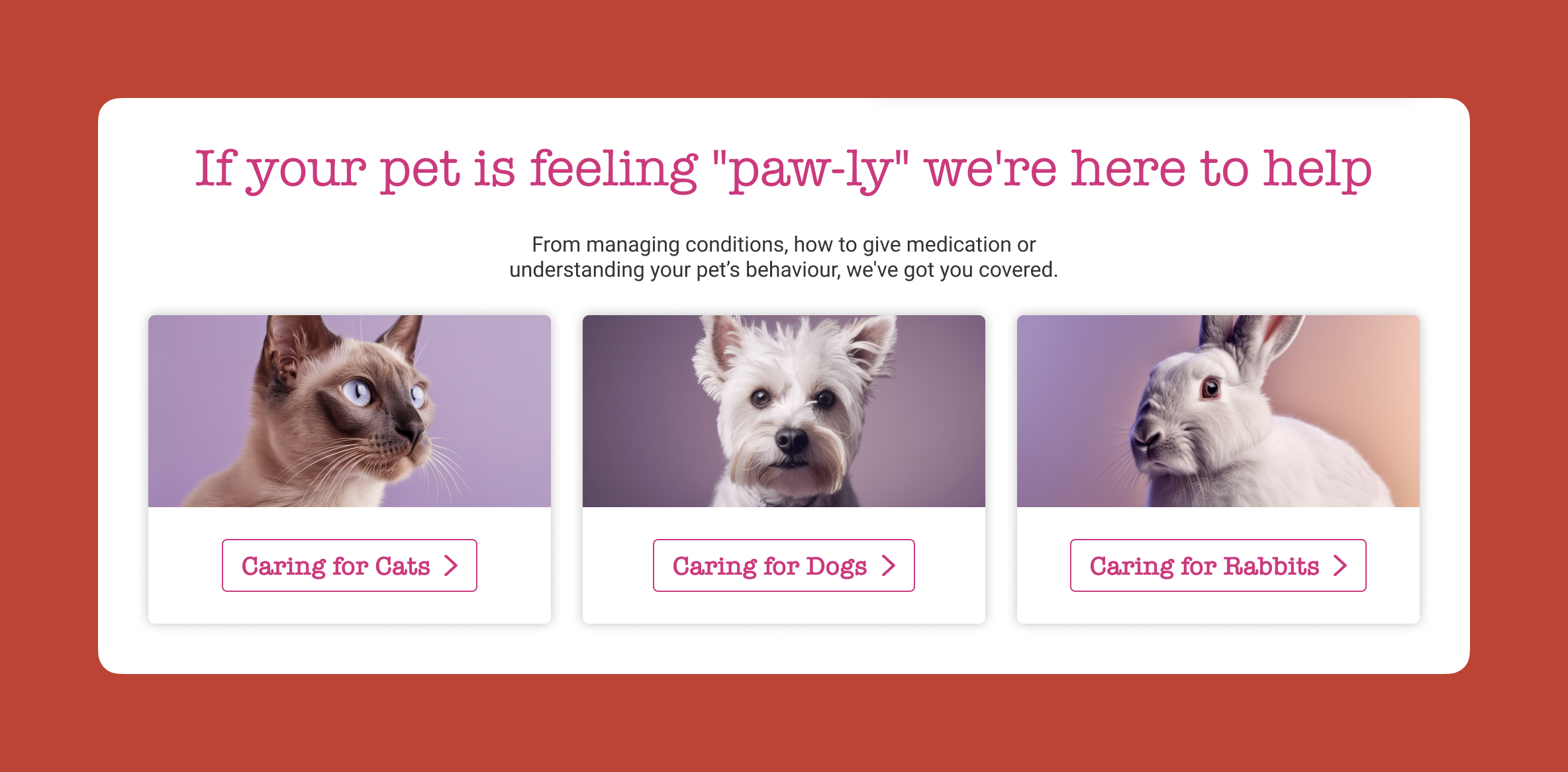
In one real example, a pet insurance site had photos of a dog, cat, and rabbit, each representing different advice types. The dog was far from the camera, the cat looked straight at it—absorbing all the attention—and the rabbit was half cropped. Most attention went to the cat’s face. By regenerating the images with AI to control where each animal looked—dog at the camera, cat right, rabbit left—I drew attention into the center of the page and made a significant difference.
For image creation, I rely on Midjourney and Gemini in combination. Midjourney produces visually stunning images and lets you dial in tone and style, but it’s not great at following specific instructions. So I generate an image that’s close, upload it to Gemini, and ask “make the guy reach here” or “add glasses to this person.” Gemini follows instructions better, so this combination gives me near-exact results.
Midjourney also lets you upload a reference photo and say “replicate this style.” That’s how I maintain visual consistency across an entire site—using one master image as the style reference for all site imagery.
AI-Powered Content at Scale
Poor client copy undermines even the best UX or conversion work. I no longer ask clients for copy at all. I build everything around questions instead.
Once the information architecture is done, I use AI to generate a huge list of questions users might ask. I run a top task analysis where people vote on which questions matter most, then assign those questions to pages. Every page has a list of questions it needs to answer.
I set up a basic CMS theme and assign the questions to each page. Then I tell the client: “I don’t want you to write copy. Just bullet-point answers to each question. If the answer already exists on your old site, copy and paste text or link to it.” And that’s their entire job.
Then I take over. I feed ChatGPT the questions and bullet points with this prompt:
Act as an online copywriter. Write copy for a webpage that answers the question [question]. Use the following bullet points to answer that question: [bullet points]. Use the following guidelines: Aim for a ninth-grade reading level or below. Sentences should be short. Use plain language. Avoid jargon. Refer to the reader as you. Refer to the writer as us. Ensure the tone is friendly, approachable, and reassuring. The goal is to [goal]. Think deeply about your approach. Create a rubric and iterate until the copy is excellent. Only then, output it.
Adding a style guide makes the output even better. It generates a genuinely excellent first draft—far better than what most stakeholders would produce. The draft goes into the CMS for stakeholder comment; then I take their feedback back into ChatGPT and ask for a rewrite. The key benefit is that even with changes, stakeholders are editing a strong foundation rather than starting blank, and they’re criticizing AI content, not yours, so they’re less defensive.
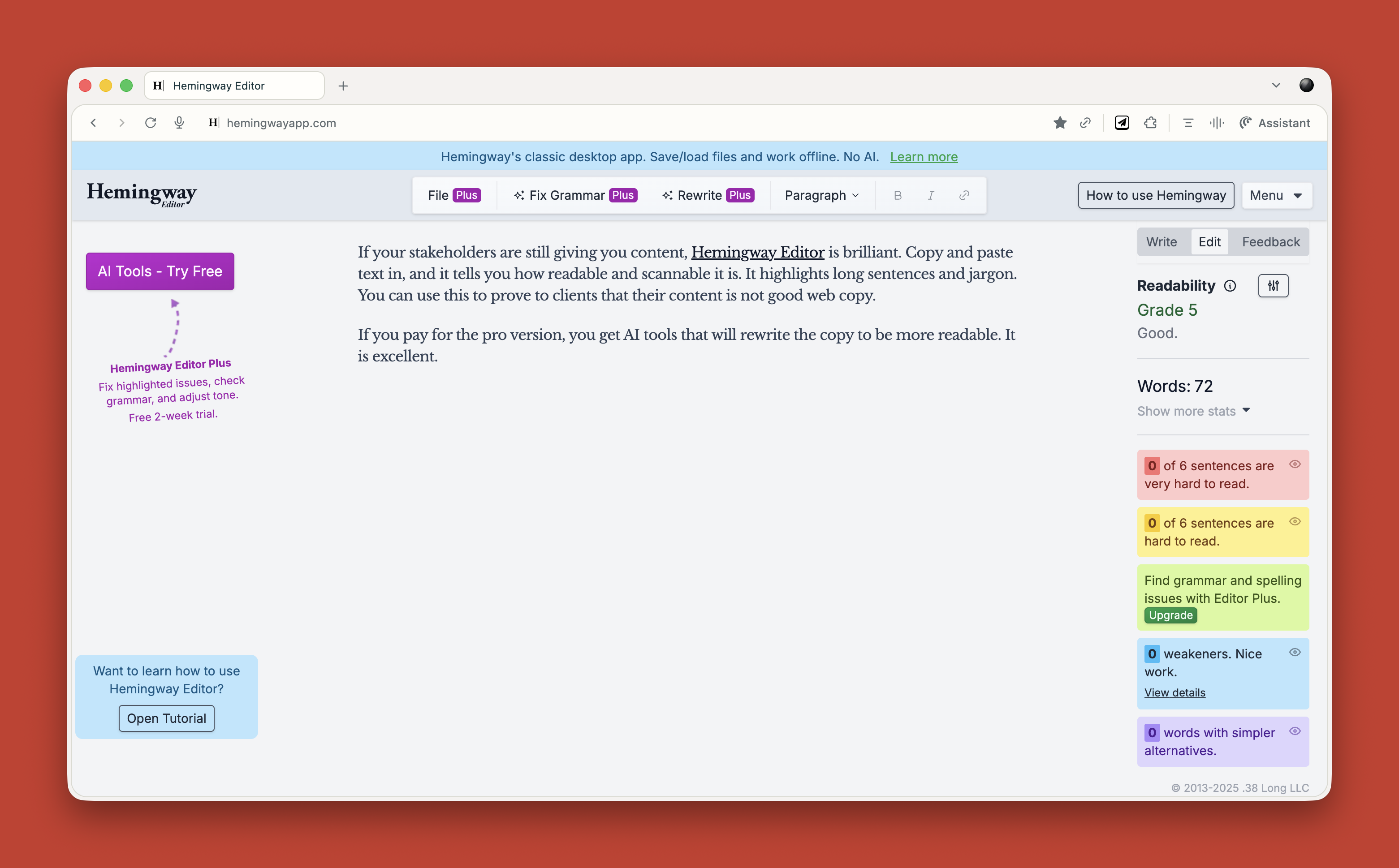
If stakeholders insist on providing their own content, Hemingway Editor is handy. It analyzes readability and flags long sentences and jargon, which makes it easy to show clients where their prose falls short. The paid version includes AI rewriting tools.
Working With AI’s Limits
None of this is perfect. AI hallucinates, requires constant checking, and produces bland output unless you push it. But over two years of daily use, it has made me faster and better, freeing me for strategic work instead of grunt work. A report that once took five days now takes three hours. Overall, I estimate AI gives me a 25‑33% productivity gain.
Your value as a UX professional lies in your ideas, your questions, and your thinking. Not your ability to use Figma. Not your ability to manually review transcripts. Not your ability to write reports from scratch.
AI cannot innovate or make creative leaps. It can’t judge its own output or understand what it’s like to be human. That’s where you come in, and always will.
Start small. Ask yourself throughout the day: Could I do this with AI? Try it, double-check it, and learn what works. Treat AI like an enthusiastic intern with zero experience—give clear instructions, review the work, make it iterate, push it further. It won’t take your job; it will change it. For the better, as long as you learn to work with it.



