
Scorecards V4 ships with a GitHub-native workflow
The OpenSSF has released V4 of its Scorecard security tool, developed jointly with Google and GitHub. Scorecards automatically inspects open source projects for risky supply chain practices—for example, whether the project runs static analysis tooling such as CodeQL. Rather than requiring developers to install a separate CLI, the release pairs the checker with a GitHub Action and a starter workflow that plugs directly into the GitHub UI and Marketplace.
How the GitHub Action works
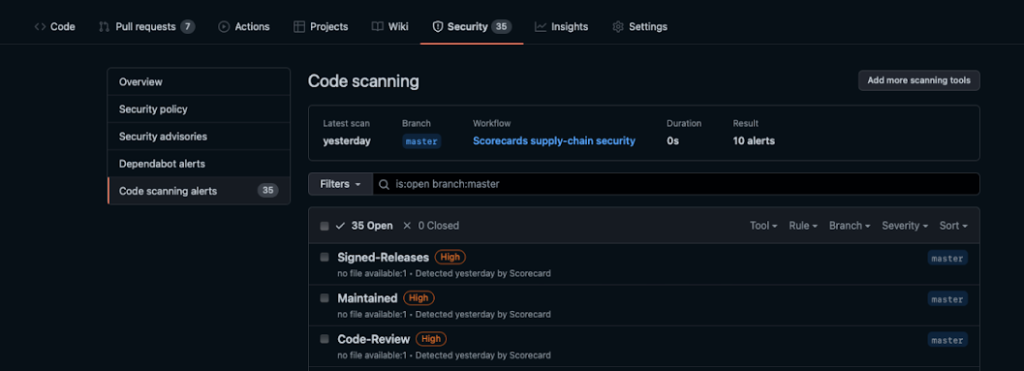
Once the workflow is added to a repository, the Action executes on every contribution. Results are posted to the GitHub code scanning alerts API and show up under the project’s Security tab. That gives maintainers a per-commit view of which security practices are in place and what still needs attention, without leaving the GitHub interface.
Setting up is a short process. If you don't already have a personal access token, you'll create one first. Then:
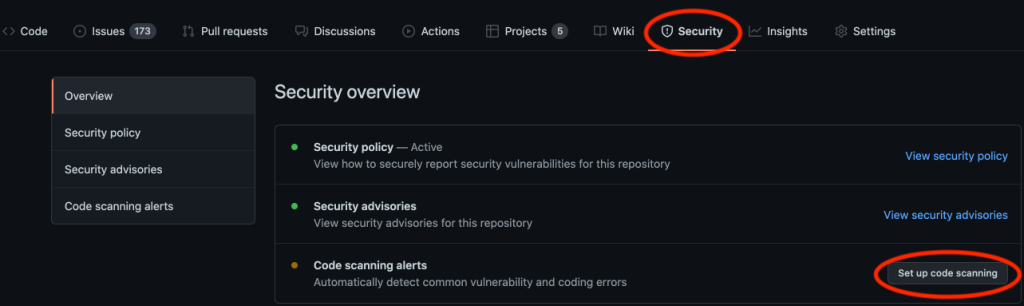
- Open your project and go to the Security tab.
- Choose Set up code scanning.
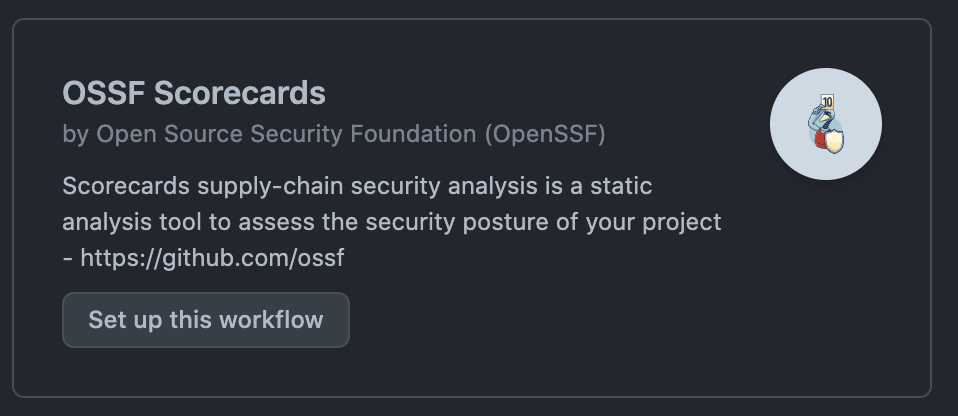
- Select OSSF Scorecards and click Set up this workflow.
The starter workflow comes preconfigured to run on every push and to upload its payload to the code scanning API. Copy your PAT into the workflow file, following the comments that mark the place it belongs.
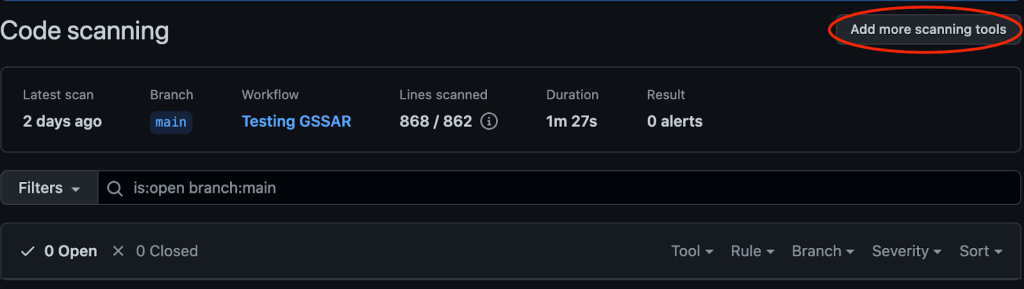
Projects that already have code scanning enabled will see a slightly different page. In the code scanning alerts view, use Add more scanning tools to bring in Scorecards alongside any existing scanners.
From there, alerts begin appearing in the Security tab with no further configuration.
What you can add alongside Scorecards
The same setup flow supports CodeQL and other third-party static analysis tools integrated with GitHub code scanning. Public repositories on GitHub.com get CodeQL, access to the code scanning API, and 1,000 Actions minutes at no cost. For private enterprise use, the equivalent functionality is available via GitHub Enterprise and GitHub Advanced Security.



