
Code scanning enters the Actions workflow picker
GitHub has expanded the "new workflow" experience in Actions with a dedicated Security category. It sits alongside the existing Automation, Continuous Integration, and Deployment categories, and like those it draws recommendations from analysis of the repository's content. The first workflows to land there are code scanning templates, aimed at catching vulnerabilities before they ship.
Code scanning workflows in the Security category can be scheduled to run at set times or triggered by repository events such as a push. That covers both recurring checks and scans on demand when changes land. Until now, setting up code scanning meant navigating to the Security tab; the new category puts discovery and configuration in the same central Actions flow.
Where applicable, the Security category also prompts you to enable GitHub Advanced Security as a prerequisite for configuring the workflows. This guidance is surfaced inline, so you don't have to pause the setup process to figure out what's missing.
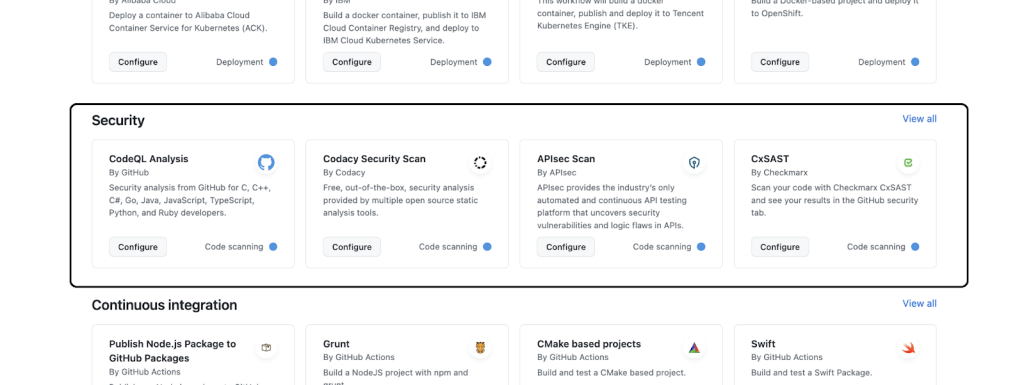
Where to find it
- Available now for organizations on GitHub.com and GitHub Enterprise Cloud.
- Go to the Actions tab in a repository, select New Workflow, and use the Security category, search bar, or filters to locate a relevant template.
If you're new to Actions workflows, the GitHub documentation covers the basics. Questions and suggestions can be directed to the feedback discussion thread.



