
Prioritizing Updates in React
React applications often contain UI elements with very different performance needs. Some parts, like sliders being dragged or inputs being typed into, must update immediately to feel responsive. Others, like heavy visualizations or generated output, don't need to re-render on every single input event.
In a shadow generator tool, for example, the visual preview and controls need real-time updates as the user adjusts sliders. The syntax-highlighted CSS output at the bottom, however, is only critical when the user is ready to copy it. Recalculating that highlighted code dozens of times per second introduces needless jank, degrading the experience across the entire UI.
The core problem is that highlighting requires significant work. Each line of code must be tokenized and each token wrapped in its own formatted element:
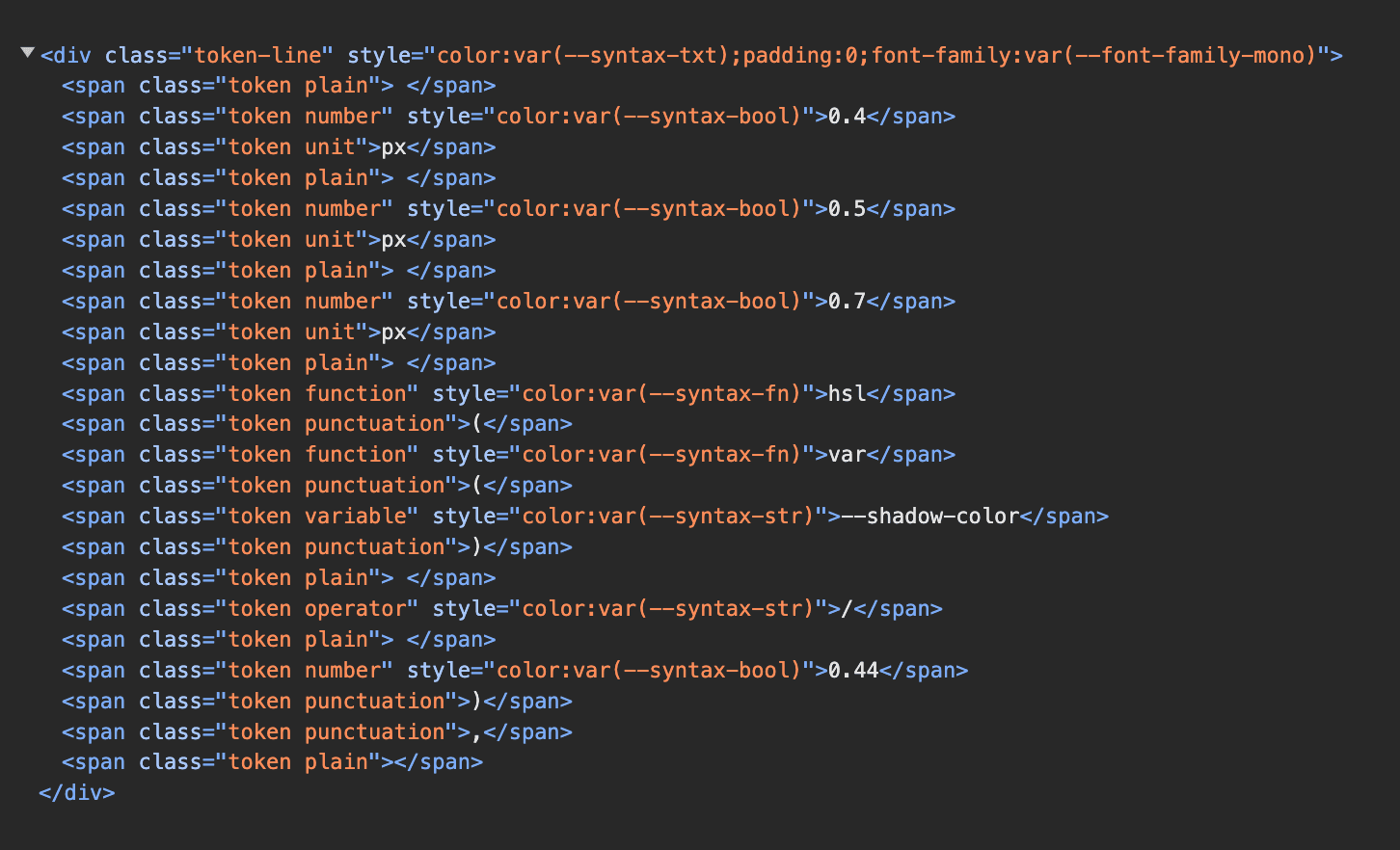
Performing that operation on every slider movement can easily overwhelm the browser, dropping the frame rate to just a few updates per second and leaving users with a sluggish interface.
A Common but Flawed Approach
A typical first attempt at solving this involves throttling — limiting how often the expensive component recomputes, say once every 200 milliseconds. While this does reduce the load, it's a blunt instrument. It still makes the low-priority part periodically stutter, and the fixed delay doesn't adapt to available hardware. On a powerful desktop, the throttle is an unnecessary slowdown; on a slow mobile device, 200ms may not be enough to prevent UI hiccups.
The right solution should dynamically coordinate between immediate, high-priority updates and background, low-priority ones, never sacrificing speed when it isn't needed, and always protecting the responsive parts of the interface when it is.
Deferring Low-Priority Work with useDeferredValue
useDeferredValue splits a React render into high-priority and low-priority segments. When urgent state changes arrive, React can interrupt a low-priority render in progress and restart with fresh data instead of letting slow work block the UI.
A simple counter demonstrates the pattern. The component holds a count state and renders ImportantStuff plus a slow SlowStuff child:
function App() {
  const [count, setCount] = React.useState(0);

  return (
    <>
      <ImportantStuff count={count} />
      <SlowStuff count={count} />

      <button onClick={() => setCount(count + 1)}>
        Increment
      </button>
    </>
  );
}
Clicking the button changes count, and React must re-render both children before painting. The heavy work is inside SlowStuff, so the important part sits behind a long render. When clicks queue up faster than React can clear them, renders pile up and the whole UI freezes until the queued work drains.
The Deferred Flow
Introducing a deferred copy of the state changes the flow. The code becomes:
function App() {
  const [count, setCount] = React.useState(0);
  const deferredCount = React.useDeferredValue(count);

  return (
    <>
      <ImportantStuff count={count} />
      <SlowStuff count={deferredCount} />

      <button onClick={() => setCount(count + 1)}>
        Increment
      </button>
    </>
  );
}
On the first click, App re-renders immediately. count is now 1, but deferredCount stays at its previous value, 0. SlowStuff therefore receives identical props to the previous render. If it is wrapped in React.memo(), React can skip that component entirely, reusing the output from the previous pass. A second render fires right after, updating deferredCount to match and finally refreshing the slow child.
That extra render is deliberate. When more clicks arrive, React can abandon the second, low-priority render at any time. The high-priority portions — ImportantStuff — are already committed and visible. The abandoned work was only the low-priority second stage, so users see fresh state immediately even when the heavy component lags behind.
Memoization Is Required
The optimization only works if the slow child is wrapped with React.memo():
import React from 'react';

function SlowComponent({ count }) {
  // Component stuff here
}

export default React.memo(SlowComponent);
React's default behavior re-renders every child whenever a parent re-renders, regardless of whether props changed. Without React.memo(), both ImportantStuff and SlowStuff re-render on the first pass, defeating the entire mechanism. The memo wrapper tells React to compare the new deferredCount prop against the prior value, concluding nothing changed and skipping the recalculation. The second render is where the deferred value finally updates and pulls the slow component forward.
Deferring Derived Values
Deferred values need not be raw state variables. Concrete state often spans several variables — in a Shadow Palette Generator, that might mean multiple fields for the shadow parameters:
function ShadowPaletteGenerator() {
  const [oomph, setOomph] = React.useState(0.5);
  const [crispy, setCrispy] = React.useState(0.5);
  const [background, setBackground] = React.useState('#F00')
  const [tint, setTint] = React.useState(true);
  const [resolution, setResolution] = React.useState(0.75);
  const [lightPosition, setLightPosition] = React.useState({
    x: -0.2,
    y: -0.5,
  });

  const cssCode = generateShadows(oomph, crispy, background, tint, resolution, lightPosition);

  return (
    <>
      {/* Other stuff omitted for brevity */}

      <CodeSnippet lang="css" code={cssCode} />
    </>
  );
}
An instinct might be to create a deferred copy of each state variable:
const deferredOomph = React.useDeferredValue(oomph);
const deferredCrispy = React.useDeferredValue(crispy);
const deferredBg = React.useDeferredValue(background);
const deferredTint = React.useDeferredValue(tint);
const deferredResolution = React.useDeferredValue(resolution);
const deferredLight = React.useDeferredValue(lightPosition);
A simpler path is to defer the value derived from them — the CSS snippet produced during each render. The hook takes any value, not just state:
const [oomph, setOomph] = React.useState(0.5);
const [crispy, setCrispy] = React.useState(0.5);
const [background, setBackground] = React.useState('#F00')
const [tint, setTint] = React.useState(true);
const [resolution, setResolution] = React.useState(0.75);
const [lightPosition, setLightPosition] = React.useState({
  x: -0.2,
  y: -0.5,
});

const cssCode = generateShadows(oomph, crispy, backgroundColor, tint, resolution, lightPosition);

const deferredCssCode = React.useDeferredValue(cssCode);

return (
  <>
    {/* Other stuff omitted for brevity */}

    <CodeSnippet lang="css" code={deferredCssCode} />
  </>
);
What matters is the mechanism. As long as the low-priority component receives no changed props during the high-priority pass, it can be skipped. Deferring derived strings or objects works exactly as well.
Signaling Stale UI
An application can tell the user a region is stale by comparing the live and deferred values. Comparing count against deferredCount decides it:
function App() {
  const [count, setCount] = React.useState(0);
  const deferredCount = React.useDeferredValue(count);

  const isBusyRecalculating = count !== deferredCount;

  return (
    <>
      <ImportantStuff count={count} />
      <SlowWrapper
        style={{ opacity: isBusyRecalculating ? 0.5 : 1 }}
      >
        <SlowStuff count={deferredCount} />

        {isBusyRecalculating && <Spinner />}
      </SlowWrapper>

      <button onClick={() => setCount(count + 1)}>
        Increment
      </button>
    </>
  );
}
On the high-priority render these diverge — one holds the new value, the other still the old. Applying a faded style plus a small spinner while they differ communicates an update is pending:
- The first render gives
count1and keepsdeferredCountat0, sampling the mismatch. - The second, low-priority render syncs both to
1, clearing the stale state.
Whether the UI should advertise that lag is a product decision. For the Shadow Palette Generator, drawing attention to the code block with a spinner actually hurt the experience; controls deserve focus. The pattern works well in cases where users need to understand why some content has not refreshed yet.
React 19: Helping Initial Render
Traditionally, useDeferredValue initialized to whatever value was supplied. There was no previous render to defer against, so no double-render happened, and the hook produced no initial speedup.
React 19 introduces an optional initial value:
const deferredCount = React.useDeferredValue(count, initialValue);Supplying an explicit first value allows the app to avoid heavy work on the very first draw. If the deferred CSS code starts as null, the CodeSnippet can be omitted during the first, quick render; a follow-up low-priority pass could populate that slot. Applications become interactive sooner when unimportant segments do not block the first paint.
Real-World Impact
The effect on a fast development machine is already noticeable, but the real test is cheap hardware. A $110 Intel Celeron laptop ran the Shadow Palette Generator much more responsively with useDeferredValue in place. The code snippet lags behind the interaction, updating only after manipulations settle. Even hardware that struggles to launch its own taskbar can hold a responsive core UI when the heavy recomputation is pushed to the background.
Building a mental model of how React schedules renders turns what appears to be a complex hook into a straightforward tool. The best way to get immediate value from useDeferredValue is to keep the slow child memoized, defer a value derived from the state, and decide deliberately whether to show stale regions to the user.



