
Next.js and the default-performance approach
Next.js is an opinionated React framework designed around a simple premise: performance features should be included by default, not bolted on later. Where a plain React setup leaves bundling, transpilation, and rendering strategies to the developer, Next.js makes those decisions up front so applications start fast and stay fast.
This overview maps the framework's built-in optimizations. Later guides in this collection dig into individual features in depth. General React performance techniques that apply to any React site are out of scope here; the focus is strictly on what Next.js itself provides.
React vs. Next.js
React is a UI library. Building a complete application with it typically means assembling your own toolchain—a module bundler like webpack, a transpiler like Babel, and so on. Create React App simplifies that by providing a complete build setup with one command, but it intentionally stays minimal, leaving optimizations largely up to the developer.
Next.js takes the opposite stance. It still lets you create a new React application quickly, but it ships with several optimizations that developers commonly want but find difficult to configure themselves:
- Server-side rendering
- Automatic code-splitting
- Route prefetching
- File-system routing
- CSS-in-JS styling with
styled-jsx
Starting a project
Create a new Next.js app with:
npx create-next-app new-app
Then move into the project directory and launch the development server:
cd new-app
npm run dev
The embed below shows the default directory structure of a fresh Next.js app. Choose Remix to Edit to make the project editable; use View App and then Fullscreen to preview the site  .
.
A pages/ directory is created with a single index.jsx file. Next.js uses file-system routing, so each file in that directory becomes a separate route. Adding about.js, for instance, automatically makes /about available.
Components work as in any React application. The scaffold includes a components/ directory with a nav.js component already imported by index.js. By default, each import is fetched only when its page loads—that is automated code-splitting in action.
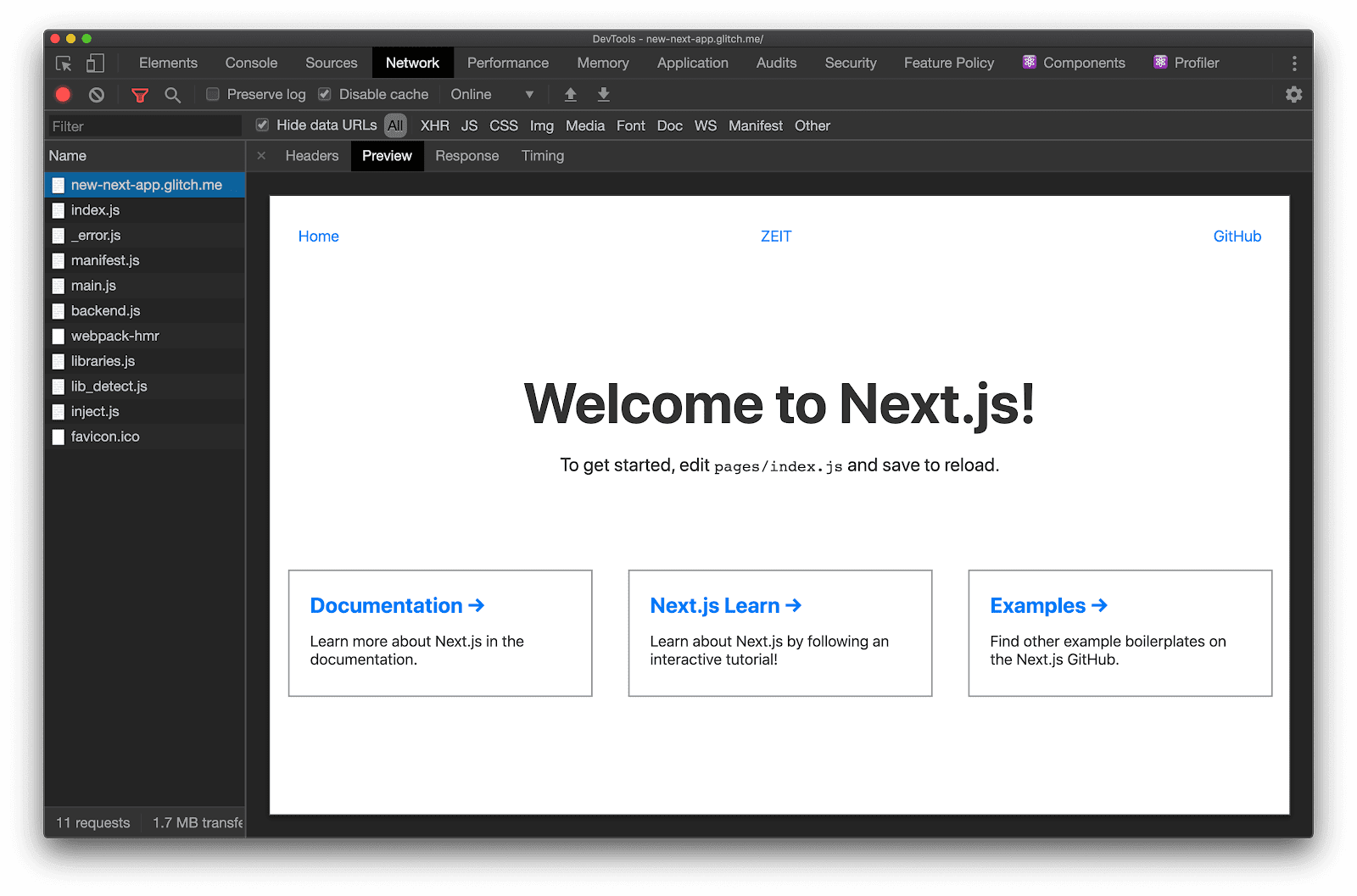
Initial page loads are also server-side rendered. Open the Network panel in DevTools and check the first document request: you will see a fully rendered page returned from the server.
These defaults are just the starting point. Most features are customizable to fit different use cases.
Where to go next
The rest of this collection covers individual Next.js features in detail, including:
- Route prefetching to speed up page navigations
- Serving hybrid and AMP-only pages for faster loading from search engines
- Code-splitting components with dynamic imports to reduce JavaScript footprints



