
Lighthouse expands: CI support, scoring changes, and extensible audits
At Chrome Developer Summit 2019, Google’s Speed Tooling Evolutions session introduced several updates to the Lighthouse family of performance monitoring tools. The announcements range from a new continuous integration product to a revised performance score formula and new ways to extend Lighthouse with framework-specific or custom checks.
Lighthouse CI reaches alpha
Lighthouse CI, now in alpha, lets developers run Lighthouse on every commit before code reaches production. The tool runs Lighthouse multiple times, enforces thresholds on static audits or metrics, and uploads reports to a server for visual diffing and category score history. Existing budgets.json configurations work alongside the new syntax for asserting any Lighthouse audit or category result.
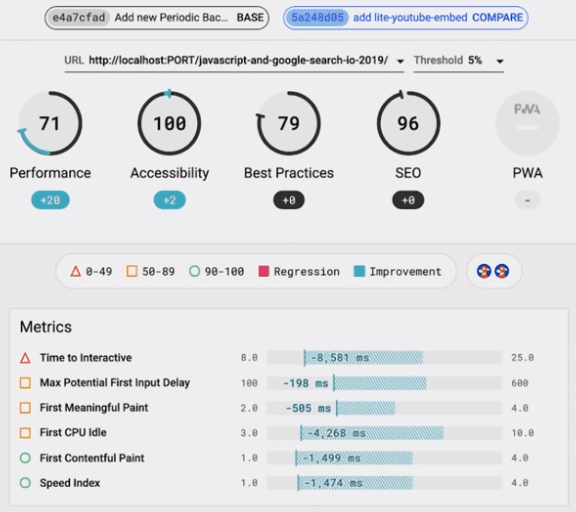
Lighthouse CI works out-of-the-box with Travis CI, Circle CI, and GitHub Actions, and can be configured for any Ubuntu or container-based CI service. The Lighthouse CI server can be installed on-premise or launched quickly via a docker image. For immediate experimentation, free public temporary report storage is also available.
Performance score formula set to change in v6
A new Performance score formula is planned for Lighthouse version 6. In version 5, as of November 2019, the 0–100 Performance score is a weighted blend of five metrics: First Contentful Paint, Speed Index, First Meaningful Paint, Time to Interactive, and First CPU Idle.
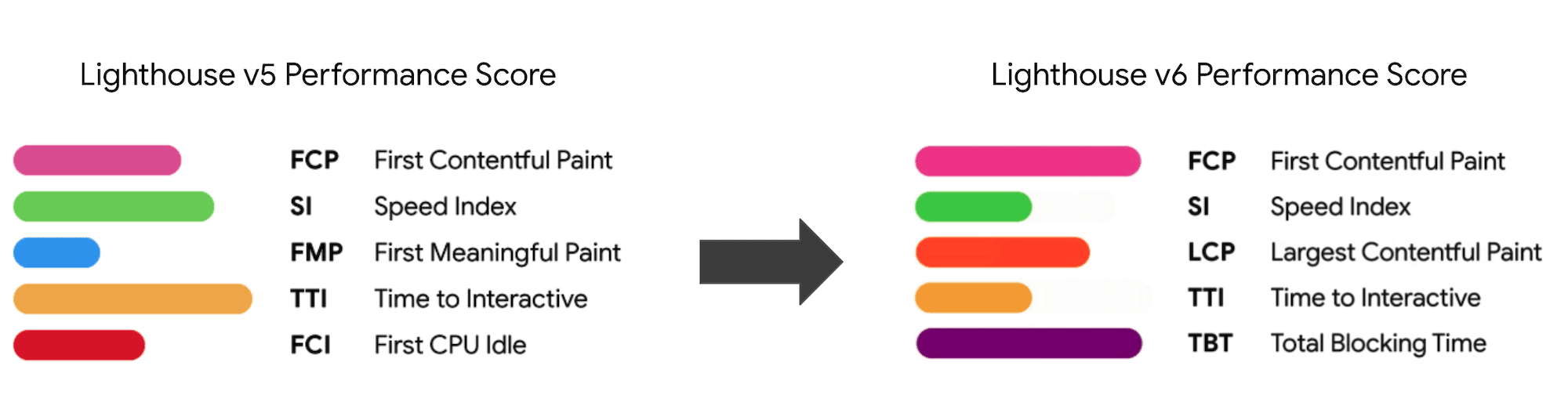
Lighthouse v6 will drop First CPU Idle and First Meaningful Paint in favor of Largest Contentful Paint and Total Blocking Time. The weights of the remaining five metrics will be adjusted to better balance load phases and interactivity measures. Scoring curves are still being fine-tuned, and the team plans to ship the v6 Performance score in January 2020.
Stack Packs add framework-specific guidance
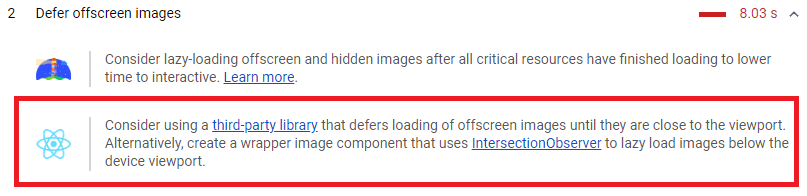
Lighthouse can now detect when a site is built with a framework or content management system, and augment its report with stack-specific recommendations alongside the core audits. Stack Packs are curated by community experts and currently cover Angular, WordPress, Magento, React, and AMP. Developers can contribute a Stack Pack via the GitHub repository or by contacting the Lighthouse team.
Plugins heading to DevTools as Chrome extensions
Lighthouse Plugins let community experts build new categories of checks that Lighthouse runs and includes in its report, covering areas core audits don’t yet address. Plugins currently work only through the Lighthouse CLI, but the goal is to make them run in the DevTools Audits panel as well.

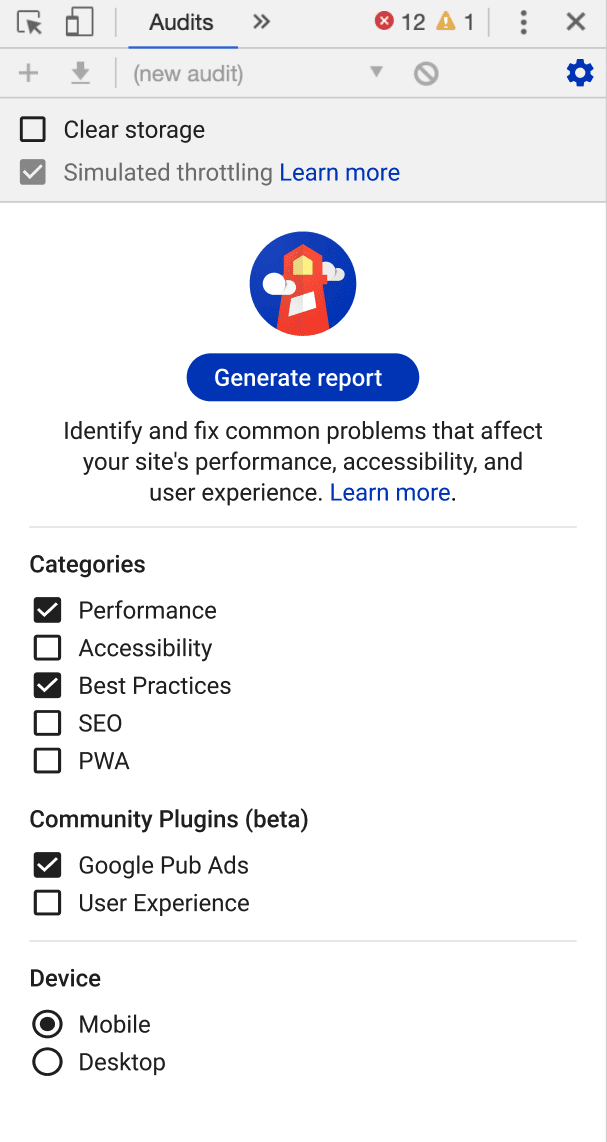
Once plugin support lands in DevTools, installed Lighthouse plugin extensions from the Chrome Web Store will be detected and offered as an option in the Audits panel. The Lighthouse team plans to build this support over the coming months. In the meantime, developers can create a plugin as a node module and distribute it to Lighthouse CLI users.
For more on Lighthouse and other performance tooling updates from CDS 2019, see the Speed Tooling Evolutions talk. Feedback is welcome: try Lighthouse CI, write a Stack Pack, or create a Lighthouse plugin, and share your thoughts with the Lighthouse team.



