

Dogfooding project planning at GitHub
GitHub’s engineering teams have long used our own products internally, from moving the entire Engineering organization to Codespaces to coordinating GitHub Mobile releases with Actions. With the new projects experience in GitHub Issues, our planning and tracking team has started using it to manage the very product we build. Here’s how different roles on our team—from individual contributors to VPs—put the new project tables and boards to work.
Guiding principles for our roadmap
Our core team spans product, engineering, design, and user research—and we believe good ideas can come from anywhere. To keep alignment across that group, we agreed on a few principles that shape our roadmap:
- The pitch: Outside of the major work tracked on our public roadmap, anyone on the team can propose an idea for an upcoming cycle (we define cycles as 6–8 weeks of work, including planning, development, and an unstructured passion-project week). A pitch must clearly state the problem it solves and why it deserves priority; these live as issues in our team repository. Successful pitches have produced features like live updates, burn-up charts for insights, and internal improvements like cutting CI time to 10 minutes and adopting a ring deployment model with ChatOps.
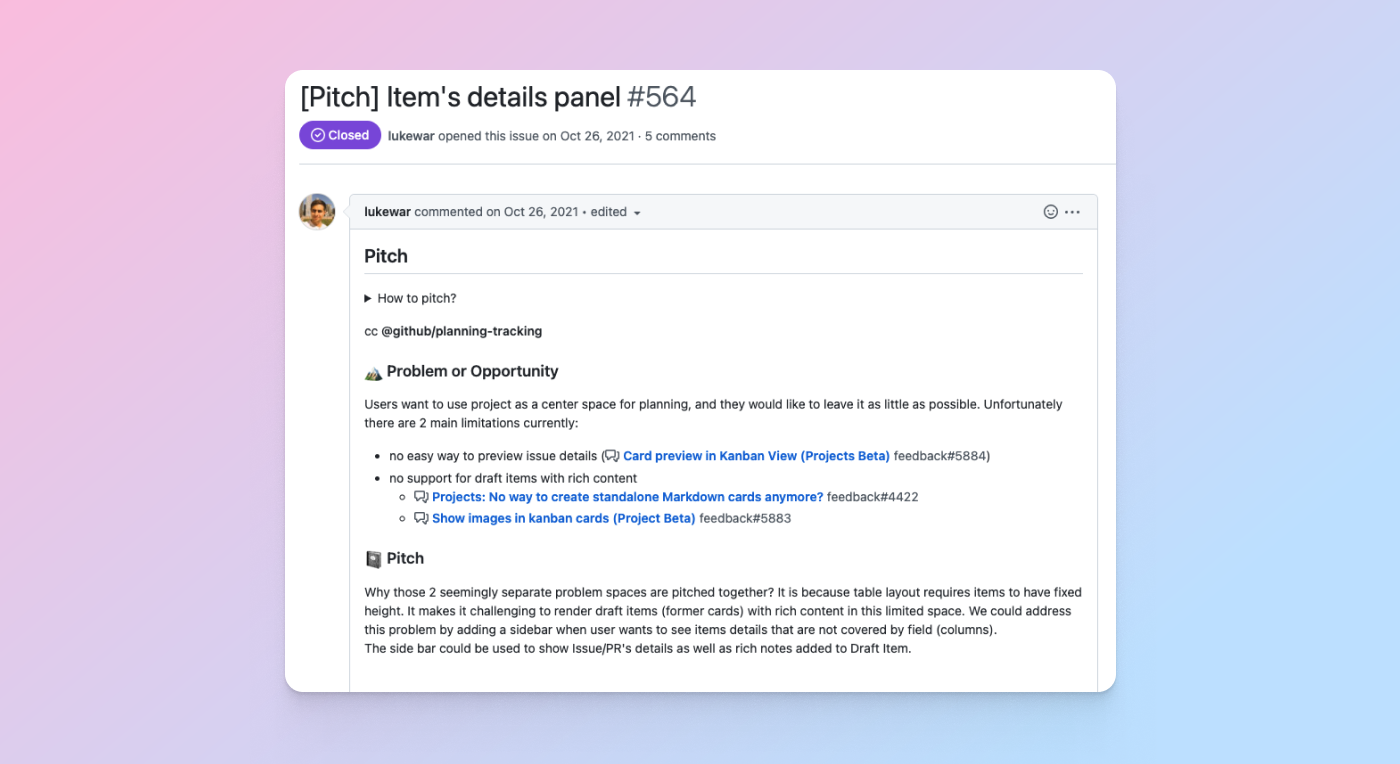
- Keep it small: We didn’t want to dictate a planning methodology, so we opted for shorter six-week cycles to raise tempo and focus. We also use the projects experience to view all pitches in an all-up table or board.
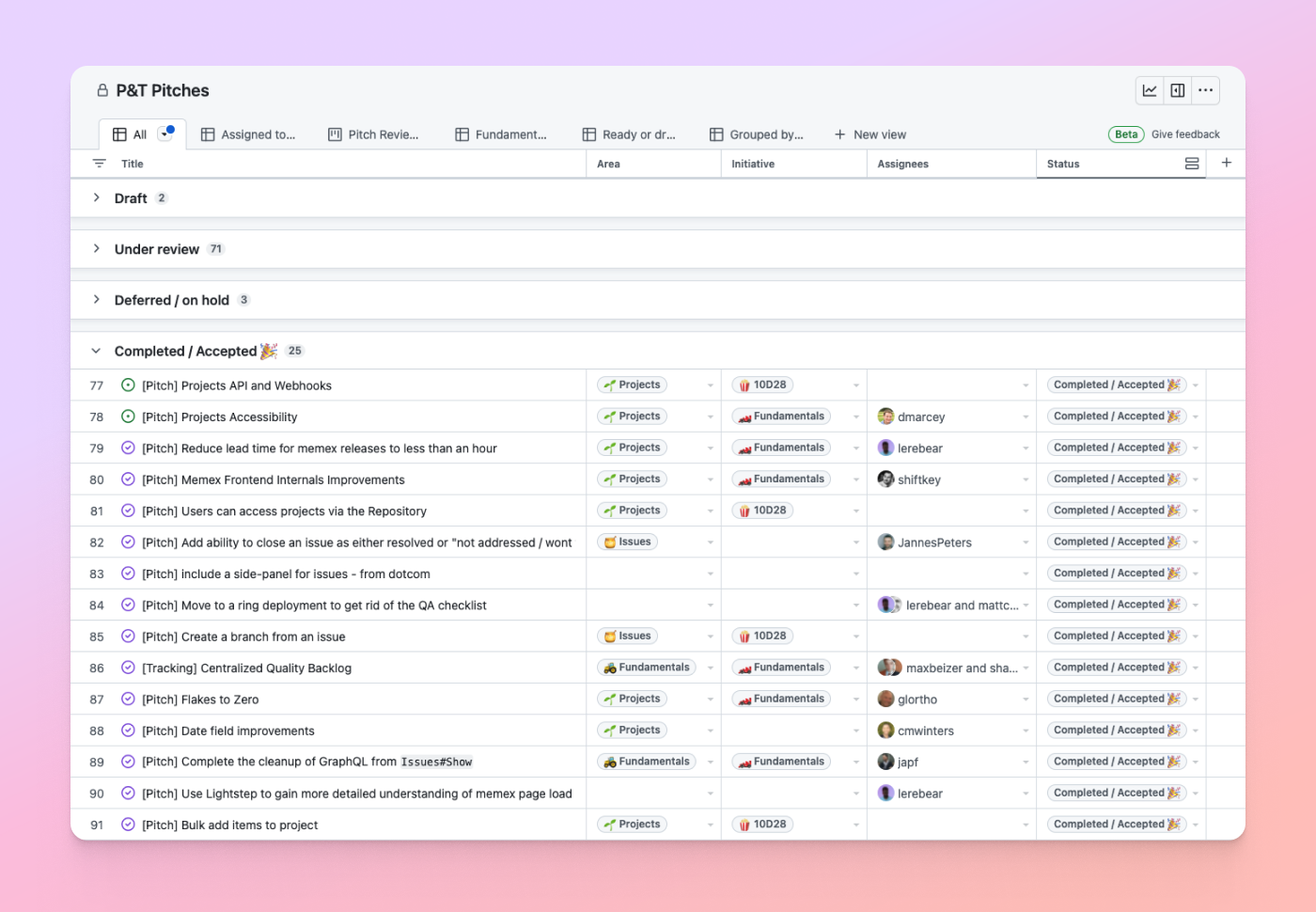
- Ship to learn: Since we ship to customers in private and public beta, feedback from developers heavily shaped both what we built and how we iterated once features went live.
The product itself doesn’t enforce a specific project management methodology; instead, it gives you composable primitives. That flexibility means everyone from engineers to marketing and design can use it in a way that fits their workflow.
From pitch to tracking issue
Once a pitch is accepted, it becomes a tracking issue in a project table or board, where we break it into work items for an upcoming cycle. A good example: when a designer pitched updating the GitHub Issues icons to reduce confusion, the issue was accepted, moved into epic planning, and broken down into individual tasks.

How individual contributors use it
As an engineer, my day-to-day focus is on the issues and pull requests assigned to me in a given cycle. We rely on individually scoped project tables or boards that stem from the larger epic, which makes it easy to zoom out from a single task to see how it fits into the cycle, and then into larger initiatives. Many of us also maintain a personal project board to track everything assigned to us—including work outside of cycles, like open source contributions. The recently added assignee:me filter makes this even easier.

How engineering managers use it
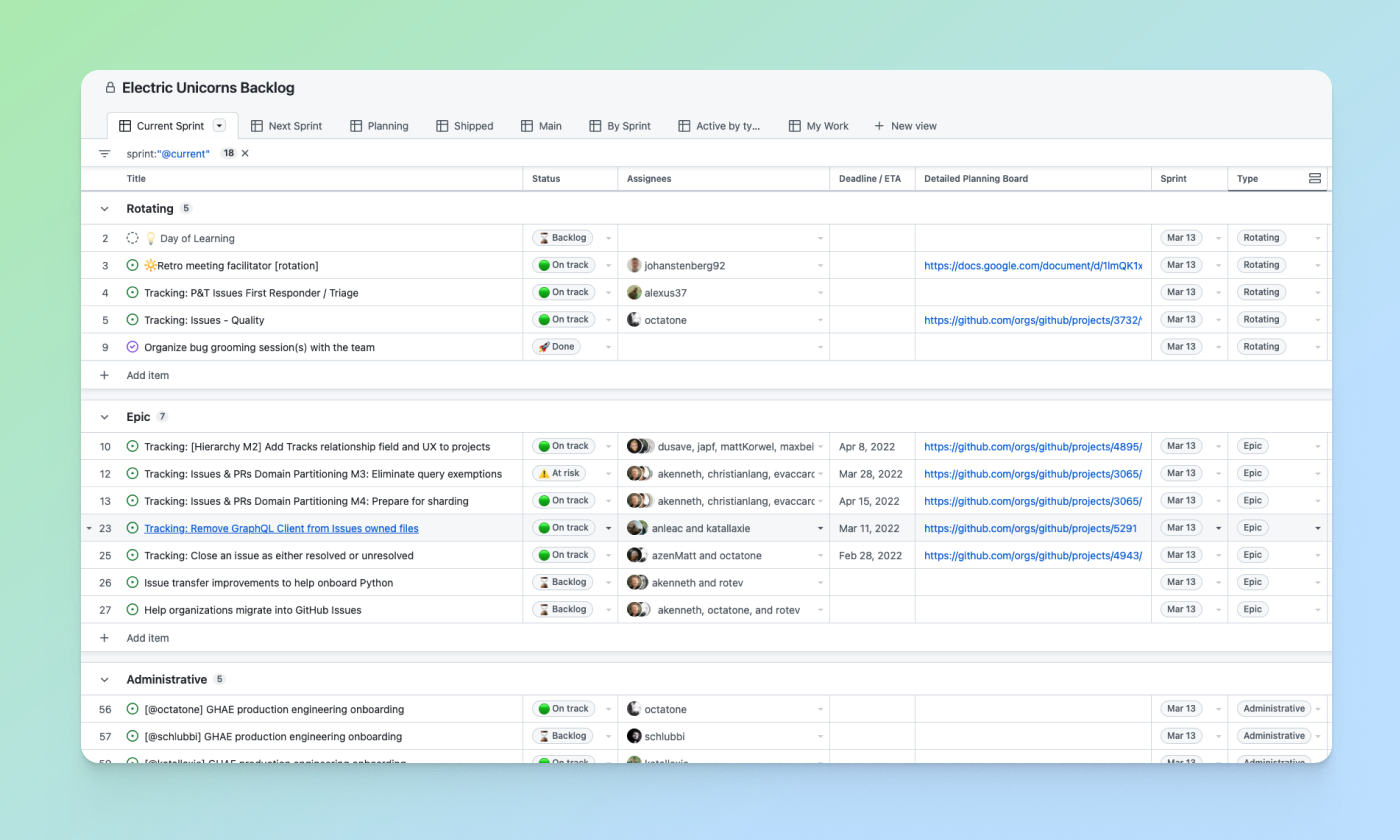
Managers overseeing those smaller cycles use a cycle-level table or board to kick off work, break pitches into iterations, and assign tasks. A cycle board gives them a complete view across team members: which pull requests are open, which engineers they’re assigned to, and what’s been merged or deployed.
How team leads and VPs use it
For team leads and directors, the new projects experience is primarily about seeing the full picture. Our main team roadmap and backlog answers questions like:
- Which projects are in flight in which product area?
- Who is the key decision maker for each project?
- Which engineers are working on which projects?
- Which projects are at risk or need help?
Leads can glance at what’s in motion, then click into cycles or status items for more context on issues, pull requests, and how they connect. They also use private projects for more sensitive functions—hiring, start dates, career development, and organizational change.
Built for flexibility
Our focus on powerful primitives rather than a rigid methodology means there are countless ways to shape the experience—and many we haven’t thought of ourselves. If you’re exploring how to plan on GitHub, feedback on the experience—and on the product itself—is always welcome in the Issues feedback discussion.



