Detecting Documents at Speed
Dropbox's iOS document scanner crops a document out of a camera frame, straightens it, and saves it as a PDF. That pipeline starts with a detection step: finding the document's corners and edges in the image so it can be separated from the background. The constraint is real-time performance—the detector has to run in roughly 100 ms or less per frame on a mobile CPU and memory budget—so the user can move the camera and see the detected document track accordingly.
Why Not Neural Networks or Off-the-Shelf APIs?
Deep neural networks are the go-to for many vision tasks, but they tend to be compute- and memory-hungry, which makes them hard to deploy on phones. Apple's rectangle detection SDK is fast and works well on simple scenes, but it struggles with the cases Dropbox cares about: small receipts or business cards shot against cluttered backgrounds.
Dropbox chose a hybrid path: a custom algorithm built from classical computer vision components instead of a learned "black box." That gives faster execution, lower memory use, easier debugging, and less need for labeled training data. In the company's A/B testing, users corrected detections from this algorithm 60% less often than those from Apple's SDK.
From Pixels to Quadrilaterals
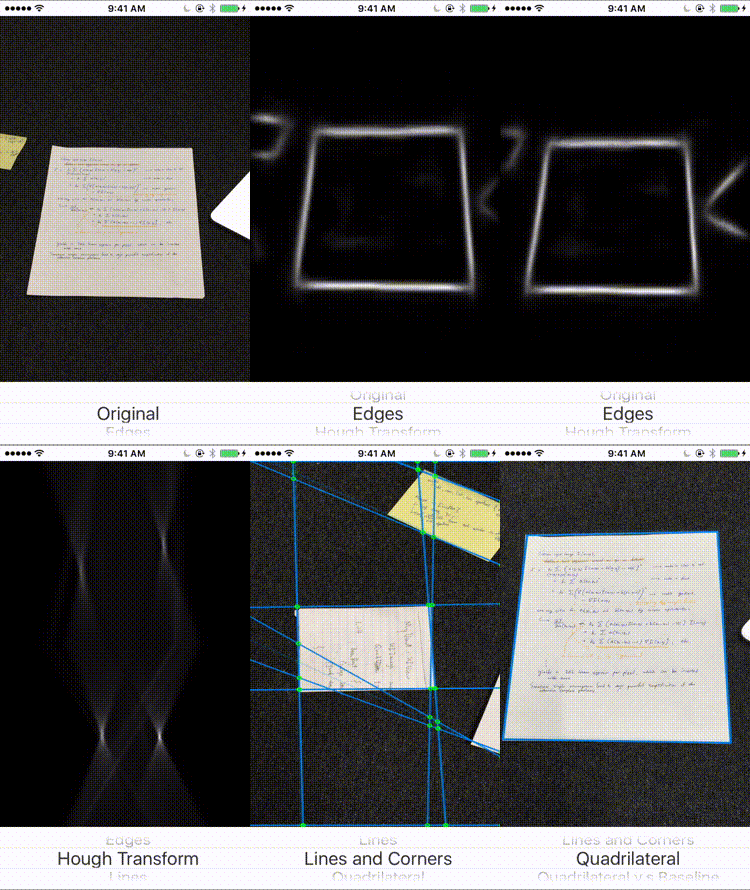
A document is rectangular in the physical world, so its projection in a 2D image is a convex quadrilateral. Find the best quadrilateral and you have the document boundary. To find the quadrilateral, the algorithm first finds straight lines. To find lines, it first finds edges. The pipeline runs in that order:
- Edge detection produces a probability map of strong edges in the image.
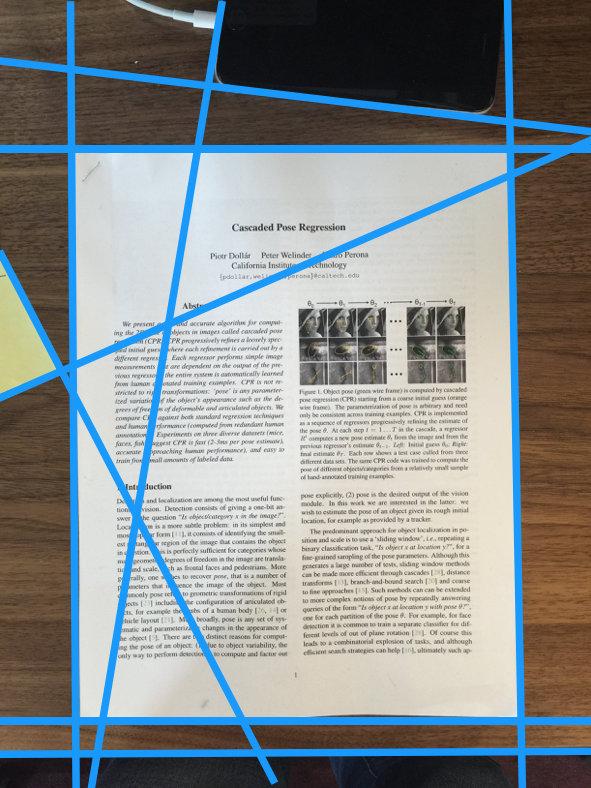
- Line finding identifies straight lines in that edge map.
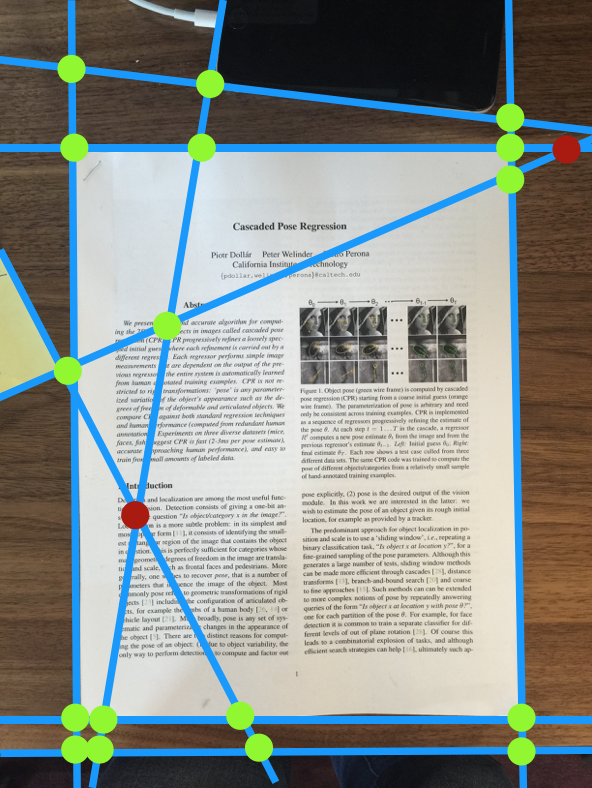
- Corner assembly computes candidate intersections and scores the quadrilaterals they form.
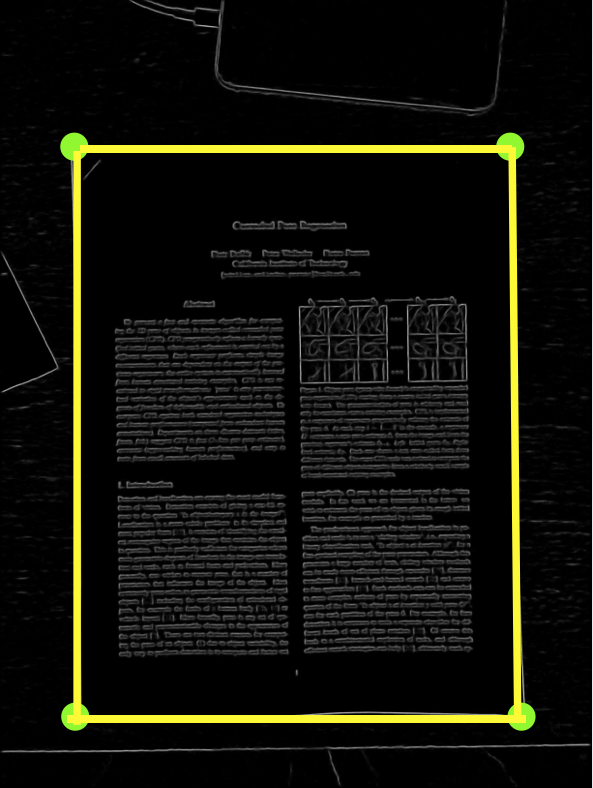
The final output is the quadrilateral with the highest score, which is taken as the document's outline.
Edge Detection
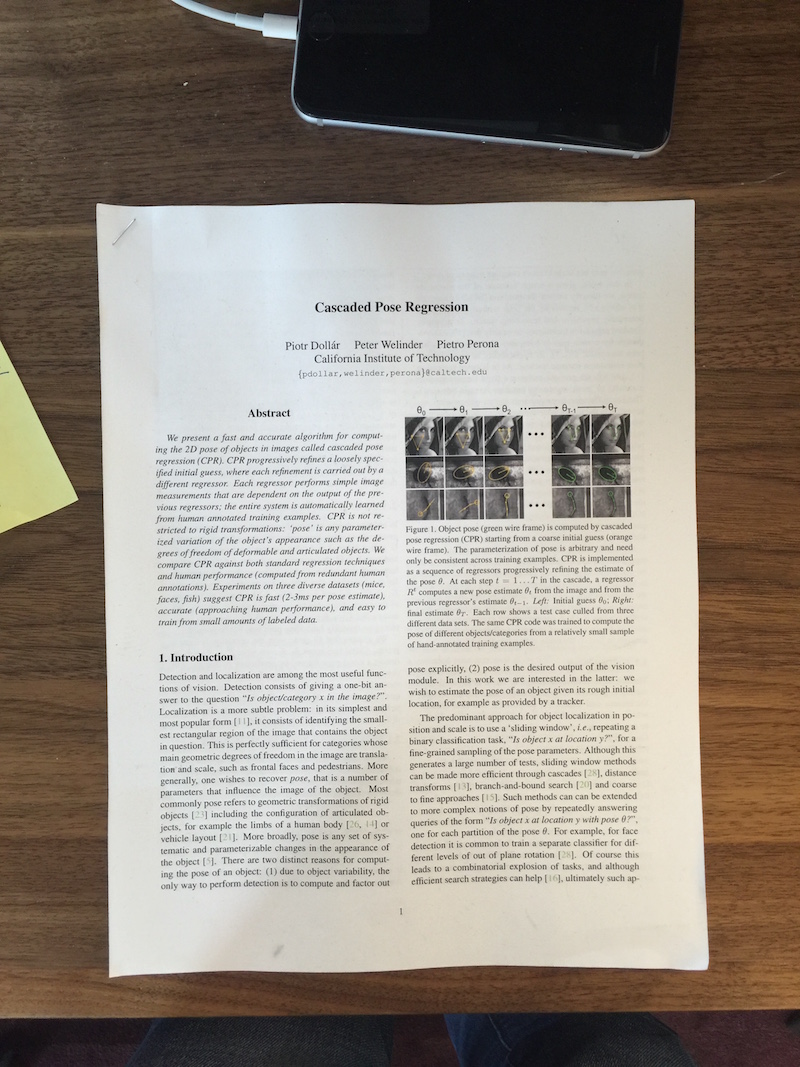
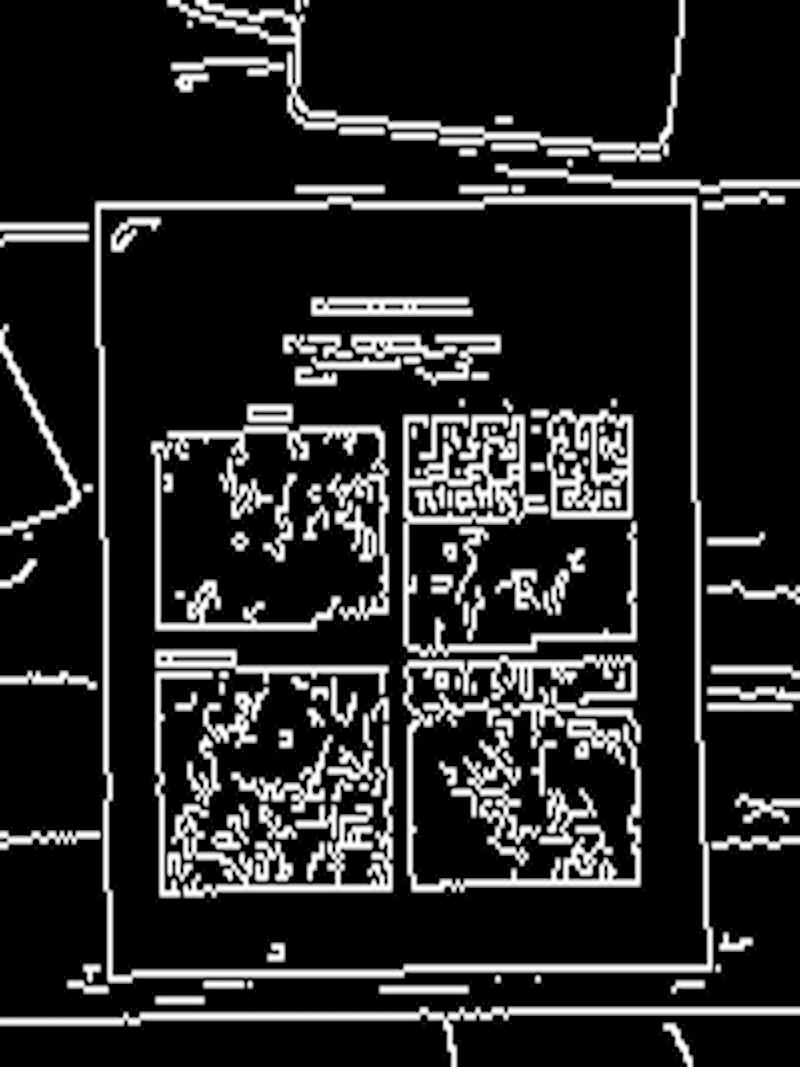
The classic Canny edge detector dates back to 1986, and while it's still widely used, it did not perform well on this problem. The detector strongly amplified text edges inside the document while document boundaries—exactly what the algorithm needs—showed up weakly.
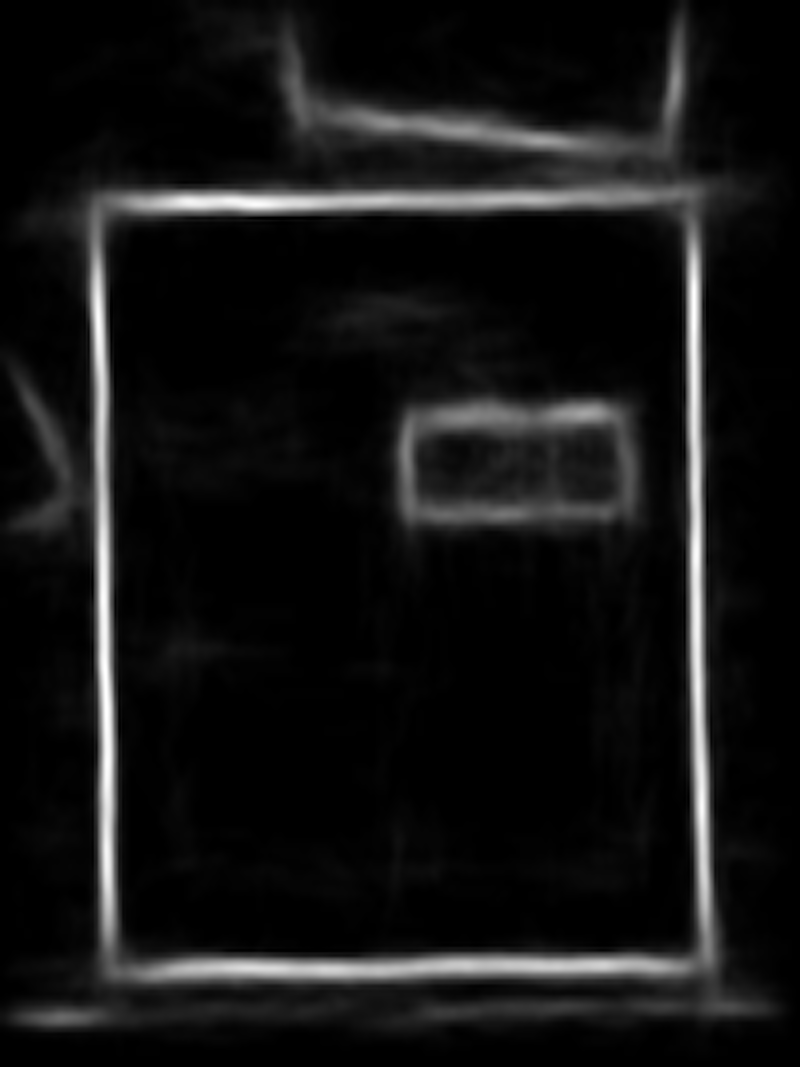
Instead, Dropbox used a machine learning-based edge detector trained to predict the probability that each pixel lies on a document edge. That model suppresses the clutter from text and captures the actual document boundaries cleanly.
Finding Lines with the Hough Transform
The Hough transform turns line detection into a voting problem. Every detected edge pixel "votes" for all lines passing through it. In the dual "Hough space," where each axis parameterizes a line, a pixel in image space votes along a curve. Lines that accumulate the most votes are the strongest line candidates in the image.
In practice, Dropbox used a polar parameterization, r = x·sinθ + y·cosθ, which is more robust than the slope-intercept form. Local maxima in Hough space are converted back into lines in the original image.
Scoring the Candidates
Detected lines are intersected to produce potential document corners. Some candidates are discarded immediately by geometric constraints—for example, an intersection forming a very acute angle is unlikely to be a document corner. The remaining corners are enumerated into all possible quadrilaterals. Each candidate is scored by summing the edge detector's probability values along its perimeter, and the quadrilateral with the highest total is returned as the detection.
Performance
The full pipeline, built and visualized in a standalone iOS debug app, runs at roughly 8–10 frames per second—close to real time. The architecture favors interpretability: each stage is a well-understood component, which made it easier for the team to develop and tune the system for the specific scanning use cases.