

Faster Codespace creation with prebuilds
GitHub has announced that Codespaces prebuilds are entering public beta. The feature is designed to eliminate the variability in environment startup times caused by repository size and the complexity of devcontainer configurations.
A prebuilt codespace acts as a ready-to-use template: source code, editor extensions, project dependencies, commands, and configurations are already downloaded, installed, and applied before you ever need to create an environment. Instead of waiting for these tasks to run on every new codespace, developers can start working almost immediately.
From internal tool to public beta
Prebuilds were a significant factor in reducing time-to-bootstrap for GitHub's own core github.com codebase after the engineering team migrated to Codespaces. To validate the approach externally, GitHub ran a private preview with roughly 50 organizations.
Feedback from that preview shaped several improvements included in this release:
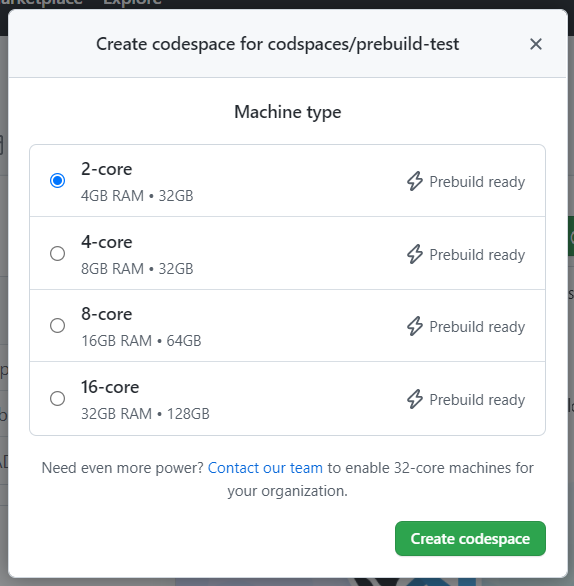
- Machine types with a “prebuild ready” tag are now visible so developers can quickly identify the fast-create option.
- Repository admins get a streamlined configuration flow for setting up prebuilds across different branches and regions.
- GitHub Actions workflows for prebuilds are managed by the Codespaces service, reducing the admin burden of updating Action versions for each prebuilt branch.
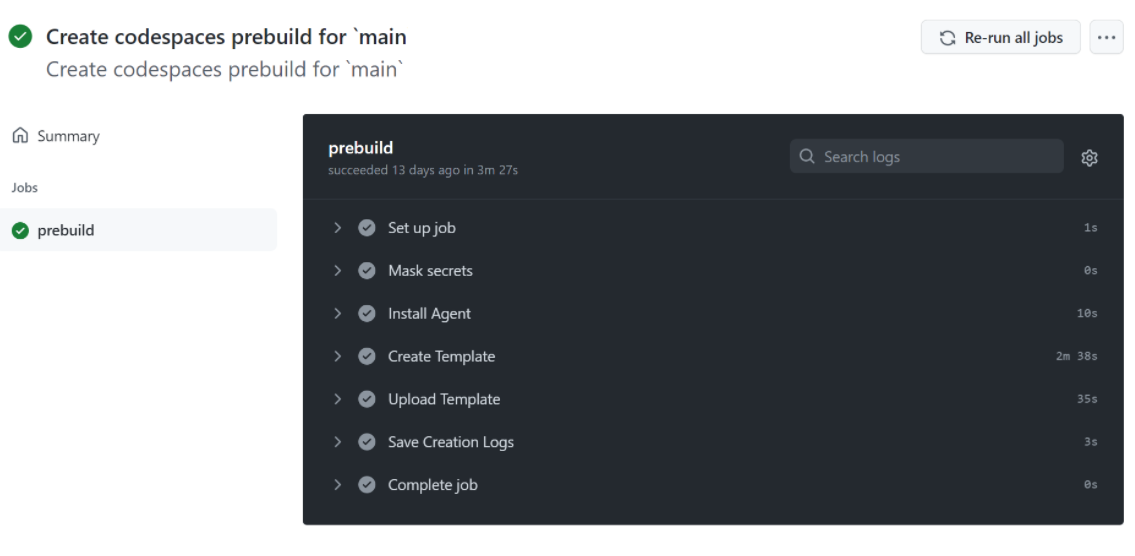
- Prebuild configurations now run on GitHub Actions virtual machines, which speeds up template creation per push and gives admins richer logs for debugging failures.
How prebuilds work
During public beta, repository admins can create prebuild configurations for specific branches and regions within a repository.
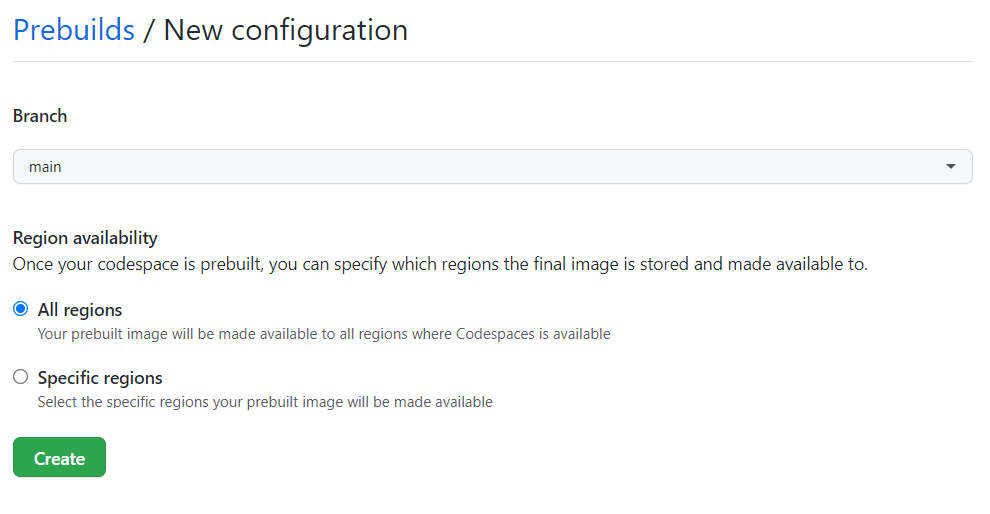
Each configuration automatically triggers a GitHub Actions workflow—managed by the Codespaces service—that prebuilds the devcontainer configuration plus any subsequent commits for that branch. The resulting prebuild templates are stored in blob storage for each selected region.
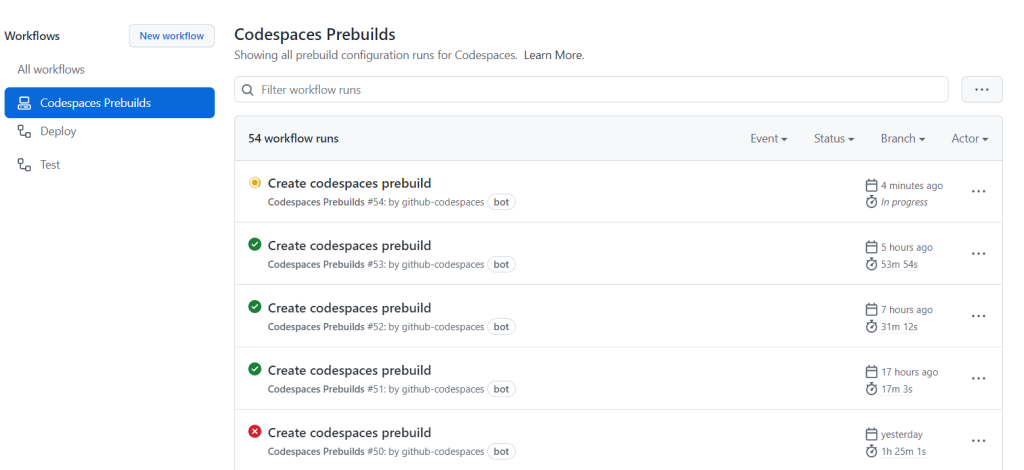
Workflows come with a full set of logs to handle debugging if something goes wrong.
When you request a prebuilt codespace, the service fetches the applicable template and attaches it to an existing virtual machine, cutting the overall creation time significantly. If you need to change the prebuild configuration for a branch, you can update the associated devcontainer configuration via a pull request, using lifecycle scripts such as onCreateCommand or updateContentCommand.
Getting started with prebuilds
Prebuilds in public beta are available to organizations on GitHub Enterprise Cloud and Team plans. Organization and repository admins can create prebuild configurations from the “Codespaces” tab in a repository’s settings page. Developers can create a prebuilt codespace by selecting a machine type with the “prebuild ready” label on any prebuild-enabled branch.
Documentation is available at https://aka.ms/ghcs-prebuild, and feedback can be posted on the discussions forum.



