
The PRPL pattern: a checklist for faster web pages
PRPL is shorthand for a set of performance techniques that work toward a single goal: making pages load and become interactive faster. The four letters stand for Preload critical resources, Render the initial route as soon as possible, Pre-cache remaining assets, and Lazy load other routes and non-critical assets. Each technique can be used independently, but they're designed to complement each other.
Start with a Lighthouse audit
Lighthouse's Performance and Progressive Web App audits flag issues that map directly to the PRPL steps. To run it:
- Open DevTools with
Control+Shift+J(orCommand+Option+Jon Mac). - Click the Lighthouse tab.
- Select Performance and Progressive Web App.
- Click Run Audits.
Preload resources the scanner misses
Lighthouse will flag resources that are parsed and fetched late. That happens when the browser's preload scanner can't discover a resource on its own — for example, an image referenced by a CSS background-image property. The fix is a declarative fetch: add a <link rel="preload"> tag to the head of the document.
<link rel="preload" as="image" href="hero-image.jpg">
This instruction starts the request immediately and puts the response in the cache, so the browser can retrieve it without waiting when it's actually needed.
Speed up the first paint
Lighthouse also warns about resources that delay First Paint, the first moment pixels hit the screen. Two common responses are:
- Inline critical CSS and JS used above the fold, deferring the rest with
async. This removes round-trips to the server for render-blocking assets — but inline code is harder to maintain and can't be cached separately by the browser. - Server-side rendering the initial HTML. Content appears immediately while scripts are still fetching and executing. The tradeoff: a significantly larger HTML payload, which can hurt Time to Interactive (TTI).
There's no single right answer. Only inline or server-render when the performance benefit outweighs the maintainability and payload costs for your specific application.
Pre-cache with a service worker
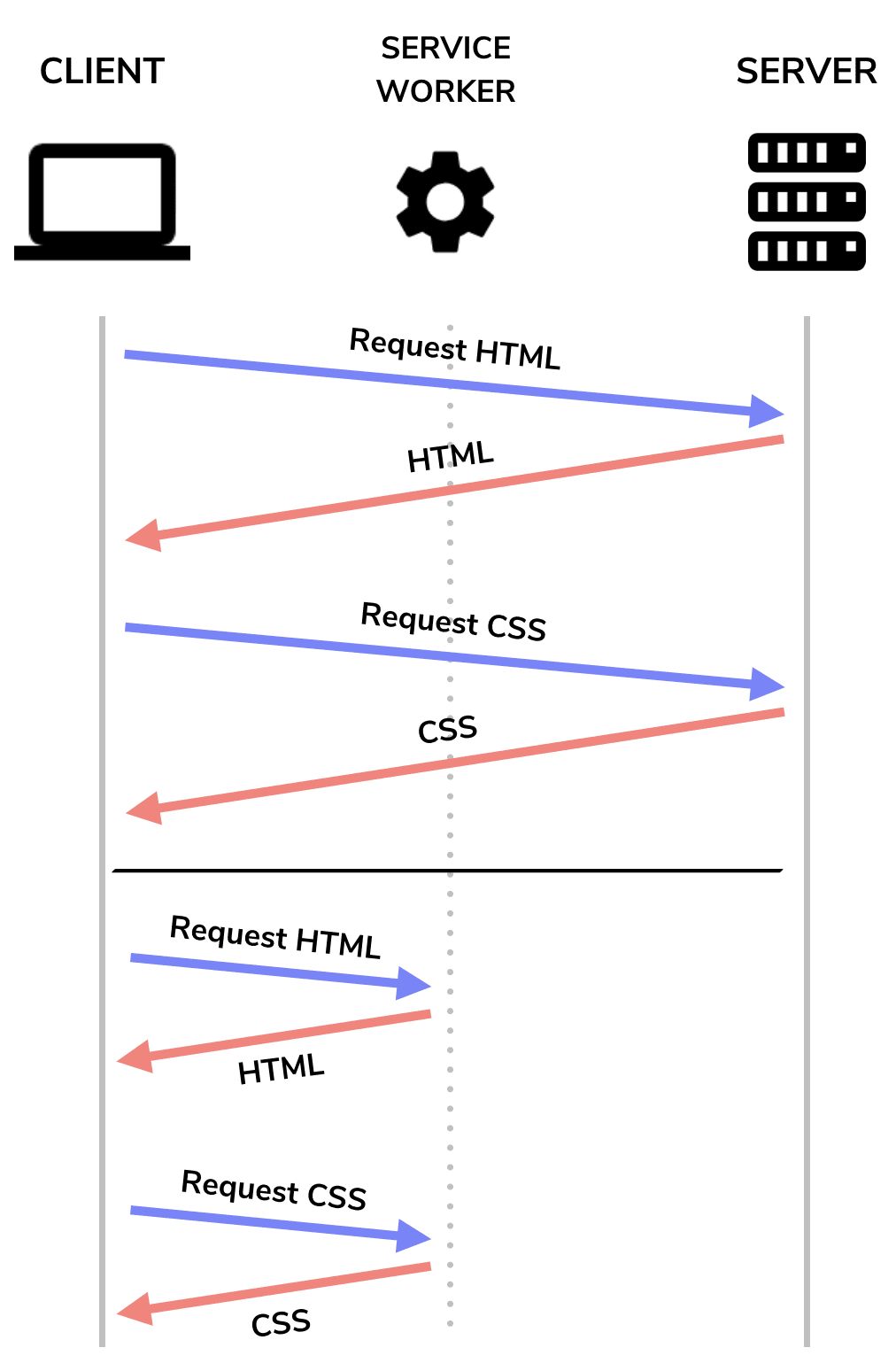
A service worker acts as a proxy that can serve assets straight from the cache instead of the network on repeat visits. That improves load time and enables offline use. Unless you have unusually complex caching needs, reach for a third-party library like Workbox, which provides the tools to generate and maintain a service worker. Fetching from cache on repeat visits is generally faster than a fresh network request, and it's a core part of the PRPL approach to instant loading.
Lazy load what isn't needed upfront
Lighthouse flags pages that send too much data over the network. Large JavaScript payloads are especially expensive because the browser must parse and compile them. The mitigation is code splitting: divide the full bundle and lazy load chunks only when the user needs them.
Once the bundle is split, you can preload the most important chunks so they're fetched sooner. Lighthouse also checks for lazy loading of non-critical images — images below the fold should be deferred until they're needed rather than loaded with the initial page.
Use the pieces that fit
PRPL doesn't require adopting everything at once. Any of its four practices — preloading critical resources, rendering the initial route quickly, pre-caching assets, or lazy loading the rest — will produce measurable performance gains on its own. Start with the areas where Lighthouse shows the biggest opportunities.



