
What a Design System Actually Is
Most teams share a rough idea of what a "Design System" means, but the details diverge quickly in practice. The goal may be consistent, but different organizations need different strategies to get there. As with most engineering challenges, there is no silver bullet. Successful efforts do share patterns, though, and those patterns have produced useful tooling and practices worth studying.
A useful working definition: a system is parts working together, and design is the plan for how those parts look and function. So a Design System is a set of definitions that dictate how interconnected parts look, feel, and work. That goes beyond appearance. It is not a component library you assemble like a puzzle to get a consistent layout. A Design System has a visual aspect, but it is equally about function, integration, and experience:
- User Experience: A reliable and functionally consistent user interface.
- Developer Experience: Easy-to-integrate components and clearly defined patterns.
- Stakeholder Experience: A clear view of how the product evolves and grows.
Given all the moving parts, it's no surprise there's no single answer for every team.
Organic vs. Intentional
Teams starting a Design System face two strategic decisions up front:
- Organic: Extract pieces from an existing app and abstract them enough for another app to use. Fewer early decisions, but more reactive effort later as adopters surface new requirements. Architectural decisions get made as needs arise rather than proactively.
- Intentional: Tokens, patterns, and components are planned ahead. The MVP boundaries are set and work begins from there. This approach demands clear goals and requirements up front to align stakeholder expectations.
The Organic Road
Organic growth depends heavily on buy-in from both stakeholders and adopters, plus the team's ability to respond to unknowns without being disruptive. Communication is everything; there's no clear path of action because it's tied to team context.
It's hard to tweak a system while it's live, and requirements change as time passes — the market won't wait for your component library. A common breaking point is the component MVP's development story. Designers and developers want ideal code quality and experience; meanwhile KPIs and ROIs demand measurable success. Finding the balance is tricky, and abstracting something unfinished is even harder. Fast iteration becomes a basic requirement, especially when separate teams build the Design System and the product features. Both sides must align on product requirements and developer experience expectations, because a Design System that's annoying to use — or that degrades the user experience — has no value.
The Intentional Road
Choosing to build the system before a product exists means more planning, more unknowns to resolve, and more infrastructure preparation. The upside is clarity: constraints, goals, and expectations are defined from the start. A storm is less frightening when the sails are checked before leaving port.
Planning ahead also increases predictability. The Design System becomes its own product rather than a tool for improving others, which makes patterns and solutions easier to transport between applications.
For less experienced teams, the Intentional route can seem counterproductive without a proof-of-concept to test against. But it helps avoid common early pitfalls. The recipe looks roughly like this:
- Identify basic requirements;
- Research early and thoroughly for similar cases;
- Extract implied solutions and strategies from that research;
- Combine common solutions with your own approach;
- Iterate.
These steps sound simple, but skipping requirement gathering or cutting research short will cost you later. You pay interest on step 4 if you forgot steps 1 or 2.
Building for Efficiency
No one likes a dependency update breaking their app, and an in-house Design System dependency is worse. Backlash from an internal package failure is bigger than for open source, and UI changes fail silently in front of end users first, which is especially frustrating. Several concerns need addressing:
- API Documentation: Make it easy to discover and use.
- Versioning: Communicate how releases impact consumers.
- Changelog: Document what each release includes.
- Releasing: A sane way to deliver stable code to all consumers.
- Development Environment: No consuming app exists yet, so you must figure out how to showcase and develop artifacts.
The priority of each item depends on your context, but their necessity grows as the system scales, adoption increases, and features multiply. They may not block progress early, but they will hinder productivity if the team is tasked with solving them ad hoc.
Pinpointing the Source of Truth
A recurring pain point is identifying the source of truth. Is it code, UI, or documentation? For most products you look at what consumers receive. Here it's ambiguous because each consumer type uses the system differently, and the answer depends on who you ask.
A Design System is typically a mix of component library, documentation, and style guide. Not only does each artifact serve a different consumer, each is crafted by a different specialist: developer, designer, technical writer.
The Hot Potato Process
Consistent delivery depends on communication and collaboration, but the traditional waterfall-style flow discourages both

Dan Mall and Brad Frost coined a name for a better process: Hot Potato. It doesn't just encourage communication; it imposes collaboration by unifying the work's source of truth. Every artifact shares a common origin and benefits from the combined expertise of the team
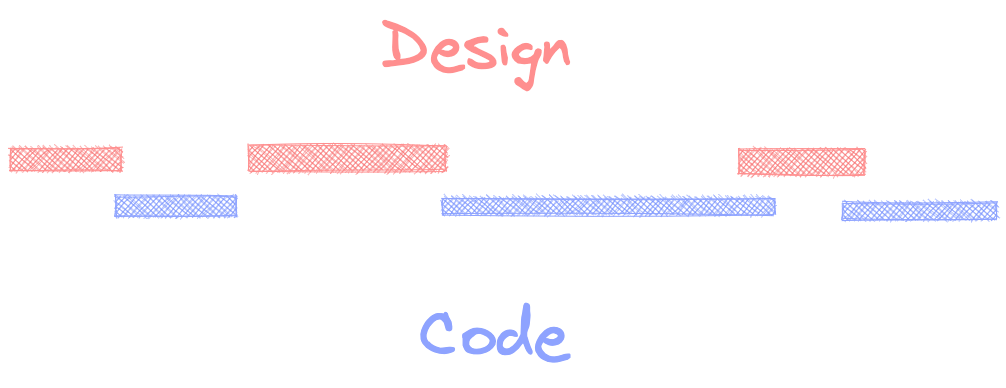
Making this frictionless is easier said than done. Even sitting side-by-side, information exchange tends to go informal, which makes the process hard to document or too synchronous. The goal is fewer bottlenecks, not more. Peer-to-peer tools like VSCode Share or FigJam have come a long way, but iterating across specialties isn't straightforward. Add tooling, architecture, and process requirements on top of the other concerns, and you have substantial work before the actual work begins.
Architecting Without Starting From Scratch
Maintaining a Design System is heavy work. The best advice is to avoid building everything from scratch and to use community resources where possible. That reduces long-term maintenance and helps onboarding — engineers and designers often recognize familiar components.
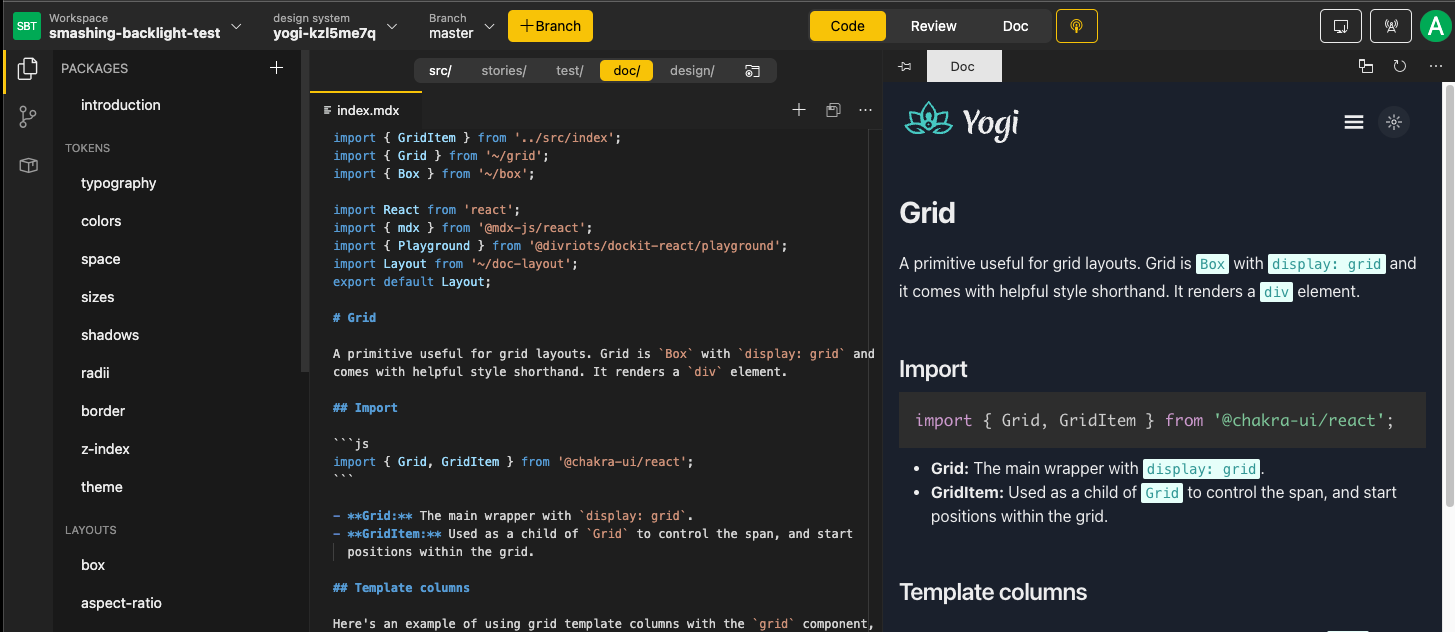
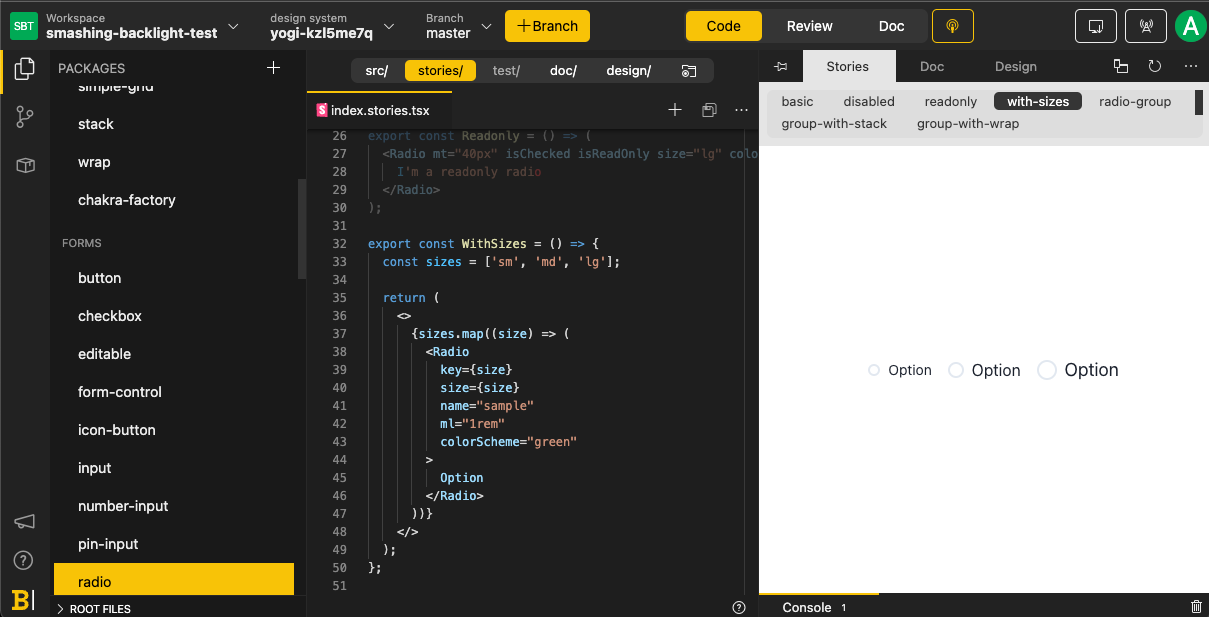
Backlight is a platform-as-a-service that bundles a set of tools in an opinionated-but-flexible way to accelerate this setup. Teams can start from scratch or select a template. Their starters rely on community resources — the Yogi template is based on ChakraUI — which means less maintenance for them and no lock-in for consumers. Code is pushed to your own versioning platform, so you're only a few shell commands from moving elsewhere.
Backlight handles integration with GitLab and GitHub, a Storybook-based sandbox, a VSCode-based IDE, unit tests, and NPM registry publishing (to your account or theirs, depending on plan)
Keeping Multiple Outputs in Sync
Most Design Systems need at least three outputs: documentation, code, and user interface. Once the architecture supports each, the next challenge is keeping them in sync. Developers prefer atomic changes that propagate everywhere, but that's not always obvious within a Design System.
Without the Hot Potato Process, it's easy to lose track of which UI changes developers have already handled. Even with it, documentation remains. Backlight addresses this by collocating everything
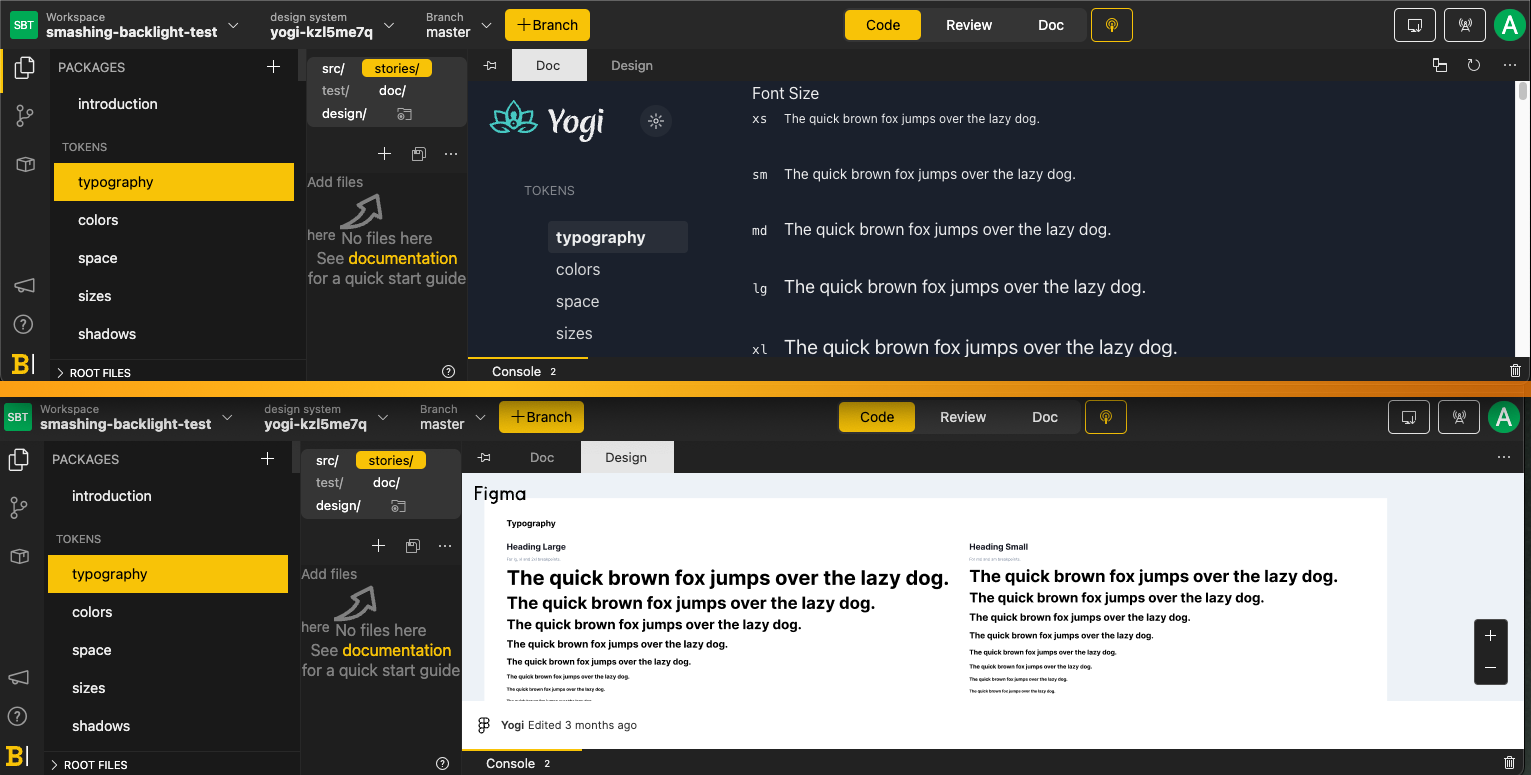
Additional features include:
- Screenshot testing on pull requests via "Visual Review"
- Built-in unit tests for TDD support
- A sandbox with live preview
It functions as a complete development environment for a Design System. The integrations work even if you don't use the starters — the infrastructure is there to build your component library from scratch if that's what your project demands.
Closing The Collaboration Loop
The Hot Potato Process is a practical workflow for building design systems, but coordinating it across remote, asynchronous teams requires deliberate tooling. Backlight’s answer is a combination of design integration and shareable live links. The design integration pulls the artifact from your design tool into the same workspace, so the entire team can inspect, annotate, and link to specific work from one dashboard:

This effectively starts the Hot Potato Process at the drawing board, regardless of team location. For developers, the live link feature streamlines the pass back into code. Sharing a real-time remote link lets teammates see and iterate on work in progress without publishing to any environment — no intermediate build or deployment steps. For teams that need to rapidly refine detailed work, that direct line between design and implementation is a significant efficiency gain.
What A Good System Actually Needs
A design system, as this process makes clear, is far more than a collection of CSS classes, token definitions, or typefaces. Sustaining one demands ongoing tooling, active support, and advocacy. A system’s real value is measured by the quality of what it produces and how quickly it adapts as requirements shift.
If you’re starting from scratch, platforms like Backlight can supply sensible defaults and a polished user experience out of the box. If you already have a preferred architecture in place, you’re better off being selective about new tooling and leaning on the community ecosystem to fill the remaining gaps. Either way, the goal is to be productive and efficient from the earliest stages of the project.
Related Reading
- Transitioning Top-Layer Entries And The Display Property In CSS
- The Digital Playbook: A Crucial Counterpart To Your Design System
- The Importance Of Graceful Degradation In Accessible Interface Design
- Making Your Collaboration Problems Go Away By Sharing Components