
Mixed content: when HTTPS pages load insecure resources
A page is said to have mixed content when its initial HTML is served over a secure HTTPS connection, but additional resources such as images, videos, stylesheets, or scripts are fetched over plain HTTP. The term reflects the mix of secure and insecure requests happening within a single page load.
That mix is a security problem. Subresource requests sent over HTTP are exposed to on-path attacks, where an attacker positioned on the network can observe or alter the communication between the browser and the server. The consequences vary by resource type: an attacker could track which pages a user visits, tamper with the content that is displayed, or, in the worst case, gain full control over the page itself.
Browsers generally surface warnings when mixed content is present, but by the time the warning appears, the insecure requests have often already been executed, meaning the damage is done. Because of this, modern browsers increasingly block mixed content outright. The practical takeaway for developers is straightforward: migrate every subresource to HTTPS so the browser never has to make that block-or-load decision.
Active versus passive mixed content
Mixed content falls into two categories, defined by how much the resource in question can affect the page as a whole.
Passive mixed content covers resources like images, video, and audio. Since these do not interact with the rest of the document, the potential damage from interception or modification is limited. An attacker who tampers with an image request could swap it for something else, replace product photos with unrelated ads, or substitute button graphics in a way that misleads users. Even without altering content, the attacker can still track users by observing which pages and resources are requested.
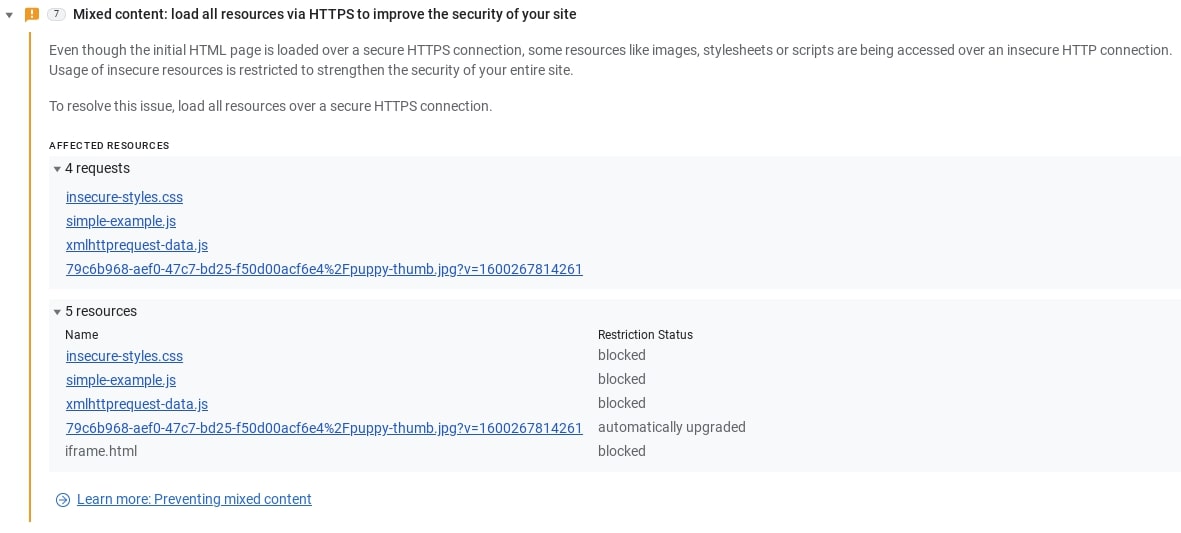
Because blocking passive mixed content would historically have broken a significant number of sites, browsers long chose to load it rather than refuse it. That stance is changing. Chrome, for example, now attempts to automatically upgrade passive mixed content: if a resource was hard-coded as HTTP but an HTTPS version exists, the browser loads the secure version. If no secure version is available, the resource fails to load. In Chrome, you can find details about these auto-upgrades or blocked requests in the Issues tab of DevTools, which provides guidance for fixing the underlying problem.
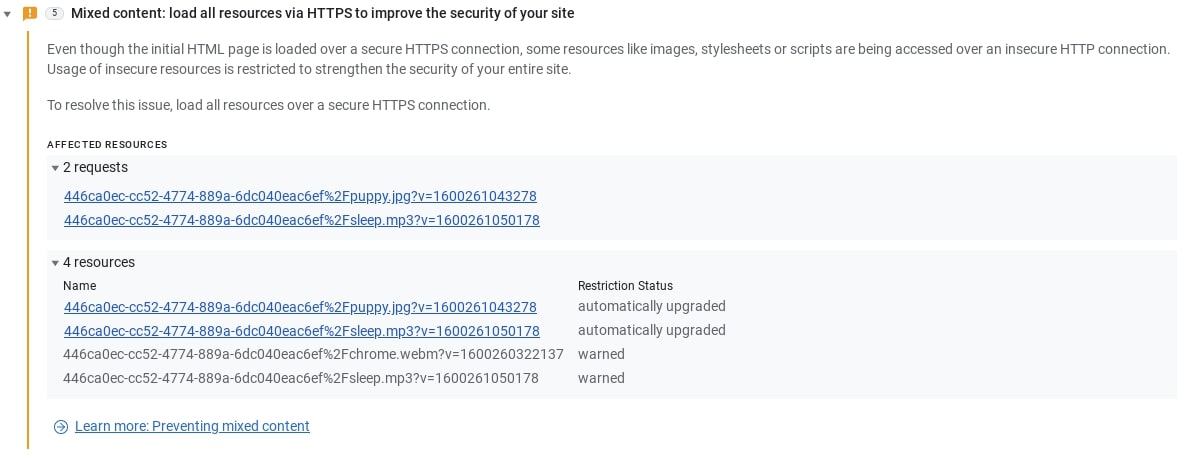
Active mixed content is the far more dangerous category. It includes scripts, stylesheets, iframes, and other code that the browser downloads and executes with full access to the page. An attacker who intercepts or rewrites such content can take complete control: changing displayed content, stealing credentials or session cookies, or redirecting the user to a different site entirely. Given those stakes, most browsers block active mixed content by default, though the exact behavior still varies across vendors and versions. In Chrome, blocked active content is also reported in the Issues tab in DevTools.
What the specification says
Browser behavior follows the W3C mixed content specification, which defines two resource categories. Optionally blockable content is a subset of passive mixed content: resources that browsers are allowed to load, because blocking them entirely would risk breaking a large portion of the web. Everything else is considered blockable content and should be blocked by the browser.
The classification is deliberately conservative, but it reflects an older web where HTTPS was not the norm. With HTTPS usage now the clear default across the web, the assumptions behind the optional category are weakening. Browsers are moving toward blocking all mixed content, including the resource types that were once treated as optionally blockable.
Older browsers still matter
Browser support is not uniform. Older browser versions, and different vendors at different times, have treated mixed content very inconsistently. In the worst case, a legacy browser blocks nothing, leaving its users exposed to attacks that modern browsers would prevent.
The safest mitigation is the same one that helps on modern browsers: serve every resource over HTTPS. If your page and its subresources are all secure, the question of how an older browser handles mixed content never arises, and your users are protected regardless of which browser they happen to use.


