

Why Scraping Dynamic Sites Needs a Browser
Web scraping is simply the automated extraction of information from websites. Most static pages can be handled with a plain HTTP client, but dynamic sites that render content via JavaScript or fetch data through XHR requests often require a full browser environment. Puppeteer, a Node.js API for controlling headless Chrome, is one of the standard tools for this job.
Before committing to a browser-based approach, it is worth checking whether a lightweight HTTP request can do the job. A practical checklist for any dynamic page:
- Can the required state be forced through GET parameters? If so, a simple HTTP request with appended parameters will work.
- Is the dynamic data embedded in the page source? Sometimes the information lives in a JavaScript object inside the DOM; an HTTP request can parse it from the stringified object.
- Is the data fetched via XHR? If the endpoint can be accessed directly with an HTTP client, that is often the fastest path—especially when the response is already JSON.
Headless browsers are among the least performant scraping technologies. A single CPU core can handle roughly one Chrome instance at a time. Scraping 20,000 URLs with a 6-second average response time on a two-core server would take about 16 hours. That is why exhaustively checking HTTP-client options first makes sense. When none of them work, a browser is the fallback—and the guiding principle becomes: if you can access it in a browser, you can scrape it.
Scraping Responsibly
Scraping publicly available data is generally legal, but responsible scraping requires some diligence. The robots.txt file is the first place to check—it states which paths are off-limits to automated agents. Terms and conditions are the next port of call, though they are often less explicit than robots.txt. Rate limiting matters too: the scraper's speed should be proportional to the target site's expected organic traffic. If the expected volume of requests would noticeably affect a site's normal operations, slow down.
Example Target: quotes.toscrape.com
For this walkthrough, we will scrape quotes from quotes.toscrape.com/search.aspx. This page loads its content via XHR requests and requires users to select an author before topics appear. Although the data could theoretically be fetched via an HTTP POST request to the quotes endpoint, we will treat it as a browser-only scenario to demonstrate Puppeteer's workflow.
Setting Up the Project
Start with a new Node.js project in a fresh folder:
mkdir js-webscraper
cd js-webscraper
npm init
When npm init prompts for project metadata, every question can be left at its default. After the project is initialized, install Puppeteer:
npm install puppeteerscraper.js. First, require Puppeteer:
const puppeteer = require('puppeteer');Launching a browser and navigating to the target page requires an asynchronous function. Puppeteer opens an instance, a new page, and directs it to the URL. Note that headless mode is off by default to improve performance; switching it on during development makes debugging easier, as the rendered page stays visible.
(async function scrape() {
  const browser = await puppeteer.launch({ headless: false });
  // scraping logic comes here…
})();
const page = await browser.newPage();
await page.goto('https://quotes.toscrape.com/search.aspx');The await keyword ensures each command finishes before the next executes. With the page loaded, the site's state must be created: the topic dropdown is populated only after an author is selected. Selecting Albert Einstein triggers the topics list; after that, choose learning as the topic, hit search, and wait for the results container to render.
The relevant element selectors for this interaction are:
| Author select field | #author |
| Tag select field | #tag |
| Submit button | input[type="submit"] |
| Quote container | .quote |
Before interacting with any element, verify that each target is visible. This prevents timing-related failures where the DOM updates slower than the script expects:
await page.waitForSelector('#author');
await page.waitForSelector('#tag');Now supply values to the two select fields:
await page.select('select#author', 'Albert Einstein');
await page.select('select#tag', 'learning');Click the search button and wait for the quotes to appear:
await page.click('.btn');
await page.waitForSelector('.quote');Extracting Quote Data
To read results from the DOM, pass a function to page.evaluate(). In this case, the quotes container is unique on the page. The extraction logic builds an object with fields defaulting to null when absent:
let quotes = await page.evaluate(() => {
let quotesElement = document.body.querySelectorAll('.quote');
let quotes = Object.values(quotesElement).map(x => {
return {
author: x.querySelector('.author').textContent ?? null,
quote: x.querySelector('.content').textContent ?? null,
tag: x.querySelector('.tag').textContent ?? null,
};
});
return quotes;
});Log the retrieved object to the console so the data can be verified:
console.log(quotes);Close the browser and include an error handler so failures surface cleanly:
await browser.close();The assembled script ties everything together:
const puppeteer = require('puppeteer');
(async function scrape() {
const browser = await puppeteer.launch({ headless: false });
const page = await browser.newPage();
await page.goto('https://quotes.toscrape.com/search.aspx');
await page.waitForSelector('#author');
await page.select('#author', 'Albert Einstein');
await page.waitForSelector('#tag');
await page.select('#tag', 'learning');
await page.click('.btn');
await page.waitForSelector('.quote');
// extracting information from code
let quotes = await page.evaluate(() => {
let quotesElement = document.body.querySelectorAll('.quote');
let quotes = Object.values(quotesElement).map(x => {
return {
author: x.querySelector('.author').textContent ?? null,
quote: x.querySelector('.content').textContent ?? null,
tag: x.querySelector('.tag').textContent ?? null,
}
});
return quotes;
});
// logging results
console.log(quotes);
await browser.close();
})();
Run it with:
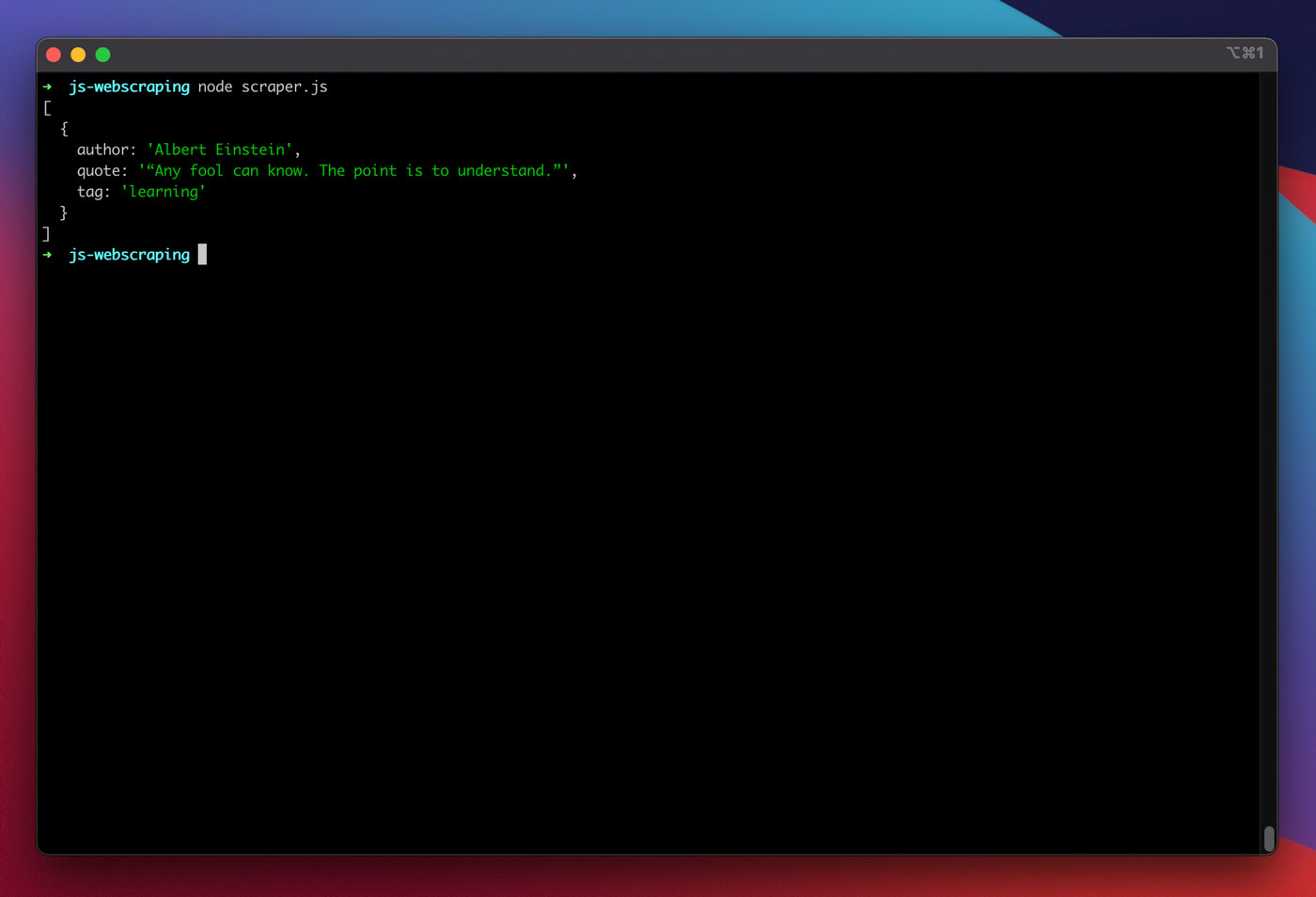
node scraper.jsThe output should show a single quote object from Albert Einstein on the topic of learning:
Hardening the Scraper With Custom Options
With the base scraper functional, a few adjustments make it substantially more robust for real-world use. The most common reason a Puppeteer-based scraper gets blocked is its default user-agent string containing HeadlessChrome. Many sites filter on that signature. Overriding the user-agent is a one-line fix:
await page.setUserAgent('Mozilla/5.0 (Macintosh; Intel Mac OS X 10_14_6) AppleWebKit/537.36 (KHTML, like Gecko) Chrome/88.0.4298.0 Safari/537.36');For broader coverage, you can cycle through a small array of the most common user-agent strings, picking a different one per request. A frequently updated list of such strings is available from the "Most Common User-Agents" resource.
Adding Proxy Support
Passing a proxy to Puppeteer is also trivial since the address is supplied at launch time:
const browser = await puppeteer.launch({
  headless: false,
  args: [ '--proxy-server=<PROXY-ADDRESS>' ]
});
Free proxy lists are available from sources like sslproxies, but these are shared and can be unreliable. For production work, rotating proxy services offer steadier connections. The instability of proxies underscores the need for a solid error-handling layer.
Retry Logic and Proxy Rotation
Any number of network issues can interrupt a scrape. Rather than giving up at the first failure, a retry mechanism is essential. Given the unreliability of free proxies, retrying four times before abandoning a request is a reasonable threshold. Reusing the same failing proxy for a retry is pointless, so a simple rotation strategy helps.
First, set up two state variables:
let retry = 0;
let maxRetries = 5;
The scrape() function increments the retry counter on each invocation. The core logic sits inside a try block, and any failure is caught and evaluated. In the catch block, the browser instance is closed, and if the retry count hasn't reached the maximum, the function recurses.
The updated function looks like this:
const browser = await puppeteer.launch({
  headless: false,
  args: ['--proxy-server=' + proxy]
});
try {
  const page = await browser.newPage();
  … // our scraping logic
} catch(e) {
  console.log(e);
  await browser.close();
  if (retry < maxRetries) {
    scrape();
  }
};
For the proxy rotator itself, you start with a list of proxies:
let proxyList = [
  '202.131.234.142:39330',
  '45.235.216.112:8080',
  '129.146.249.135:80',
  '148.251.20.79'
];
Then select one at random:
var proxy = proxyList[Math.floor(Math.random() * proxyList.length)];That random proxy is then applied to the Puppeteer launch:
const browser = await puppeteer.launch({
  headless: false,
  args: ['--proxy-server=' + proxy]
});
This basic rotator could be extended to track dead proxies, but that level of management goes beyond the scope of this guide. Here is the complete scraper with all enhancements applied:
const puppeteer = require('puppeteer');

// starting Puppeteer

let retry = 0;
let maxRetries = 5;

(async function scrape() {
    retry++;

    let proxyList = [
        '202.131.234.142:39330',
        '45.235.216.112:8080',
        '129.146.249.135:80',
        '148.251.20.79'
    ];

    var proxy = proxyList[Math.floor(Math.random() * proxyList.length)];

    console.log('proxy: ' + proxy);

    const browser = await puppeteer.launch({
        headless: false,
        args: ['--proxy-server=' + proxy]
    });

    try {
        const page = await browser.newPage();
        await page.setUserAgent('Mozilla/5.0 (Macintosh; Intel Mac OS X 10_14_6) AppleWebKit/537.36 (KHTML, like Gecko) Chrome/88.0.4298.0 Safari/537.36');

        await page.goto('https://quotes.toscrape.com/search.aspx');

        await page.waitForSelector('select#author');
        await page.select('select#author', 'Albert Einstein');

        await page.waitForSelector('#tag');
        await page.select('select#tag', 'learning');

        await page.click('.btn');
        await page.waitForSelector('.quote');

        // extracting information from code
        let quotes = await page.evaluate(() => {

            let quotesElement = document.body.querySelectorAll('.quote');
            let quotes = Object.values(quotesElement).map(x => {
                return {
                    author: x.querySelector('.author').textContent ?? null,
                    quote: x.querySelector('.content').textContent ?? null,
                    tag: x.querySelector('.tag').textContent ?? null,

                }
            });

            return quotes;

        });

        console.log(quotes);

        await browser.close();
    } catch (e) {

        await browser.close();

        if (retry < maxRetries) {
            scrape();
        }
    }
})();
Running the script now yields the target quotes from the terminal.
Comparing Puppeteer and Playwright
In early 2020, Microsoft released Playwright as an alternative to Google's Puppeteer. The project hired several engineers from the original Puppeteer team. The main differentiator for Playwright is its support for multiple browser engines, including Chromium, Firefox, and WebKit.
Independent performance comparisons, such as the one from Checkly, indicate that Puppeteer is roughly 30% faster than Playwright. This aligns with general experience. Features like running multiple devices from a single browser instance in Playwright don't add much practical value for scraping tasks.
Further Reading and Resources
- Puppeteer Documentation
- Learning Puppeteer & Playwright
- Web Scraping with Javascript by Zenscrape
- Most Common User-Agents
- Puppeteer vs. Playwright



