
Calling Go from JavaScript
The basic recipe for using Go in the browser is straightforward: write platform-agnostic Go code that exposes an API, compile it to the WASM/js target, then load and invoke it from JavaScript. The Go distribution includes wasm_exec.js to bridge the two worlds; grab the version matching your Go toolchain.
A representative example computes the harmonic series with math/big precision:
// calcHarmonic calculates the harmonic series for approximately the given
// number of seconds and returns the accumulated result in a string.
func calcHarmonic(nsecs float64) string {
  d := time.Duration(nsecs * float64(time.Second))
  start := time.Now()
  r1 := big.NewRat(1, 1)
  for i := 2; ; i++ {
    addend := big.NewRat(1, int64(i))
    r1 = r1.Add(r1, addend)

    if i%10 == 0 && time.Now().Sub(start) >= d {
      break
    }
  }
  return r1.FloatString(40)
}
Exporting the function to JS requires registering it on the global object:
func main() {
  // Export the name "calcHarmonic" to JS, with our wrapper as value
  js.Global().Set("calcHarmonic", jsCalcHarmonic)

  // The Go main function compiled to WASM is expected to block
  // indefinitely.
  select {}
}

// wrap calcHarmonic to be callable from JS
var jsCalcHarmonic = js.FuncOf(func(this js.Value, args []js.Value) any {
  if len(args) != 1 {
    panic("want one argument")
  }

  s := calcHarmonic(args[0].Float())
  return js.ValueOf(s)
})
Compile for the browser target:
GOOS=js GOARCH=wasm go build -o harmonic.wasm harmonic.go
Then load the module and call into Go:
// Instantiate a new Go object (defined in from wasm_exec.js)
const go = new Go();
WebAssembly.instantiateStreaming(fetch("harmonic.wasm"), go.importObject).then(
    (result) => {
        go.run(result.instance);
    });
let buttonElement = document.getElementById("submitButton");
document.getElementById("submitButton").addEventListener("click", () => {
    let input = document.getElementById("timeInput").value;
    let s = calcHarmonic(parseFloat(input));
    document.getElementById("outputDiv").innerText = s;
});
The full sample, including build instructions, is in the basic-call-go-from-js directory of the accompanying repository.
Driving the DOM from Go
Once the bridge works, you can move UI logic into Go as well. The syscall/js package exposes js.Global() for reaching into the browser context; you can attach event listeners, read element values, and set attributes — all with Go-flavored syntax.
func main() {
  doc := js.Global().Get("document")
  buttonElement := doc.Call("getElementById", "submitButton")
  inputElement := doc.Call("getElementById", "timeInput")
  outputElement := doc.Call("getElementById", "outputDiv")

  buttonElement.Call("addEventListener", "click", js.FuncOf(
    func(this js.Value, args []js.Value) any {
      input := inputElement.Get("value")
      inputFloat, err := strconv.ParseFloat(input.String(), 64)
      if err != nil {
        log.Println(err)
        return nil
      }
      s := calcHarmonic(inputFloat)
      outputElement.Set("innerText", s)
      return nil
    }))

  select {}
}
The only remaining JavaScript in this setup is the WebAssembly loader:
const go = new Go();
WebAssembly.instantiateStreaming(fetch("harmonic.wasm"), go.importObject).then(
    (result) => {
        go.run(result.instance);
    });
A more complete demonstration — a Game of Life implementation with canvas rendering and event handling written entirely in Go — shows how far this approach scales. Whether that's desirable is a matter of taste; keeping UI glue in JS is often simpler, but Go-only browser code is feasible.
TinyGo as an alternative toolchain
The standard Go compiler emits binaries that include the full Go runtime, producing .wasm files around 2.5 MiB for even small programs. TinyGo offers a lighter runtime and roughly quarter-sized binaries — attractive for slow connections. The trade-offs are real: slower compilation, slower generated code, and stdlib gaps where reflection is required, notably encoding/json. TinyGo also ships its own wasm_exec.js, incompatible with the standard distribution's version.
Offloading work to a Web Worker
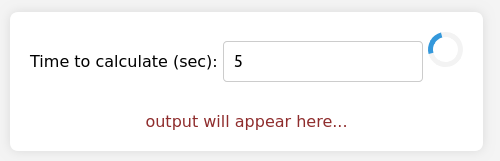
A CPU-bound Go function invoked directly from the main thread blocks all UI interaction — the browser freezes until the call returns. This is inherent to JS's single-threaded model, and Web Workers provide the standard escape hatch. Loading the WebAssembly module inside a worker keeps the UI responsive; the worker handles instantiation and message passing while the main thread runs the spinner.
importScripts("wasm_exec.js");
console.log("Worker is running");

// Load the WASM module with Go code.
const go = new Go();
WebAssembly.instantiateStreaming(fetch("harmonic.wasm"), go.importObject).then(
    (result) => {
        go.run(result.instance);
        console.log("Worker loaded WASM module");
    }).catch((err) => {
        console.error("Worker failed to load WASM module: ", err)
    });

onmessage = ({ data }) => {
    let { action, payload } = data;
    postMessage({
        action: "log",
        payload: `Worker received message ${action}: ${payload}`,
    });
    switch (action) {
        case "calculate":
            let result = calcHarmonic(payload);
            postMessage({ action: "result", payload: result });
            break;
        default:
            throw (`unknown action '${action}'`);
    }
};
With the worker in place, the harness communicates with Go via postMessage and listens for the response:
WebSocket client in Go
Porting a browser WebSocket client to Go mirrors the DOM manipulation pattern. The server side uses golang.org/x/net/websocket; the client relies on the browser's native WebSocket via the JS API.
const wsServerAddress = "ws://127.0.0.1:4050"

// These are equivalent to the following in JS:
//
//   ws = new WebSocket(addr) ...
//
wsCtor := js.Global().Get("WebSocket")
wsEcho := wsCtor.New(wsServerAddress + "/wsecho")
wsTime := wsCtor.New(wsServerAddress + "/wstime")
Sending is a direct call on the socket object:
// wsSend sends a message on a web socket; the web socket must be active and
// open (otherwise wsSends logs an error and doesn't send anything).
// The message will be serialized to JSON prior to sending.
func wsSend(sock js.Value, msg any) {
  if !sock.IsNull() || sock.Get("readyState").Equal(js.Global().Get("WebSocket").Get("OPEN")) {
    b, err := json.Marshal(msg)
    if err != nil {
      log.Fatal(err)
    }
    sock.Call("send", string(b))
  } else {
    log.Println("socket is not open")
  }
}
Receiving means registering a handler for the message event:
wsEcho.Call("addEventListener", "message", js.FuncOf(
  func(this js.Value, args []js.Value) any {
    event := args[0]
    var ev Event
    if err := json.Unmarshal([]byte(event.Get("data").String()), &ev); err != nil {
      log.Fatal(err)
    }
    coordMsg := fmt.Sprintf("Coordinates: (%v, %v)", ev.X, ev.Y)
    outputElement.Set("innerText", coordMsg)
    return nil
  }))
The result is two independent Go programs — one server-side using Go's own socket stack, one client-side using the browser's — communicating over the same protocol. Production code would benefit from an abstraction layer to share sending and receiving logic between the two environments.
Local testing with Node.js
Browsers aren't required for exercising GOOS=js GOARCH=wasm code. Node.js can load and execute these binaries, and the Go toolchain includes support to make the experience feel like running regular Go programs. The go help run documentation spells out the semantics:
By default, 'go run' runs the compiled binary directly: 'a.out arguments...'.
If the -exec flag is given, 'go run' invokes the binary using xprog:
  'xprog a.out arguments...'.
If the -exec flag is not given, GOOS or GOARCH is different from the system
default, and a program named go_$GOOS_$GOARCH_exec can be found
on the current search path, 'go run' invokes the binary using that program,
for example 'go_js_wasm_exec a.out arguments...'. This allows execution of
cross-compiled programs when a simulator or other execution method is
available.
The sample project's Makefile wires this up so a test invocation works:
//go:build js && wasm

package main

import (
  "log"
  "syscall/js"
  "testing"
)

func TestJSArr(t *testing.T) {
  log.Println("hello from test in js/wasm")

  objs := js.Global().Call("eval", `({
arr: [41,42,43],
})`)

  arr := objs.Get("arr")
  if got := arr.Length(); got != 3 {
    t.Errorf("got %#v, want %#v", got, 3)
  }

  if got := arr.Index(1).Int(); got != 42 {
    t.Errorf("got %#v, want %#v", got, 42)
  }
}
GOOS=js GOARCH=wasm go test -exec=supportfiles/go_js_wasm_exec -v .


