
The evergreen Googlebot is here
Google Search announced at I/O 2019 a major update: the new evergreen Googlebot now runs on a modern Chromium engine. This brings support for over 1,000 new web platform features—including ES6+, IntersectionObserver, and Web Components v1—to crawling and rendering. Google will keep Googlebot close to current Chrome releases, usually updating within a few weeks of each stable version.

For developers, this removes many old constraints on JavaScript-heavy sites. But evergreen Chromium support doesn't mean every page is guaranteed to render and index correctly. You still need to understand how Googlebot processes pages and where JavaScript can introduce failure points.
How Googlebot processes pages
Googlebot is not a single pass over a page but a pipeline of separate stages:
- URLs are queued for crawling.
- An HTTP request fetches each URL, subject to crawl budget.
- The HTML is scanned for links, which are then queued for crawling.
- The page is queued for rendering.
- A headless Chromium instance executes JavaScript and renders the page.
- The rendered HTML is used for indexing.
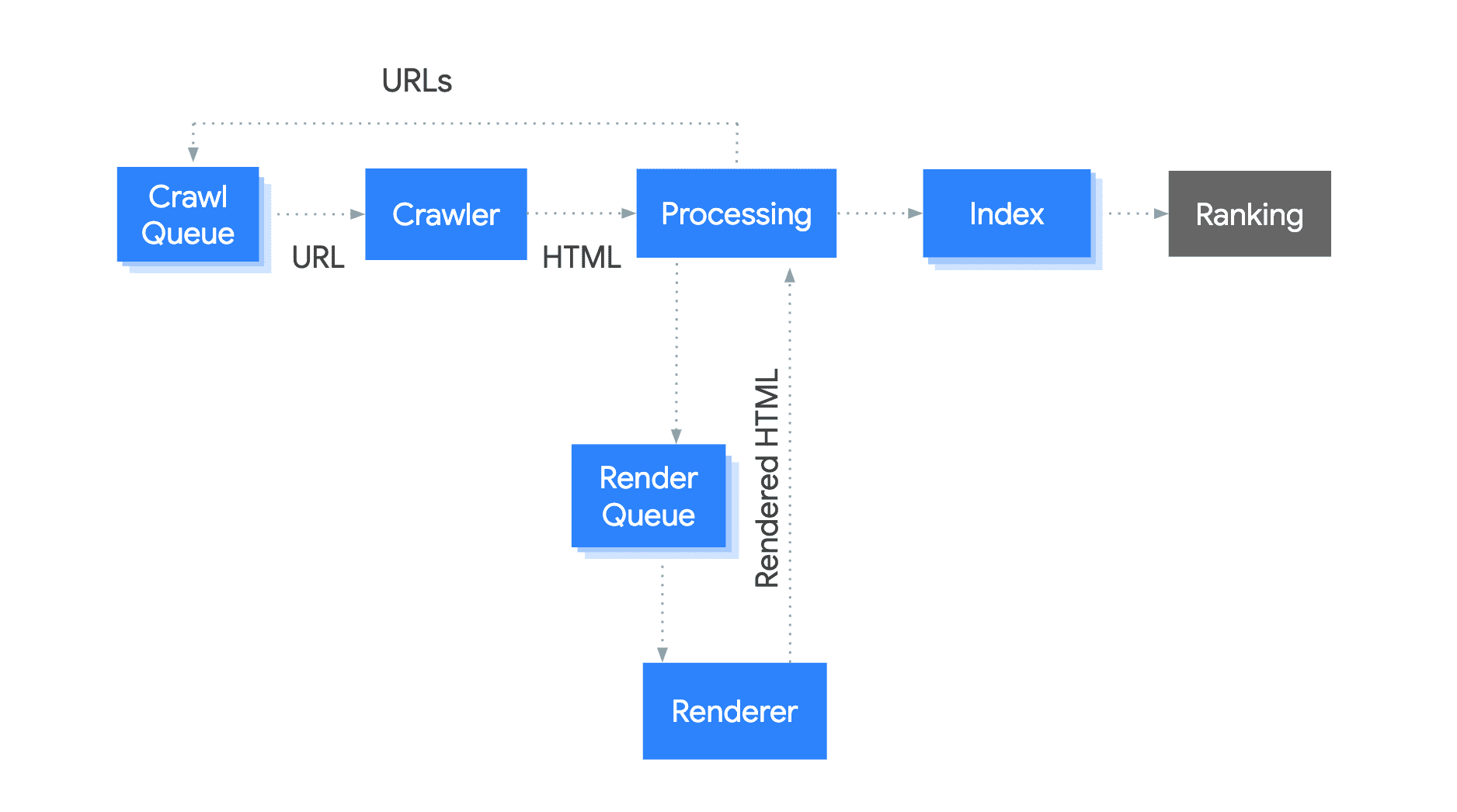
Your infrastructure can affect this flow at every step. Slow server responses or repeated errors consume crawl budget. If links only appear after JavaScript executes, their discovery is delayed until rendering happens, which slows down indexing of those pages.
Handle unsupported features and errors
Even with the evergreen Googlebot, not every browser API is available during rendering. A common failure is unguarded use of features that prompt the user or return errors. Googlebot declines permission prompts by default, so code that assumes a successful response can break silently.
Incorrect pattern:
 <body>
   <script>
     navigator.geolocation.getCurrentPosition(function onSuccess(position) {
       loadLocalContent(position);
     });
   </script>
 </body>
This example fails to handle a declined permission or a failed getCurrentPosition call, leaving the page without content. A robust version wraps the call in feature detection and error handling:
 <body>
   <script>
     if (navigator.geolocation) {
       // this browser supports the Geolocation API, request location!
       navigator.geolocation.getCurrentPosition(
         function onSuccess(position) {
           // we successfully got the location, show local content
           loadLocalContent(position);
         }, function onError() {
           // we failed to get the location, show fallback content
           loadGlobalContent();
         });
     } else {
       // this browser does not support the Geolocation API, show fallback content
       loadGlobalContent();
     }
   </script>
 </body>
Choose a rendering strategy deliberately
Client-side rendering remains the default for single-page apps: the HTML loads JavaScript, which builds the page in the browser. That works, especially now that Googlebot executes JavaScript, but it's not always the best option. Server-side rendering and pre-rendering generate initial HTML on the server, so the browser can paint content as it arrives over the network. This improves perceived performance for users and reduces the work crawlers must do.
Dynamic rendering is an alternative that serves static HTML only to crawlers while keeping the client-side app for users. It's useful when you can't change the frontend architecture or need to support crawlers that don't execute JavaScript—but it delivers none of the user-facing performance benefits of true server-side rendering, so treat it as a stop-gap, not a long-term strategy.
Test your pages regularly
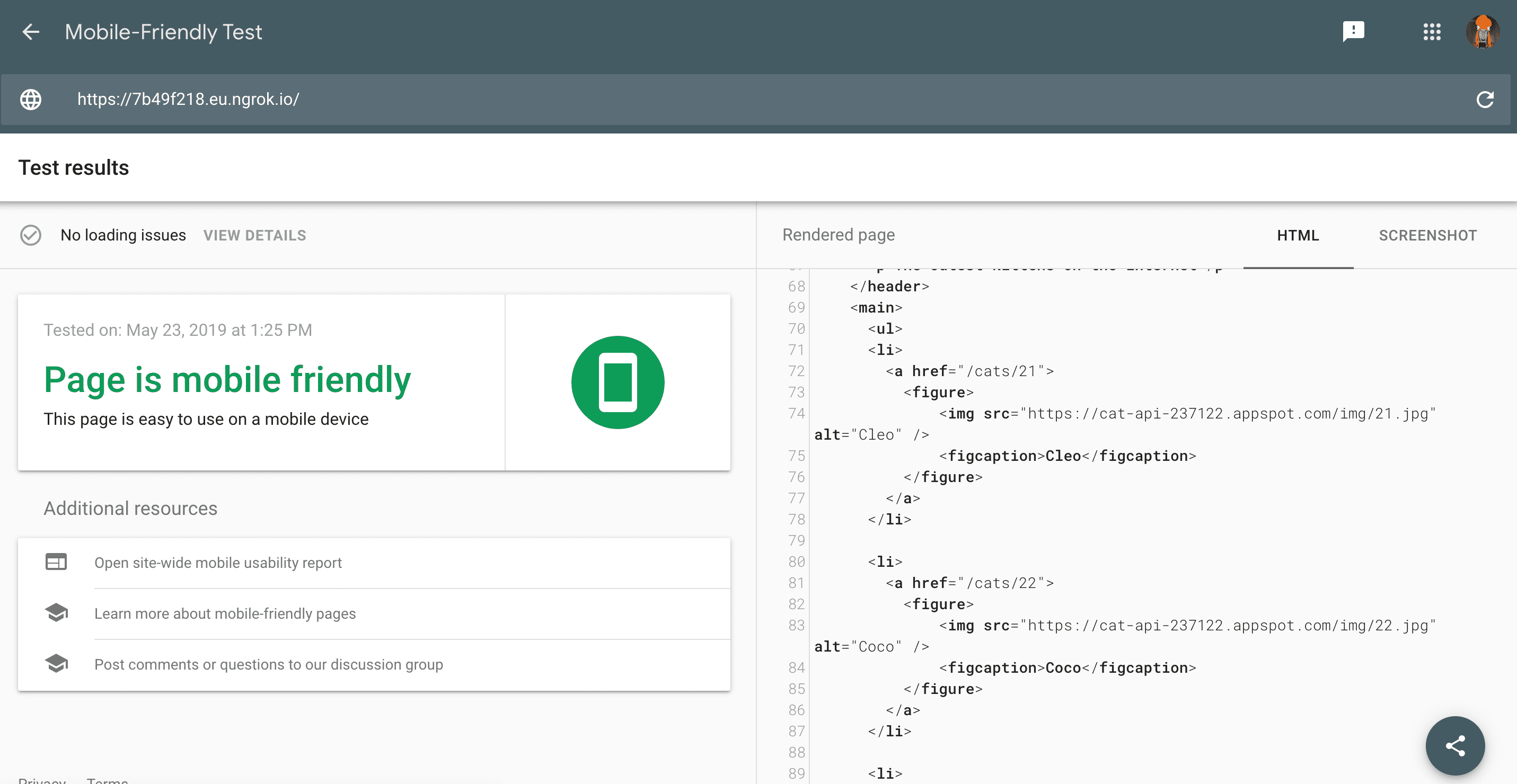
Most pages work fine with Googlebot, but regular testing catches content that disappears behind JavaScript errors or resource loading problems. The Mobile-Friendly Test shows a screenshot of the rendered page and the HTML Googlebot sees, plus any loading or JavaScript issues.
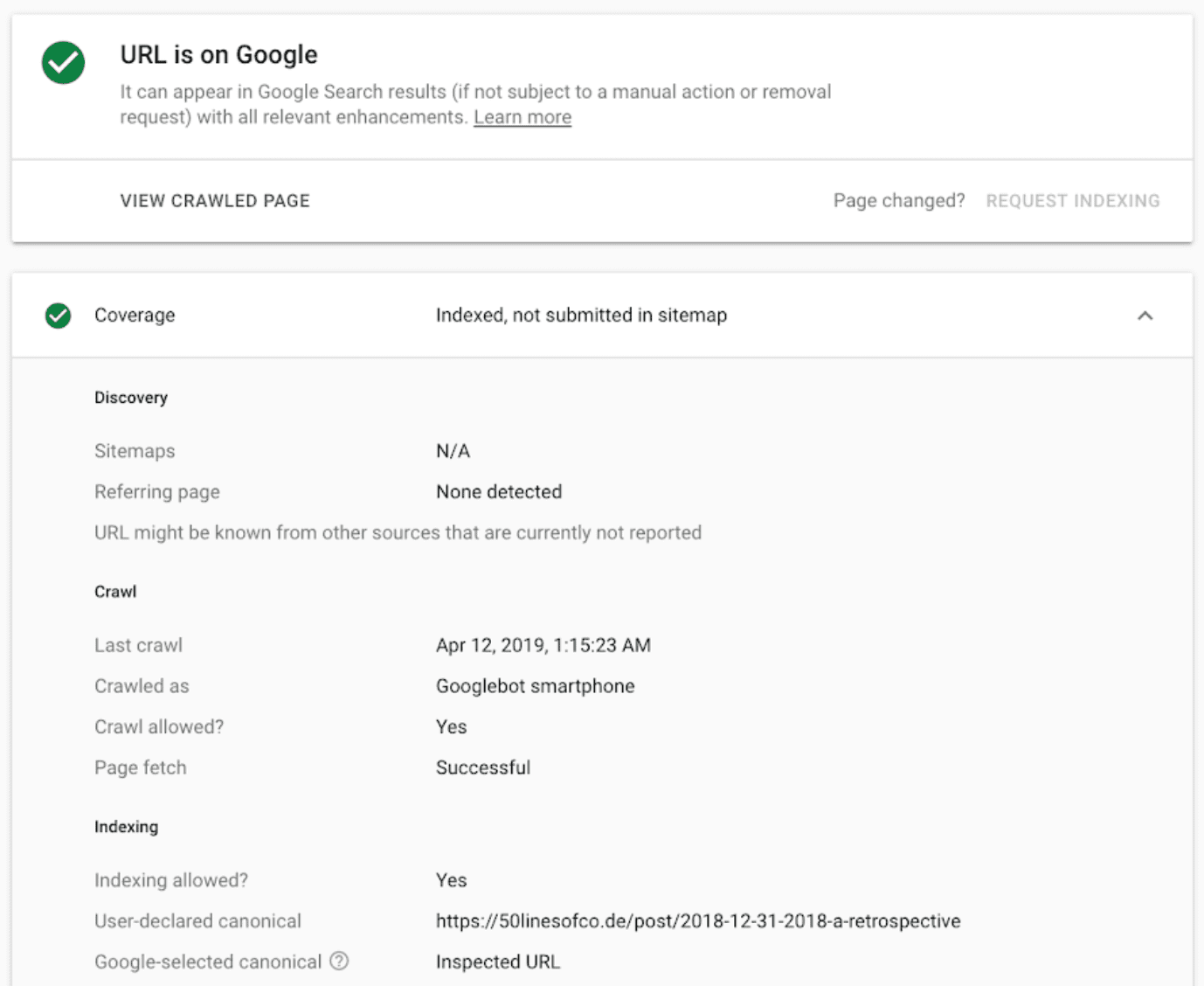
For deeper diagnostics, verify your site in Google Search Console. The URL inspection tool shows the crawling and indexing state of specific URLs and alerts you when Search Console detects problems.
Lighthouse SEO audits offer more general guidance, and both the Lighthouse CLI and Lighthouse CI bot make it possible to fold these checks into your development workflow.
Keep up with Search changes
Google Search changes frequently. Follow the Webmasters Blog, the Google Webmasters YouTube channel, and the Search Central Twitter account for announcements. The developer guide to Google Search and the JavaScript SEO video series cover implementation details for SEO on JavaScript-driven sites.


