
Plotting the ISS on a Three-Dimensional Globe
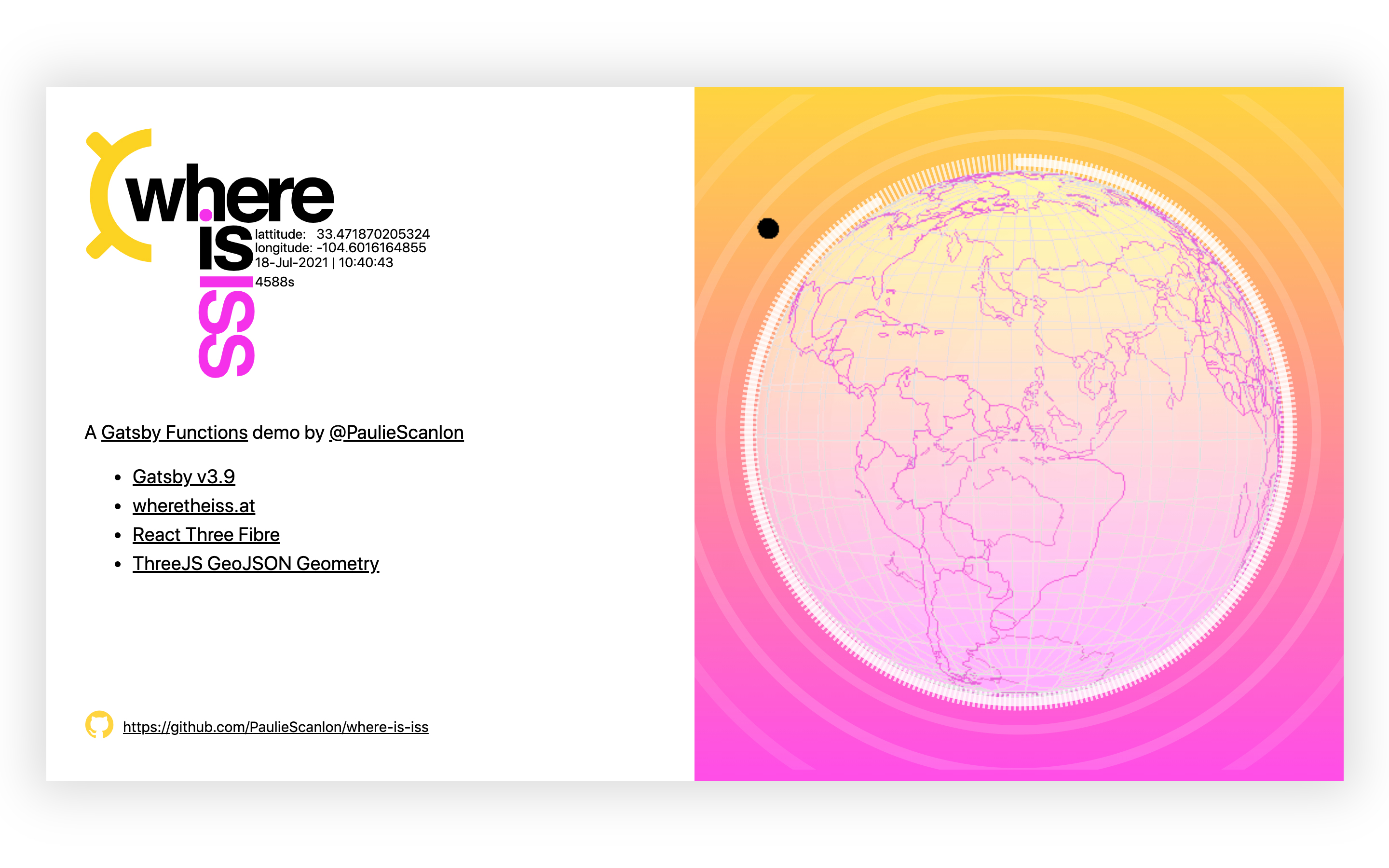
Gatsby's new Functions feature opens up a broader range of possibilities for the framework, extending its utility beyond static site generation. By providing Serverless Functions on Gatsby Cloud and via Netlify’s @netlify/plugin-gatsby, the toolchain now supports dynamic, server-side logic that complements its existing strengths. This project demonstrates how to pull live positional data for the International Space Station (ISS) from an external API and render it on an interactive 3D globe using React Three Fibre.
The complete working code is available in the linked repository. The technique described here was originally developed for plotting geographical coordinates on a globe, but it adapts cleanly to tracking objects in orbit — in this case, the ISS as it circles Earth in real time.
Setting Up Gatsby Functions
Gatsby Functions let you add server-side logic to a static site. To get started, create an api directory in your project root and export a default function from a file inside it.
|-- src
  |-- api
     -- some-function.js
  |-- pages
For this to work, Gatsby must be at version v3.7 or higher:
npm install gatsby@latest --save
A minimal starter repo called mr-minimum is available if you'd rather clone a sample than upgrade an existing project.
To demonstrate the flow — a client-side poll reaching a serverless function that proxies an external API — I built a 3D globe that tracks the International Space Station in real time. The rest of this article walks through each piece.
Building the 3D Globe
Install Dependencies and Create the Scene
First, install the required packages:
npm install @react-three/fiber @react-three/drei three three-geojson-geometry axios --save
Next, create a scene component at src/components/three-scene.js. It renders a <Canvas /> from React Three Fibre and accepts configuration via props. Any element returned as a child of the canvas becomes part of the 3D scene. Adding <OrbitControls /> gives users mouse and touch interactivity to rotate the view.
// src/components/three-scene.js
import React from 'react';
import { Canvas } from '@react-three/fiber';
import { OrbitControls } from '@react-three/drei';

const ThreeScene = () => {
  return (
    <Canvas
      gl={{ antialias: false, alpha: false }}
      camera={{
        fov: 45,
        position: [0, 0, 300]
      }}
      onCreated={({ gl }) => {
        gl.setClearColor('#ffffff');
      }}
      style={{
        width: '100vw',
        height: '100vh',
        cursor: 'move'
      }}
    >
      <OrbitControls enableRotate={true} enableZoom={false} enablePan={false} />
    </Canvas>
  );
};

export default ThreeScene;
Import ThreeScene on a page to render it. In the example repo, it's mounted in src/pages/index.js.
// src/pages/index.js
import React from 'react';

import ThreeScene from '../components/three-scene';

const IndexPage = () => {
  return (
    <main>
      <ThreeScene />
    </main>
  );
};

export default IndexPage;
Add the Sphere and Country Geometries
Create a sphere component at src/components/three-sphere.js:
// src/components/three-sphere.js
import React from 'react';

const ThreeSphere = () => {
  return (
    <mesh>
      <sphereGeometry args={[100, 32, 32]} />
      <meshBasicMaterial color="#f7f7f7" transparent={true} opacity={0.6} />
    </mesh>
  );
};

export default ThreeSphere;
The syntax differs from the official Three.js docs because React Three Fibre offers a declarative wrapper around Three.js. Constructor arguments are passed via args; details are in the React Three Fibre docs.
Mount ThreeSphere inside ThreeScene:
// src/components/three-scene.js
import React from 'react';
import { Canvas } from '@react-three/fiber';
import { OrbitControls } from '@react-three/drei';

+ import ThreeSphere from './three-sphere';

const ThreeScene = () => {
  return (
    <Canvas
      gl={{ antialias: false, alpha: false }}
      camera={{
        fov: 45,
        position: [0, 0, 300]
      }}
      onCreated={({ gl }) => {
        gl.setClearColor('#ffffff');
      }}
      style={{
        width: '100vw',
        height: '100vh',
        cursor: 'move'
      }}
    >
      <OrbitControls enableRotate={true} enableZoom={false} enablePan={false} />
+      <ThreeSphere />
    </Canvas>
  );
};

export default ThreeScene;
You'll see a blank sphere. To visualize continents and country borders, use three-geojson-geometry with Natural Earth Data. The admin 0 countries dataset offers enough detail without excessive GPU load.
// src/components/three-geo.js
import React, { Fragment, useState, useEffect } from 'react';
import { GeoJsonGeometry } from 'three-geojson-geometry';
import axios from 'axios';

const ThreeGeo = () => {
const [isLoading, setIsLoading] = useState(true);
  const [geoJson, setGeoJson] = useState(null);

  useEffect(() => {
    axios
      .get(
   'https://d2ad6b4ur7yvpq.cloudfront.net/naturalearth-3.3.0/ne_110m_admin_0_countries.geojson'
      )
      .then((response) => {
        setIsLoading(false);
        setGeoJson(response.data);
      })
      .catch((error) => {
        console.log(error);
        throw new Error();
      });
  }, []);

  return (
    <Fragment>
      {!isLoading ? (
        <Fragment>
          {geoJson.features.map(({ geometry }, index) => {
            return (
              <lineSegments
                key={index}
                geometry={new GeoJsonGeometry(geometry, 100)}
              >
                <lineBasicMaterial color="#e753e7" />
              </lineSegments>
            );
          })}
        </Fragment>
      ) : null}
    </Fragment>
  );
};

export default ThreeGeo;
The component does the following:
- Sets an
isLoadingflag with React hooks to prevent rendering before data arrives. - Fetches the GeoJSON from a CloudFront CDN inside a
useEffect. - Stores the response with
setGeoJson(...)and clears the loading flag. - Maps over the GeoJSON
featuresto renderlineSegmentswithlineBasicMaterialfor each geometry. - Assigns the output of
GeoJsonGeometryto thelineSegmentsgeometry, passing each feature's geometry plus a radius of100.
The radius here matches the sphereGeometry args value in three-sphere.js so the geometry overlays the sphere cleanly. Add ThreeGeo to ThreeScene:
// src/components/three-scene.js
import React from 'react';
import { Canvas } from '@react-three/fiber';
import { OrbitControls } from '@react-three/drei';

import ThreeSphere from './three-sphere';
+ import ThreeGeo from './three-geo';

const ThreeScene = () => {
  return (
    <Canvas
      gl={{ antialias: false, alpha: false }}
      camera={{
        fov: 45,
        position: [0, 0, 300]
      }}
      onCreated={({ gl }) => {
        gl.setClearColor('#ffffff');
      }}
      style={{
        width: '100vw',
        height: '100vh',
        cursor: 'move'
      }}
    >
      <OrbitControls enableRotate={true} enableZoom={false} enablePan={false} />
      <ThreeSphere />
+      <ThreeGeo />
    </Canvas>
  );
};
The globe now shows countries on its surface.
The Serverless Function
Create a file at src/api/get-iss-location.js that proxies the Where is ISS at API:
// src/api/get-iss-location.js
const axios = require('axios');

export default async function handler(req, res) {
  try {
    const { data } = await axios.get(
      'https://api.wheretheiss.at/v1/satellites/25544'
    );

    res.status(200).json({ iss_now: data });
  } catch (error) {
    res.status(500).json({ error });
  }
}
This function fetches ISS position data from api.whereistheiss.at and returns a 200 status code along with the payload. Key details:
- The default export filename becomes the endpoint path, so this file maps to
/api/get-iss-location. - On success, it returns an
iss_nowobject with the API response and status200. - On error, it returns the error object to the client.
Plotting the ISS in 3D
Now create a component at src/components/three-iss.js that polls the Gatsby Function and renders a sphere at the returned coordinates:
// src/components/three-iss.js
import React, { Fragment, useEffect, useState } from 'react';
import * as THREE from 'three';
import axios from 'axios';

export const getVertex = (latitude, longitude, radius) => {
  const vector = new THREE.Vector3().setFromSpherical(
    new THREE.Spherical(
      radius,
      THREE.MathUtils.degToRad(90 - latitude),
      THREE.MathUtils.degToRad(longitude)
    )
  );
  return vector;
};

const ThreeIss = () => {
  const [issNow, setIssNow] = useState(null);

  const poll = () => {
    axios
      .get('/api/get-iss-location')
      .then((response) => {
        setIssNow(response.data.iss_now);
      })
      .catch((error) => {
        console.log(error);
        throw new Error();
      });
  };

  useEffect(() => {
    const pollInterval = setInterval(() => {
      poll();
    }, 5000);

    poll();
    return () => clearInterval(pollInterval);
  }, []);

  return (
    <Fragment>
      {issNow ? (
        <mesh
          position={getVertex(
            issNow.latitude,
            issNow.longitude,
            120
          )}
        >
          <sphereGeometry args={[2]} />
          <meshBasicMaterial color="#000000" />
        </mesh>
      ) : null}
    </Fragment>
  );
};

export default ThreeIss;
This component works as follows:
- Initializes an
issNowstate instance set tonull. - Sets up a JavaScript interval inside a
useEffectthat calls apollfunction every 5 seconds. - Fetches ISS location data from the Gatsby Function endpoint.
- Stores the response with
setIssNow(...). - Passes latitude and longitude to a
getVertexhelper along with a radius.
Note the radius of 120 here versus 100 for the sphere and country geometry. The larger value positions the ISS sphere above the globe's surface rather than intersecting it.
Converting 2D latitude/longitude coordinates into three-dimensional space requires some math. Three.js provides MathUtils and a Spherical constructor to simplify the conversion:
x=rcos(ϕ)cos(λ)
y=rsin(ϕ)
z=−rcos(ϕ)sin(λ)
The approach passes latitude, longitude and radius into a getVertex function, creates a THREE.Spherical instance, then uses setFromSpherical on a THREE.Vector3 to obtain x, y and z coordinates.
Add ThreeIss to ThreeScene:
import React from 'react';
import { Canvas } from '@react-three/fiber';
import { OrbitControls } from '@react-three/drei';

import ThreeSphere from './three-sphere';
import ThreeGeo from './three-geo';
+ import ThreeIss from './three-iss';

const ThreeScene = () => {
  return (
    <Canvas
      gl={{ antialias: false, alpha: false }}
      camera={{
        fov: 45,
        position: [0, 0, 300]
      }}
      onCreated={({ gl }) => {
        gl.setClearColor('#ffffff');
      }}
      style={{
        width: '100vw',
        height: '100vh',
        cursor: 'move'
      }}
    >
      <OrbitControls enableRotate={true} enableZoom={false} enablePan={false} />
      <ThreeSphere />
      <ThreeGeo />
+     <ThreeIss />
    </Canvas>
  );
};

export default ThreeScene;
Every 5 seconds, the poll function triggers a new API call and re-renders the ISS sphere in its updated position. Since the ISS travels at roughly 28,000 km/h, more frequent polling would be needed to catch each intermediate movement; the Where is ISS at API allows requests no more often than every 5 seconds.
No authentication is required for the Where is ISS at endpoint. It could technically be called directly from the browser, but routing it through a Gatsby Function makes sense: if the API later requires keys, server-side requests can include them without touching client code.
Enhancing the Visualization
You can run this pattern in richer implementations, such as https://whereisiss.gatsbyjs.io, which uses SVG circles to display both a countdown between polls and dashed rings around the ISS position via stroke-dashoffset.

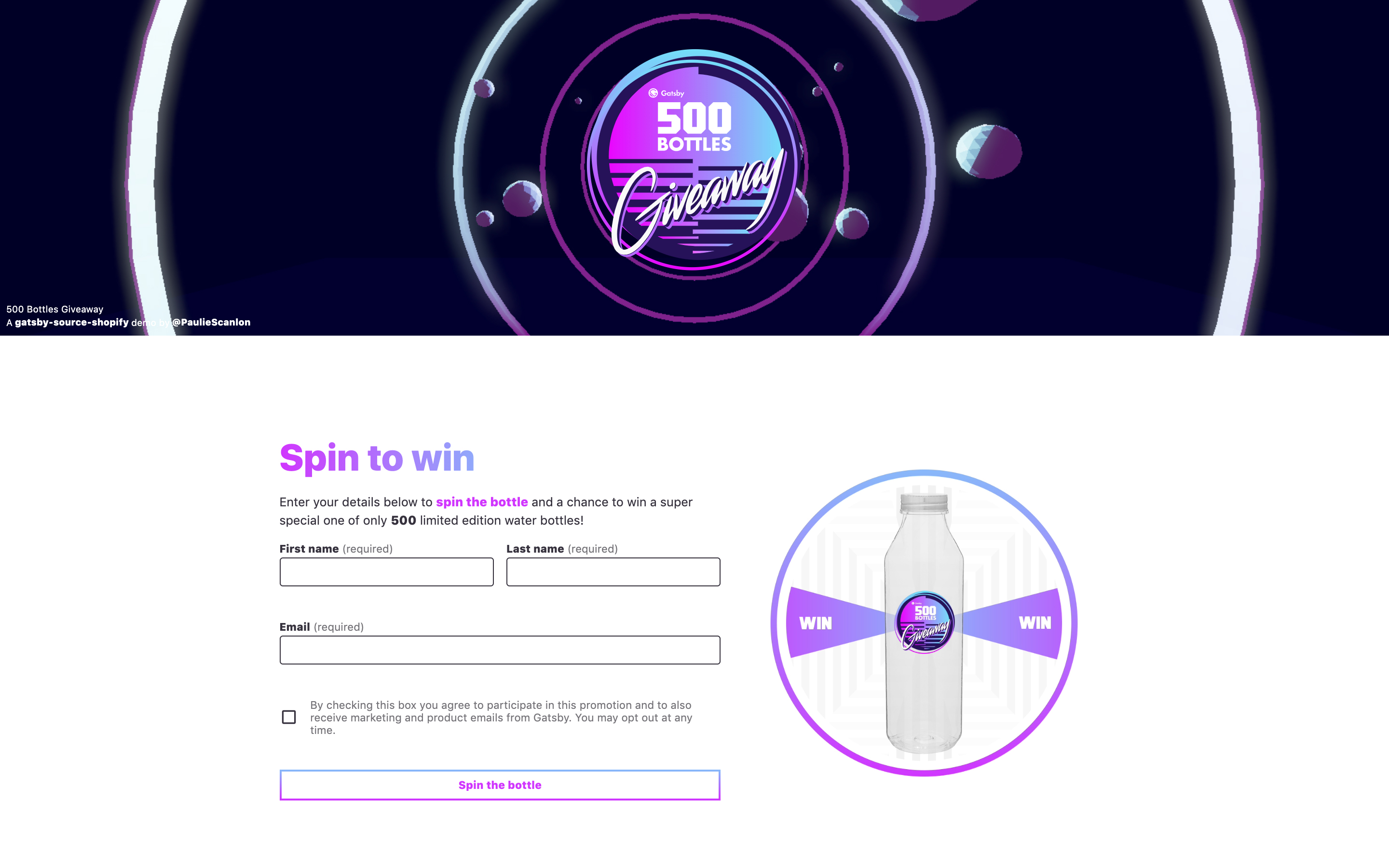
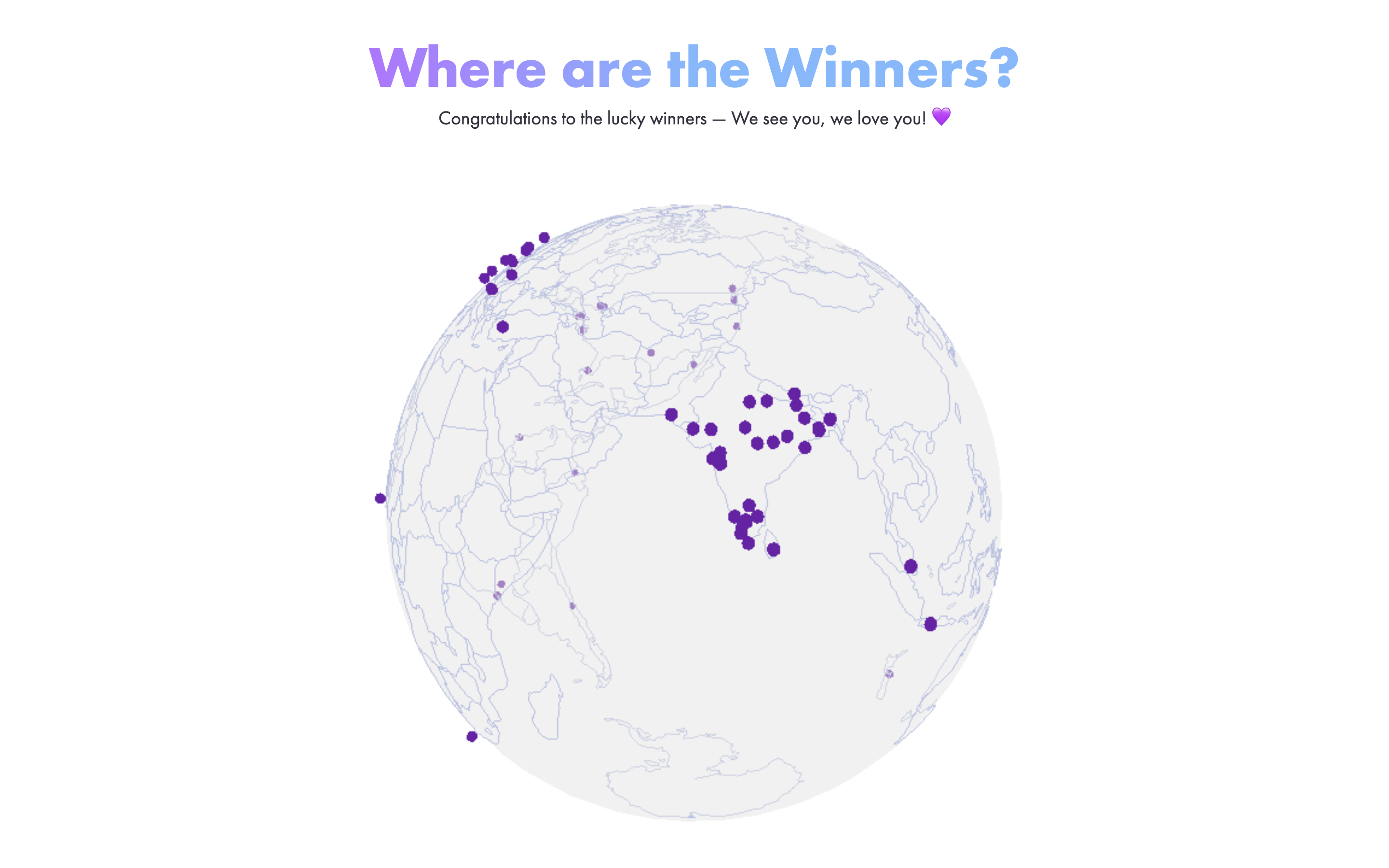
The same coordinate-plotting technique works for other latitude/longitude data. The 500 Bottles giveaway site plots competition winners' locations using this exact flow, letting visitors see where winners are based:
What Gatsby Functions Enable Next
Gatsby Functions give Jamstack developers a way to handle server-side logic without provisioning or managing infrastructure. The abstraction removes the operational burden of scaling, which frees developers to focus on what the functions can do rather than where they run. The possibilities for creative applications are broad, and the SpaceX V4 API is one data source that lends itself to experiments with this pattern.
Learning Resources And Community Projects
For deeper exploration of Gatsby Functions, a five-week course called Summer Functions by Benedicte Raae is recommended. A free Friday night session from that series produced an emoji slot machine built with a Gatsby serverless function — a demonstration you can watch here.
Kyle Mathews, Gatsby’s creator, also walked through the internals of Gatsby Functions in an episode of the Gatsby Deep Dives series. That discussion is available on YouTube.
Additional Gatsby tutorials and articles are published on the author’s blog at paulie.dev, and the author can be reached on Twitter at @PaulieScanlon.
Related Reading
- An Introduction To Full Stack Composability
- The Ultimate Free Solo Blog Setup With Ghost And Gatsby
- The Case For Prisma In The Jamstack
- Regexes Got Good: The History And Future Of Regular Expressions In JavaScript