
An expression is code that resolves to a value when evaluated — 2 + 2 being the canonical example. A useful mental model: anywhere a script expects a value, an expression of any complexity can go.
2 + 2
// result: 4function numberChecker( checkedNumber ) {
if( typeof checkedNumber === "number" ) {
console.log( "Yep, that's a number." );
}
}
numberChecker( 3 );
// result: Yep, that's a number.
numberChecker( 10 + 20 );
// result: Yep, that's a number.
numberChecker( Math.floor( Math.random() * 20 ) / Math.floor( Math.random() * 10 ) );
// result: Yep, that's a number.console.log( -2**1 );
// result: Uncaught SyntaxError: Unary operator used immediately before exponentiation expression. Parenthesis must be used to disambiguate operator precedencePrimary expressions and the grouping operator
Even 2 + 2 decomposes into expressions: the additive expression is the primary expression 2 plus the primary expression 2. A primary expression resolves to a very predictable value — the number literal 3 is itself an expression that evaluates to three.
console.log( 3 );
// result: 3
You won't often point at your screen and call something a primary expression, but the concept explains how JavaScript treats values. A variable is also a primary expression, and you can mentally substitute an expression for the value it produces.
The primary expression you will use constantly is the grouping operator: a matched pair of parentheses that evaluates part of an expression as a single unit. Its obvious job is overriding the mathematical order of operations:
console.log( 2 + 2 * 3 );
// result: 8

console.log( ( 2 + 2 ) * 3 );
// result: 12
More commonly, though, you'll use it to tighten control over conditional logic and improve readability:
const minValue = 0;
const maxValue = 100;
const theValue = 50;

if( ( theValue > minValue ) && ( theValue < maxValue ) ) {
  // If ( the value of `theValue` is greater than that of `minValue` ) AND less than `maxValue`):
  console.log( "Within range." );
}
// result: Within range.
console.log( 2 + ( 2 * 3 ) );
// result: 8The grouping operator also disambiguates syntax that would otherwise be read as a statement. The paired curly braces that initialize an object literal are the same syntax that groups statements into a block. At the global scope, curly braces are interpreted as a block statement, so an object literal typed into the developer console produces a syntax error:
{ "theValue" : true }
// result: `Uncaught SyntaxError: unexpected token: ':'
In everyday work this rarely bites, since the contexts expecting an expression or a statement are usually clearly separated:
{
  const theObject = { "theValue" : true };
}
It does explain why standalone object literals in this course are wrapped in a grouping operator — an explicit signal that an expression is expected:
({ "value" : true });Disambiguation still matters in another place: an Independently-Invoked Function Expression (IIFE), an anonymous function expression used to manage scope, requires the grouping operator so the function keyword is parsed as a function expression rather than a declaration:
(function(){
  // ...
})();
Expressions that do things
Some expressions both produce a value and perform an action; these have side effects. Assignment is one: entering the following into the console prints 3, since the expression theIdentifier = 3 resolves to the primary expression 3. The valuable part is the binding that makes JavaScript aware of theIdentifier, not the returned value.
theIdentifier = 3;
// result: 3
A function call is likewise an expression. Calling a function that returns 3 is, so far as JavaScript is concerned, effectively the simple expression 3, with the side effect of running the function body:
function theFunction() {
  return 3;
};

console.log( theFunction() + theFunction() );
// result: 6
function theFunction() {
console.log( "Called." );
return 3;
};
console.log( theFunction() + theFunction() );
/* Result:
Called.
Called.
6
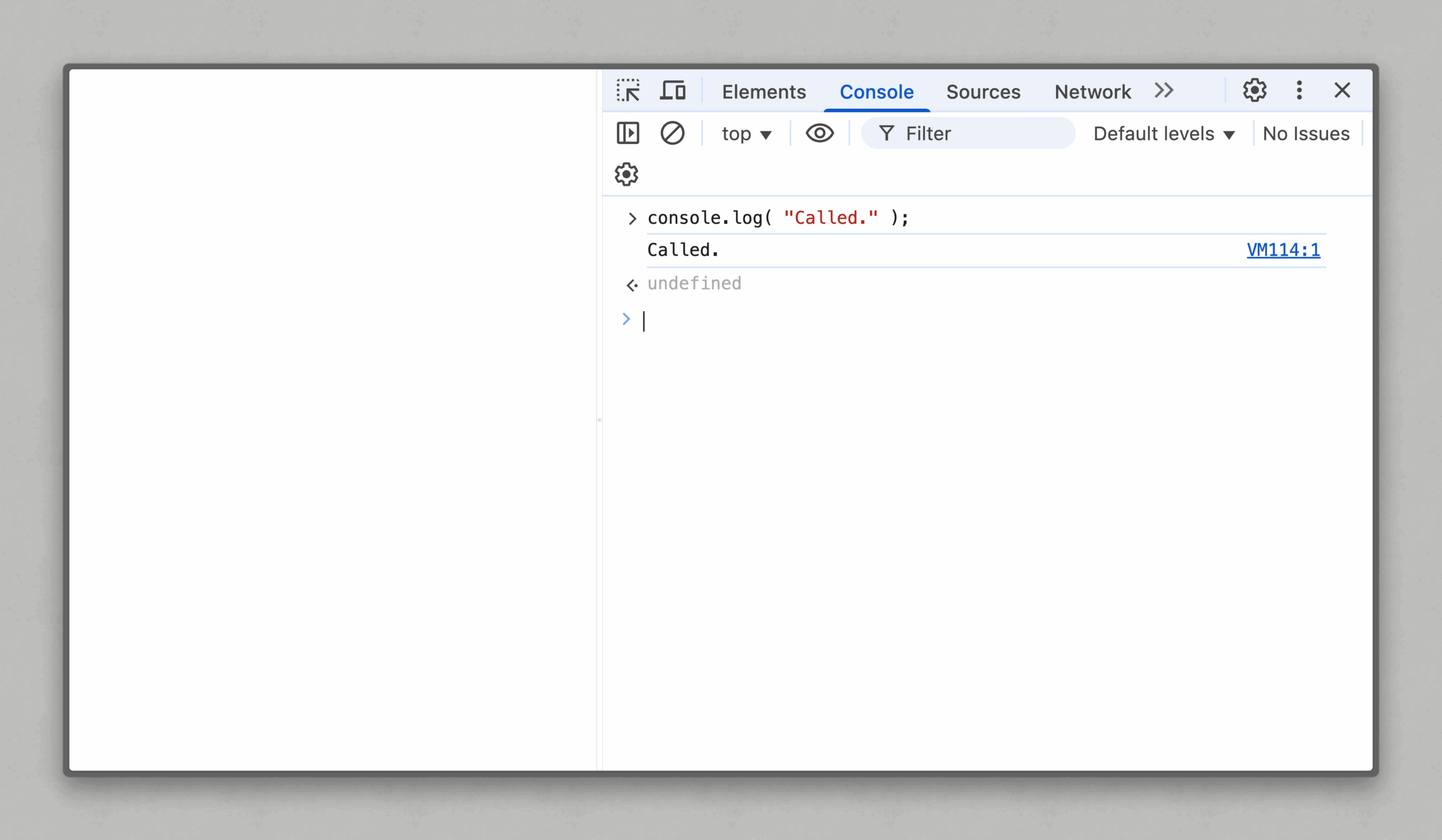
*/In that example theFunction is evaluated twice, logging to the console each time and yielding 3; the two results are added and 6 is logged. Function calls don't always produce an explicit value — console.log returns nothing, so it results in undefined. That is why the console shows two things: the logged string and undefined.
The comma operator
The comma operator evaluates its left operand, discards the result, then evaluates the right operand and results in that value. Applied to arithmetic:
console.log( ( 1, 5 + 20 ) );
// result: 25
The primary expression 1 is evaluated and thrown away, then 5 + 20 is evaluated and becomes the result. The extra grouping operator matters: without it, the comma would separate two arguments to console.log instead:
console.log( 1, 5 + 20 );
// result: 1 25
Discarding a value would be pointless unless both sides are still evaluated — which they are. Consider validateResult, which calls one of two functions depending on its argument and returns one of two strings:
function validateResult( theValue ) {
  function whenValid() {
    console.log( "Valid result." );
  };
  function whenInvalid() {
    console.warn( "Invalid result." );
  };

  if( theValue === true ) {
    whenValid();
    return "Nice!";
  } else {
    whenInvalid();
    return "Sorry, no good.";
  }
};

const resultMessage = validateResult( true );
// result: Valid result.

console.log( resultMessage );
// result: "Nice!"
One improvement: multiple return statements can make a large codebase harder to trace. Restructuring to a single return:
function validateResult( theValue ) {
  function whenValid() {
    console.log( "Valid result." );
  };
  function whenInvalid() {
    console.warn( "Invalid result." );
  };

  if( theValue === true ) {
    whenValid();
  } else {
    whenInvalid();
  }
  return theValue === true ? "Nice!" : "Sorry, no good.";
};

const resultMessage = validateResult( true );
// result: Valid result.

resultMessage;
// result: "Nice!"
The remaining repetition is the double check of theValue, which means a future change to the logic must be made twice. The if/else exists only to call one function or the other — calls whose values we don't want, only their side effects. Since comma operators evaluate but discard, they can sit those calls alongside the string values we do want:
function validateResult( theValue ) {
  function whenValid() {
    console.log( "Valid result." );
  };
  function whenInvalid() {
    console.warn( "Invalid result." );
  };
  return theValue === true ? ( whenValid(), "Nice!" ) : ( whenInvalid(), "Sorry, no good." );
};

const resultMessage = validateResult( true );
// result: Valid result.

resultMessage;
// result: "Nice!"
Worth noting: this is arguably too clever. Fewer characters can make the code harder for the next maintainer — or your near-future self — to parse at a glance.
Not everything is a statement or an expression
Expressions plus statements would just about sum up the language, were it not for a third category. Most declarations are neither statement nor expression, even though they look like statements. Variable declarations using let or const, function declarations and class declarations are all non-statements:
if( true ) let theVariable;
// Result: Uncaught SyntaxError: lexical declarations can't appear in single-statement context
Though if is a statement that expects a statement, it encounters a non-statement declaration here, so the result is a syntax error.
There is exactly one exception: a variable declaration using var is a statement:
if( true ) var theVariable;



