
Bringing code scanning results into the editor
Fixing security issues quickly depends on surfacing findings where developers actually work. GitHub code scanning already reports results directly in pull requests, at the moment of review. Because those results are exposed as SARIF, they can also be fed into any IDE. The updated SARIF Viewer Extension for VS Code now lets developers inspect code scanning findings inside VS Code or GitHub Codespaces, without leaving their editing context.
The analysis itself still runs in the cloud, so the results in the editor come from the same deep scanning engine that powers pull request checks. After a developer pushes a fix, code scanning reruns and can confirm the remediation, giving the green light to merge. Pull request scanning and in-editor results therefore work together to catch vulnerabilities earlier in the workflow.
Viewing findings in Codespaces
To enable code scanning results inside Codespaces:
- Create a codespace for your repository.
- Open the extensions tab and search for the SARIF Viewer extension.
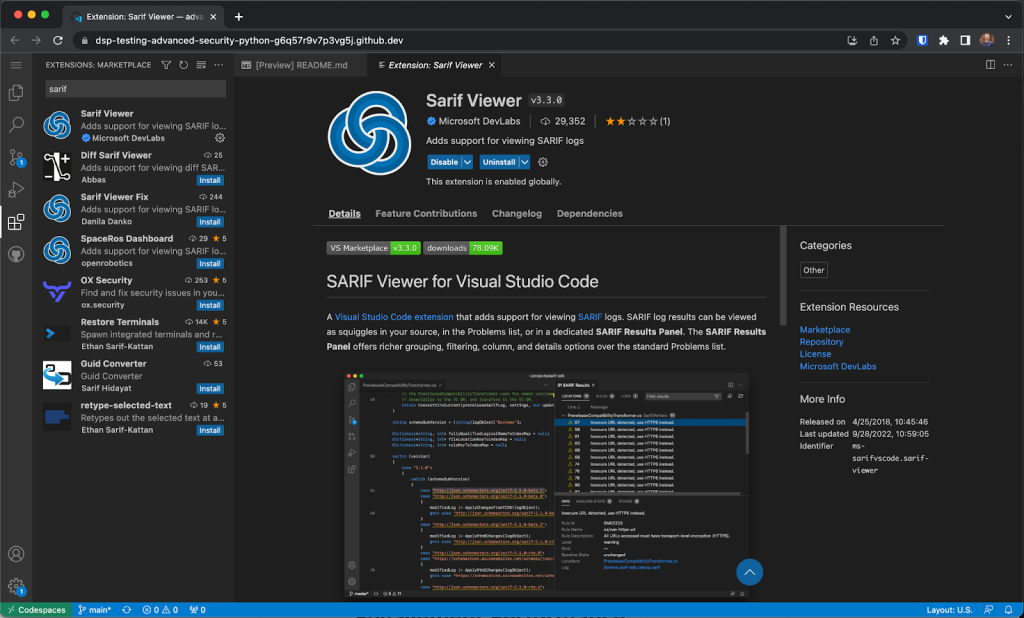
After the extension is installed, authenticate with GitHub and your code scanning results will appear in the codespace. Expand a finding to see its details, apply a fix, and commit to your branch — the updated status is reflected immediately in the editor.
Automating setup with dev containers
Instead of installing the SARIF Viewer manually in every new codespace, you can preconfigure the environment with a dev container. Add a .devcontainer.json file inside the .devcontainer directory and include MS-SarifVSCode.sarif-viewer in the extensions array. Codespaces will then spin up with the extension ready to use.
{
  "extensions": [
    "MS-SarifVSCode.sarif-viewer"
  ]
}
For more on enabling GitHub's security features in your repositories, see the getting started guide. To learn more about GitHub Codespaces, check out the Quickstart for GitHub Codespaces.


