
Forking Workflows Get a Series of Practical Upgrades
Recent feedback from developers has made one thing clear: forks can be a source of confusion. Questions about what forks are, how permissions work between a fork and its parent, and how to track changes across the ecosystem have driven a wave of improvements over the past year and a half. These changes target the entire forking lifecycle, from creation to synchronization, and aim to clarify the security model of one of GitHub’s core collaboration tools.
Richer Fork Creation Controls
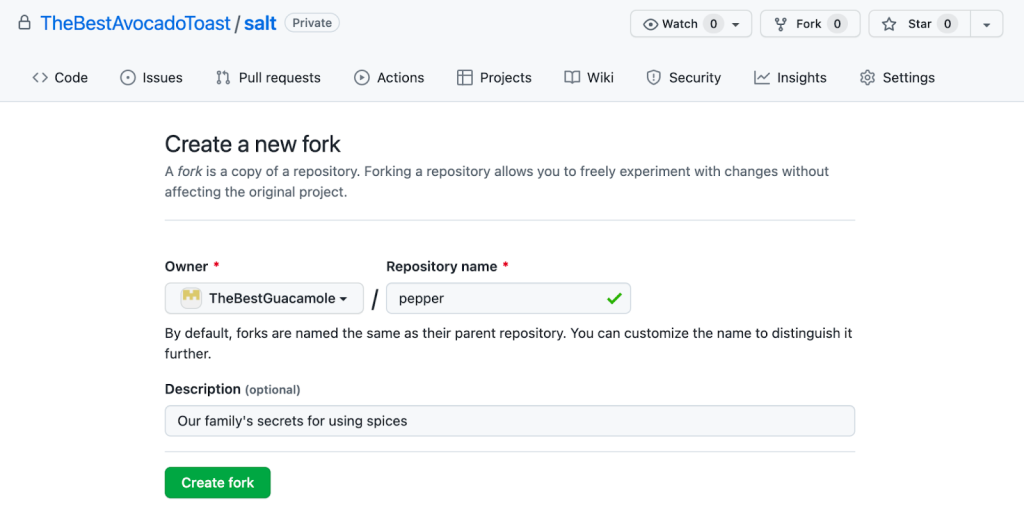
One of the most significant shifts is in how forks are created. Previously, a fork copy inherited the parent repository's name, which often led to namespace clashes or required an additional rename step. Developers can now specify a custom name for their fork at the moment of creation, eliminating that extra chore.
Placement options have also expanded. It is now possible to fork a repository to the same organization as the parent, which simplifies workflows for teams operating within a single organizational boundary. Additionally, forking internal repositories has been refined: these can now be forked to an organization within the same enterprise while preserving their internal visibility, rather than being forcibly converted to private forks in a personal account.
We have a single GitHub organization, so forking within the same org is essential for our goal to adopt innersource. Without it, we'd have to give internal contributors write permission to create branches in other teams' repositories, and that has security risks.
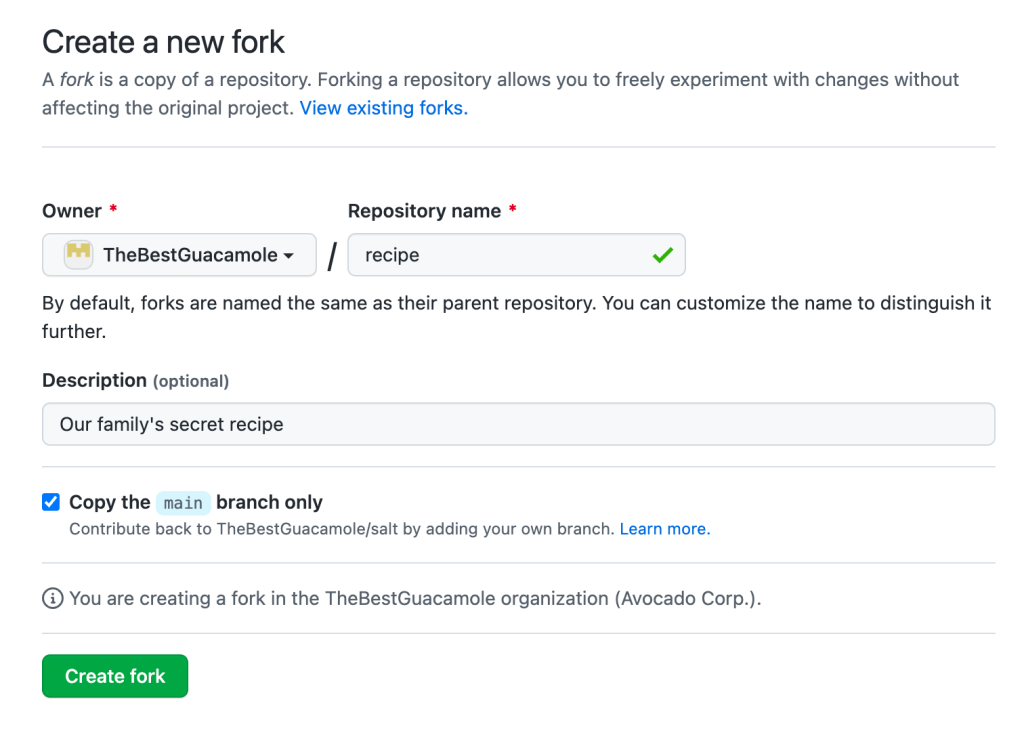
Another new capability changes the default fork topology. Previously, forking pulled down every branch from the parent repository—a heavy operation that could slow cloning and consume unnecessary disk space. Fork creation now offers the option to copy only the default branch, excluding other branches and tags, which results in faster clones by fetching only reachable objects.
Keeping Forks in Step with Their Parents
Synchronization has been a major focus, with the process being streamlined across both the web UI and the API. On the web, developers can now sync an out-of-date fork branch directly from the interface when there are no merge conflicts; the update is applied via fast-forward or a merge from the upstream branch. If conflicts arise, the UI guides the user toward opening a pull request to resolve them.
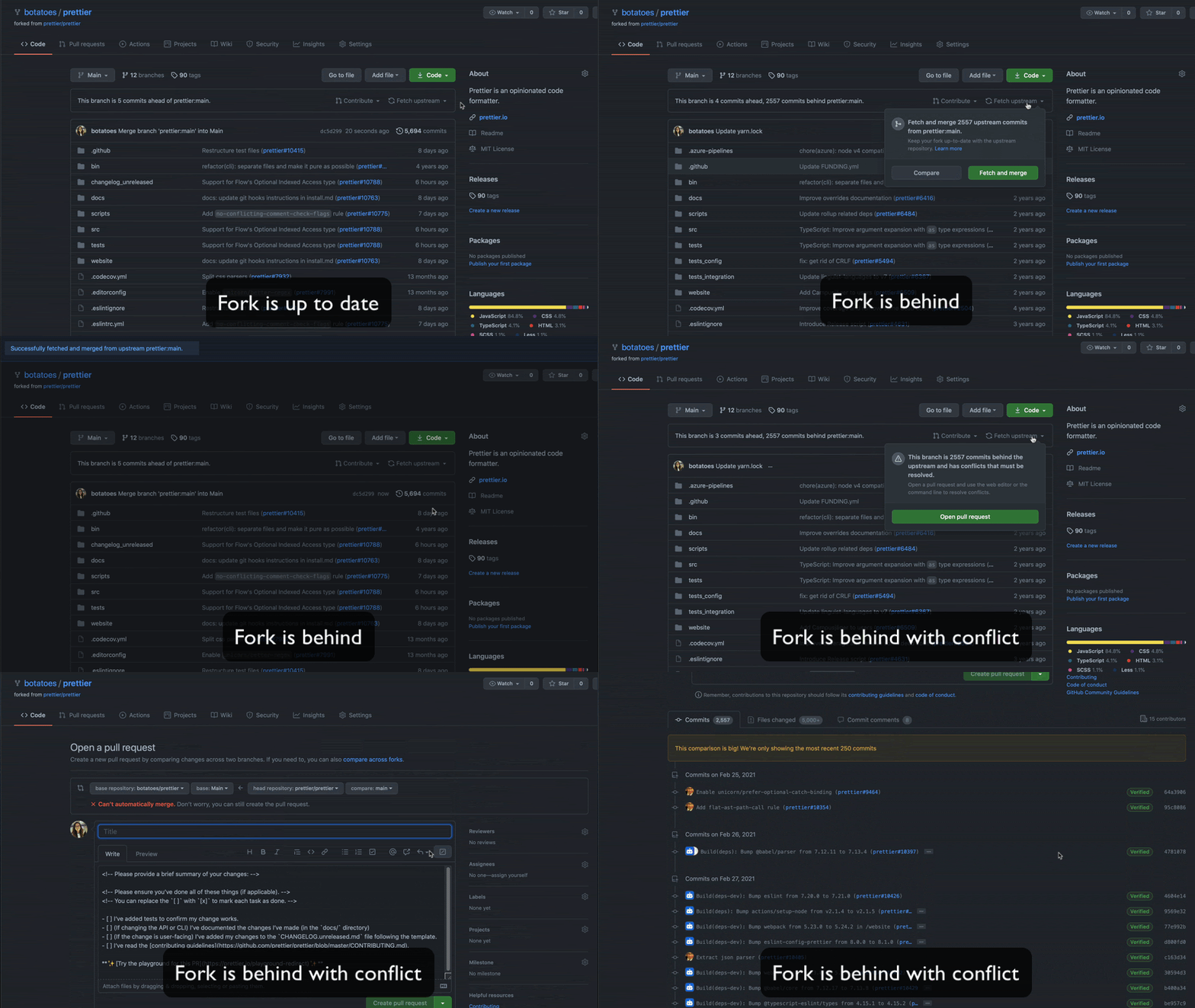
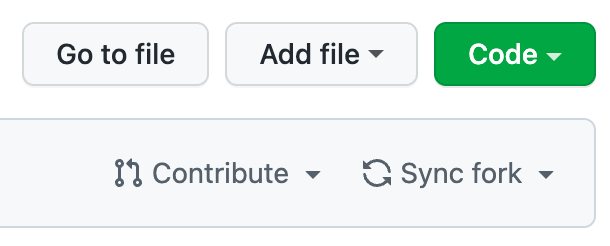
For automated workflows, the sync a fork branch with the upstream repository API endpoint allows forks to be synced programmatically with their parent. The UI for this process was also made more intuitive, with the “Fetch upstream” button being renamed to “Sync fork.” When a sync introduces a conflict, the interface now offers clear pathways to contribute changes upstream, discard the changes, or resolve the conflict.
Understanding the Fork Landscape
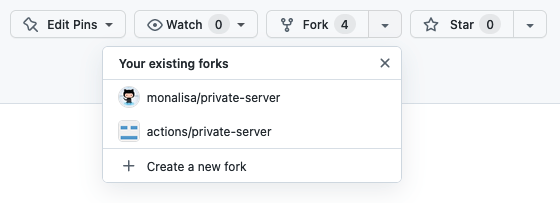
Discoverability of existing forks has improved as well. The main “Fork” button now includes a dropdown that quickly shows users their own forks of a repository, including those held in personal accounts and in organizations they belong to. This feature was inspired by the open-source Refined GitHub project.
Governance and Security Policies
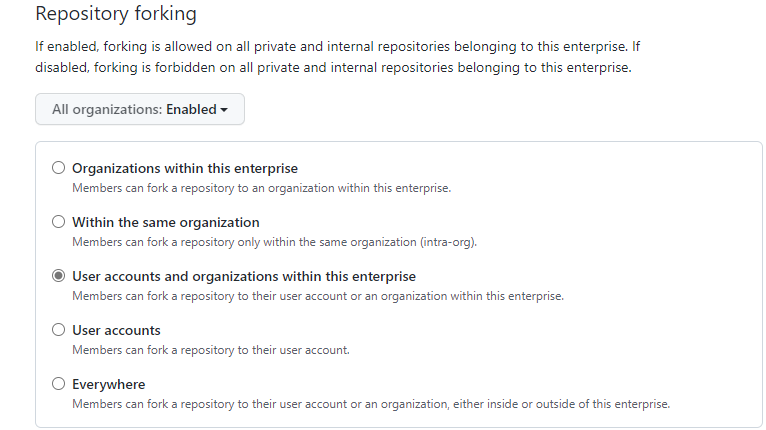
Administrative controls for forks have been strengthened significantly. Enterprise owners now have the ability to restrict where private and internal repository forks can be created, preventing confidential code from being forked into exposed locations. Available restrictions can limit forking to a combination of enterprise organizations, the same organization as the parent, or user accounts.
Our enterprise account contains several organizations. We need fine control over whether repositories in those orgs can be forked within the same org, to another org in our enterprise, to user accounts, or to outside our enterprise.
This enterprise-level policy has since been extended to the organization level. Organization owners can now set their own fork policies, which further restrict enterprise defaults. The policy model enforces a clear hierarchy: settings cascade from the enterprise level down through organizations and finally to individual repositories.

Finally, API-level controls now allow administrators to define whether a repository permits forking at all, using either the REST or GraphQL APIs.
A Push for Clarity
Beyond feature releases, GitHub is updating its documentation to address the root cause of many of these questions. Revised documentation planned for release will offer more detailed and clearer explanations of fork concepts. The goal is to make forks as easy to understand as they are to use, with GitHub continuing to iterate on documentation based on feedback and welcoming contributions to the github/docs repository.


