
The Offtrail permission settings—Offtrail being a fictional app for local outdoor meetups used to walk through this workflow—can't presently let someone host a single event. The brief is to add temporary host permissions that lapse once the event ends: a visitor can join as host for a limited period, the UI shows when that access expires, and group admins get a way to manage it.
Because the temporary-access screens build on existing ones, the old permissions experience has to be brought up to date first. Some frames use current components and variables; others carry deprecated instances or hand-overridden values. Until the designer knows which parts of the file can be trusted, the new flow rests on uncertain ground.
Assess the file, then repair what matters
Component swaps and variable rebinds don't look like design work next to a new screen, but repeated across a product they are what keeps a design system coherent—or lets it decay into several systems sharing one name. The designer keeps the judgment calls; the agent takes the repetitive inspection and repair.
Checking every frame by hand isn't realistic, and that is likely how the file drifted in the first place. Selecting the frames expected to be reused, the designer opens a new agent chat, connects the current library, and invokes the /repair-library-usage skill. The agent inspects the selection, compares instances and variable bindings with the library, and replaces deprecated entries wherever a clear updated equivalent exists.

Unambiguous updates are applied directly. Ambiguous ones—say, two current components that could each fit—are left alone, the agent annotating the frame with what it found and why it stopped. Scope is the section of the experience the new work depends on, not the whole file, so the designer resolves only the cases that matter to this project and moves into a first pass of the temporary-access flow without ping-ponging between maintenance and feature design.
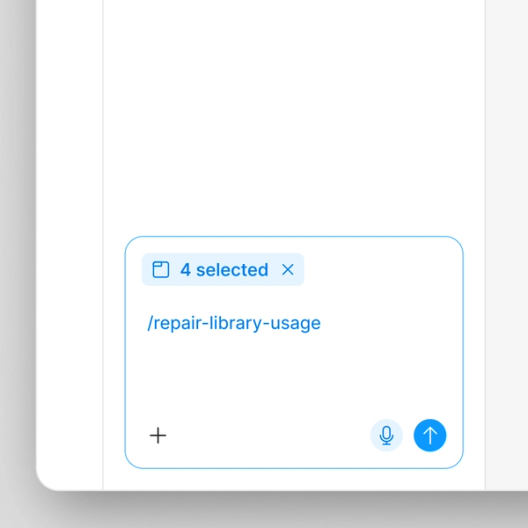
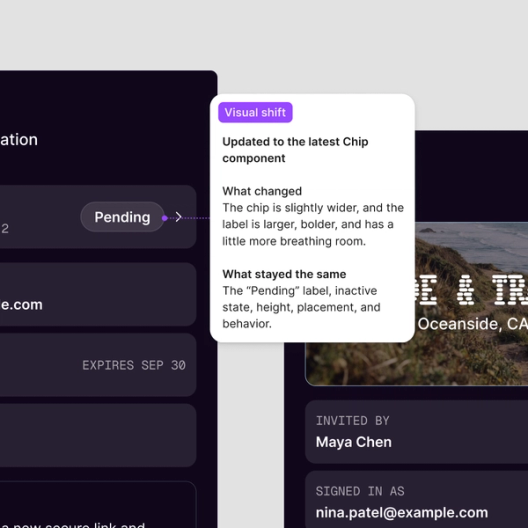
If the designer wants to see proposed changes before any are made, a prompt can demand exactly that: "Review the selected frames against the connected library, list outdated components and variables, propose current equivalents, and flag any ambiguous matches. Don't make changes." Findings appear on the canvas beside the frames they concern; after reading them, the designer asks for only the unambiguous matches to be applied.
Wrangling the crit
Copy is part of the flow, and the agent can bring in brand voice guidance, generate alternatives, and try a screen in other supported languages. With the source file repaired and proposed enhancements designed, the flow goes to crit. Some feedback is routine—clarify the expiration copy, tighten hierarchy, make the recovery path easier to find—while other comments are policy questions: does the UX meet Offtrail's legal requirements? What happens when an invitation expires before acceptance, when a permission update fails, or when someone's access ends mid-session?
Those arrive as scattered comment threads with no clear line between actionable items and open decisions. The agent reads the conversations, groups recurring feedback, surfaces contradictions and flags open questions, producing a short, high-signal brief of what to act on and what still needs thought.
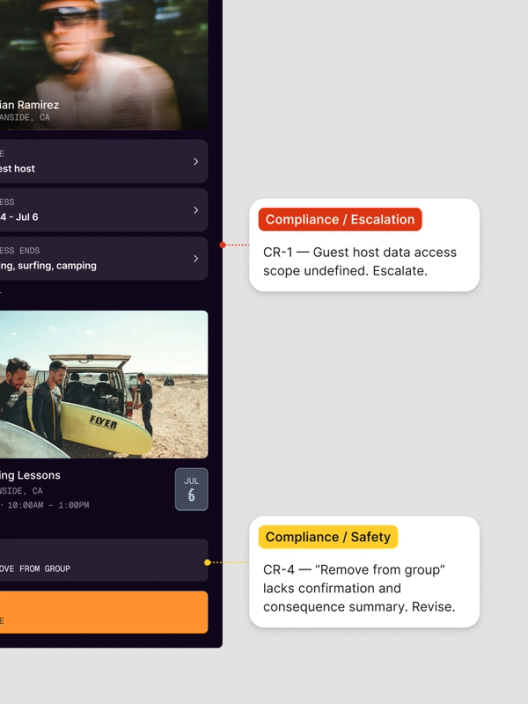
One thread stays open: legal requirements the design team can't confidently interpret. Rather than guess, the designer runs the team's /compliance-review skill against the flow. The skill references checks maintained by the company's security and compliance partners, so the agent approaches the design with the questions those partners expect when access, identity and permissions are involved—pulling context from the external document the partners keep. Findings come back in context, annotated on the frames they apply to, and the designer spends less time reconstructing context and more time deciding what the findings change.
Upgrading the component instead of forking it
The compliance pass exposes a requirement the design system's "item row"—a versatile component for lists of settings, documents or users—doesn't meet: the UI must show when temporary access expires. A bespoke component would widen scope and detach the experience from the Offtrail system. Enhancing item row itself is the more durable route.
Rather than stall the feature for a separate design system handoff and a context switch into spec writing, the designer has the agent draft the spec in a new section of the Figma file via the /document-component-enhancement skill. Working from the component finding and the surrounding design context, the agent outlines what an update may need to support, how the component should behave, where the current one falls short, which states are missing, and the possible changes and open questions.
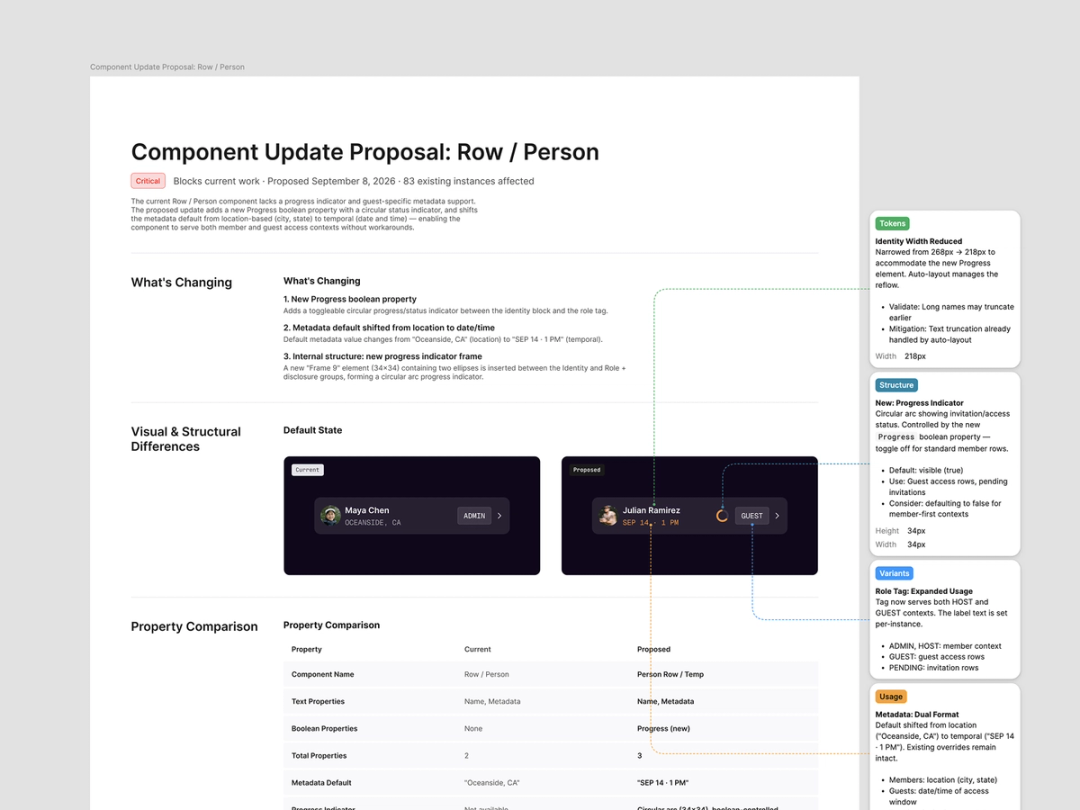
After reviewing the draft and confirming the open questions, the designer shares the section with the design systems team. Spec, described frames, originating comments and the component in question all live in one file, so reviewers can trace a finding back to the flow that produced it—and ownership stays split as it should. The designer steers the feature; the design systems team decides the component's fate; the agent explains what needs to change and why so that team can review while feature work continues.
The feature team proceeds knowing the system update is tracked as a dependency of the temporary permissions work. Each team's scope stays narrow and focused on its own area, the feature keeps its pace, and the design systems team knows exactly what motivates the enhancement request.
What the request produced
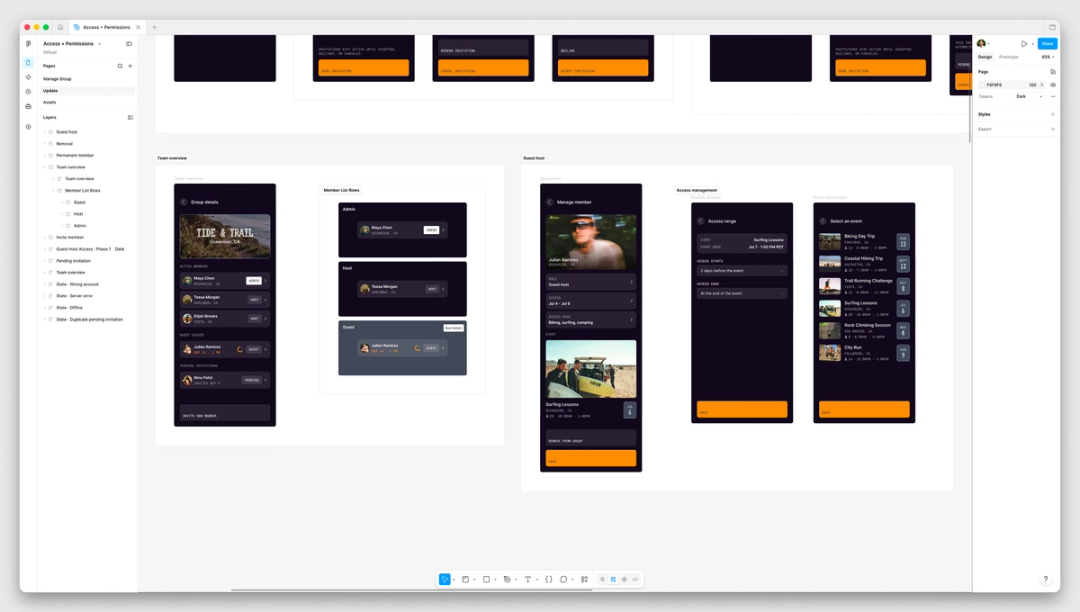
Starting from a single product request, the designer ended up with four distinct outputs:
- The agent surfaced design system gaps in the screens that already existed.
- The temporary-access flow was extended to cover its primary path along with the expiration, failure, and recovery states that had been absent.
- The designs were checked against the team's compliance guidance, with every unresolved policy question flagged; the team's scattered design feedback was also consolidated into a usable brief.
- A design system spec documents the gap in the item row component, the behavior it requires, and links back to the underlying reasoning.
A shared, visual, multiplayer canvas is what holds these pieces together. Flows, comments, and annotations remain attached to the work they describe, so designer, reviewers, and agent iterate on one artifact rather than spreading feedback across tools or restarting at every handoff. That scope goes well beyond "the agent made a screen": inspection, repair, and distillation of feedback ran alongside the designer's own design, product, and policy decisions. The useful pattern is an agent that preserves context, absorbs repetitive steps, and readies the next stage — leaving the designer to judge what should reach production.
Access by plan and seat
Full seat users on Professional, Organization, Enterprise, and some Education plans can use the Figma agent; the Starter plan has limited availability. Collab, Dev, and View seats have access within their drafts.
Further material is available on maintaining a design system with the agent, on how other companies apply it, and in the help center.



