
From ChatGPT conversation to collaborative FigJam board
Figma has launched an integration that lets ChatGPT generate FigJam diagrams directly from chat conversations. The Figma app in ChatGPT can now recommend and create AI-generated diagrams based on what you are discussing, and it accepts uploaded files such as photos, drawings, and PDFs to steer the output. Supported diagram types currently include text-based flow charts, sequence diagrams, state diagrams, and Gantt charts, with additional formats promised later.
To use it, simply ask in your prompt—for example, "Figma, make a diagram from this sketch." ChatGPT may also surface the Figma app proactively when it detects the conversation would benefit from a visual artifact. The underlying integration is powered by the Figma MCP server, which now supports remote access. The app is available to all logged-in ChatGPT users outside the EU.
The intent is to bridge the gap between conversational exploration and structured collaboration. Teams already turn to ChatGPT for brainstorming and problem decomposition; the new step lets them push those ideas into a shared FigJam file for iteration. Figma suggests this can also serve everyday planning, from a wedding Gantt chart to a buy-versus-rent decision tree.
Design: From ephemeral sketch to durable diagram
Concepts often begin on a whiteboard, notebook, or napkin, but they only become actionable when moved into a collaborative space. The Figma app targets precisely that transition, converting rough drawings into editable FigJam files.
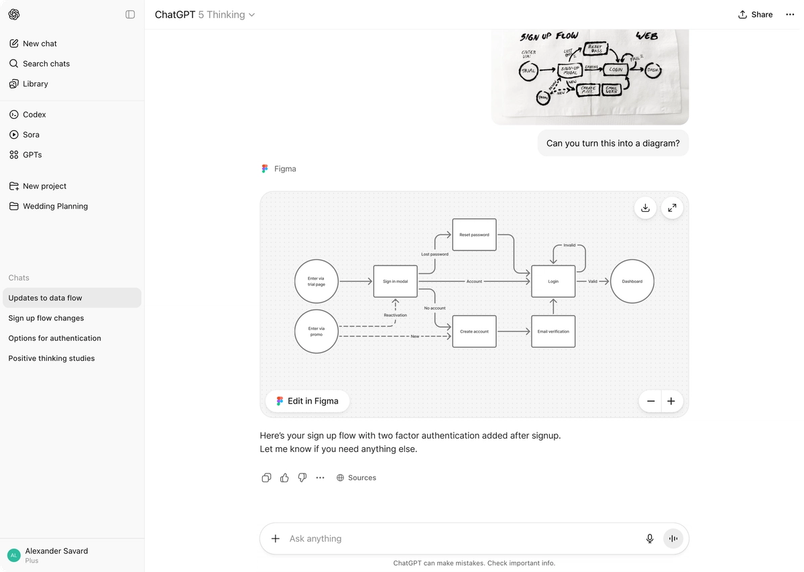
Designers can use the integration to keep the momentum going in a few practical ways:
- Request modifications. Ask ChatGPT to suggest edits, incorporate new topics, or explore alternative visualizations of the same data.
- Automate the initial draft. Feed ChatGPT dense documents and supporting context so it can produce a first-pass diagram while you focus on refinement.
Engineering: Visualizing systems without the overhead
For developers, diagramming is a tool for critical thinking about systems design and for communicating technical decisions. The friction often lies in context being scattered across code, docs, and individual team members' knowledge. The ChatGPT integration aims to lower that barrier by generating and updating architecture diagrams on demand.
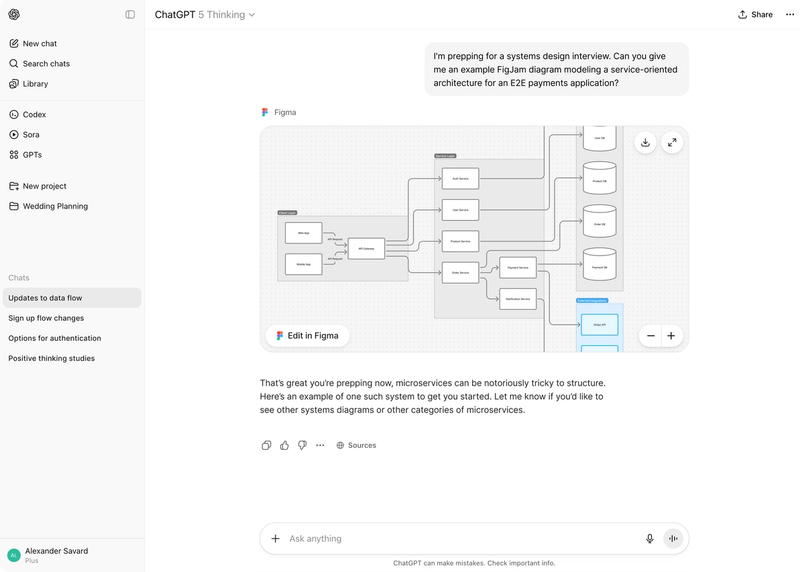
Engineers can lean on the integration for several common tasks:
- Updating architecture diagrams. Upload technical docs and screenshots to seed a diagram that clarifies your software structure.
- Surveying technical approaches. Let ChatGPT synthesize blog posts and case studies into architectural diagrams showing how other teams solve recurring problems.
- Mapping component hierarchies. For instance, screenshot a pricing page and request a diagram of the corresponding React JS component tree.
Product management: Turning tradeoffs into visuals
Roadmaps and user journeys involve navigating numerous possible paths while staying grounded in user needs. Figma positions diagrammed alternatives as a way to make those tradeoffs discussable and decisions more transparent.
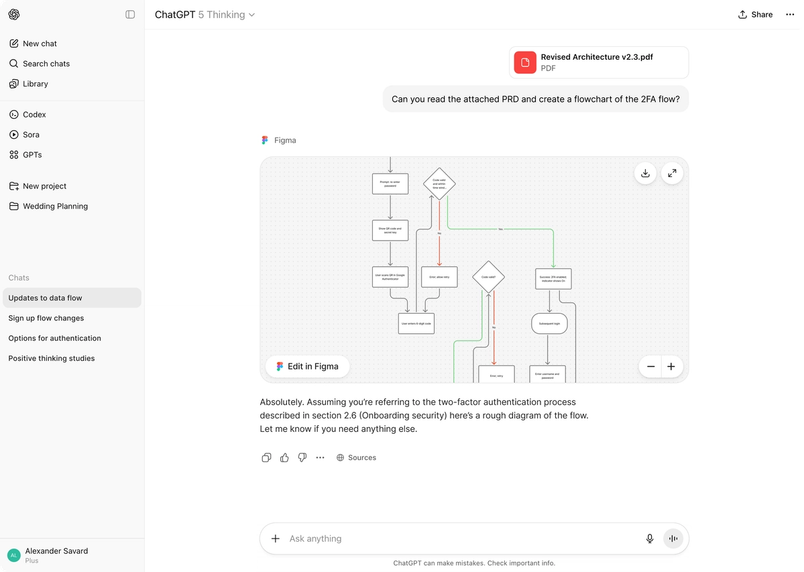
Product managers are likely to find three patterns especially valuable:
- Side-by-side option comparison. If you are debating, say, power versus simplicity in a permissioning flow, turn that brainstorm into several diagrammed choices to structure the conversation.
- User journey mapping from PRDs. Paste an existing PRD into ChatGPT as the starting point for a journey flow chart.
- Launch calendar creation. Provide product, engineering, and design requirements, and the integration will assemble a Gantt chart for cross-functional tracking.
The broader aim, per Figma, is to combine ChatGPT's generative strengths with FigJam's multiplayer collaboration—letting individuals explore in private chat and then bring structured results into a shared workspace where the whole team can refine them.


