

Preference queries as a personalization layer
Accessibility work pays off in more than one direction: it widens your audience, improves the experience for every visitor, and carries SEO benefits. Preference-query customization follows the same principle. By reading the settings a user has already chosen, you can deliver an experience that feels tailored and is more pleasant to use.
Respecting motion preferences
The prefers-reduced-motion query signals that a user would rather not see flashy, fast animations. The recommended approach is to write your base styles to honor that preference, then use a media query to layer on the "louder" interactive experience only for users who haven't set the preference. Testing an accordion demo shows the difference.
Theming with prefers-color-scheme
Light themes remain the default on most sites, but dark themes have ranked among the most requested features for years — particularly for nighttime browsing. Customized theming that matches a user's stated preference is a straightforward UX improvement.
CSS custom properties make this efficient: define general tokens such as background, text, and highlight, then adjust those values in one place using the prefers-color-scheme media feature. That keeps the theme logic centralized instead of scattered across rules.
Telling the browser what you support
The color-scheme property complements this work. It declares which themes (light, dark, or both) a page supports, and the browser responds by converting form controls and UI such as scrollbars to match. In the demo, text color is never set for either theme explicitly; because :root declares color-scheme: light dark, the browser flips the typeface from black to white on its own.
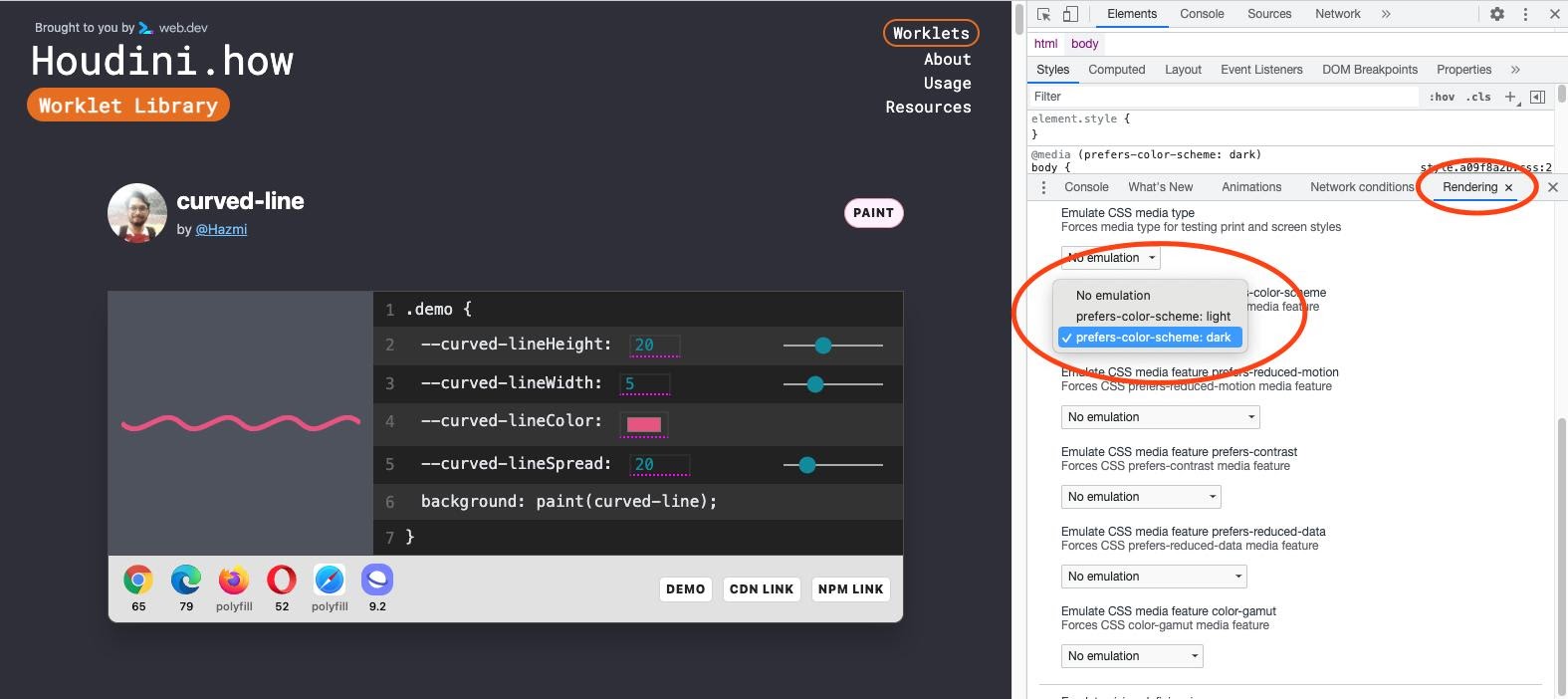
You don't need to change your OS settings to check the result — the "Rendering" panel in Chrome DevTools can simulate a dark theme, shown here with houdini.how in dark mode.
A side benefit: power draw
Dark themes also extend battery life. A Pixel 6 Lab study found that on an OLED screen a dark theme reduces power consumption by 11%.
The cumulative result is a site that respects users' accessibility needs, their visual preferences, and their battery — a solid improvement on all three fronts.



