Figma enters the MCP ecosystem with a design-context server
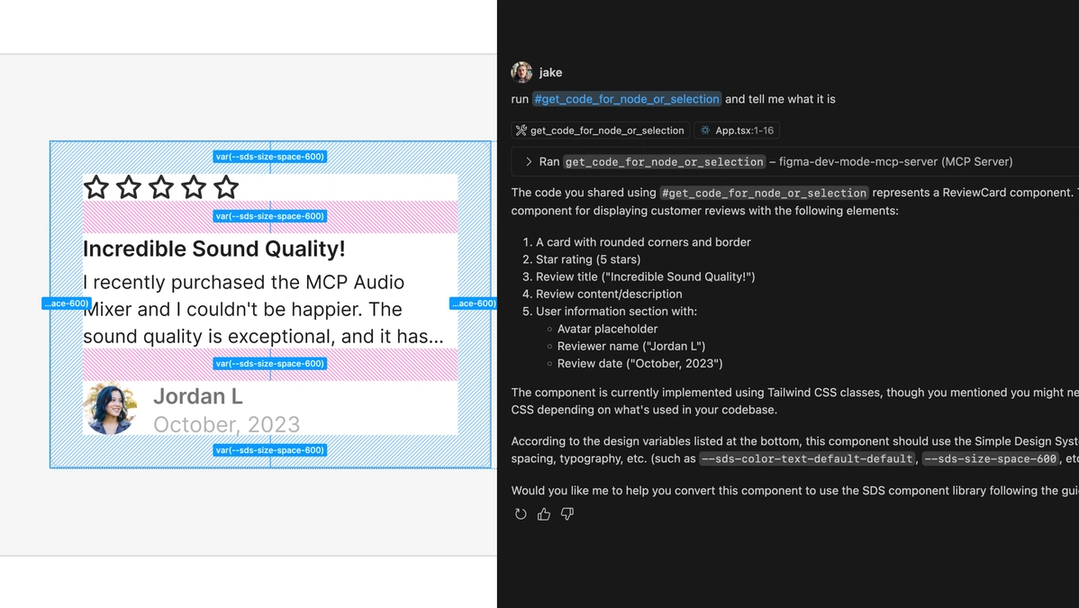
Figma has announced the beta release of its Model Context Protocol (MCP) server, a tool designed to bring design context directly into LLM-powered coding workflows. The server plugs into agentic coding tools such as Copilot in VS Code, Cursor, Windsurf, and Claude Code, giving them access to design data as they generate code. The goal is to move beyond screenshots as the sole source of design information and help LLMs produce code that matches the intent of a design, not just its pixels.
MCP serves as a standard for how applications supply context to LLMs. Figma's implementation exposes design information to coding agents through a set of tools, enabling what the company describes as "design-informed code generation." The beta is available to any Dev or Full seat, and the company is soliciting feedback through a public form as it iterates on the offering.
Why design context matters for code generation
LLMs can produce functional code from training data alone, but that output often fails to match the conventions of a specific codebase. Every team develops its own structure, framework, vocabulary, and workflow, and those choices add up to a pattern that an LLM can't reliably infer. Agentic coding tools address this by pulling in context—existing code, repository history, documentation, and database schemas—so generated code fits existing systems. The Figma MCP server extends that context beyond the codebase to include the design layer, so output is aligned with the design system as well.
Translating design to code involves more than a detailed inspection of a mockup. Developers typically begin by zooming out to understand the overall flow, then work through screens and inferred logic while considering how features map to code files. They interpret placeholder content, check that patterns match, and think about backend data needs. For an LLM to generate code with the same fidelity, it needs a holistic picture that includes visual information alongside design intent and references to existing patterns.
Four types of design context
The Figma MCP server gives LLMs context through a combination of metadata, screenshots, code examples, and content. Each serves a distinct purpose, and the server allows configuration so users control which tools return what, keeping token usage in check.
Pattern metadata
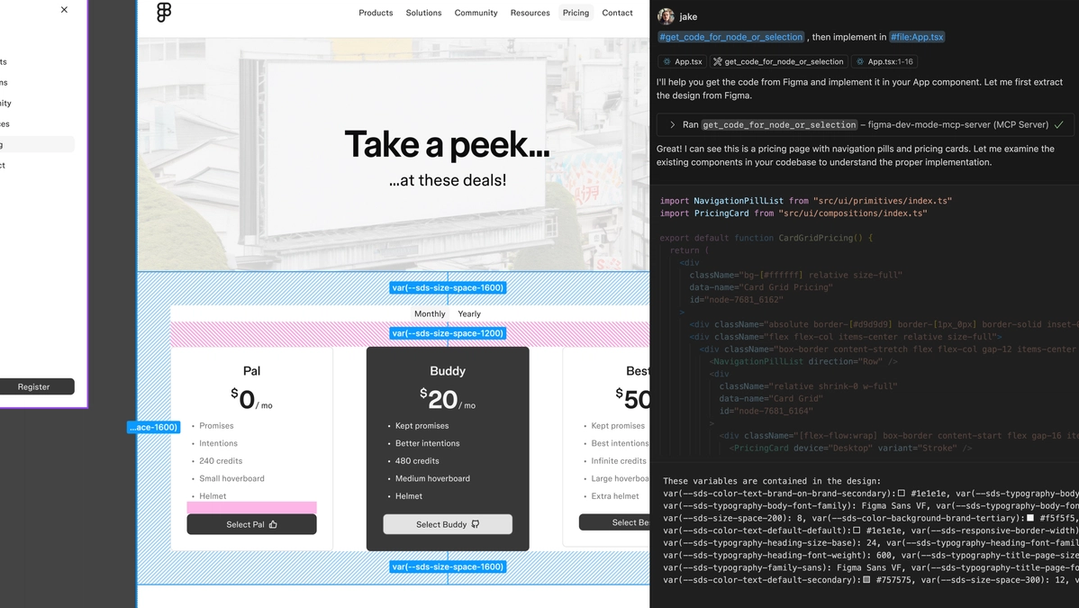
For teams that maintain a design system with aligned components, variables, and styles, the server can pass those references to an LLM. Without that information, an agent given a screenshot might spend significant time searching a codebase for the right component, or create a new one that deviates from the system. Code Connect provides the exact file path to the component code the agent needs, and variables with defined code syntax can be surfaced by name. This precision cuts down token usage and keeps generated code consistent with established patterns.

Screenshots
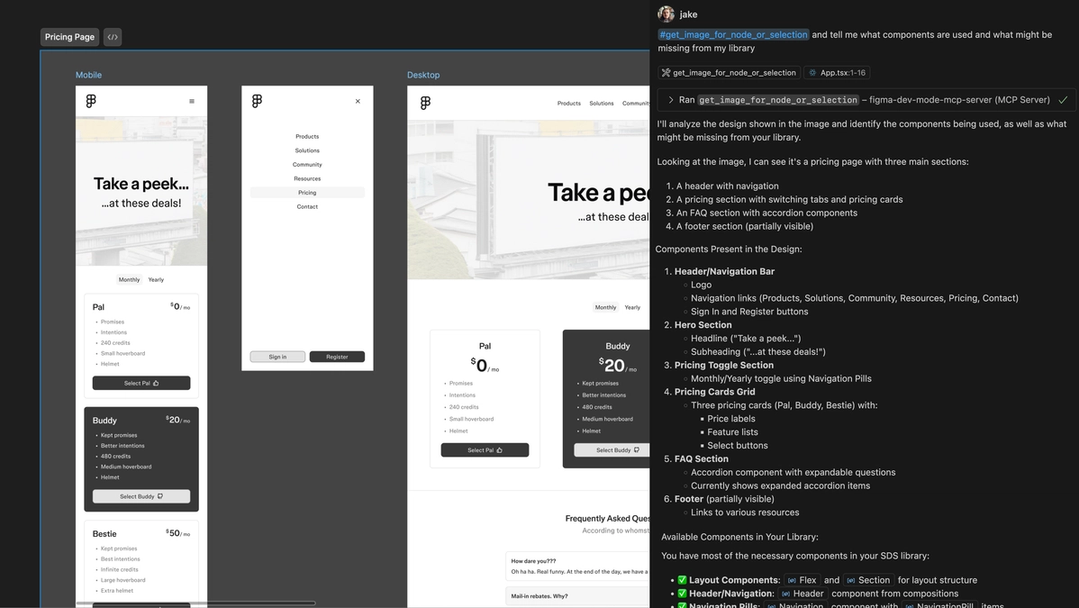
Some designs rely on imagery to communicate interactive content, like a static map graphic standing in for an embedded live map. Metadata alone doesn't convey that functionality, so the server can supply a screenshot to fill the gap. High-level screenshots are also useful for giving an LLM a sense of the overall flow—screen sequences, section relationships, and responsive context—in a way that detailed style attributes cannot. The server treats screenshots as supplementary context: a screenshot paired with Figma's code outputs is more effective than either on its own.
Interactivity
Code examples can describe behavior already defined in Figma, and pseudocode in particular functions as a "code prototype" that gives an LLM more actionable context than a list of properties. This proves valuable when describing an encapsulated piece of functionality or illustrating the differences between a sequence of UI states without inspecting each as isolated metadata.
Content
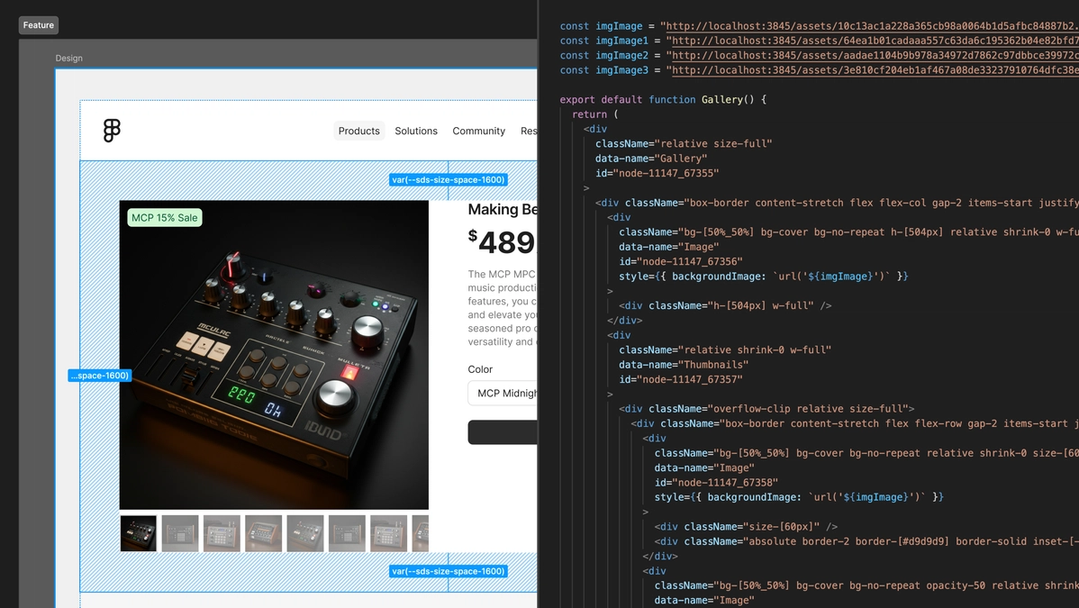
Even placeholder text and images in Figma carry design context. The server can pull text, SVGs, images, layer names, and annotations, helping the LLM derive how to populate an interface from the corresponding data model in code.
The initial server tools and roadmap
The beta ships with three tools for retrieving context on a current selection or specific node ID: one for code, one for images, and one for variable definitions. The response type for the code tool is configurable in server settings, with support for React and Tailwind currently available and more options planned. Code Connect handles component alignment with the codebase, and any code syntax added to variables is also exposed.
Development priorities moving forward include making the server work without requiring the Figma desktop app, deepening codebase integrations, and simplifying the Code Connect setup. Future releases are expected to explore support for annotations and Grid. Early testing has already shaped the roadmap, and the company views this beta as the first step toward faster design-to-code handoff with smarter, more efficient outputs.