
Two platforms, one path structure
The scenario: a main site at example.com runs on a platform that handles design well but lacks blogging features. A second platform could handle the blog, raising the question of whether it can live at example.com/blog rather than on a subdomain.
Keeping content on the root domain preserves SEO value that a subdomain would partly disconnect. The approach below is platform agnostic — the reference case merged a WordPress main domain with a Drupal subdomain. The one hard exception is Shopify, which is incompatible unless you pay for Cloudflare's Enterprise plan, because Shopify also runs on Cloudflare and does not allow proxying on its free tier.
How the routing works
The method relies on Cloudflare for DNS plus Workers, which run code whenever a visitor hits certain URLs (Routes). Two sites exist — example.com and blog.example.com — and the Worker sits between them. When someone requests example.com/blog, it:
- intercepts the request, because
example.com/blogdoesn't actually exist; - requests
blog.example.com/blogbehind the scenes; - returns that result to the visitor, masked as
example.com/blog.
Setup: DNS, Worker, Routes
Start by pointing your domain's nameservers — wherever it is registered — to Cloudflare and confirming the connection in your account, following Cloudflare's getting-started guide.
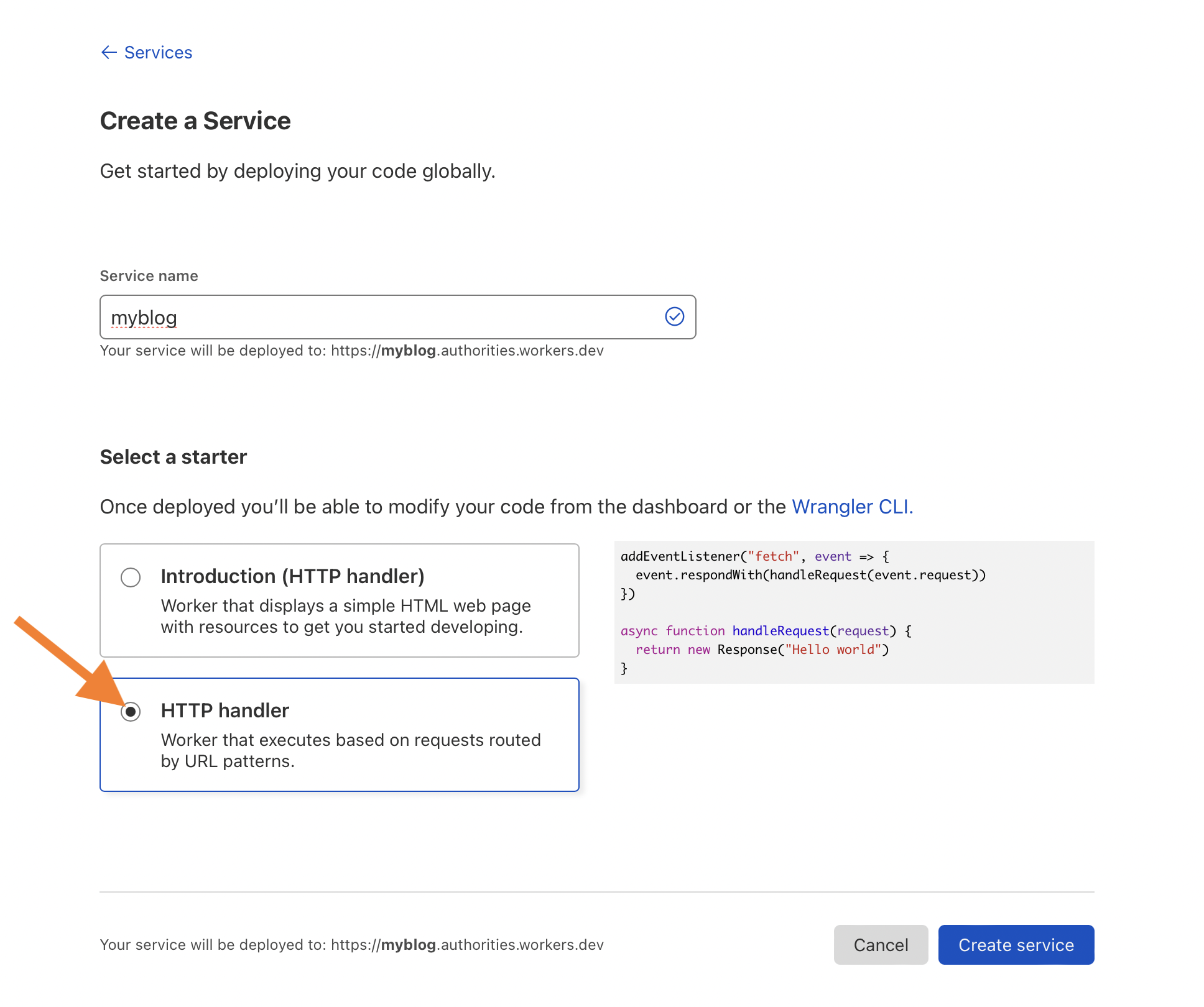
Next, go to Workers and click Create a Service. Name the service and select "HTTP handler".
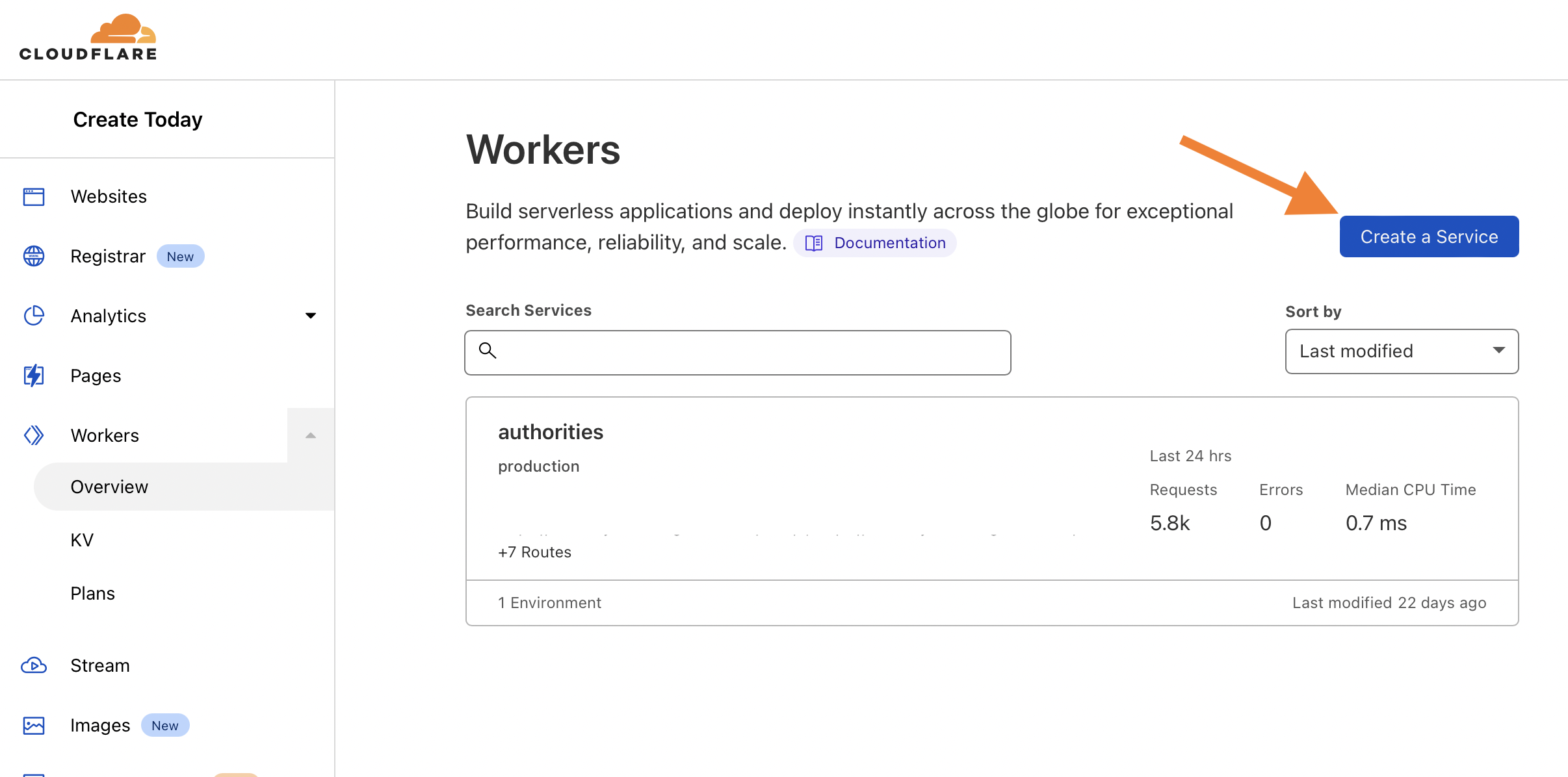
.7ms to the request (so basically nothing).Click Create Service, then Quick Edit.
Paste in the provided code, replacing the domain names on line 16 with your own, then click Save and Deploy.

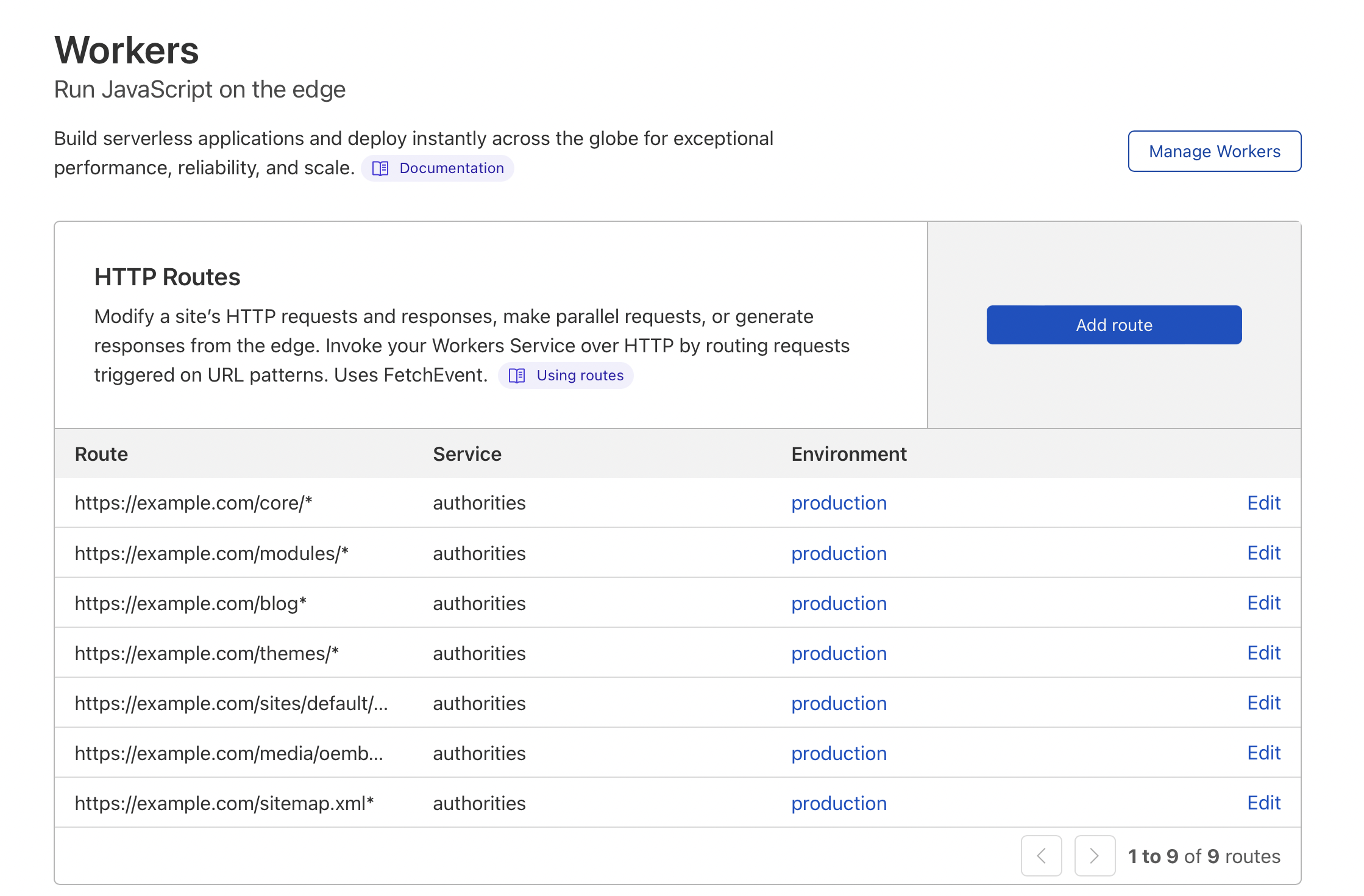
Routes are added in a different place: open the website in Cloudflare and click Workers. Note that the account-level Workers section (where code is edited) and the per-site Workers section (where routes are added) are separate, which is confusing. Click Add Route.
// Listen for every request and respond with our function.
// Note, this will only run on the routes configured in Cloudflare.
addEventListener('fetch', function(event) {
  event.respondWith(handleRequest(event.request))
})

// Our function to handle the response.
async function handleRequest(request) {
  // Only GET requests work with this proxy.
  if (request.method !== 'GET')
  return MethodNotAllowed(request);
  // The URL that is being requested.
  const url = new URL(request.url);
  // Request "origin URL" aka the real blog instead of what was requested.
  // This switches out the absolute URL leaving the relative path unchanged.
  const originUrl = url.toString().replace('https://example.com', 'https://blog.example.com');
  // The contents of the origin page.
  const originPage = await fetch(originUrl);
  // Give the response our origin page.
  const newResponse = new Response(originPage.body, originPage); return newResponse;
}

// Hey! GET requests only
function MethodNotAllowed(request) {
  return new Response(`Method ${request.method} not allowed.`, {
    status: 405,
    headers: { 'Allow': 'GET' }
  })
}
Use https://example.com/blog* for the blog route. The asterisk is a wildcard, so the code runs on the blog page and every path beginning with blog. That breadth can backfire: a page like https://example.com/blogging-services would also be caught. Select the Worker from the Service dropdown.
The blog's CSS, JavaScript and other files need routes too, unless those assets sit on a separate URL such as a CDN. Load https://example.com/blog; it will look broken without theme files, which is fine as long as it doesn't 404. Open DevTools and note every red same-domain URL (usually 404 or 403).

Add those as routes, but use parent paths: a missing https://example.com/wp-content/themes/file1.css becomes https://example.com/wp-content*. Narrower child paths are possible, but one route should catch most files.

If the page still doesn't match the subdomain, revisit the earlier steps — usually more routes are needed. Check several pages, then search DevTools for blog.example.com. If it appears, either add routes targeting those resources or change the platform's output. In the reference case, a canonical tag emitted the subdomain, so a plugin was used to rewrite it to the root domain.
Keeping the duplicate out of search
Content is now reachable at two URLs. Set the entire subdomain to noindex (the method varies by platform). Then add one line to the Worker that removes noindex when the current URL is served through the proxy. Relying on the canonical attribute alone leaves the choice to Google.
Finally, adjust the subdomain's sitemap so it prints example.com/mypost rather than blog.example.com/mypost, by changing the base, absolute or domain setting. Platform specifics vary, but some plugins and modules handle this without custom code.
What you give up
- Only
GETrequests pass through, so visitors cannotPOSTforms or log in without extra work on top of this setup. - Shopify requires Cloudflare's Enterprise tier, for the reasons above.
- Merging two instances of the same platform (say, WordPress on both) can cause issues, though consolidating into one instance should resolve that.
Full code
newResponse.headers.delete("x-robots-tag");


