

A Window Into Visual Attention
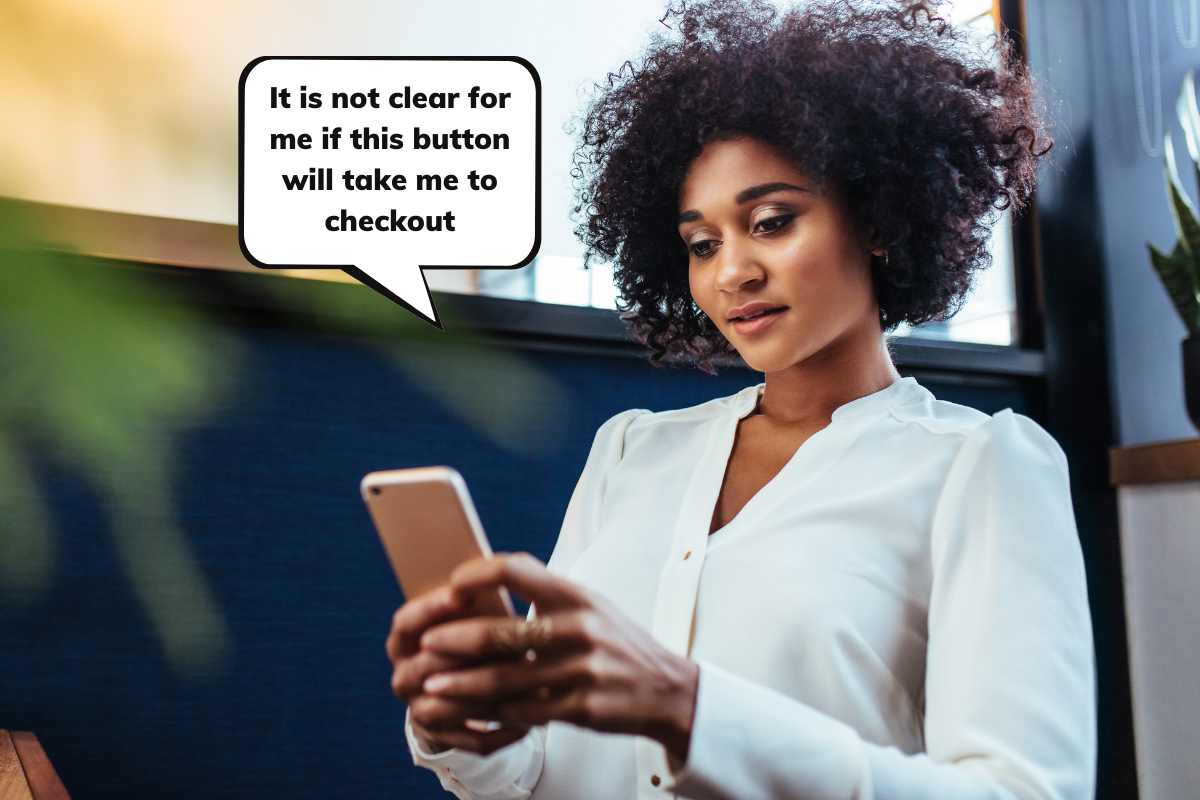
Eye-tracking measures where people look and for how long, giving UX researchers a direct view of visual attention without disturbing natural behavior. The method is especially valuable in usability tests where the problem is not visibility but comprehension: users may see a button clearly yet not understand what it does. Rather than iterating on color, size, or position in the dark, a researcher who can follow the user's gaze spots the misunderstanding immediately, saving the client both time and money.
Beyond spotting confusion, eye-tracking reveals how people scan pages and which elements attract attention. Nielsen Norman Group studies have used it to document patterns like the lawn-mower approach to comparison tables. For app or website design, you can test how easily users complete tasks, fill forms, locate information, or purchase a product.
From Direct Observation to Digital Insight
The practice of observing eye movement dates to direct observation in the 1800s. What began as naked-eye watching is now precise, sophisticated technology. In the late 1990s, advertising agencies recognized the potential for the Internet and began using eye-tracking to study attention on banners, animated graphics, and site navigation. Before these studies, web pages were often laid out like print media, with columns and dense text blocks; it was eye-tracking insights that helped shift web design practice away from that model.
Nielsen's 2006 research demonstrated the well-known F-shaped reading pattern: users start at the top-left, move to the top-right, then skim content that stands out, such as images and subheadings.

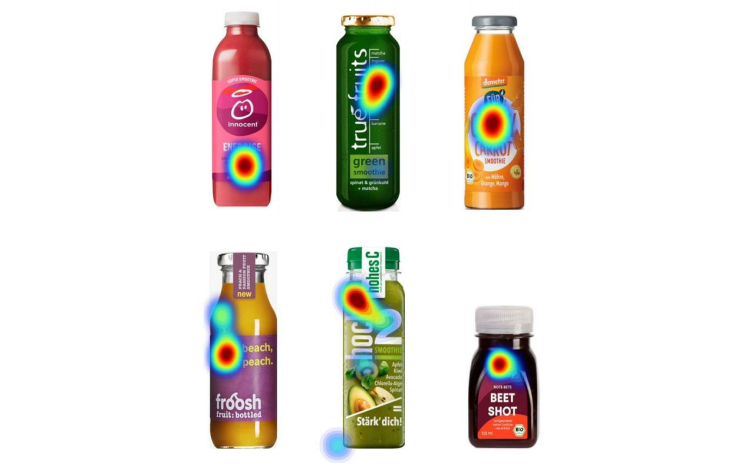
Modern eye-tracking serves many fields. Marketing researchers use it for advertising, product placement, and package design — for example, observing which smoothie brands draw shoppers' visual attention. In virtual reality, headsets with eye-tracking follow the user's true gaze direction to deepen immersion. PC gaming similarly lets players target objects by looking at them and pressing a button, rather than steering with mouse or controller. The market is projected to reach USD 1.75 billion by 2025.
Core Mechanics and Key Metrics
An eye tracker is a device — often glasses — or software that uses a webcam or smartphone selfie camera to measure eye movements. Researchers typically define Areas of Interest (AOIs) on the stimulus: in usability terms, that might be a filter function in an app or an advertisement on a webpage. Alongside AOIs, two concepts are essential:
- Fixation
The pause when the gaze rests on an object. - Saccade
The rapid movement of the eyes between fixations.
With AOIs defined and the test designed, participants interact with the app or website while metrics are collected. Output ranges from individual gaze-path videos to quantitative comparisons: how many users looked at an AOI, how long they spent there, and how quickly it was first detected.

Gaze path visualizations and heatmaps translate directly into action. A time-to-first-fixation above 0.15 seconds may signal that the AOI belongs in a different spot; a long dwell time could mean either the element was unclear or genuinely engaging. Interpretation requires context, which is why eye-tracking pairs well with surveys, Thinking Aloud protocols, and click-rate data.
Why Eye-Tracking for Mobile?
Click heatmaps and surveys capture what users tap or remember, but eye-tracking records what they only look at — information participants may not recall, describe, or act on. That distinction matters for product designers who need to understand how people perceive and interact with an interface on desktop and mobile alike.
Historically, the method carried a significant cost barrier: accurate gaze measurement required special in-lab hardware. Software-only solutions have since changed that calculus, turning existing webcams and selfie cameras into eye trackers at a fraction of the former price.

Mobile usability research had its own challenges. Smartphone screens are small, and the eye-tracking glasses used for most studies lack the precision to track them reliably. Synchronizing screen content with gaze data demanded elaborate setup and analysis, while webcam-based testing pulled users away from the natural setting of their own phones. This matters because mobile users behave differently: they are often distracted, have shorter attention spans, or aim to complete a quick task like buying a ticket or finding an address.
The payoff for getting mobile research right is substantial. Amazon, Facebook, Google, and Microsoft each run tens of thousands of controlled online tests per year; Bing's testing efforts alone produced revenue gains of 10% to 25% per search annually. Technology has now evolved to support eye-tracking tests directly on the smartphone with no additional hardware. Software-only approaches can cost up to 100 times less than traditional eye-tracker studies, enabling researchers to run tests with global participants and receive accurate results immediately.
Setting Up An Eye-Tracking Session
Every eye-tracking study starts with a focused research question. If you were launching an e-commerce app and wanted to know whether shoppers noticed a sales banner on the homepage, for example, you could formulate a hypothesis — say, that showing product photos nudges more conversions. A clear hypothesis allows you to test predictions and simplifies the analysis phase. From there, you select the metrics that match those assumptions, then build the tasks and visual stimuli participants will interact with.
Conducting comparative studies is highly productive for both web and mobile research. Testing multiple versions of your own pages, applications, or advertisements, alongside competitors’ offerings — commonly known as A/B testing — lets you evaluate which elements perform best. Once the test is designed and loaded into the testing tool, you need to decide who joins the study.
The required participant count depends heavily on your analysis method. Studies that rely primarily on heatmaps for reporting need at least 30 participants to generate meaningful data. Alternatively, smaller studies — with six or more participants — work well when you plan to watch individual video replays paired with the thinking aloud method.
You can conduct the study in-lab or remotely, and choose between moderated or unmoderated sessions. In-lab studies demand significant time and resources, since all equipment and software must be available on site, and participants are limited to those able to attend in person. Researchers or facilitators must monitor these sessions closely.
Remote studies, in contrast, open the door to participants worldwide, which suits companies with clients spread across cities or countries. Unmoderated remote testing is accomplished with tools that collect and store data automatically — the researcher sends invitations and the technology handles the rest.
Eye-tracking metrics vary from tool to tool, although most platforms offer some mix of qualitative and quantitative results. Which metrics matter most depends on the study type. For quantitative measurements, key indicators include Time to first Fixation, First Fixation Duration, Dwell Time, and Revisits, among others.
What Smartphone Eye-Tracking Reveals
A joint study between market research institute Eye Square and Oculid — using Oculid’s smartphone-based eye-tracking within a real-world context testing approach — shows that remote eye-tracking on mobile devices yields actionable insights for UX teams.
The research assembled 100 respondents across the United States over two days, each completing tests within 3 to 5 minutes. The goal was to observe how shoppers interact with e-commerce and what elements keep them engaged with a product. Two UX scenarios formed the core of the study: online shopping and an advertising scenario tested in context.

The analysis offered a clear view of customer behavior while safeguarding privacy. The process is automated and anonymous, fully transparent for the testers involved, and complies with the EU General Data Protection Regulation 2016⁄697 (GDPR). Data is captured only after explicit user consent and is deleted per GDPR rules.
1. Online Shopping
In the online shopping scenario, eye-tracking showed which visual elements capture consumer attention immediately. The A/B test pitted two versions of a page against one another:
A(the control): this version supports the hypothesis;B(the challenger): this version is the modified alternative.
Findings revealed that less than 10% of shoppers scroll far enough to see products below the first screen.

The A/B test showed that buyers engage best with visual cues they recognize, as well as larger, clearer images. Yet decision-making goes beyond what's on display — content also drives behavior. Shoppers spent notable time reading the Product Detail Page, reinforcing the value of compelling copy on product pages.
The second scenario put advertising in a social media context.
2. Advertising In Context
In this part of the study, participants first scrolled through an Instagram feed that included a video ad for a pair of headphones. They were then asked to shop online for headphones, with no mention of a specific brand, and were directed to an Amazon page showing various products and brands in that category.
Oculid’s eye-tracking data from this contextual advertisement test showed that the advertised headphone model drew more visual attention than its competitors. The touted headphones received 2.4 seconds of visual attention versus 2.1 seconds for the closest rival, even though that competitor appeared higher up the page.
This held true despite the researched product appearing fourth in the platform listing — a sign that the ad successfully steered consumer attention. Beyond longer gaze times, testers registered 50% more interactions/clicks on the advertised product compared to any competitor option. For UX teams, this demonstrates how visual attention metrics expose the behavioral patterns users follow when browsing a website or app.
Making Eye-Tracking Practical
Eye-tracking once required expensive, cumbersome equipment that kept many researchers away — especially for mobile studies. That's no longer the case. Modern smartphones with up to 50-megapixel selfie cameras function as accurate eye trackers, making mobile UX research accessible. With advances in test design and integrated data analysis, the technique can sit comfortably within the standard researcher’s toolkit.
Weaving eye-tracking into usability testing brings clear advantages for discovery. It helps you test prototypes and adjust based on what users do, not just what they claim — close to observing them over the shoulder but in a natural setting. The resulting insights about users’ behavior can ultimately save a company both time and money.
You don't need to be a dedicated eye-tracking specialist to use these tools. Familiarity with usability testing and a modest grounding in the key metrics and their interpretation is enough to get started. Testing the methodology this way rounds out usability studies and deepens their impact.
Eye-tracking alone won't answer every mobile UX question. Combining it with different methods is the recommended path for a multi-sided view of user behavior. Paired with online questionnaires, Thinking Aloud, interviews, or other techniques, it provides visibility into the subconscious aspects of decision-making that more conventional methods miss.
Sources
- Mobile User Experience (UX) Design, Interaction Design Foundation
- “Pioneers Of Eye Movement Research,” Nicholas J Wade
- “A Brief History Of Eye-Tracking,” David Leggett
- “Eye Tracking And Usability: How Does It Work?” by Nick Babich
- Eye Tracking, Usability.de
- “The Surprising Power Of Online Experiments,” Ron Kohavi & Stefan Thomke
Further Reading
- The Importance Of Graceful Degradation In Accessible Interface Design
- Building A User Segmentation Matrix To Foster Cross-Org Alignment
- How To Harness Mouse Interaction Data For Practical Machine Learning Solutions
- The Ultimate Guide To Push Notifications For Developers



