
Meetings Cost More Than Their Time Slot
A meeting never ends when the calendar event does. Participants need time to shift focus before and after, and the disruption hits designers and engineers alike. So before inviting anyone, ask whether the session is truly necessary. If you cannot make the decision or complete the task alone, then a meeting is justified. Otherwise, you are spending more working hours than the agenda shows.
Estimating the real cost changes how you build the invite list. With ten people at an hourly rate of $50, a one-hour meeting costs $500 before anyone opens a design tool. That price only makes sense if each person’s work is directly tied to the outcome. A useful test: if one invitee cancels, would you still hold the meeting? If the answer is no, drop them from the list and move to the next name.
Preparing As The Organizer
When you initiate a meeting, start with the question: why does this need to happen at all? Then make the answer visible to everyone involved. Share the agenda ahead of time so participants know what you expect from them. Describe the goal and the intended results — this lets attendees prioritize the information they absorb during the session.
Time allocation follows the agenda and the headcount. Twenty people in a 30-minute slot gives each person about 90 seconds of space. That constraint is worth remembering long before the discussion starts. This applies to interactive sessions, not one-way presentations where you only need a “yes” or “no” at the end.
Preparing As A Participant
When someone else invites you, you still control your preparation. Ask for the agenda and goal if they were not provided. Find out what would happen if you could not attend — that answer tells you whether your presence matters. If you join, research the available documentation so you have the background to ask informed questions. Then build your own communication plan around the time you actually have.
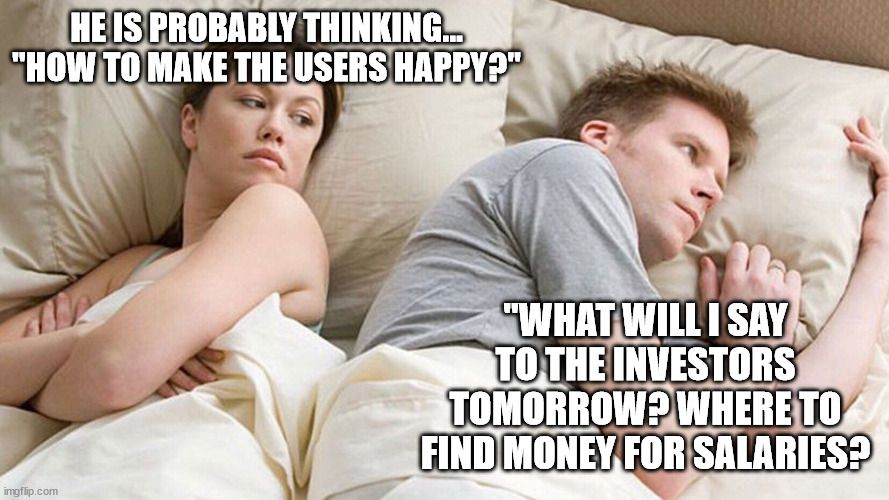
Personal goals shape how people hear your message. A manager may not care about conversion rates or user satisfaction if their bonus depends on delivering the project on schedule. Your pitch needs to answer what they need, not just what you want to present. If your proposal does not align with their incentives, even a technically sound argument will miss.
Building A Communication Plan
A communication plan is a reference point when the discussion drifts. Before the meeting, answer a few questions for yourself:
- What result do I want from this session, and why am I attending?
- How did I arrive at the idea I plan to present?
- Why are alternative approaches weaker? Have I genuinely explored them?
- If my idea has known weaknesses, what strategy should I use — and should those weaknesses come up in this meeting?
These answers clarify your own thinking first. It is impossible to communicate an idea effectively if it is still vague to you. You also need to know whether you want approval for a specific solution, or whether you are genuinely open to gathering opinions and picking the best option. If you have explored multiple paths, can you explain why the others would work worse? Deciding these points beforehand saves you from spending the meeting figuring them out in real time.
Knowing your own position lets you steer the conversation more productively, but you should also account for what other participants want out of the session. The meeting serves the people in the room, not your prepared talking points. Match your communication plan to the goals of your audience, and the discussion stays on track.
From Kickoff To Clear Communication
The way you open a meeting sets the tone for everything that follows. Showing a finished design in the first minute and asking for validation is almost always a mistake. The same goes for jumping straight into a demo of what you have built. Without the story behind the work, people will naturally try to make sense of what they see on their own terms — and once their imagination starts filling in the blanks, pulling them back into your line of thinking gets difficult.
Start with the context that frames your solution. How does somebody actually encounter the problem you are solving? What was the conclusion from the previous meeting, and where did things stop? What constraints, market conditions, or user research are relevant to share right now? Each of these pieces gives your audience a foundation to judge the design on. But be selective — this is an intro, not the main course. You need to save room for deliberation and questions.
Explaining The Route, Detours Included
As you move from one point to the next, make space for the dead ends you hit along the way. The path to the final design was rarely a straight line. Sharing what did not work explains, without having to be asked, why you are standing where you are today. Stakeholders who are not deep in the project do not see the reasons behind every turn, so telling them about the roads you tried first prevents silent confusion — and unasked questions.
There is also the matter of presenting complex ideas inside a live conversation. People have a habit of interrupting an explanation the moment something becomes unclear. A practical way to control this is to state upfront that you will give a high-level outline of your idea first and then go through it point by point, inviting questions once the full structure is visible. That approach gives everyone enough of the picture to ask useful questions in the right context, without stalling your flow.
Keeping People With You
Use the dialogue in the room to gauge attention and understanding. Some of it is straightforward feedback on the content; a lot of it is watching whether people are still tracking your point. To keep your audience engaged and test early signals, try a few low-pressure moves. Ask for short contributions from people about an area they know better than you — real-world product use, market details, limitations, something where they bring insight you do not have. Ask what they expect or hope to see on your next slide, so you can relate your choices to their expectations or explain why those expectations were not met. Keep the check-in questions light: a simple yes, no, or few-word answer.
In a remote setup, cameras change the dynamic completely. If you run an online meeting, ask people to switch them on where possible. It sounds better when the request is honest and polite: explain that you find it uncomfortable presenting to a blank screen, or that reading reactions matters to the flow of the meeting. Give people enough notice — say the request during the invite — so they can prepare their background or test their setup.
Silence is another danger. An unresponsive group usually signals that your question was unclear, or that the participants need time and a different angle to start talking. If nobody bites, be the first critic yourself. You already know the weak sides of your own solution, so bring them into the open. Showing that a pointed critique of your design is okay lowers the barrier for the rest of the room to follow. Some companies do this intentionally, planting a person whose role is to provoke discussion — and it turns out that once the first uncomfortable comment is on the table, the feedback flows much more easily.
Grounding Everyone In The Same Reality
Even a smooth meeting can lose alignment if everyone operates with a different picture in mind. Saying “on this page the user makes a route from A to B” will trigger a different mental model for each participant. Your stakeholders sit on the business side — they are not your users. It is your job to close that distance, walking them through the user’s actions and showing the obstacles that stand in the way.
And do not forget about emotion. Design is a pair of shoes your user actually has to live in. The people who review your screens might not wear them. So narrate the experience with specifics: what is happening when a user opens the page, whether they have enough time to work through a task, and what happens when they cannot. These are details that never emerge from looking at a static visual. You need to tell the story before they can see the point.
From Notes to Action
Traditional meeting notes focus on the past. They document what was said, but they don’t drive progress. What actually moves a team forward is a clear action plan — a list of specific, measurable tasks tied to deadlines and assigned to named individuals. If someone is available to capture notes while the discussion flows naturally, that’s fine, but note-taking should never slow the conversation. The goal is momentum, not a transcript.
A weak action plan leaves room for ambiguity and stall. Compare these two approaches:
Ineffective:
- Finalize the concept.
- Think about better navigation.
- Discuss the design concept with the users.
Effective:
- Add a full search flow and a “Contact Us” page.
- Create a minimum of two versions of the design concept with navigation based on best practices.
- Conduct unmoderated user testing with at least five users.
Every item also needs an appointed “action person.” Without explicit ownership, tasks fall through the cracks because everyone assumes someone else is responsible.
Keeping the Meeting on Track
The meeting initiator owns the outcome. If the discussion wanders off-topic, it’s that person’s job to steer it back. Likewise, resist the urge to add agenda items mid-meeting just because “we’re all here.” Finish the planned agenda first, and only then — if everyone agrees and time allows — can you raise new points.
A few practical habits help keep meetings productive:
- Introductions matter. If participants don’t all know each other, start by introducing everyone.
- Recording is a courtesy. It’s a good option for those who can’t attend, but only if every participant consents beforehand.
- Respect the schedule. Don’t leave people to awkwardly ask when they can leave. If you need more time, ask 5-10 minutes before the slot ends whether an extension works for everyone, then adjust your plan. If not, defer remaining topics to another session.
- Challenge the guest list. The traditional invite is everyone related to any agenda item — but that drags people in for a five-minute segment. If a question can be settled in a smaller group or a one-on-one, do that. Ideally, every person in the room is relevant to every aspect of the discussion.
- Listen actively. Being overly focused on your own vision can make you miss good ideas from others. Make room for voices to be heard and evaluated at the right time.
The Cost of Meetings
Meetings are expensive. Every hour a team spends in the room is time not spent on other important work. Poorly structured meetings don’t just waste that time — they interrupt focused work, which studies like Gloria Mark’s research at UC Irvine show causes more speed and stress than uninterrupted effort. Some teams accordingly reserve hours for deep “focus work” where no meetings are allowed to be scheduled.
Format also matters. Some organizations, notably Amazon, avoid slide decks entirely and rely on a printed reading document — a practice that works because it forces everyone to read the same material deeply before discussing it. Others use unusual time blocks, or a large countdown timer, to keep conversations tight and deliberately structured.
Further Reading
- “The Anatomy of an Amazon 6-pager,” Jesse Freeman
How Amazon runs meetings without PowerPoint, using printed documents not read from a screen. Note that in pre-pandemic times, this approach was built around in-person work. - Big Timer
Teams can set a specific meeting length (18 minutes, 23 minutes) and display a large countdown to everyone in the room to drive brevity and timeliness. - “Mental Health at Work (leverage focus blocks),” Cameron Moll
Teams can block out “focus work” hours where no one may schedule meetings. - “Meetings,” Paul Adams
On how a good meeting generates clarity and momentum — and why the opportunity cost of everyone’s time still has to be taken into account. - “Let’s Have Better Meetings!,” Laurel Hechanova & Patrick DiMichele
On running a tighter meeting and making better use of the group’s collective time. - “Why Standups are Useless and How to Run Great Product Team Meetings,” Andy Johns
Why “status update” meetings are often the least useful format of all. - “The Cost of Interrupted Work: More Speed and Stress,” Gloria Mark, Daniela Gudith & Ulrich Klocke [PDF]
Research paper detailing how interruptions — including meetings — affect productivity and worker stress.



